
Introduction
Thank you for choosing the Seang Electric Standing Desk. This manual provides essential information for the safe assembly, operation, and maintenance of your new adjustable height desk. Please read these instructions thoroughly before assembly and use to ensure proper function and longevity of the product.
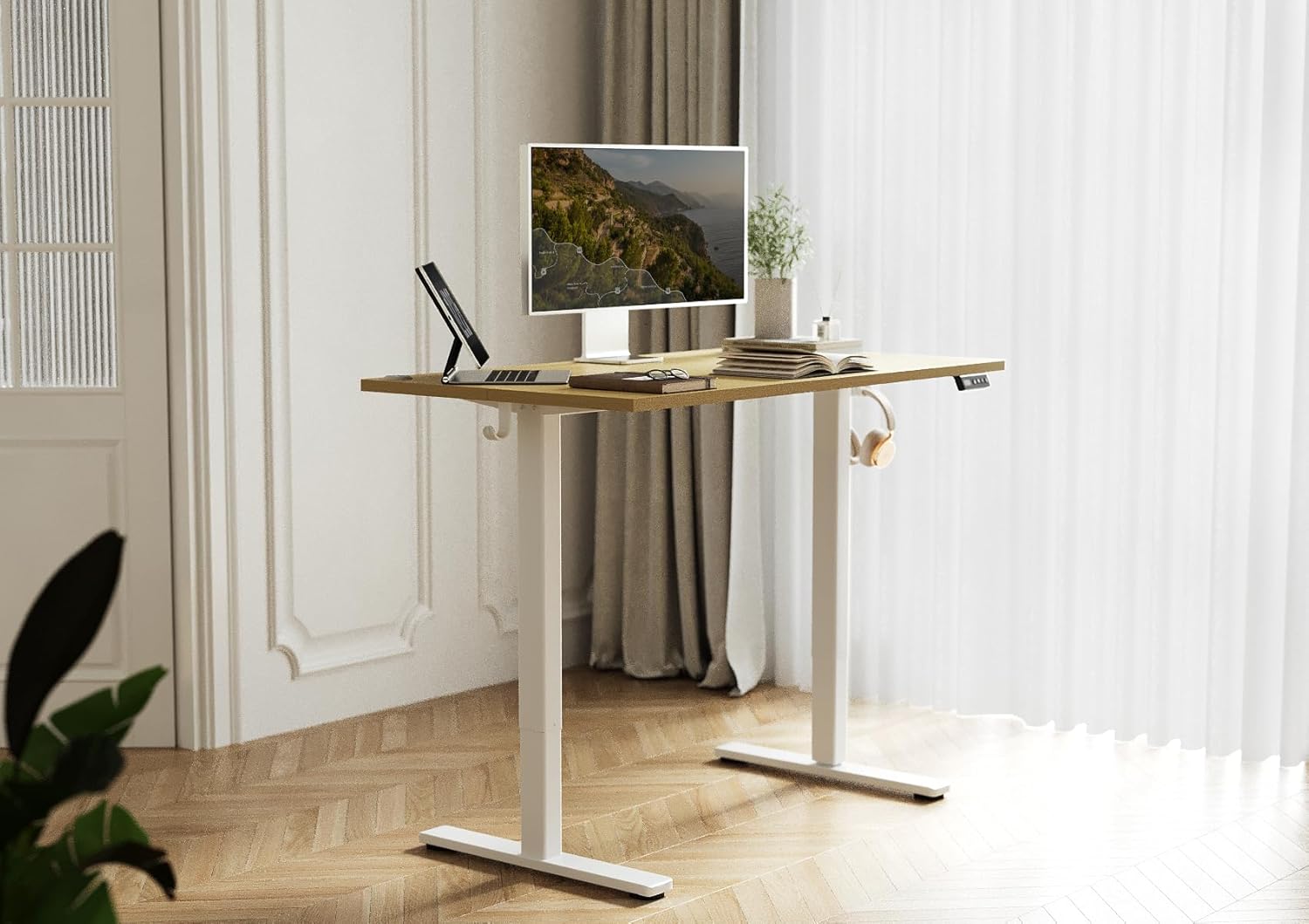
Image: The Seang Electric Standing Desk in a modern home office environment, showcasing its design and functionality with a monitor, laptop, and headphones.
Safety Information
Please observe the following safety precautions to prevent injury or damage to the product:
- Weight Limit: Do not exceed the maximum weight recommendation of 154 pounds (70 kg). Exceeding this limit may cause instability and potential damage to the desk or personal injury.
- Assembly: Follow all assembly instructions carefully. Incorrect assembly can lead to instability and operational issues.
- Clearance: Ensure there are no obstructions above or below the desk during height adjustment to prevent collisions.
- Children and Pets: Keep children and pets away from the desk during operation to prevent accidents.
- Power: Ensure the power cord is properly connected and not damaged. Do not operate the desk with a damaged cord or plug.
- Liquid Spills: Avoid spilling liquids on the control panel or motor components.
Package Contents
Before beginning assembly, verify that all components are present and undamaged. Refer to the detailed installation manual included in the package for a complete list of parts.
- Desktop (48x24 inch, Nature Top)
- Electric Lift System (Legs and Motor)
- Control Panel
- Power Adapter and Cable
- Headphone Hook (Included Component)
- Assembly Hardware (Screws, L-shaped mounting tools)
- Installation Manual
Setup and Assembly
The Seang Electric Standing Desk requires assembly. A detailed installation manual with precise pre-drilled holes and L-shaped mounting tools are included to facilitate a quick and easy assembly process. It is recommended that 1 person perform the assembly.
- Unpack Components: Carefully remove all parts from the packaging and lay them out on a clean, soft surface to prevent scratches.
- Attach Legs to Desktop: Follow the instructions in the provided manual to securely attach the electric lift legs to the underside of the desktop using the provided hardware. The pre-drilled holes will guide placement.
- Install Control Panel: Mount the control panel to the designated area on the underside of the desktop.
- Connect Cables: Connect the motor cables and control panel cable to the control box, then connect the power adapter. Ensure all connections are secure.
- Attach Accessories: Install the headphone hook and any other included accessories as per the manual.
- Final Check: Before plugging in, double-check all connections and ensure all screws are tightened.

Image: A close-up of a person assembling the desk, showing the use of a screwdriver and the detailed instruction manual.
Operating Instructions
Your Seang Electric Standing Desk features an advanced electric lift system for smooth height adjustments and a multi-function intelligent keypad.
Height Adjustment
- The height adjustment range is from 28.3 inches to 46.5 inches.
- Use the Up (▲) and Down (▼) buttons on the control panel to manually adjust the desk to your desired height.
- The powerful motor ensures a smooth and low-noise lifting process.

Image: Visual representation of the desk's adjustable height range, showing the desk at its minimum (28.3") and maximum (46.5") heights.
Memory Presets
The control panel allows you to save preferred heights for quick adjustments.
- Set a Preset: Adjust the desk to your desired height using the Up/Down buttons. Press and hold one of the memory buttons (1 or 2) until the LED display flashes or beeps, indicating the height is saved.
- Recall a Preset: Press the corresponding memory button (1 or 2) to automatically move the desk to the saved height.

Image: Detailed view of the control panel, highlighting the LED display, up/down movement buttons, and two memory preset buttons.
Quiet Operation
The desk is designed for quiet operation, with a noise level of approximately 45dB during adjustment.

Image: A hand interacting with the control panel, emphasizing the desk's quiet operation feature with a visual comparison of sound levels.
Maintenance
Regular maintenance helps ensure the longevity and optimal performance of your standing desk.
- Cleaning: Wipe the desktop and frame with a soft, damp cloth. Avoid abrasive cleaners or harsh chemicals that could damage the finish.
- Cable Management: Periodically check that all cables are securely connected and not pinched or tangled. Use the provided cord holes to maintain a tidy workspace.
- Fastener Check: Occasionally check all screws and fasteners to ensure they remain tight. Retighten if necessary.
- Motor Care: The electric motor is designed for maintenance-free operation. Do not attempt to open or service the motor housing.
Troubleshooting
If you encounter issues with your Seang Electric Standing Desk, refer to the following common troubleshooting steps:
- Desk Not Moving:
- Ensure the power cable is securely plugged into both the desk and a working power outlet.
- Check all motor and control panel connections to the control box.
- If the desk has an anti-collision feature, ensure no objects are obstructing its path.
- Uneven Movement or Wobble:
- Verify that the desk is assembled correctly and all fasteners are tightened.
- Ensure the desk is placed on a level surface.
- Do not exceed the maximum weight capacity of 154 lbs.
- Control Panel Not Responding:
- Unplug the desk from the power outlet for 10-15 seconds, then plug it back in to reset the system.
- Check the connection of the control panel cable to the control box.
If these steps do not resolve the issue, please contact Seang customer support for further assistance.
Specifications
Key specifications for the Seang Electric Standing Desk (Model JZQC):
| Brand | Seang |
| Model Name | JZQC |
| Model Number | SA-SD-JZQC |
| Desk Design | Standing Desk |
| Desktop Dimensions | 48 x 24 inches |
| Height Adjustment Range | 28.3 inches to 46.5 inches |
| Maximum Weight Capacity | 154 lbs (70 kg) |
| Lifting Mechanism | Electric |
| Top Material Type | Wood (Nature Top) |
| Base Material | Metal (Alloy Steel Frame) |
| Included Components | Headphone Hook, Assembly Tools |
| Recommended Assembly Persons | 1 |
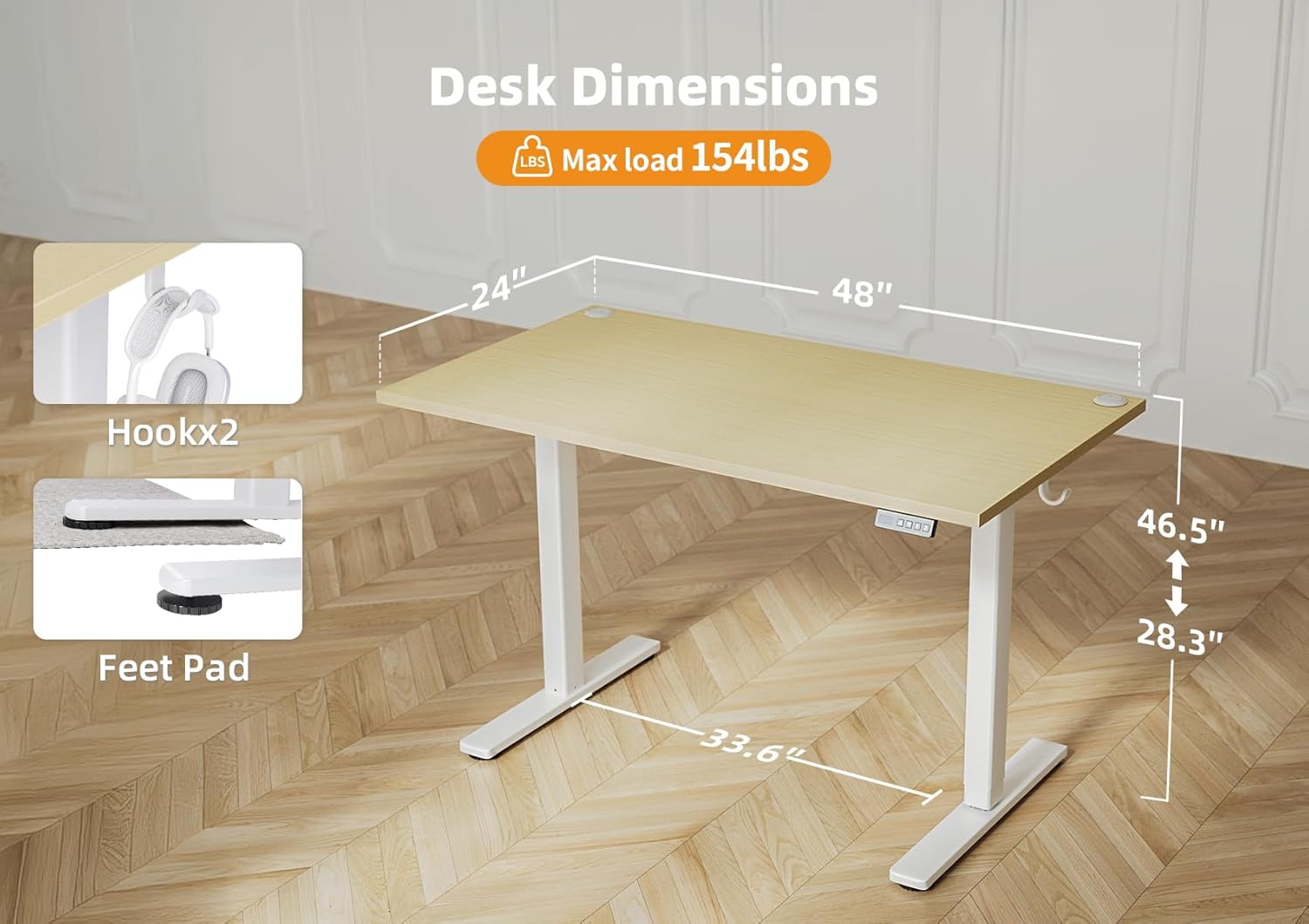
Image: A visual diagram detailing the desk's dimensions and maximum load capacity.

Image: A person sitting on the desk, illustrating its 154 lbs load capacity.
Warranty Information
The Seang Electric Standing Desk comes with a Limited Warranty. Please refer to the warranty card included in your package or contact customer support for specific details regarding coverage and terms.
Customer Support
For any questions, concerns, or assistance with your Seang Electric Standing Desk, please do not hesitate to contact our customer support team. We offer 24/7 support to provide quick solutions to any issues you may encounter.
Contact Information: Please refer to the contact details provided in your product packaging or visit the official Seang website for the most up-to-date support information.