
1. Introduction
This manual provides essential instructions for the safe and efficient operation of your QKR 12V 10A LiFePO4 Battery Charger. This charger is specifically designed for 12V (12.8V) Lithium Iron Phosphate (LiFePO4) batteries. Please read this manual thoroughly before use and retain it for future reference.

Image 1.1: QKR 12V 10A LiFePO4 Battery Charger. The charger features a compact black casing with an integrated power cord and output cables terminating in red and black alligator clips.
2. Safety Information
Observe the following safety precautions to prevent injury or damage to the charger and battery:
- This charger is exclusively for 12V (12.8V) LiFePO4 lithium batteries. Do not attempt to charge lead-acid batteries or any other battery types, as this may cause damage or hazards.
- Always disconnect the power supply from the charger before connecting or disconnecting the battery.
- Ensure correct polarity: The red charging clip is the anode (positive, +) and the black charging clip is the cathode (negative, -). Connect the red clip to the battery's positive terminal and the black clip to the battery's negative terminal. Incorrect connection can cause damage.
- Operate the charger in a well-ventilated area.
- Do not expose the charger to rain, moisture, or extreme temperatures.
- Do not disassemble the charger. Refer all servicing to qualified personnel.
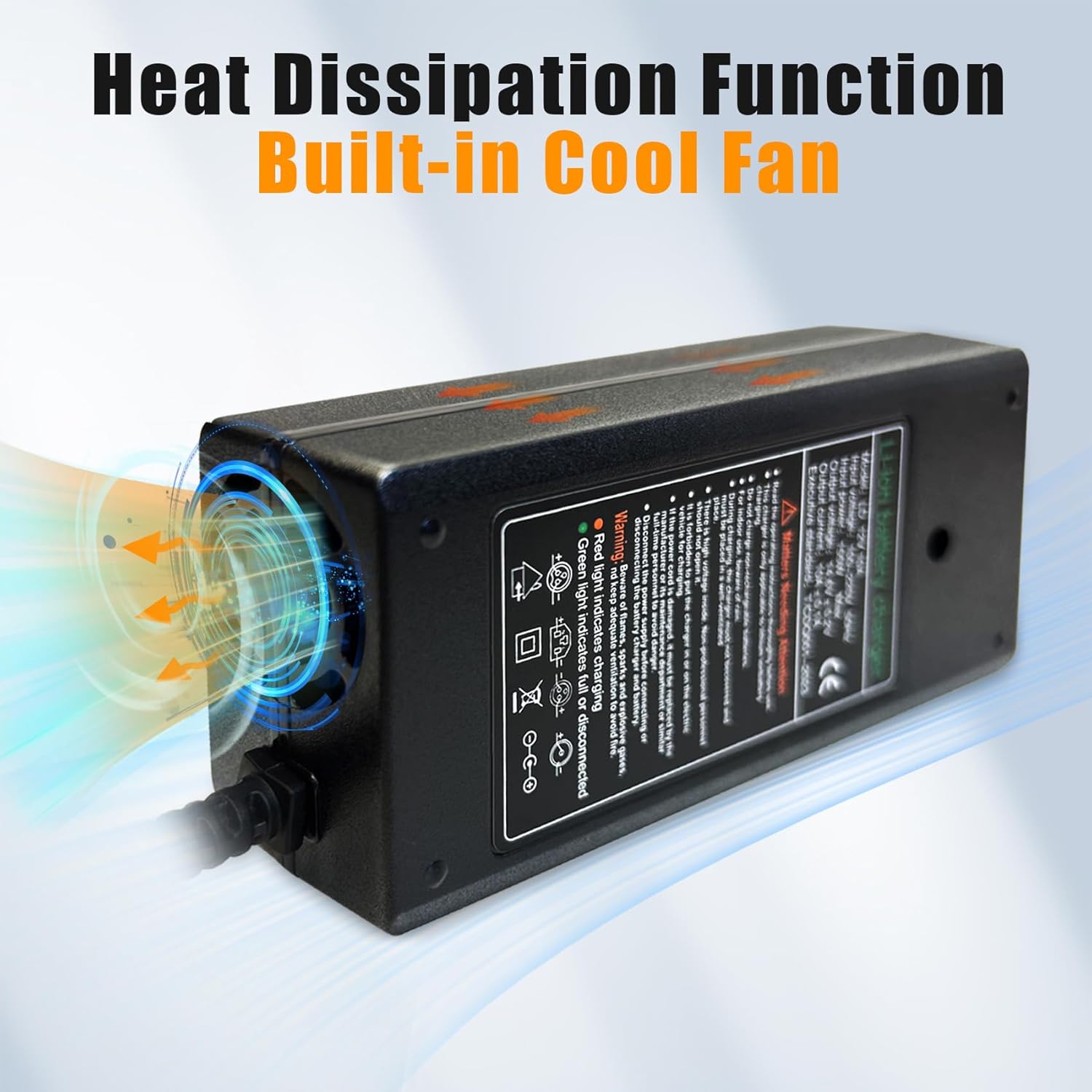
Image 2.1: The charger incorporates 6 safety protections, including cut-off, over current, reversed polarity, short-circuit, over voltage, and over temperature protection.
3. Product Features
- Dedicated LiFePO4 Charging: Specifically designed for 12V LiFePO4 batteries, ensuring optimal charging parameters and extending battery lifespan.
- High Efficiency: Achieves over 90% charging efficiency, delivering a maximum output of 14.6V and 10A, with a total power of 155W. This allows for faster charging times compared to standard 5A chargers.
- LED Indicator: A clear LED indicator provides real-time status updates on the charging process.
- Durable Construction: Features a robust shell and an integrated cooling fan for effective heat dissipation, enhancing charger longevity and safety.
- Safety Protections: Built-in safeguards against over-current, over-voltage, short-circuit, reversed polarity, and over-temperature conditions.

Image 3.1: The charger features a built-in cooling fan for efficient heat dissipation, contributing to its durable design.

Image 3.2: The charger is constructed with a thick shell designed for high temperature resistance, enhancing its durability.
4. Setup
Follow these steps to set up your QKR LiFePO4 Battery Charger:
- Prepare the Battery: Ensure your 12V LiFePO4 battery is clean and free from debris around its terminals.
- Connect the Charger Clips: Connect the red alligator clip (positive, +) to the positive terminal of your LiFePO4 battery. Connect the black alligator clip (negative, -) to the negative terminal of your LiFePO4 battery. Ensure a secure connection.
- Connect to Power: Plug the charger's power cord into a standard 100-220V AC electrical outlet.
- Verify Connection: The LED indicator on the charger will illuminate, indicating the charging status.

Image 4.1: The charger is equipped with robust alligator clips and pure copper wires for reliable electrical connection.
5. Operating Instructions
Once connected, the charger will automatically begin the charging process. The LED indicator provides visual feedback:
- Red LED Light: Indicates that the battery is currently charging.
- Green LED Light: Indicates that the battery is fully charged. The charger will automatically stop charging to prevent overcharge.
Charging Time Reference:
- 12V 10Ah LiFePO4 battery: Approximately 1 hour
- 12V 20Ah LiFePO4 battery: Approximately 2 hours
- 12V 30Ah LiFePO4 battery: Approximately 3 hours
- 12V 50Ah LiFePO4 battery: Approximately 5 hours
- 12V 100Ah LiFePO4 battery: Approximately 10 hours
Note: Actual charging times may vary depending on the battery's state of charge, age, environment, and other factors. The most recommended charging current is 0.2C.

Image 5.1: The charger's LED indicator displays red when charging and green when the battery is fully charged, indicating automatic charge and stop functionality.

Image 5.2: This diagram illustrates the charger's high efficiency, showing estimated charging durations for 12V LiFePO4 batteries of 10Ah, 20Ah, 30Ah, 50Ah, and 100Ah capacities.
6. Maintenance
To ensure optimal performance and longevity of your charger:
- Keep the charger clean and dry. Wipe the exterior with a soft, dry cloth.
- Ensure the cooling fan vents are not obstructed to allow proper airflow.
- Store the charger in a cool, dry place when not in use.
- Regularly inspect the power cord and alligator clips for any signs of damage. Do not use if damaged.
7. Troubleshooting
| Problem | Possible Cause | Solution |
|---|---|---|
| Charger not turning on / No LED light | No power from outlet; Loose power connection; Faulty charger. | Check power outlet; Ensure power cord is securely plugged in; Contact customer service if issue persists. |
| LED remains red, battery not charging | Incorrect battery type; Poor connection to battery terminals; Battery fault. | Confirm battery is 12V LiFePO4; Ensure alligator clips are securely attached with correct polarity; Test battery condition. |
| LED remains green, but battery is not fully charged | Battery Management System (BMS) cut-off; Battery fault. | Some LiFePO4 batteries have a BMS that can cut off charging. Consult your battery's manual. Contact customer service if unsure. |
| Charger feels excessively hot | Obstructed cooling vents; Overload; Environmental temperature too high. | Ensure vents are clear; Use in a well-ventilated area; Disconnect and allow to cool. If overheating persists, discontinue use and contact customer service. |
8. Specifications
| Specification | Value |
|---|---|
| Model Number | QKR-DC12V-10Amp |
| Input Voltage | 100-220V AC, 50Hz |
| Output Voltage | 14.6V ± 0.2V |
| Output Current | 10A ± 0.1A |
| Maximum Output Power | 155W |
| Product Dimensions (L x W x H) | 5.9 x 2.8 x 1.9 inches (15 x 7.1 x 4.8 cm) |
| Item Weight | 13.6 ounces (0.85 lbs / 385g) |
| Color | Black |
| Compatibility | 12V (12.8V) LiFePO4 Batteries Only |

Image 8.1: The charger's physical dimensions are 6.3 x 2.96 x 1.77 inches, with an input voltage of 100-220V 50Hz, maximum input power of 155W, output voltage of 14.6V ± 0.2V, and output current of 10A ± 0.1A.
9. Customer Support
For technical support, warranty inquiries, or any questions regarding your QKR 12V 10A LiFePO4 Battery Charger, please contact our customer service team. We aim to provide professional technical support and respond to inquiries within 24 hours.
Please refer to your purchase documentation for specific contact details.