
1. Introduction
This manual provides detailed instructions for the installation, operation, and maintenance of your YUANTING 9-Inch Android 13 Car Radio Stereo. This unit is designed to integrate seamlessly into Toyota Tacoma models manufactured between 2005 and 2015, offering advanced features such as wireless CarPlay, Android Auto, GPS navigation, and multimedia capabilities.

Image 1.1: Front view of the YUANTING 9-Inch Android 13 Car Radio Stereo displaying various application icons.
2. What's in the Box
Verify that all components are present before beginning installation:
- Main Head Unit (9-inch Android 13 Car Radio Stereo)
- Power Harness
- Protocol Box
- RCA Port Cables
- GPS Antenna
- Backup Camera Input Cable
- USB Cable
- Microphone
- User Manual (this document)
- Installation Tools

Image 2.1: Contents of the YUANTING car stereo package.
3. Setup and Installation
3.1. Compatibility Check
This car stereo is compatible with Toyota Tacoma models from 2005 to 2015. Before installation, confirm the year, dimensions, and shape of your vehicle's center console. If your vehicle is equipped with a J-B-L sound system, a specific J-B-L adapter cable (ASIN: B0DJ3DBK3Z) is required and must be purchased separately for proper functionality.

Image 3.1: The car stereo installed in a Toyota Tacoma dashboard, illustrating compatibility with different console types.
3.2. General Installation Guidelines
- Preparation: Disconnect the vehicle's battery before starting any electrical work.
- Remove Old Unit: Carefully remove the existing car stereo and trim panels.
- Connect Wiring: Connect the provided power harness, RCA cables, GPS antenna, and other necessary cables to the new head unit and the vehicle's wiring. Ensure all connections are secure.
- Install Head Unit: Mount the new head unit into the dashboard opening.
- Reconnect Battery: Reconnect the vehicle's battery.
- Test Functionality: Turn on the vehicle and test all functions of the new stereo, including audio, touch screen, GPS, Bluetooth, and steering wheel controls.
4. Operating Instructions
4.1. Android 13 System Overview
The unit operates on Android 13.0 with 4GB RAM and 64GB ROM, providing a responsive interface and ample storage for applications. The 9-inch IPS Touch Screen offers clear visuals and intuitive control.

Image 4.1: Android 13 system interface highlighting key specifications.
4.2. Wireless CarPlay and Android Auto
The stereo supports wireless and wired Apple CarPlay and Android Auto. Connect your smartphone via Bluetooth or USB to access navigation, music, calls, messages, and voice assistants (Siri or Google Assistant) directly from the head unit.

Image 4.2: Wireless CarPlay and Android Auto functionality.
4.3. GPS Navigation and Wi-Fi
The unit includes a built-in GPS module and an external GPS antenna for accurate navigation. Preloaded offline map data is available, and online navigation applications can be downloaded and used when connected to Wi-Fi or a personal hotspot.

Image 4.3: Built-in Wi-Fi for app access and online services.
4.4. Multimedia Features
- FM/AM/RDS Radio: Access local radio stations with clear reception.
- Bluetooth: Connect your phone for hands-free calling and audio streaming.
- Mirror Link: Mirror your smartphone screen (Android & iOS) onto the head unit display for video playback and app access.
- Video Playback: Supports various video formats for entertainment.

Image 4.4: FM/AM/RDS Radio and Bluetooth interface.

Image 4.5: Mirror Link functionality displaying a mirrored smartphone screen.
4.5. Audio Customization (DSP Settings)
The unit features built-in Digital Sound Processor (DSP) settings, allowing you to adjust audio equalization and sound output to your preference.
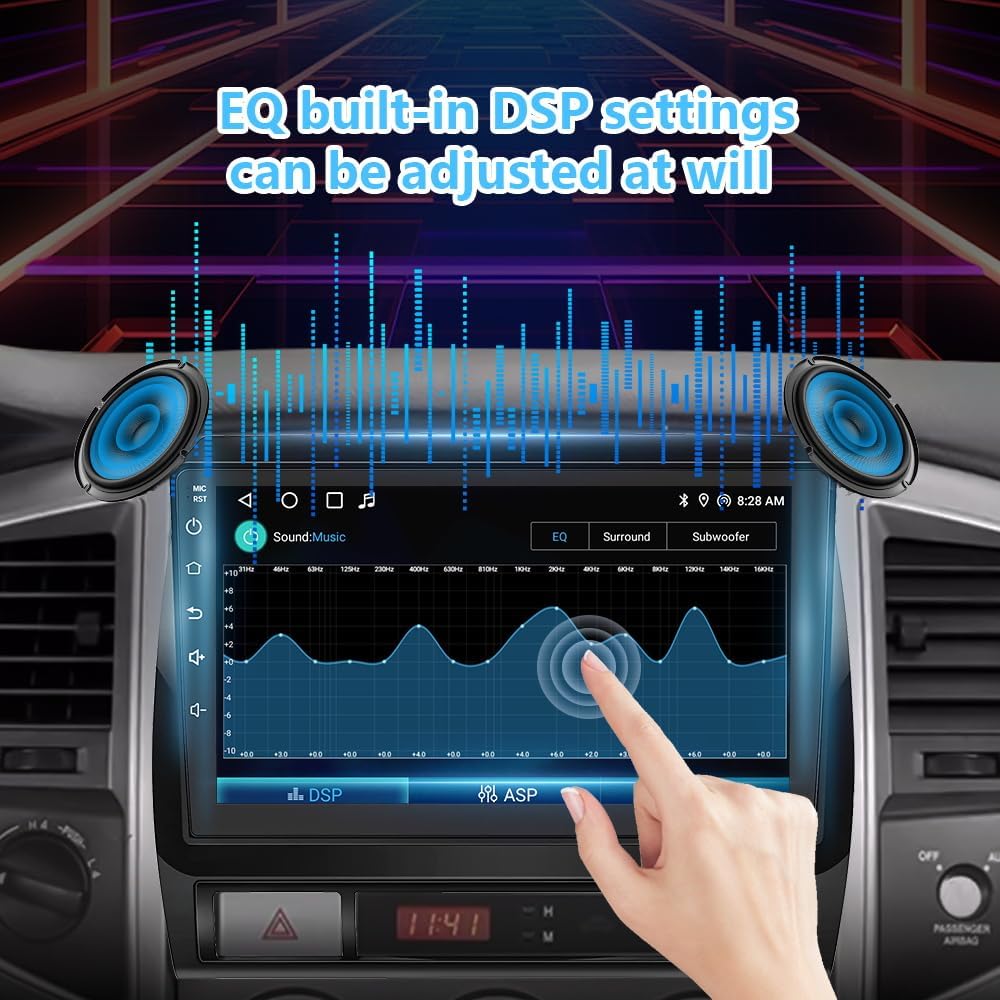
Image 4.6: DSP settings interface for audio customization.
4.6. Display and Output
- Split Screen: Utilize the split-screen function to run two applications simultaneously on the display.
- Full RCA Output: Supports video output to external monitors, such as car headrest displays.
4.7. Steering Wheel Control
The unit supports existing steering wheel controls, allowing you to manage audio and other functions without taking your hands off the wheel. Configuration may be required through the unit's settings.

Image 4.7: Steering wheel control functionality.
4.8. Rear View Camera Support
The stereo supports AHD (Analog High Definition) rear view cameras, providing a clear image for parking and reversing maneuvers.

Image 4.8: Rear view camera display on the car stereo.
5. Maintenance
- Screen Cleaning: Use a soft, lint-free cloth to gently wipe the screen. Avoid abrasive cleaners or solvents.
- Software Updates: Periodically check for and install software updates to ensure optimal performance and access to the latest features.
- General Care: Avoid exposing the unit to extreme temperatures, direct sunlight for prolonged periods, or excessive moisture.
6. Troubleshooting
If you encounter issues with your car stereo, refer to the following common solutions:
| Problem | Possible Solution |
|---|---|
| No Power | Check all power connections and the vehicle's fuse box. Ensure the battery is properly connected. |
| No Sound | Verify speaker connections. Check volume levels and audio output settings. Ensure the correct audio source is selected. |
| GPS Signal Issues | Ensure the GPS antenna is properly installed and has a clear view of the sky. Check GPS settings in the unit. |
| Bluetooth Connection Failure | Ensure Bluetooth is enabled on both the stereo and your phone. Delete previous pairings and attempt to re-pair. Restart both devices. |
| CarPlay/Android Auto Not Connecting | Verify USB cable connection (if wired). Ensure Wi-Fi and Bluetooth are enabled for wireless connection. Check phone settings for CarPlay/Android Auto permissions. |
| Steering Wheel Controls Not Working | Check wiring connections for steering wheel control. Access the unit's settings to map or configure the steering wheel buttons. |
| Touchscreen Unresponsive | Restart the unit. If the problem persists, a factory reset may be necessary (note: this will erase all user data). |
If these solutions do not resolve the issue, please contact customer support.
7. Specifications
- Model Number: 705794447511
- Operating System: Android 13
- Processor: 8-Core
- RAM: 4GB
- ROM: 64GB
- Screen Size: 9 Inch
- Display Type: IPS Touch Screen
- Connectivity: Auxiliary, Bluetooth, Wi-Fi
- Bluetooth Version: BT 5.0
- Special Features: Wireless CarPlay, Android Auto, GPS Navigation, Mirror Link, FM/AM/RDS Radio, DSP Settings, Split Screen, Full RCA Output, Steering Wheel Control Support, AHD Rear View Camera Support
- Compatible Devices: Smartphone
- Audio Output Mode: Surround
- Surround Sound Channel Configuration: 4.1
- Package Dimensions: 13.66 x 10.2 x 5.75 inches
- Item Weight: 3.41 pounds
8. Warranty and Support
This product comes with a one-year free replacement warranty. For any inquiries, technical assistance, or warranty claims, please contact YUANTING customer service. Support is available 7 days a week, 24 hours a day.