
Introduction
Thank you for choosing the LAZYDOT Desk with Storage Shelf and Drawers. This manual provides essential information for the safe assembly, operation, and maintenance of your new desk. Please read it thoroughly before beginning assembly and keep it for future reference.
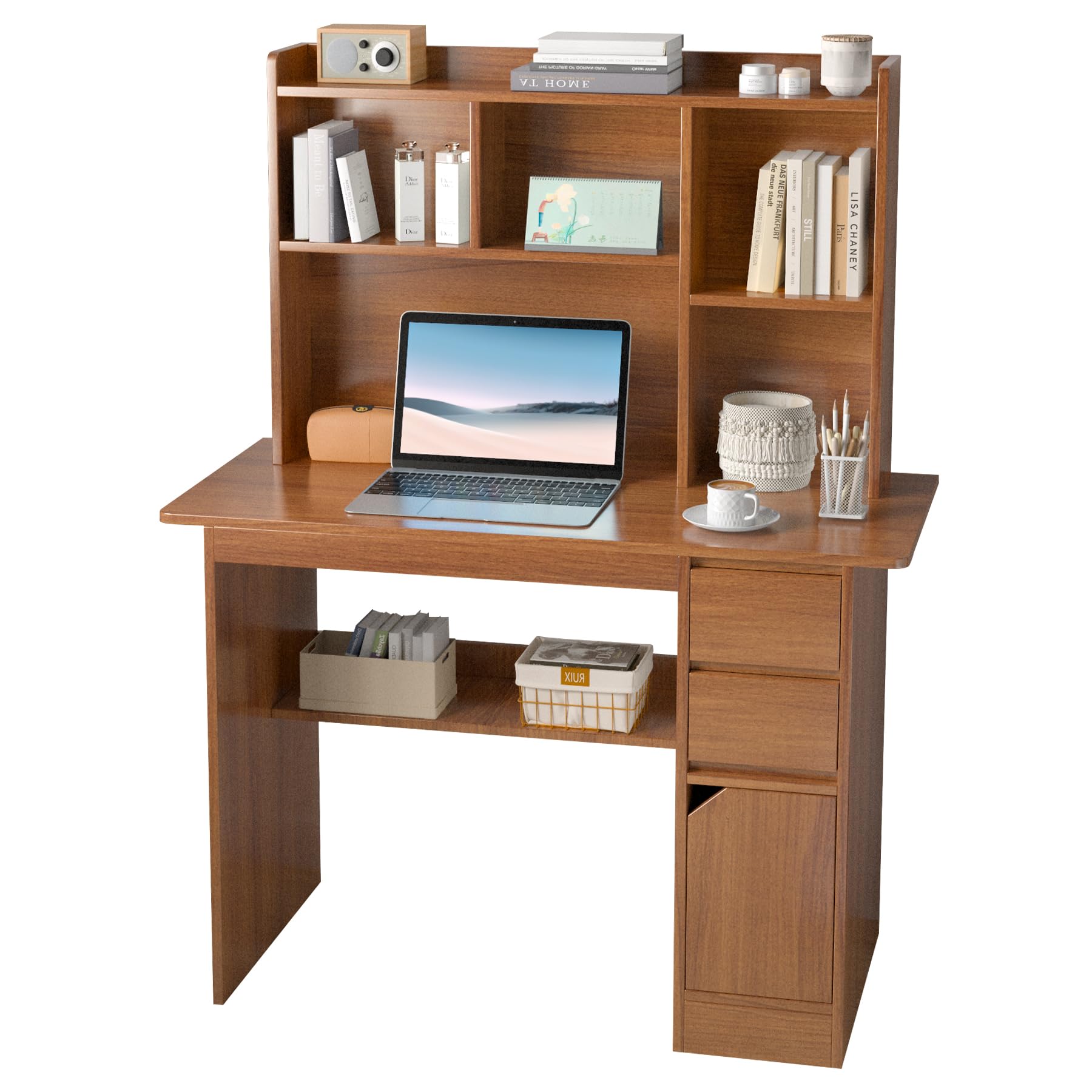
Image: The LAZYDOT desk, fully assembled, showcasing its main design with a laptop and various items on the shelves and desktop.
Product Features:
- Efficient Storage: Features drawers for small items and a cabinet for documents, plus an upper shelf for books and decor.
- Adaptable Design: Accommodates computers, monitors, books, and files, suitable for various home office needs.
- High-Quality Materials: Constructed from high-density fiberboard, resistant to scratches, water, and stains.
- Solid Support Capacity: Designed to support up to 80 kg, ensuring stability for your equipment.
- Versatile Placement: Dimensions of 130x100x45 cm make it suitable for studies, bedrooms, living rooms, or offices.
Safety Information
Please observe the following safety guidelines to prevent injury or damage to the product:
- Do not exceed the maximum weight capacity of 80 kg.
- Ensure all screws and fasteners are securely tightened during assembly. Periodically check and re-tighten as needed.
- Assemble the desk on a soft, clean surface to prevent scratches.
- Keep small parts away from children during assembly to avoid choking hazards.
- Do not stand or climb on the desk.
- Place the desk on a level surface to prevent wobbling.
Package Contents
Before assembly, verify that all components listed below are present and undamaged. If any parts are missing or damaged, please contact customer support.
| Part | Description | Quantity |
|---|---|---|
| Desktop Panel | Main work surface | 1 |
| Side Panels | Left and right support panels | 2 |
| Back Panel | Rear support panel | 1 |
| Upper Shelf Unit | Multi-compartment shelf for top of desk | 1 |
| Drawer Components | Panels and hardware for two drawers | Set |
| Cabinet Components | Panels and hardware for one cabinet | Set |
| Lower Shelf | Shelf for the lower section | 1 |
| Hardware Pack | Screws, dowels, cam locks, drawer slides, handles | 1 |
| Assembly Tool | Hex key or screwdriver | 1 |
| Instruction Manual | This document | 1 |
Assembly Instructions
Follow these steps carefully to assemble your LAZYDOT desk. It is recommended to have two people for assembly.
- Step 1: Prepare the Workspace and Identify Parts.
Clear a spacious area and lay out all components on a soft, clean surface to prevent damage. Refer to the package contents list to identify each part.
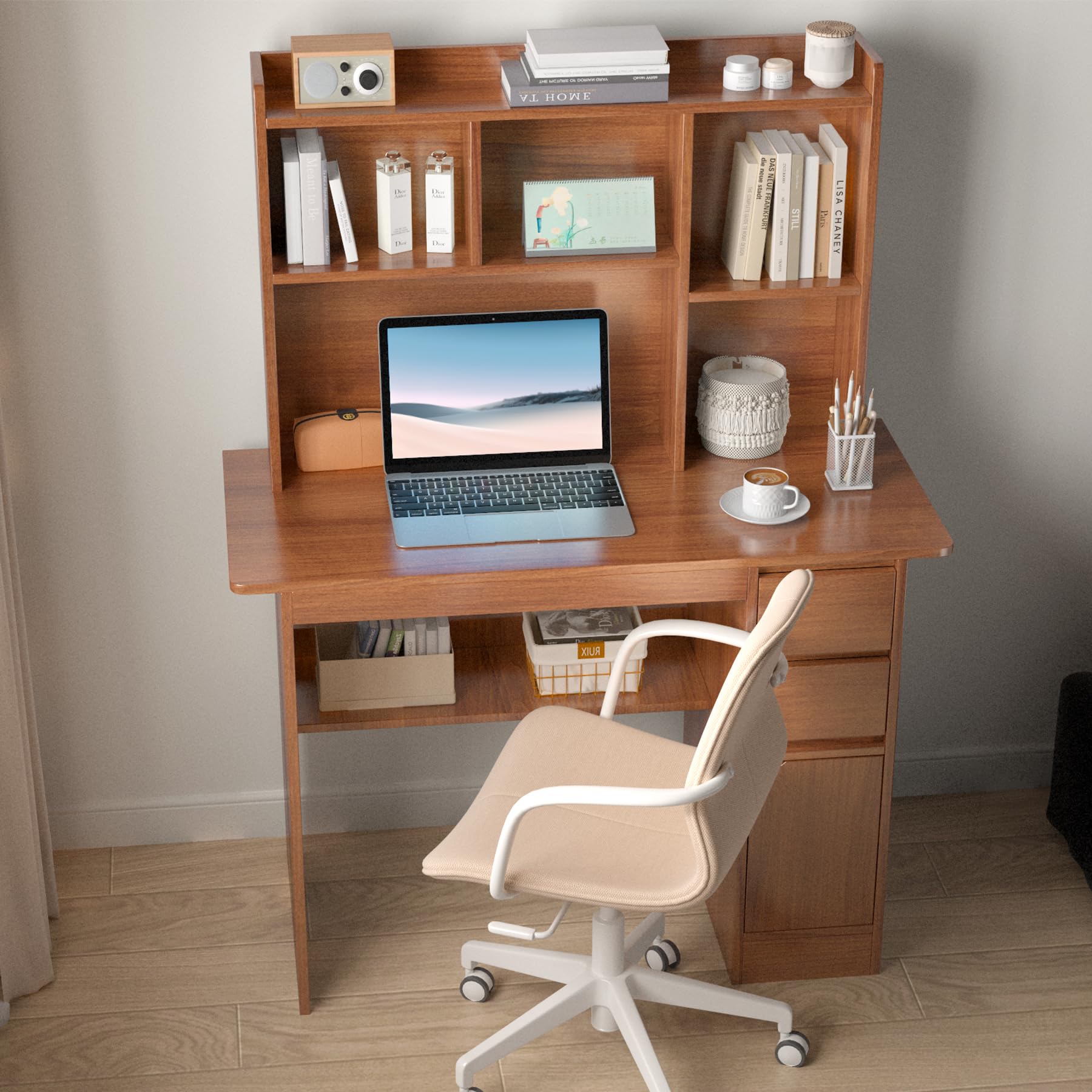
Image: Diagram showing the overall dimensions of the LAZYDOT desk, including height, width, and depth of various sections.
- Step 2: Assemble the Base Frame.
Attach the side panels to the main desktop panel using the provided screws and dowels. Ensure they are aligned correctly and tighten fasteners securely. Install the lower shelf between the side panels.
- Step 3: Construct the Drawer and Cabinet Unit.
Assemble the drawer boxes according to the instructions in the hardware pack. Install the drawer slides onto the side panel and the drawer boxes. Assemble the cabinet structure and attach it to the main desk frame.
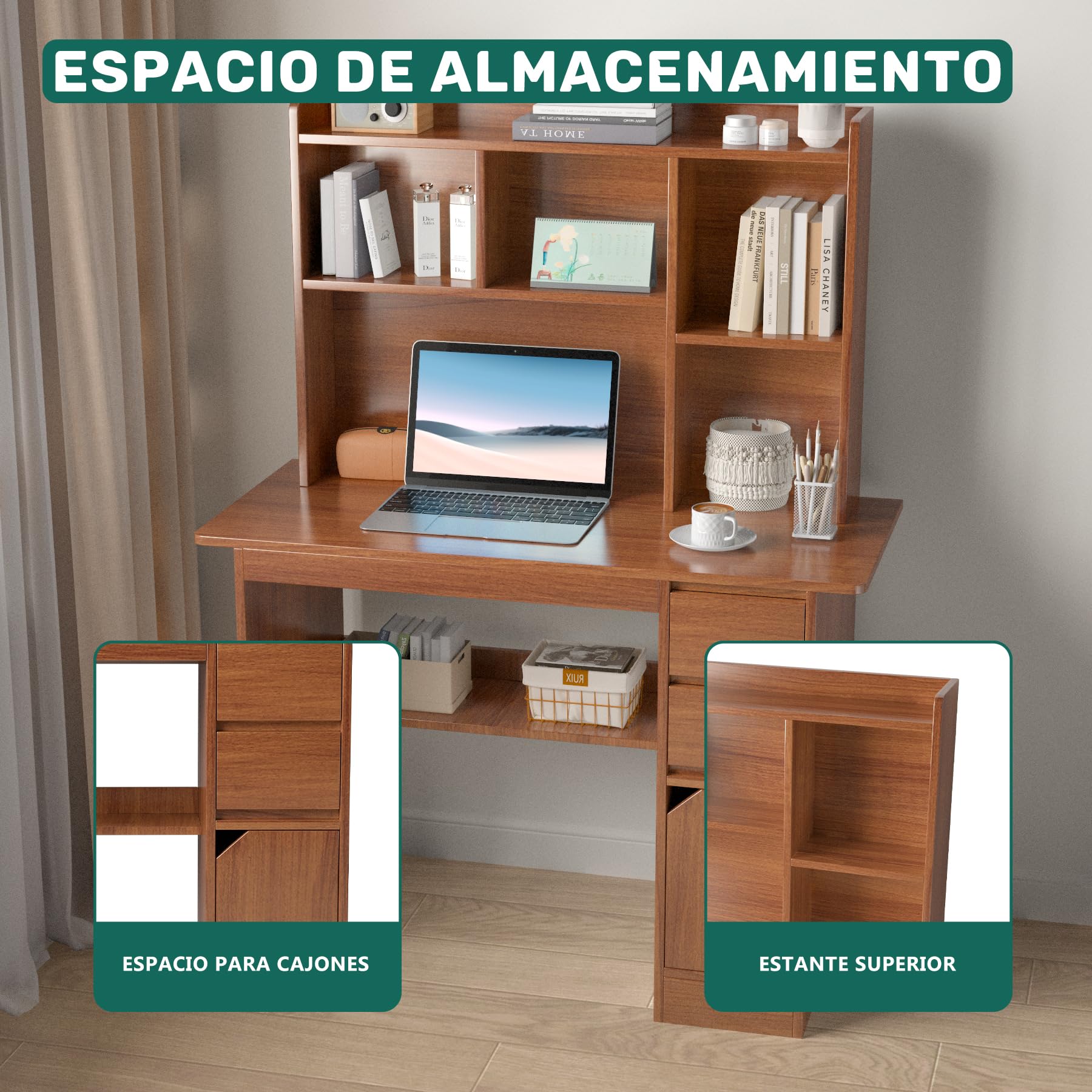
Image: Close-up view highlighting the storage features of the desk, including the two drawers and the lower cabinet space.
- Step 4: Attach the Upper Shelf Unit.
Carefully place the pre-assembled upper shelf unit onto the desktop, aligning it with the designated holes. Secure it from underneath the desktop using the appropriate screws. Ensure it is stable and level.
- Step 5: Install Drawers and Cabinet Door.
Slide the assembled drawers into their respective slides. Attach the cabinet door to the cabinet unit using the hinges. Adjust hinges as necessary for proper alignment. Install handles on drawers and the cabinet door.
- Step 6: Final Inspection.
Check all connections and fasteners to ensure they are tight. Gently test the stability of the desk. Place the desk in its desired location, ensuring it is on a flat, stable surface.
Operating Instructions
Your LAZYDOT desk is designed for versatile use in various settings.
- Work Surface: Use the main desktop for your computer, monitor, writing, or other tasks. Ensure weight is distributed evenly.
- Storage Shelves: Utilize the upper shelves for books, decorative items, or frequently accessed documents.
- Drawers: The two drawers are suitable for organizing smaller office supplies such as pens, notebooks, and stationery.
- Cabinet: The lower cabinet provides enclosed storage for larger items, files, or personal belongings, keeping your workspace tidy.
- Lower Open Shelf: The open shelf below the desktop can hold baskets, books, or other items for easy access.
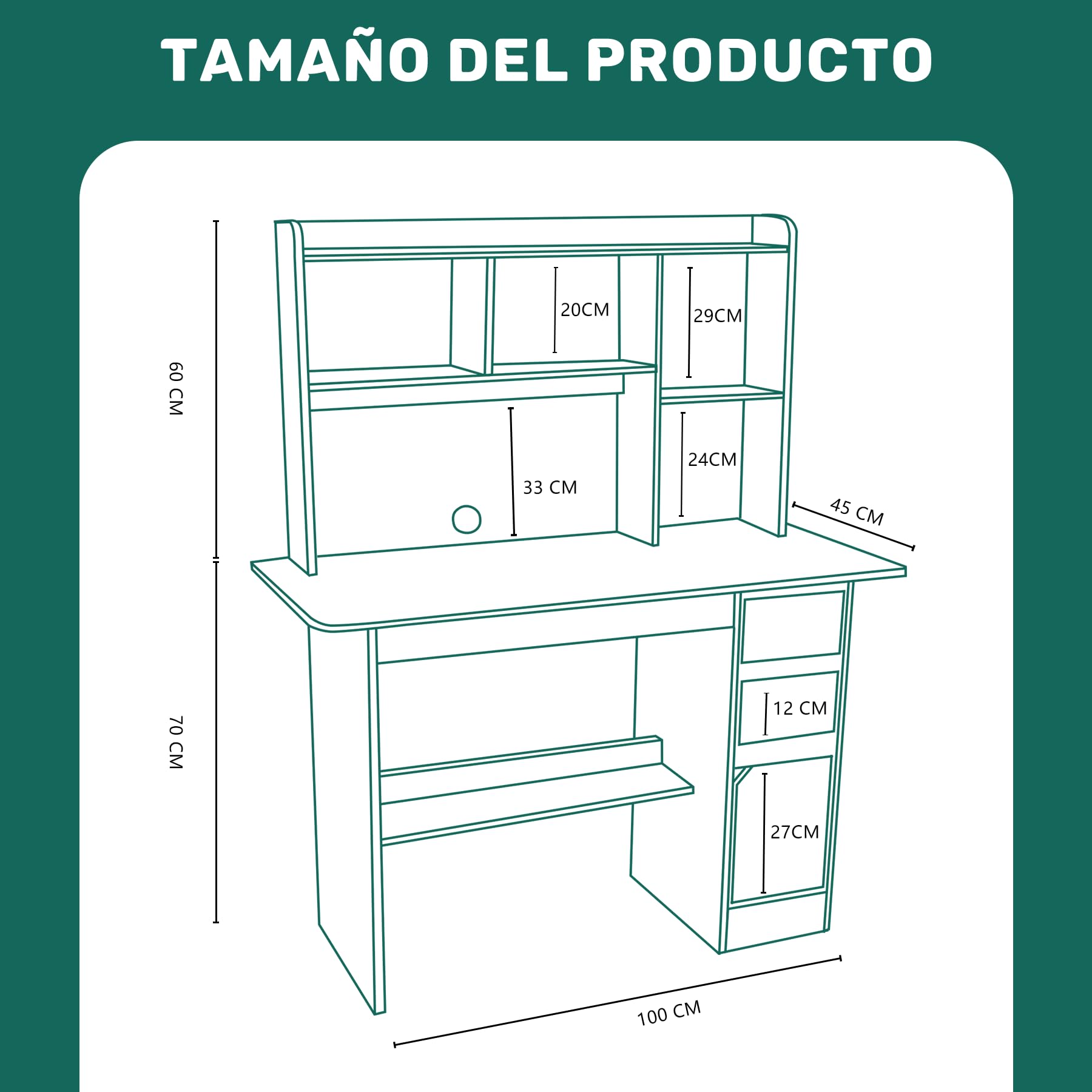
Image: The LAZYDOT desk set up with a chair and laptop, demonstrating its functionality as a workspace.
Maintenance
Proper care will extend the life and appearance of your desk.
- Cleaning: Wipe surfaces with a soft, damp cloth. Avoid harsh chemicals or abrasive cleaners, which can damage the finish.
- Spills: Immediately wipe up any spills to prevent water damage or staining, especially on the high-density fiberboard.
- Protection: Use coasters under drinks and protective pads under hot items to prevent marks.
- Fasteners: Periodically check all screws and connections and re-tighten them if they become loose to maintain stability.
- Sunlight: Avoid prolonged exposure to direct sunlight to prevent fading or discoloration of the wood finish.

Image: A detailed view of the desk's high-density fiberboard surface, showcasing its wood grain finish.
Troubleshooting
If you encounter any issues with your desk, refer to the following common problems and solutions.
| Problem | Possible Cause | Solution |
|---|---|---|
| Desk is wobbly. | Uneven floor or loose fasteners. | Ensure the desk is on a level surface. Check and tighten all assembly screws. |
| Drawers do not slide smoothly. | Improperly installed drawer slides or obstruction. | Verify that drawer slides are correctly aligned and installed. Check for any objects obstructing the slides. |
| Parts do not fit together. | Incorrect orientation of parts or manufacturing defect. | Double-check the assembly instructions and part numbers. If parts are still not fitting, contact customer support. |
| Missing hardware. | Packaging error. | Review the hardware pack contents against the list. Contact customer support for replacement parts. |
Specifications
| Feature | Detail |
|---|---|
| Brand | LAZYDOT |
| Model Number | ZZ-D2CSJ3CT-ZT |
| Product Dimensions (D x W x H) | 45 x 100 x 131 cm (17.7 x 39.4 x 51.6 inches) |
| Weight | 17.6 Kilograms (38.8 lbs) |
| Material Type | High-Density Fiberboard (Wood) |
| Finish Type | Lacquered |
| Color | Wood + Shelf Drawer (Brown wood finish) |
| Number of Drawers | 2 |
| Number of Shelves | 6 (including upper shelf compartments and lower open shelf) |
| Assembly Required | Yes |
| Recommended Uses | Writing, Studying, Work, Gaming |
Warranty Information
LAZYDOT products are manufactured with quality and care. For specific warranty details regarding your desk, please refer to the warranty card included in your package or visit the official LAZYDOT website. Keep your purchase receipt as proof of purchase for any warranty claims.
Customer Support
If you have any questions, require assistance with assembly, or need replacement parts, please contact LAZYDOT customer support.
- Online Support: Visit the LAZYDOT brand store on Amazon or the official website for FAQs and contact options.
- Email: Refer to your purchase documentation for direct email support.
- Please have your model number (ZZ-D2CSJ3CT-ZT) and purchase date ready when contacting support.