
1. Introduction
This manual provides comprehensive instructions for the assembly, operation, and maintenance of your ERGOMAKER Electric Standing Desk. Please read this manual thoroughly before installation and use to ensure proper function and safety. This desk is designed to provide a versatile and ergonomic workspace, allowing seamless transitions between sitting and standing positions.

Figure 1.1: ERGOMAKER Electric Standing Desk (63 inch/160 cm Black)
2. Safety Information
Adherence to the following safety guidelines is crucial for safe operation and to prevent damage to the desk or injury.
- Always ensure the desk is properly anchored to the floor to prevent tipping.
- Do not place objects on the desk that exceed the maximum weight capacity of 65 KG (143 lbs). Exceeding this limit can compromise stability and functionality.
- Keep hands and fingers clear of moving parts during height adjustment to avoid pinching.
- Ensure no obstacles are present in the desk's path during height adjustments.
- Do not allow children to operate the desk without adult supervision.
- Disconnect power before cleaning or performing any maintenance.
3. Setup and Assembly
The ERGOMAKER Electric Standing Desk is designed for straightforward assembly. The package includes all necessary instructions and installation tools. For visual guidance, an installation video is typically provided by the manufacturer.
3.1 Unpacking and Component Check
Carefully unpack all components and verify against the packing list provided in the box. Ensure all parts are present and undamaged before proceeding with assembly.
3.2 Assembly Steps
Follow the step-by-step instructions provided in the included manual. Key assembly points include:
- Assembling the desktop sections (the desktop typically comes in multiple pieces that securely join together).
- Attaching the lifting columns to the desktop.
- Securing the foot supports to the lifting columns.
- Connecting the control box and power supply.

Figure 3.1: Product Dimensions and Weight Capacity

Figure 3.2: Adjustable Feet for Leveling
4. Operating Instructions
The ERGOMAKER Electric Standing Desk features an intuitive control panel for easy height adjustment and memory functions.
4.1 Height Adjustment
The desk's height can be adjusted between 73 cm (28.7 inches) and 118 cm (46.5 inches). Use the Up (▲) and Down (▼) buttons on the control panel to manually adjust the desk to your desired height.
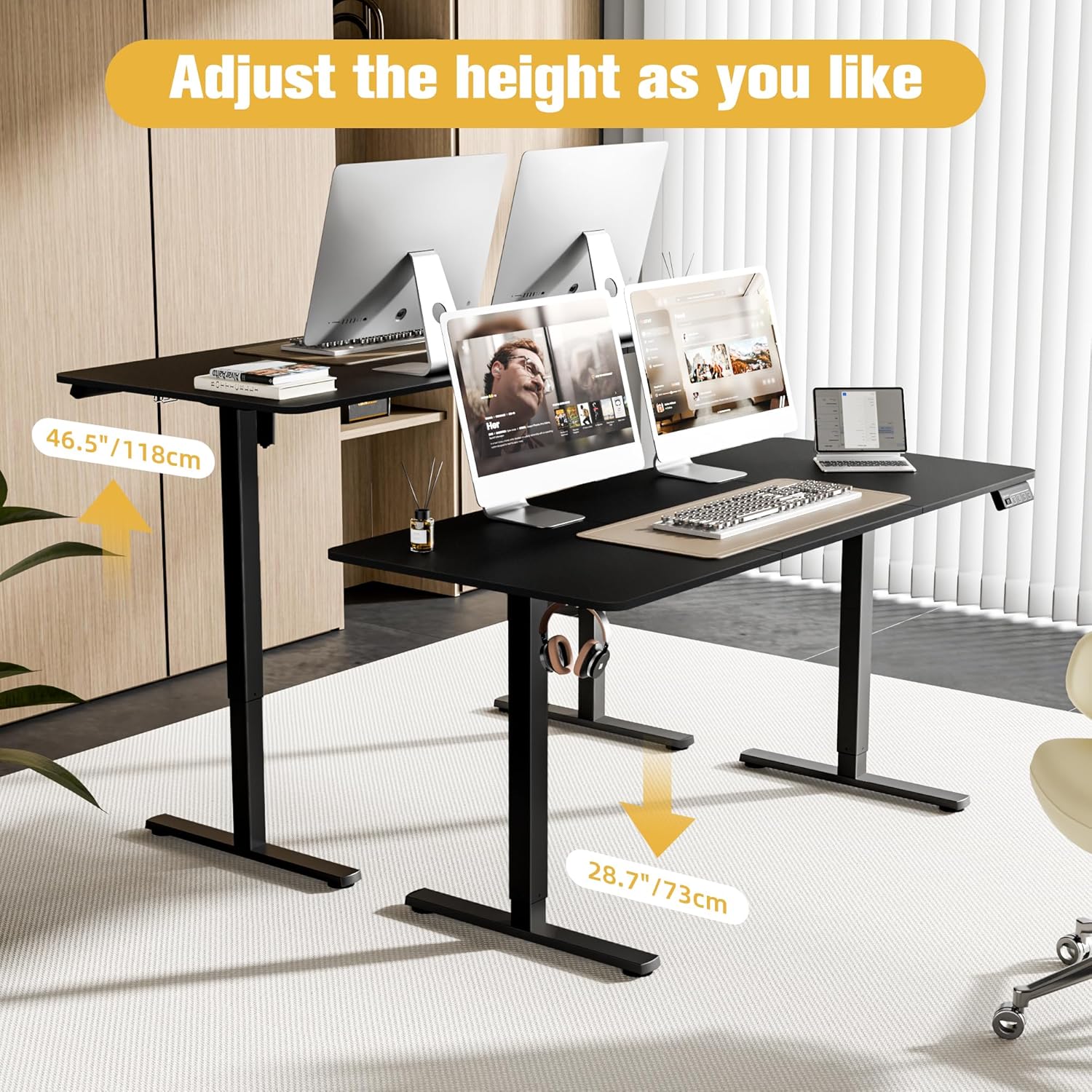
Figure 4.1: Height Adjustment Range

Figure 4.2: Different Heights for All Needs
4.2 Memory Presets
The control panel features two memory buttons (1 and 2) to save your most frequently used heights. To set a memory position:
- Adjust the desk to your desired height using the Up/Down buttons.
- Press and hold the desired memory button (1 or 2) until the display shows 'S-' or a similar confirmation, indicating the height has been saved.
To recall a saved height, simply press the corresponding memory button (1 or 2).
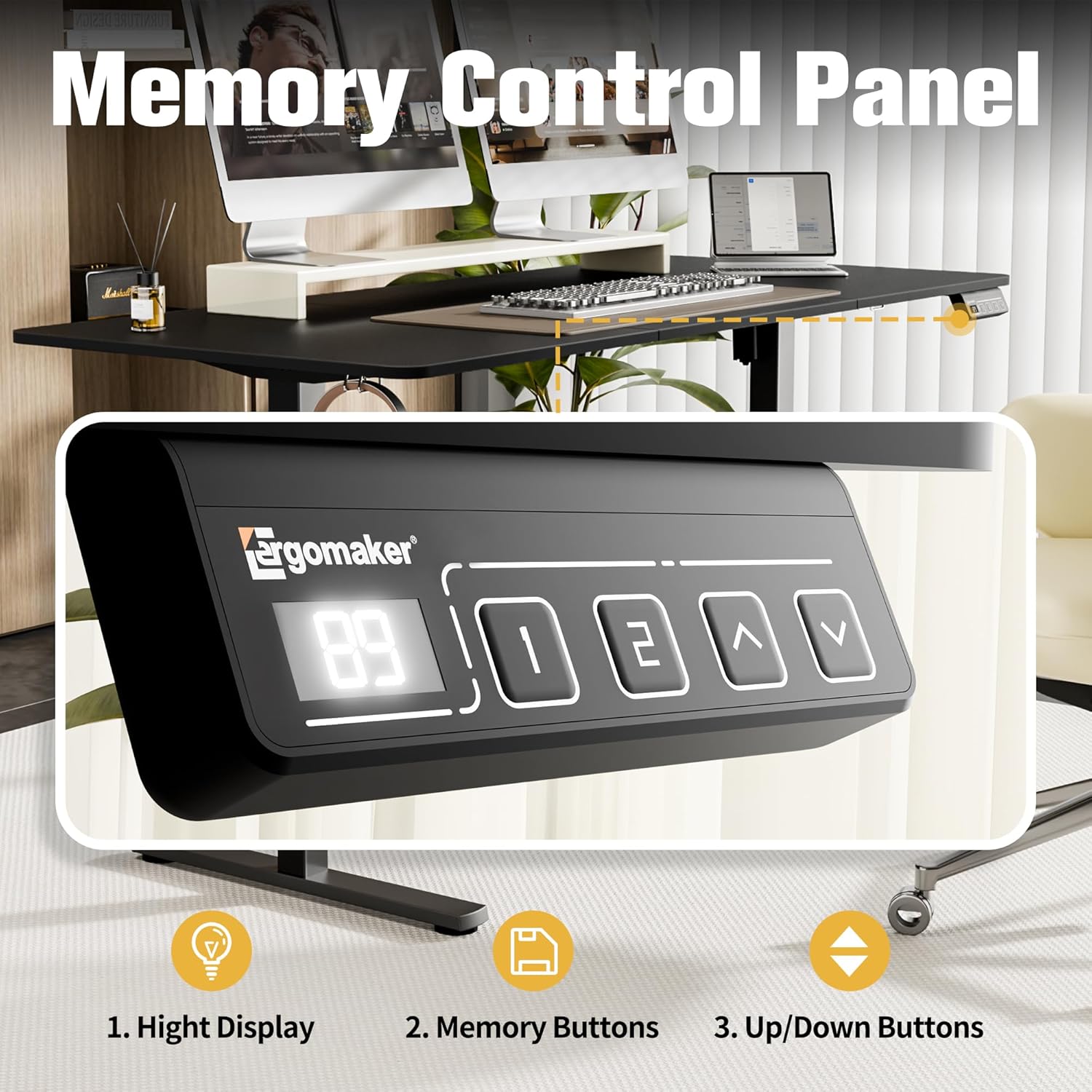
Figure 4.3: Memory Control Panel

Figure 4.4: Detailed Memory Control Panel
4.3 Quiet and Smooth Operation
The desk features a motor designed for quiet operation, typically below 50dB, ensuring minimal disturbance in your workspace. The soft start/stop functions contribute to smooth and stable movement during height adjustments.

Figure 4.5: Quiet & Smooth Lift Operation

Figure 4.6: Noise Level Comparison
4.4 Additional Features
- Side Hooks: Two hooks are provided on the sides of the table for convenient storage of bags or headphones.
- Rounded Edges: The desk features rounded edges for an anti-crash design, enhancing safety.
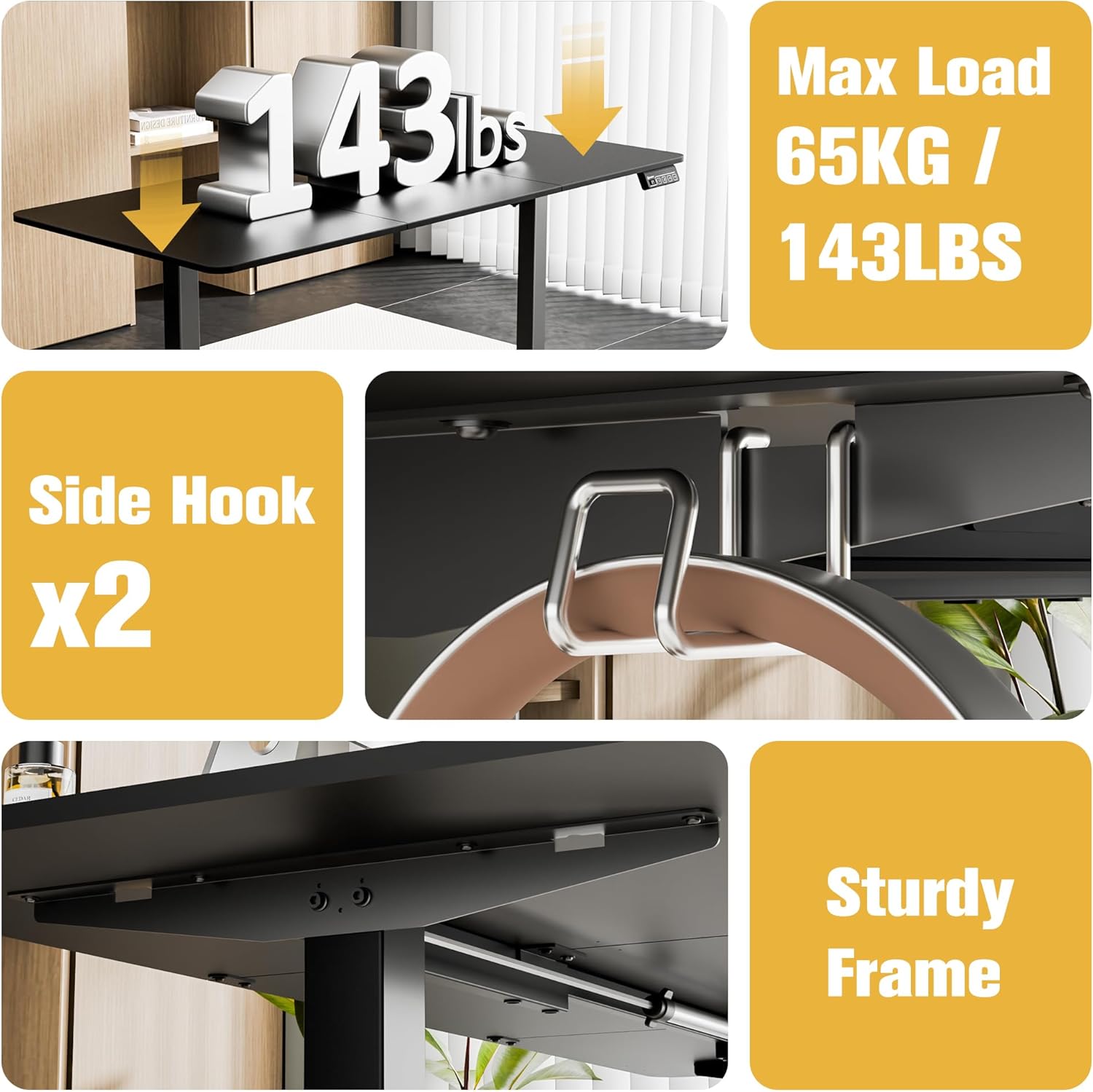
Figure 4.7: Max Load, Side Hooks, and Sturdy Frame

Figure 4.8: Convenient Side Hooks

Figure 4.9: Rounded Edges Kid's Anti-Crash Design
5. Maintenance
Regular maintenance ensures the longevity and optimal performance of your ERGOMAKER Electric Standing Desk.
- Cleaning: Wipe the desk surface and frame with a soft, damp cloth. Avoid abrasive cleaners or harsh chemicals that could damage the finish.
- Cable Management: Periodically check and organize cables to prevent tangles and ensure smooth operation during height adjustments.
- Fastener Check: Occasionally check all screws and fasteners to ensure they are tight. Retighten if necessary.
- Weight Distribution: Distribute weight evenly across the desktop to maintain stability and prevent strain on the lifting mechanism.
6. Troubleshooting
If you encounter any issues with your ERGOMAKER Electric Standing Desk, please refer to the following common troubleshooting tips. If the problem persists, contact customer support.
| Problem | Possible Cause | Solution |
|---|---|---|
| Desk does not move | Power cable disconnected; Overload; Motor error | Check power connection; Reduce weight on desk; Unplug and replug power after 30 seconds. |
| Uneven lifting | Uneven weight distribution; Loose fasteners | Distribute weight evenly; Check and tighten all assembly fasteners. |
| Unusual noise during operation | Obstruction; Loose components | Check for obstructions; Ensure all parts are securely fastened. |
7. Specifications
| Feature | Specification |
|---|---|
| Model Number | SM203-160-BFBD |
| Product Dimensions | 160D x 70W x 118H Centimetres (63 x 27.5 x 46.5 inches) |
| Adjustable Height Range | 73 cm (28.7'') - 118 cm (46.5'') |
| Weight Capacity | 65 KG (143 lbs) |
| Travel Speed | 14mm (1'') per second |
| Noise Level | <50dB |
| Material | Heavy-duty steel frame, Metal top material |
| Color | Black |
| Item Weight | 23.4 kg |
8. Warranty and Support
ERGOMAKER provides comprehensive after-sale service for your product:
- Desk Frame: 5-year warranty
- Motor, Handset & Power Adapter: 2-year warranty
- Technical Support: Free lifetime technical support
If you encounter any damaged or missing parts, or experience any product quality or assembly issues, please do not hesitate to contact ERGOMAKER customer service. Our team is committed to responding within 24 hours and providing effective solutions.


