
1. Introduction
This manual provides essential instructions for the installation, operation, and maintenance of the Cijprinter Thermal Printhead 407933. This printhead is designed for use with 6530 and 6330 53mm label printers, ensuring high-quality thermal printing performance. Please read this manual thoroughly before installation and use.
2. Safety Information
- Always disconnect the printer from its power source before attempting any installation, maintenance, or inspection.
- Handle the printhead with extreme care. Avoid touching the print surface directly, as oils and debris can affect print quality.
- Do not expose the printhead to moisture, excessive heat, or direct sunlight.
- Only qualified personnel should perform installation and repairs to prevent damage to the printhead or printer.
- Keep out of reach of children.
3. Package Contents
Verify that all items are present and undamaged upon opening the package:
- One (1) Cijprinter Thermal Printhead 407933
- Protective packaging
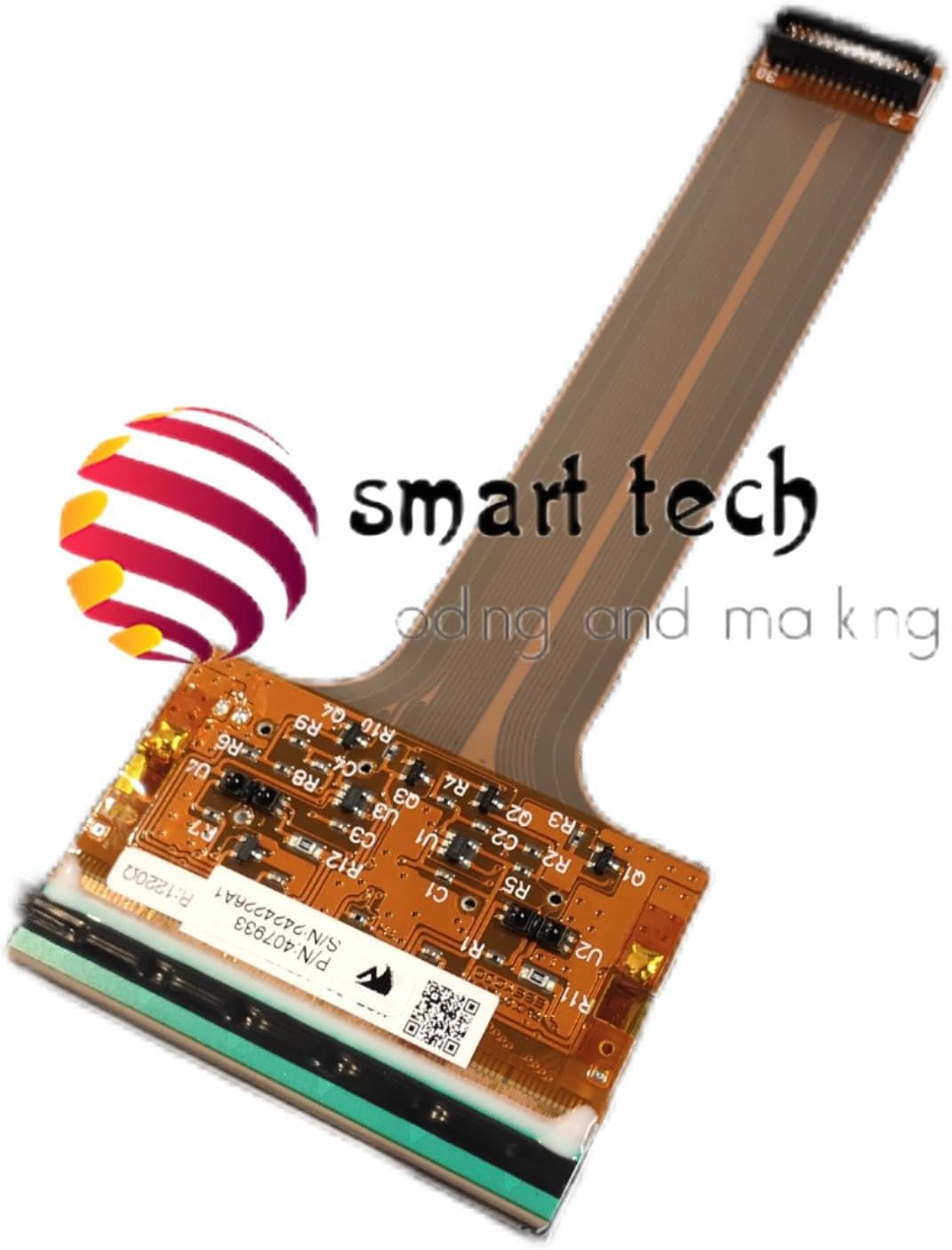
Image 3.1: This image displays the Cijprinter Thermal Printhead 407933 within its protective packaging. The label clearly indicates 'Item: 407933' and 'S/N: 2424226A1', confirming the product's identity and serial number.
4. Setup and Installation
4.1. Preparation
- Ensure the label printer is powered off and disconnected from the main power supply.
- Open the printer's printhead access cover according to your printer's specific instructions.
- Gather any necessary tools (e.g., screwdriver) as required by your printer model.
4.2. Removal of Existing Printhead (if applicable)
If replacing an old printhead, carefully disconnect any cables or connectors attached to it. Release the old printhead from its mounting mechanism. Refer to your specific printer's service manual for detailed removal procedures.
4.3. Installation of New Printhead
- Gently unpackage the new Cijprinter Thermal Printhead 407933. Avoid touching the delicate print surface or electronic components.
- Align the printhead with its designated slot or mounting points within the printer.
- Secure the printhead in place, ensuring it is seated correctly and all mounting clips or screws are fastened.
- Reconnect any flexible ribbon cables or electrical connectors to the printhead. Ensure connections are firm and correctly oriented.
- Close the printer's printhead access cover.

Image 4.1: An angled view of the Cijprinter Thermal Printhead 407933, highlighting its flexible ribbon cable, circuit board, and the print element. Visible markings include P/N 407933 and S/N 2424226A1, along with other technical identifiers like 46-00106/R1234/KCE-53-12PAT1-VJTN/KYOCERA.
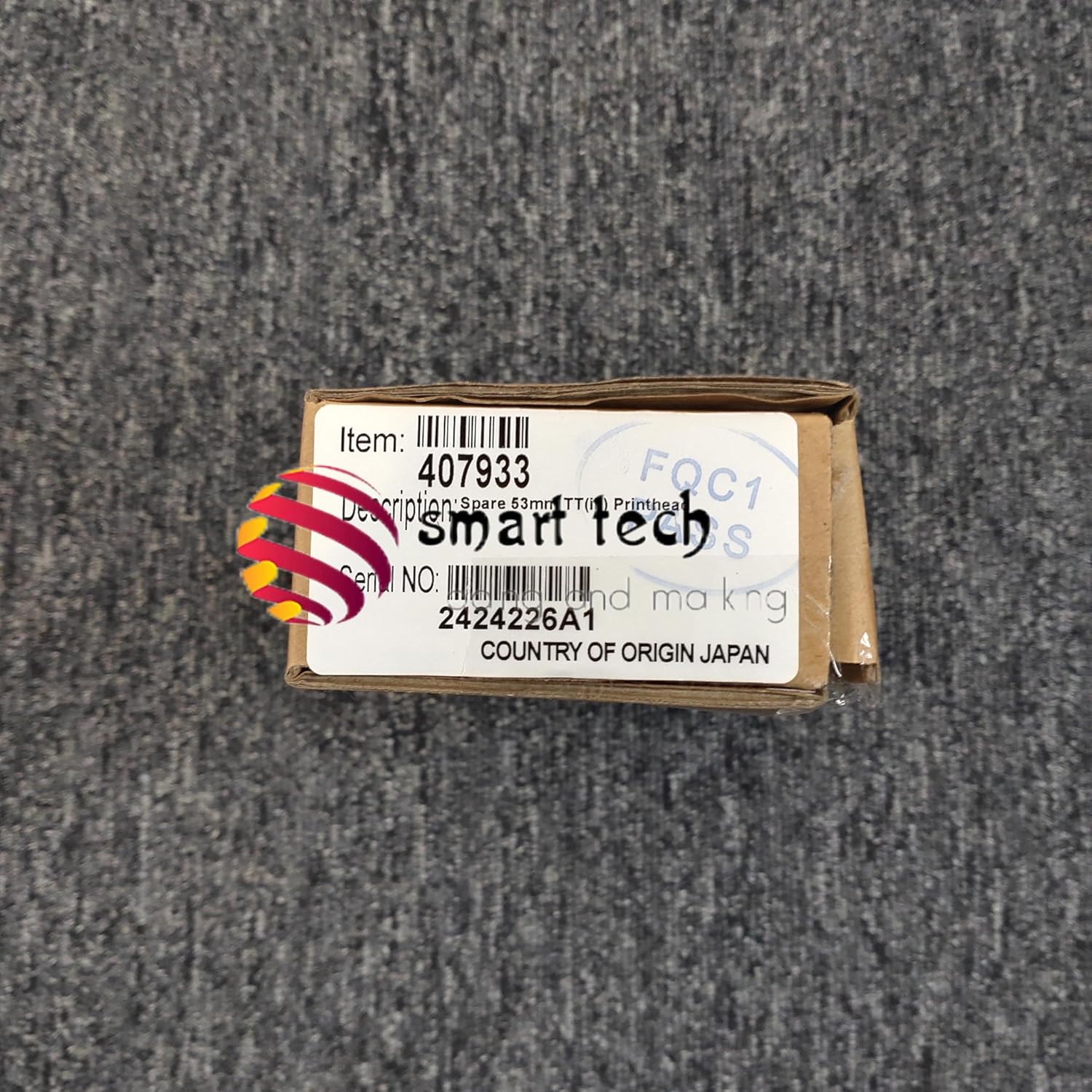
Image 4.2: A clear, top-down view of the Cijprinter Thermal Printhead 407933, illustrating the delicate print element and the integrated circuit board with its various components. This view is crucial for understanding the physical structure during installation.
4.4. Initial Power-Up
Reconnect the printer to the power supply and turn it on. The printer may perform a self-test or require calibration. Follow any on-screen prompts or refer to your printer's user manual for initial setup and calibration procedures.
5. Operating Instructions
The thermal printhead is an internal component of your label printer. Its operation is entirely managed by the printer's firmware and software. There are no direct user controls for the printhead itself.
- Ensure your printer's software and drivers are up-to-date for optimal performance and printhead longevity.
- Refer to your label printer's user manual for specific instructions on printing, media loading, print settings adjustments (e.g., darkness, speed), and general printer operation.
- Always use compatible labels and ribbons (if applicable) as recommended by your printer manufacturer to prevent premature printhead wear.
6. Maintenance
Regular maintenance of the printhead is crucial for maintaining print quality and extending its lifespan.
6.1. Printhead Cleaning
Clean the printhead regularly to remove dust, adhesive residue, and other contaminants that can degrade print quality.
- Power off and unplug the printer from the power source.
- Open the printhead access cover.
- Using a lint-free cloth or a specialized printhead cleaning wipe moistened with 99% isopropyl alcohol, gently wipe the entire print surface of the printhead. Wipe in one direction to avoid spreading debris.
- Allow the printhead to air dry completely (approximately 2-5 minutes) before closing the cover and powering on the printer.
- Frequency: Clean the printhead after every few rolls of labels or whenever print quality begins to degrade.
6.2. Inspection
Periodically inspect the printhead for any visible signs of damage, such as scratches, chips, or excessive wear on the print elements. If significant damage is observed, the printhead may need replacement. Do not attempt to repair damaged components yourself.
7. Troubleshooting
If you encounter issues with print quality or printhead function, refer to the following troubleshooting steps:
7.1. Poor Print Quality (Faded, Missing Lines, Streaks)
- Clean the Printhead: Follow the cleaning procedure outlined in Section 6.1. This is the most common solution for print quality issues.
- Check Media and Ribbon: Ensure you are using compatible labels and ribbons (if applicable) that are correctly loaded and not expired or damaged.
- Adjust Print Settings: In your printer's software, try increasing the print darkness or adjusting the print speed.
- Printhead Wear: If cleaning and settings adjustments do not resolve the issue, the printhead may be worn out and require replacement.
7.2. Printer Error Messages Related to Printhead
- Consult Printer Manual: Refer to your specific printer's user manual or error code documentation for detailed explanations and solutions for printhead-related errors.
- Reseat Printhead: Power off the printer, open the access cover, and ensure the printhead is correctly seated and all cables are firmly connected.
- Power Cycle: Turn off the printer, unplug it for a few minutes, then plug it back in and power it on.
7.3. Printhead Not Detected
- Verify Installation: Ensure the printhead is installed correctly and all flexible ribbon cables and connectors are securely attached.
- Firmware Update: Check if your printer's firmware is up-to-date. Outdated firmware can sometimes cause detection issues.
- Compatibility: Confirm that the Cijprinter Thermal Printhead 407933 is indeed compatible with your specific printer model (6530 or 6330 53mm).
- Faulty Component: If all other steps fail, the printhead itself may be faulty or damaged, requiring replacement.
8. Specifications
| Feature | Specification |
|---|---|
| Part Number | 407933 |
| Compatibility | 6530 / 6330 53mm Label Printers |
| Product Type | Thermal Printhead |
| Manufacturer | Cijprinter |
| Item Weight | 4 pounds (approx. for packaged item) |
| Product Dimensions | 14 x 14 x 14 inches (approx. for packaged item) |
| UPC | 604542699908 |
9. Warranty and Support
For warranty information, technical support, or service inquiries regarding your Cijprinter Thermal Printhead 407933, please contact your authorized Cijprinter dealer or the manufacturer directly. Please have your product model number (407933) and proof of purchase details available when contacting support.