
1. Introduction
Thank you for purchasing the Gyfimoie 63-inch Imitation Marble Dining Table with LED Lights. This manual provides essential information for the safe assembly, operation, and maintenance of your new dining table. Please read these instructions thoroughly before use and retain them for future reference.

Image 1.1: The Gyfimoie 63-inch Imitation Marble Dining Table in a modern dining setting, showcasing its design and LED lighting.
2. Safety Information
Please observe the following safety precautions to prevent injury or damage to the product:
- Assembly is required. Follow all instructions carefully to avoid injury.
- The LED lights contain small parts that may pose a choking hazard. Keep these components out of reach of children when not in use and during assembly.
- Ensure all screws and fasteners are securely tightened before using the table. Periodically check and re-tighten as necessary.
- Do not exceed the maximum weight recommendation of 107 pounds (approximately 48.5 kg) on the tabletop.
- Place the table on a flat, stable surface to prevent tipping.
- Avoid exposing the table to excessive moisture or direct sunlight for prolonged periods to prevent damage to the material.
3. Package Contents
Before beginning assembly, verify that all components are present and undamaged. If any parts are missing or damaged, please contact customer support.
- Table components (MDF panels, grille panel)
- Assembly Guide
- Installation Tool (Hex key or similar)
- Fasteners and hardware
- LED light strips and remote control
4. Setup & Assembly
Assembly of this dining table requires careful attention to the provided Assembly Guide. It is recommended that two adults perform the assembly due to the weight and size of the components.
- Prepare the Area: Clear a spacious, clean, and flat area for assembly. Lay down a blanket or cardboard to protect the table components and your floor.
- Identify Components: Unpack all parts and compare them against the parts list in the Assembly Guide. Familiarize yourself with each piece.
- Assemble the Base: Follow the step-by-step instructions in the Assembly Guide to construct the table's base structure. Use the provided installation tool and a screwdriver (if needed) to secure all fasteners.
- Attach the Grille Panel: Secure the decorative grille panel to the designated area of the table base as per the instructions.
- Install LED Lights: Carefully attach the LED light strips to the interior of the grille panel or designated areas. Ensure the wiring is neatly tucked away and not pinched.
- Mount the Tabletop: With assistance, carefully place the tabletop onto the assembled base. Align it correctly and secure it using the specified hardware.
- Final Check: Once assembled, gently lift and move the table to its desired location. Verify that all connections are tight and the table is stable.

Image 4.1: Dimensional diagram of the dining table, indicating length, width, and height for planning placement.

Image 4.2: Visual representation of key features including easy assembly, indicating the table's construction process is straightforward.
5. Operation (LED Lights)
Your Gyfimoie dining table features integrated multi-color RGB LED light strips to enhance your dining experience.
5.1 Using the Remote Control
The LED lights can be controlled using the included remote. Point the remote directly at the LED receiver (usually a small sensor connected to the light strip). The remote allows you to:
- Turn the lights On/Off.
- Change colors (various preset colors available).
- Adjust brightness levels.
- Select different lighting modes (e.g., flash, fade, strobe).
5.2 Using the Mobile Application
For advanced control, download the compatible mobile application (refer to the Assembly Guide for app details). The app typically connects via Bluetooth and offers:
- An unlimited color palette for custom color selection.
- More dynamic lighting effects and patterns.
- Scheduling and timer functions.

Image 5.1: The dining table illuminated by LED lights in different colors, demonstrating the customizable ambiance.

Image 5.2: The dining table at night, with its LED lights creating a warm and inviting glow.
6. Maintenance
Proper care will ensure the longevity and appearance of your dining table.
- Cleaning the Surface: The imitation marble surface is smooth and easy to clean. Wipe spills immediately with a soft, damp cloth. For general cleaning, use a mild, non-abrasive cleaner. Avoid harsh chemicals or abrasive materials that could damage the finish.
- Material Care: The table is constructed from high-quality MDF (Engineered Wood). Unlike real marble, it does not require sealing or special treatments.
- Water Resistance: The surface is designed to be waterproof, allowing for easy cleanup of liquid spills. However, avoid prolonged exposure to standing water.
- Structural Integrity: Periodically check all screws and connections to ensure they remain tight. Re-tighten as needed to maintain stability.

Image 6.1: A hand wiping the table surface, illustrating the ease of cleaning the imitation marble top.
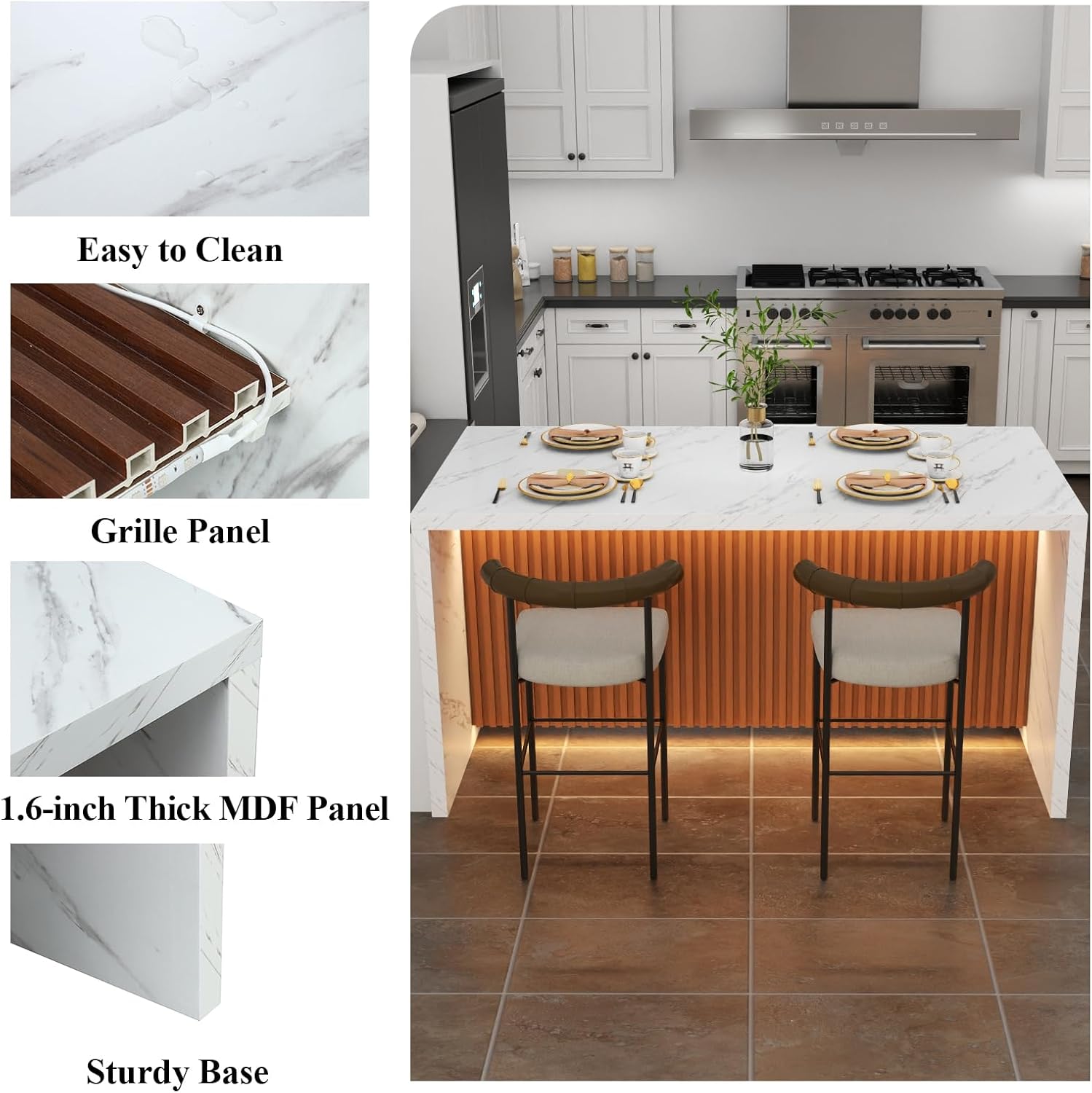
Image 6.2: Detailed views highlighting the easy-to-clean surface, the decorative grille panel, the 1.6-inch thick MDF panel, and the sturdy base construction.
7. Troubleshooting
If you encounter issues with your dining table, refer to the following common problems and solutions:
| Problem | Possible Cause | Solution |
|---|---|---|
| Table is wobbly or unstable. | Loose fasteners; uneven floor. | Check and tighten all assembly screws. Ensure the table is on a level surface. |
| LED lights are not turning on. | Power connection issue; remote battery dead; LED strip malfunction. | Verify the power adapter is securely plugged in. Check the remote control battery and replace if necessary. Ensure the LED receiver is unobstructed. If issues persist, contact customer support. |
| LED remote/app not responding. | Remote battery dead; app not connected via Bluetooth; receiver obstructed. | Replace remote battery. Re-pair the app via Bluetooth. Ensure no objects are blocking the LED receiver. |
| Table height is not as expected. | Misinterpretation of dimensions; specific seating requirements. | Refer to the specifications section for exact dimensions (31.69 inches height). This table is designed as a standard dining/island height. Adjustments for bar height would require custom modifications not covered by this manual. |
8. Specifications
Detailed specifications for the Gyfimoie 63-inch Imitation Marble Dining Table (Model LZY-1124A1):
| Feature | Detail |
|---|---|
| Brand | Gyfimoie |
| Model Number | LZY-1124A1 |
| Product Dimensions (D x W x H) | 31.49"D x 63"W x 31.69"H (80cm D x 160cm W x 80.5cm H) |
| Tabletop Thickness | 1.6 Inches (4 cm) |
| Item Weight | 107.36 Pounds (48.7 kg) |
| Maximum Weight Recommendation | 107 Pounds (48.5 kg) |
| Color | White (Imitation Marble finish) |
| Material Type | Engineered Wood (MDF) |
| Seating Capacity | 4 (Unextended), up to 6 |
| Table Design | Dining Table / Island Table |
| Included Components | Assembly Guide, Installation Tool, Table components, LED lights |
| Indoor/Outdoor Usage | Indoor |
| Stain Resistant | No (but easy to clean) |

Image 8.1: The dining table functioning as a kitchen island, demonstrating its versatility and size for meal preparation and dining.
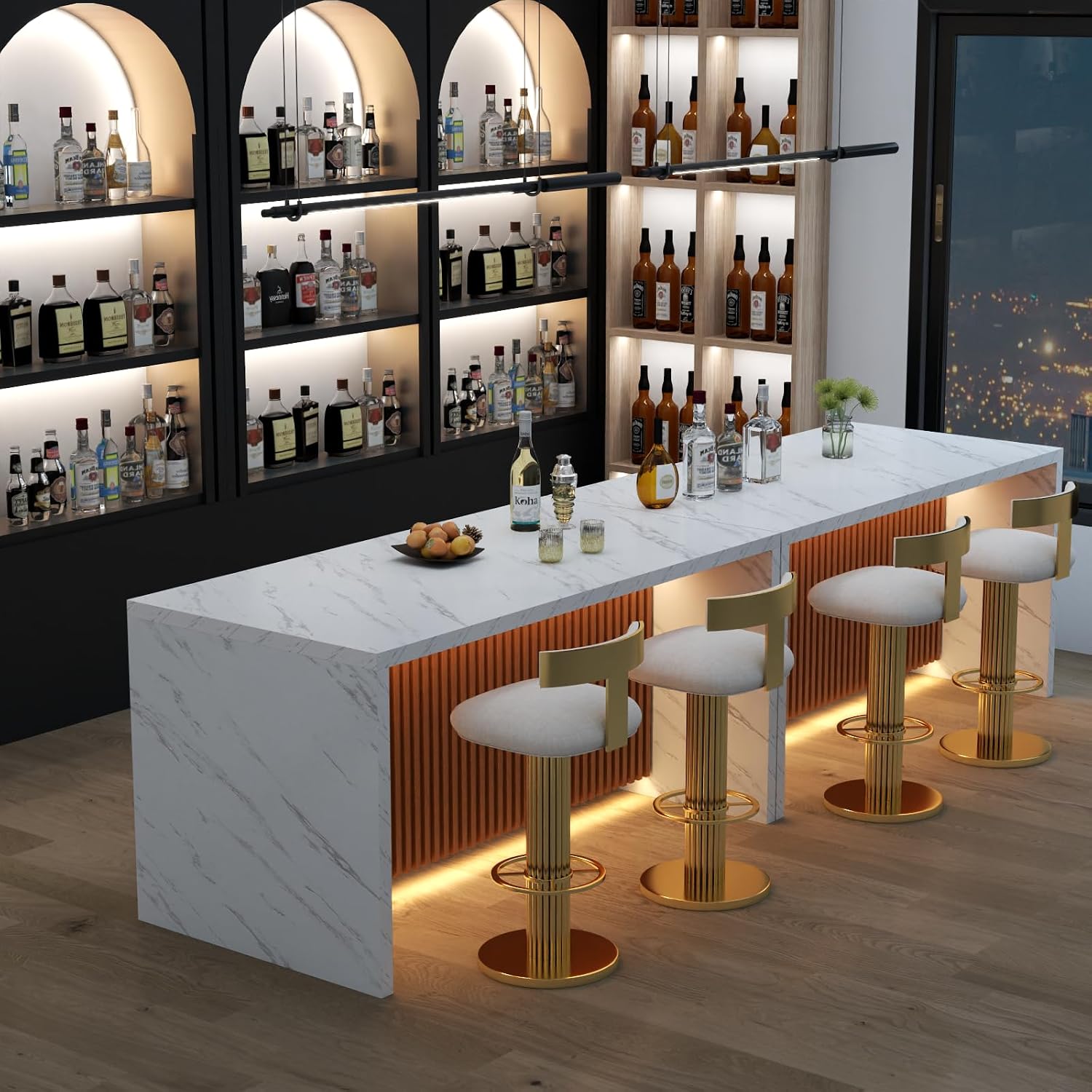
Image 8.2: The dining table set up as a bar, illustrating its adaptability for different social settings.
9. Warranty & Support
For specific warranty details, please refer to the documentation included with your purchase or contact the seller directly. Gyfimoie is committed to customer satisfaction.
If you have any questions, require assistance with assembly, or need to report a missing/damaged part, please contact Gyfimoie customer support through the platform where you made your purchase or visit the official Gyfimoie store page: