Introduction
Thank you for choosing the Midland GXT3000 GMRS Two-Way Radio. This manual provides essential information for the safe and efficient operation of your new radio. Please read it thoroughly before use and keep it for future reference. The GXT3000 is designed for robust, long-range communication, ideal for outdoor enthusiasts, farmers, and professionals.
Product Overview
The Midland GXT3000 GMRS Two-Way Radio offers advanced features for clear and dependable communication:
- 50 GMRS Channels: Provides a wide range of communication options.
- 142 Privacy Codes: Enhances communication privacy and reduces interference.
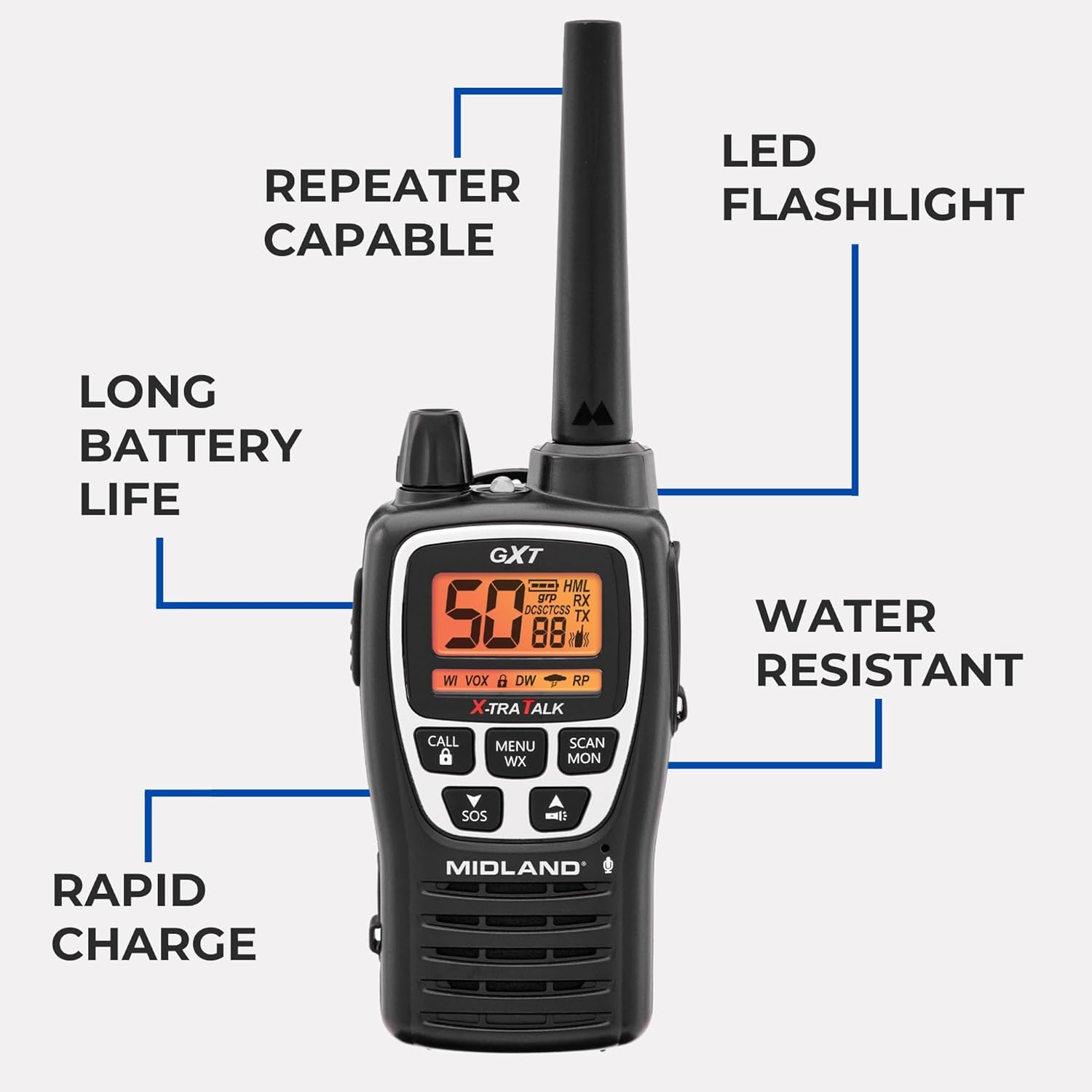
- Long Range Capability: Designed for extended communication distances, up to 50 miles in optimal conditions.
- Repeater Capable: Extends signal range for even greater coverage.
- NOAA Weather Alert: Keeps you informed of severe weather conditions.
- SOS Siren: For emergency signaling.
- Rechargeable Lithium-Ion Battery: Offers long-lasting power (up to 18 hours) and rapid charging (4 hours).
- Water Resistant (JIS4 Rating): Protects against splashing water from any direction.
- VOX (Voice Operated Exchange): Hands-free operation.
- Integrated LED Flashlight: For convenience in low-light conditions.
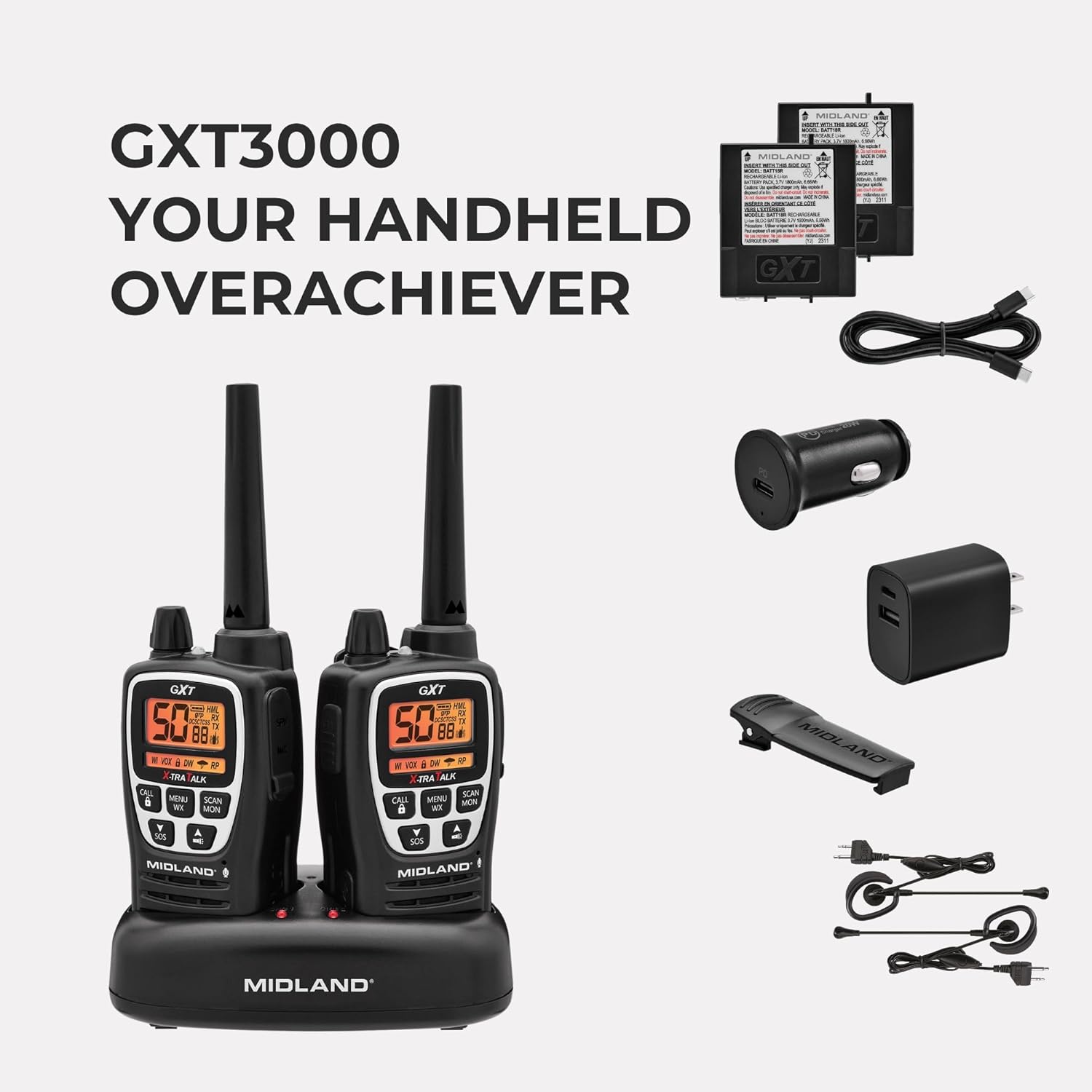
What's in the Box:
- Midland GXT3000 GMRS Two-Way Radios (2 units)
- Rechargeable Lithium-Ion Battery Packs (2 units)
- Desktop Charger with AC Wall Adapter
- Belt Clips (2 units)
- Owner's Manual
Setup
1. Battery Installation
- Ensure the radio is turned off.
- Remove the belt clip by sliding it up on the radio and pushing up the BELT CLIP LOCK TAB.
- Lift the BATTERY COVER LATCH and remove the battery cover.
- Insert the rechargeable Lithium-Ion battery pack, observing the polarity as shown in the battery compartment. Alternatively, you can use 4 AA alkaline batteries (not included).
- Replace the battery cover and secure the belt clip until it locks into place.
2. Charging the Battery
Your radio is equipped with a rechargeable Lithium-Ion battery pack. For optimal performance, charge the battery for 4 hours before initial use. Subsequent charges typically take 4 hours.
- Place the rechargeable battery packs into the desktop charger.
- Connect the AC adapter plug into an AC wall outlet.
- The charging indicator light on the desktop charger will turn red while charging and green when fully charged.
Note: Only use the Midland Lithium-Ion battery pack or optional AA alkaline batteries. Do not attempt to charge alkaline batteries in the desktop charger. For long-term storage, remove batteries from the radio.

Operating Instructions
1. Power On/Off and Volume Control
- Turn the POWER/VOLUME knob clockwise to turn the radio ON and increase the volume.
- Turn the POWER/VOLUME knob counter-clockwise to decrease the volume and turn the radio OFF.
2. Channel Selection
- Press the MENU button to enter the menu.
- Use the UP/DOWN arrow buttons to select a channel (1-50).
- Press the PTT button to confirm your selection and exit the menu.
3. Privacy Codes (CTCSS/DCS)
- To use privacy codes, both radios must be set to the same channel and privacy code.
- Press the MENU button twice to access the privacy code setting.
- Use the UP/DOWN arrow buttons to select a privacy code (1-142).
- Press the PTT button to confirm and exit.
4. Transmitting and Receiving
- To transmit, press and hold the PTT button and speak into the microphone.
- Release the PTT button to receive.
5. NOAA Weather Scan
- Press the MENU WX button to activate the NOAA Weather Scan feature.
- The radio will scan for active weather channels and alert you to severe weather.
6. SOS Siren
- Press and hold the SOS button for 5 seconds to activate the SOS siren function.
- This sends out an audible distress signal to other radios within range.
7. Key Lock
- Press and hold the LOCK button to lock or unlock the keypad, preventing accidental changes to settings.
8. Repeater Capability
- The GXT3000 is repeater capable, allowing you to extend your communication range significantly. Refer to the detailed manual for specific repeater setup instructions.
9. VOX (Voice Operated Exchange)
- Activates transmission by voice, allowing for hands-free operation. Adjust VOX sensitivity in the menu.
Maintenance
1. General Care
- Clean the radio with a soft, damp cloth. Do not use harsh chemicals or abrasive cleaners.
- Keep the radio dry. If it gets wet, wipe it dry immediately.
- Avoid exposing the radio to extreme temperatures or direct sunlight for prolonged periods.
2. Battery Care
- To maximize battery life, avoid overcharging. Once fully charged, remove the radio from the charger.
- If storing the radio for an extended period, remove the batteries.
3. Water Resistance
The GXT3000 is rated JIS4 water resistant, meaning it is protected against splashing water from any direction. It is not submersible. Do not immerse the radio in water.

Troubleshooting
| Problem | Possible Cause | Solution |
|---|---|---|
| No Power | Batteries low or incorrectly installed. | Recharge or replace batteries. Check battery orientation. |
| Poor Range | Obstructions (buildings, terrain), low battery, or low power setting. | Move to an open area. Recharge batteries. Set transmit power to High (H). Consider using repeater channels. |
| Interference/Noise | Other users on the same channel/privacy code, electrical interference. | Change channel and/or privacy code. Move away from electrical devices. |
| Cannot Transmit/Receive | Keypad locked, incorrect channel/privacy code, out of range. | Unlock keypad. Verify channel and privacy code match. Move closer to other radio. |
For more detailed troubleshooting, please refer to the comprehensive manual or visit the Midland support website.
Specifications
- Brand: Midland
- Model Number: GXT3000VP4
- Number of Channels: 50
- Frequency Range: 462-467 MHz (GMRS)
- Talking Range Maximum: Up to 50 Miles (optimal conditions)
- Privacy Codes: 142 (CTCSS/DCS)
- Battery Type: Rechargeable Lithium-Ion (included), also accepts 2 Lithium Ion batteries required.
- Battery Average Life: 18 Hours
- Rapid Charge Time: 4 Hours
- Water Resistance Level: JIS4 (Splash Resistant)
- Item Weight: 1.93 Pounds
- Special Features: Long Range, Repeater Capable, SOS Siren, NOAA Weather Alert, VOX, LED Flashlight
Warranty and Support
The Midland GXT3000 GMRS Two-Way Radio comes with a 3-year warranty. For warranty claims, technical support, or additional product information, please visit the official Midland Radio website or contact their customer service.


