
Auseo FDP23-2026V1R3
Auseo Portable Air Conditioner User Manual
Model: FDP23-2026V1R3
1. Important Safety Information
Please read this manual thoroughly before operating your portable air conditioner. Keep this manual for future reference.
General Safety Precautions:
- Ensure the power supply matches the voltage specified on the unit's rating label.
- Do not operate the unit with a damaged cord or plug. If damaged, contact qualified service personnel.
- Do not block air inlets or outlets. Maintain at least 20cm clearance from walls and other objects.
- Do not insert fingers or objects into the air inlet/outlet.
- Always unplug the unit before cleaning or servicing.
- Do not use the unit in wet environments like bathrooms or laundry rooms.
- This appliance uses R32 refrigerant. Do not attempt to service the refrigerant circuit yourself. Contact a qualified technician for repairs.
- Keep the unit on a flat, stable surface to prevent water leakage.
2. Product Overview
The Auseo Portable Air Conditioner is a versatile 3-in-1 unit designed to provide comfort in various conditions. It functions as an air conditioner, a dehumidifier, and a fan.
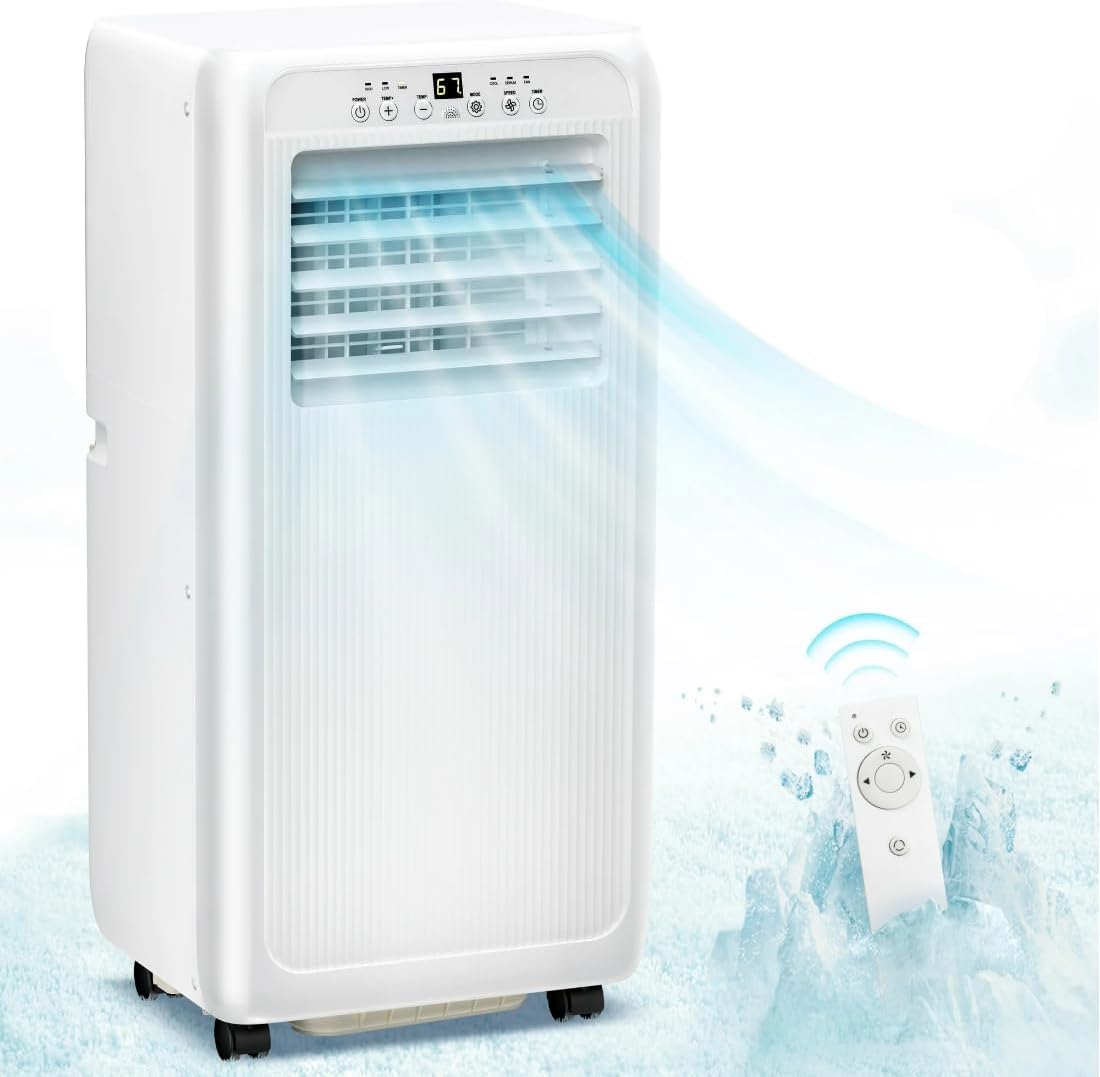
Figure 2.1: Auseo Portable Air Conditioner unit with its remote control, showing cool air being emitted.
Key Features:
- 3-in-1 Functionality: Cooling, Dehumidifying, and Fan modes.
- Powerful Cooling: 5000 BTU (8000 BTU ASHRAE) cooling capacity, suitable for areas up to 250 sq.ft.
- Efficient Dehumidification: Removes up to 40 pints of moisture per day.
- Two Fan Speeds: High and Low settings for customized airflow.
- 24-Hour Timer: Program the unit to turn on or off automatically.
- Sleep Mode: Adjusts settings for comfortable overnight operation.
- Portable Design: Equipped with wheels for easy movement between rooms.
- Washable Air Filter: Detachable and reusable filter for easy maintenance.
Included Components:
- Portable Air Conditioner Unit
- Remote Control
- Exhaust Hose
- Window Sealing Kit (Window Slider Kit, Exhaust Hose Adapter, Window Plate Adapter)
- Drain Hose (for continuous drainage in dehumidifier mode)
3. Parts Identification and Dimensions
Familiarize yourself with the main components of your portable air conditioner and its accessories.

Figure 3.1: Product dimensions and accessory components.
- Window Slider Kit (Adjustable)
- Exhaust Hose Adapter (for unit)
- Exhaust Hose Adapter (for window kit)
- Drain Hose
- Exhaust Hose
- User Manual
- Remote Control
- Power Cord
- Screws (for window kit assembly)
- Wall Plugs (for window kit assembly)
Unit Dimensions: Approximately 12.99 inches (D) x 11.93 inches (W) x 27.09 inches (H).
4. Setup and Installation
Proper installation is crucial for the efficient operation of your portable air conditioner. This unit requires an exhaust hose to vent hot air outside.
4.1 Exhaust Hose Assembly:
- Attach the exhaust hose adapter (for unit) to one end of the exhaust hose by twisting it clockwise until secure.
- Attach the exhaust hose adapter (for window kit) to the other end of the exhaust hose in the same manner.
- Extend the exhaust hose to its full length (approximately 59 inches / 1.5 meters). Avoid sharp bends or kinks in the hose, as this can reduce efficiency.
4.2 Window Kit Installation:
The window sealing kit is designed for both vertical and horizontal sliding windows.

Figure 4.1: Window kit installation for different window types.
- Adjust the window slider kit to the length of your window opening (26 to 50 inches). Secure the adjustable panels with the provided screws if necessary.
- Open the window and place the assembled window slider kit into the window opening. Close the window firmly against the kit to seal it.
- Insert the exhaust hose adapter (for window kit) into the opening of the window slider kit. Ensure it is securely fitted to prevent air leakage.
- Connect the other end of the exhaust hose to the exhaust outlet on the back of the portable air conditioner unit.
- Position the air conditioner unit near the window, ensuring the exhaust hose is as straight and short as possible.
4.3 Electrical Connection:
- Plug the power cord into a grounded electrical outlet. Ensure the outlet meets the unit's power requirements (115 Volts, 575 Watts).
5. Operating Instructions
Your Auseo Portable Air Conditioner can be operated using the control panel on the unit or the included remote control.
5.1 Control Panel:

Figure 5.1: LED Control Panel overview.
- POWER Button: Turns the unit On or Off.
- MODE Button: Cycles through Cooling, Dehumidifier, and Fan modes.
- UP/DOWN Buttons: Adjusts the desired temperature (82°F-86°F / 17°C-30°C) or timer settings.
- SPEED Button: Selects fan speed (Low/High).
- TIMER Button: Sets the 24-hour auto On/Off timer.
- Display: Shows current temperature or timer settings.
5.2 Operating Modes:
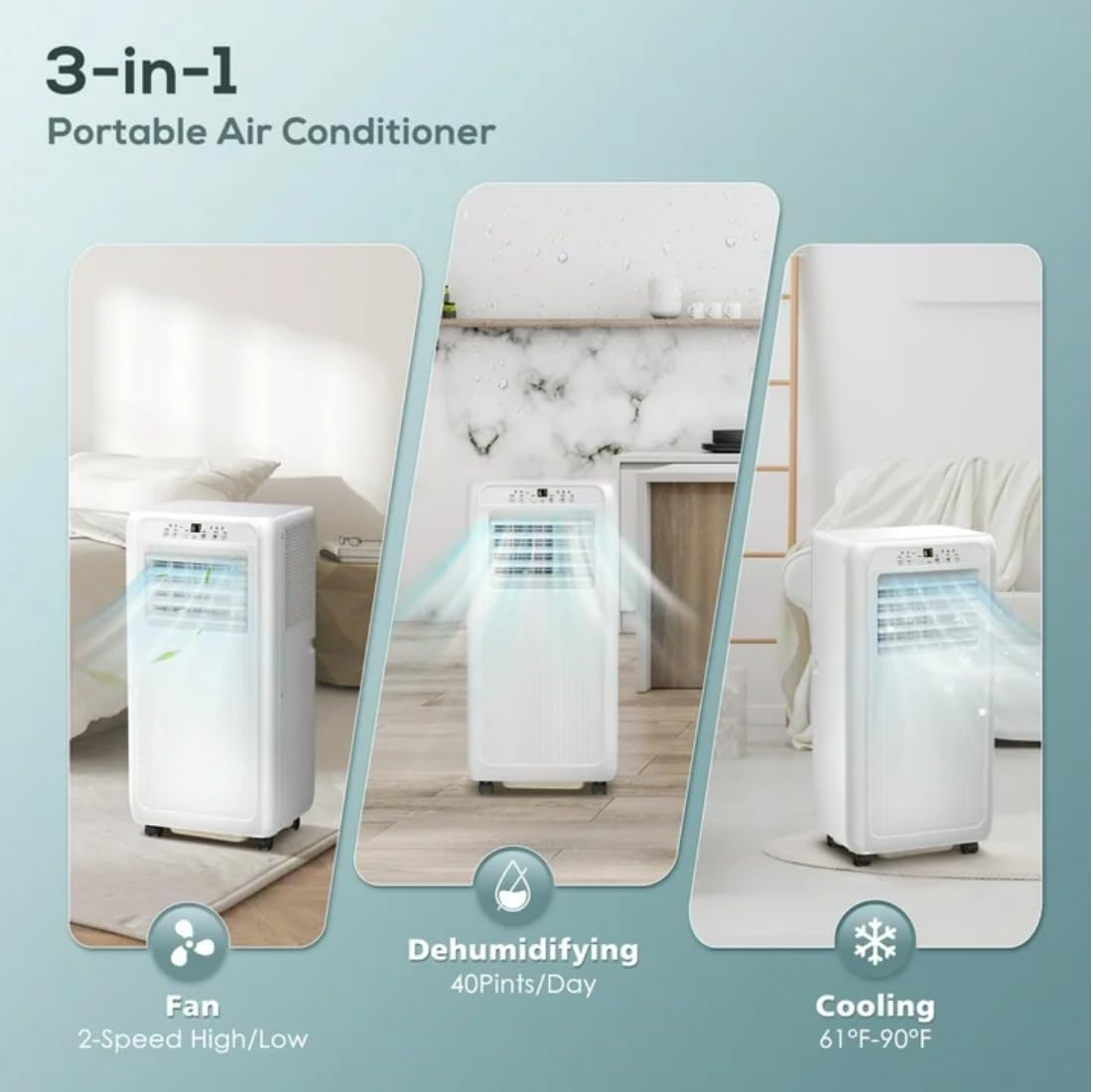
Figure 5.2: Illustration of the 3-in-1 functionality.
- Cooling Mode:
Press the MODE button until the cooling indicator light is on. Use the UP/DOWN buttons to set your desired temperature. The unit will cool the room to the set temperature. Recommended temperature range for cooling is 61°F-90°F.
- Dehumidifier Mode:
Press the MODE button until the dehumidifier indicator light is on. In this mode, the fan speed is fixed to low. For continuous drainage, connect the drain hose to the continuous drain port on the back of the unit and lead it to a floor drain or bucket.
- Fan Mode:
Press the MODE button until the fan indicator light is on. Use the SPEED button to select between Low and High fan speeds. No cooling or dehumidification occurs in this mode.
5.3 Timer Function:
The timer allows you to set the unit to turn on or off automatically after a set period (1-24 hours).
- To set Auto-Off: With the unit running, press the TIMER button. Use UP/DOWN to set the desired hours until shutdown.
- To set Auto-On: With the unit off, press the TIMER button. Use UP/DOWN to set the desired hours until startup. The unit will start in the last selected mode.
5.4 Sleep Mode:
In cooling mode, press the SLEEP button (often combined with another button on the remote, or a dedicated button if present). The unit will operate quietly and gradually increase the set temperature by 1°F after the first hour, and another 1°F after the second hour, maintaining this temperature for 6 hours before resuming normal operation. This conserves energy and provides comfortable sleep.
6. Maintenance
Regular maintenance ensures optimal performance and extends the lifespan of your portable air conditioner.
6.1 Cleaning the Air Filter:
The air filter should be cleaned every two weeks or more frequently depending on usage and air quality.
- Turn off the unit and unplug it from the power outlet.
- Locate the air filter panel (usually on the back or side of the unit).
- Remove the filter by gently pulling it out.
- Wash the filter under running water (warm, not hot) or use a vacuum cleaner to remove dust.
- Allow the filter to air dry completely before reinserting it into the unit. Do not expose to direct sunlight.
6.2 Draining Water:
The unit has an automatic evaporation system, but in high humidity conditions or during dehumidifier mode, the internal water tank may fill up. The unit will stop operating and display an error code (e.g., "FL" for full tank) when full.
- Turn off the unit and unplug it.
- Place a shallow pan or tray under the drain port (usually at the bottom rear of the unit).
- Remove the drain plug/cap. Water will begin to flow out.
- Once all water has drained, replace the drain plug/cap securely.
- For continuous drainage in dehumidifier mode, connect the provided drain hose to the continuous drain port and ensure it leads to a lower drain point.
6.3 Storage:
If storing the unit for an extended period:
- Drain all accumulated water from the unit.
- Clean the air filter.
- Unplug the power cord and coil it neatly.
- Store the unit in a dry, cool place, away from direct sunlight and extreme temperatures.
7. Troubleshooting
Before contacting customer support, please refer to the following troubleshooting guide for common issues.
| Problem | Possible Cause | Solution |
|---|---|---|
| Unit does not turn on. | No power; power cord unplugged; circuit breaker tripped; full water tank. | Ensure unit is plugged in; check circuit breaker; drain water tank if full. |
| Unit cools insufficiently. | Air filter dirty; exhaust hose blocked/kinked; room too large; windows/doors open; temperature setting too high. | Clean air filter; check exhaust hose for obstructions; ensure room size is within capacity (250 sq.ft); close windows/doors; lower temperature setting. |
| Unit is noisy. | Unit not on a level surface; air filter dirty; foreign object in fan. | Place unit on a flat, stable surface; clean air filter; check for obstructions. |
| Water leakage. | Drain plug loose; unit not level; continuous drain hose not properly connected. | Ensure drain plug is secure; place unit on a level surface; check drain hose connection. |
| Remote control not working. | Batteries dead; remote out of range; obstruction between remote and unit. | Replace batteries; ensure remote is within range and pointed at the unit's receiver; remove obstructions. |
8. Specifications
Technical specifications for the Auseo Portable Air Conditioner, Model FDP23-2026V1R3.
| Feature | Specification |
|---|---|
| Model Number | FDP23-2026V1R3 |
| Cooling Capacity | 5000 BTU (8000 BTU ASHRAE) |
| Coverage Area | Up to 250 Square Feet |
| Dehumidification Capacity | 40 Pints/Day |
| Power Supply | 115 Volts |
| Rated Wattage | 575 Watts |
| Refrigerant | R-32 |
| Noise Level | 70 dB |
| Product Dimensions (D x W x H) | 12.99 x 11.93 x 27.09 inches |
| Item Weight | 39.6 pounds |
| Installation Type | Window (with included kit) |
| Special Features | Remote Controlled, Portable, Fan, Air Conditioner, Dehumidifier |
Ask a question about this manual
Ask about setup, troubleshooting, compatibility, parts, safety, or missing instructions. Manuals+ will review the question and use this page’s manual context to help answer it.