
CARPURIDE MC-702 Pro
Carpuride W702 Pro Motorcycle CarPlay Screen User Manual
Model: MC-702 Pro
Introduction
The Carpuride W702 Pro is a portable 7-inch touchscreen display designed for motorcycles, offering wireless Apple CarPlay and Android Auto functionalities. It features an upgraded dual Bluetooth system, an intercom function, navigation capabilities, and built-in compass and barometer. This manual provides detailed instructions for setup, operation, maintenance, and troubleshooting to ensure optimal performance and user safety.

Figure 1: Carpuride W702 Pro device and components.
Setup
1. Installation
The Carpuride W702 Pro comes with two types of mounting brackets for versatile installation on your motorcycle: a U-shaped bracket and a square bracket. Both are designed for secure and stable attachment.
U-shaped Extension Rod Bracket Installation Mode
- Attach the mount to the handlebar using a Phillips screwdriver.
- Clamp the connecting rod to the mount.
- Insert the device and adjust its position as desired. Tighten the adjustment ring to secure it.
- Installation is complete.
Square Bracket Installation Mode
- Use the standard 12mm silicone pad, which can be stacked up to 18mm. Choose whether to stack the silicone pads based on the thickness of the motorcycle handlebar.
- Align the screws and nuts of the bracket and tighten them to secure it to the motorcycle handlebar.
- Align the grooves at the connection point of the motorcycle screen bracket and slot them in. Then tighten them with screws.
- Installation is complete.
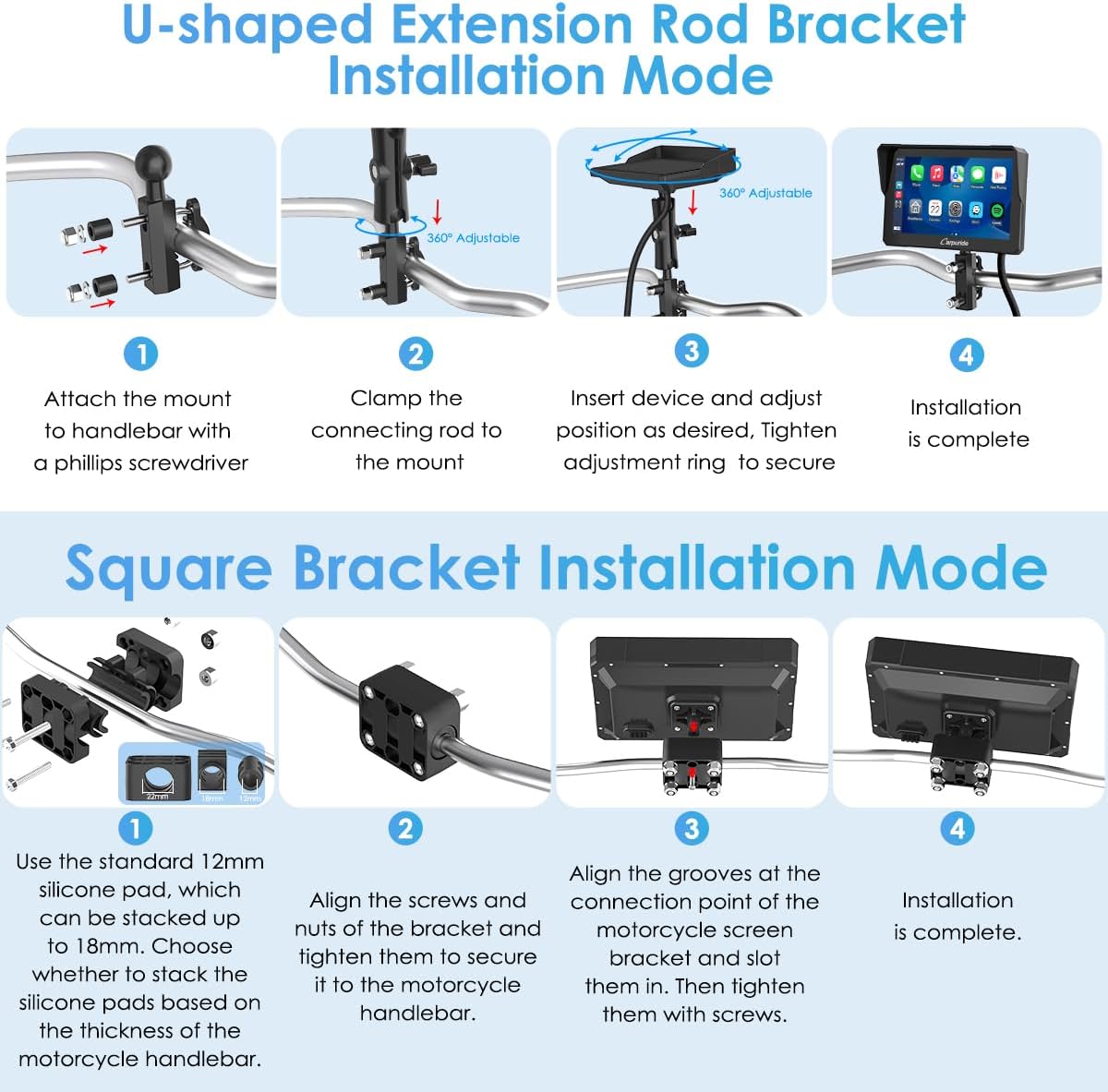
Figure 2: Installation diagrams for U-shaped and Square brackets.
2. Power Connection
The W702 Pro offers two power connection options:
- Direct Battery Connection: Connect the power line directly to the motorcycle's battery. Ensure the output voltage and current are 12V and 1A respectively. The device has built-in reverse connection protection.
- USB Cable Connection: Connect the USB cable directly to the motorcycle's USB port. Ensure the motorcycle's USB port outputs 4.5V, 2.5A or higher. If the voltage or current is insufficient, the screen may turn off.
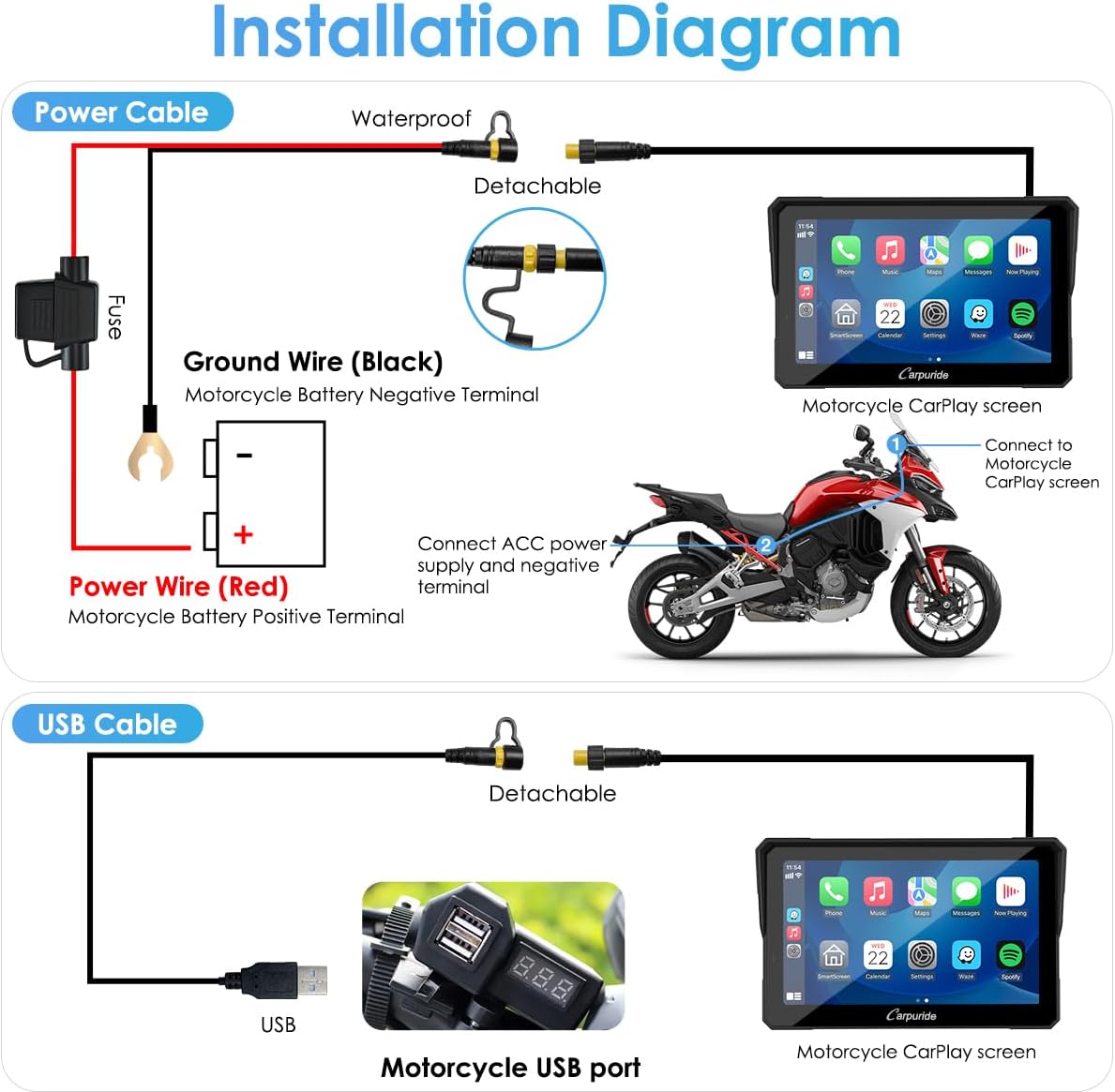
Figure 3: Power connection options.
Operating Instructions
1. Wireless CarPlay and Android Auto
The Carpuride W702 Pro supports wireless Apple CarPlay and Android Auto, allowing access to navigation, calls, music, and messages via voice assistants (Siri or Google Assistant).
Requirements:
- For Apple CarPlay: iPhone 6 or later, iOS 13 or later. CarPlay system and iPhone's voice system must be enabled. Siri must be enabled.
- For Android Auto: Phone must support 5GHz Wi-Fi and run Android 11 or later. VPN function must be off. Android Auto, Google Maps, Google Voice app must be updated to the latest version.
Note: Some applications may not be compatible with Apple CarPlay or Android Auto due to agreements with Apple and Google. Ensure your phone supports wireless CarPlay or Android Auto before purchase.
Connection Steps:
- For Apple CarPlay:
- Open Apple CarPlay on the device.
- On your iPhone, search for and select the Wi-Fi network "66666666" to connect.
- Enter the password "66666666" and click "Join".
- Connection successful.
- Enter CarPlay.
- For Android Auto:
- Open Android Auto on the device.
- Use Wi-Fi to find "carpuride-xxxx".
- Enter the code "66666668".
- Click "Yes".
- Connected successfully.
- Enter Android Auto.

Figure 4: Compatibility and requirements for CarPlay and Android Auto.
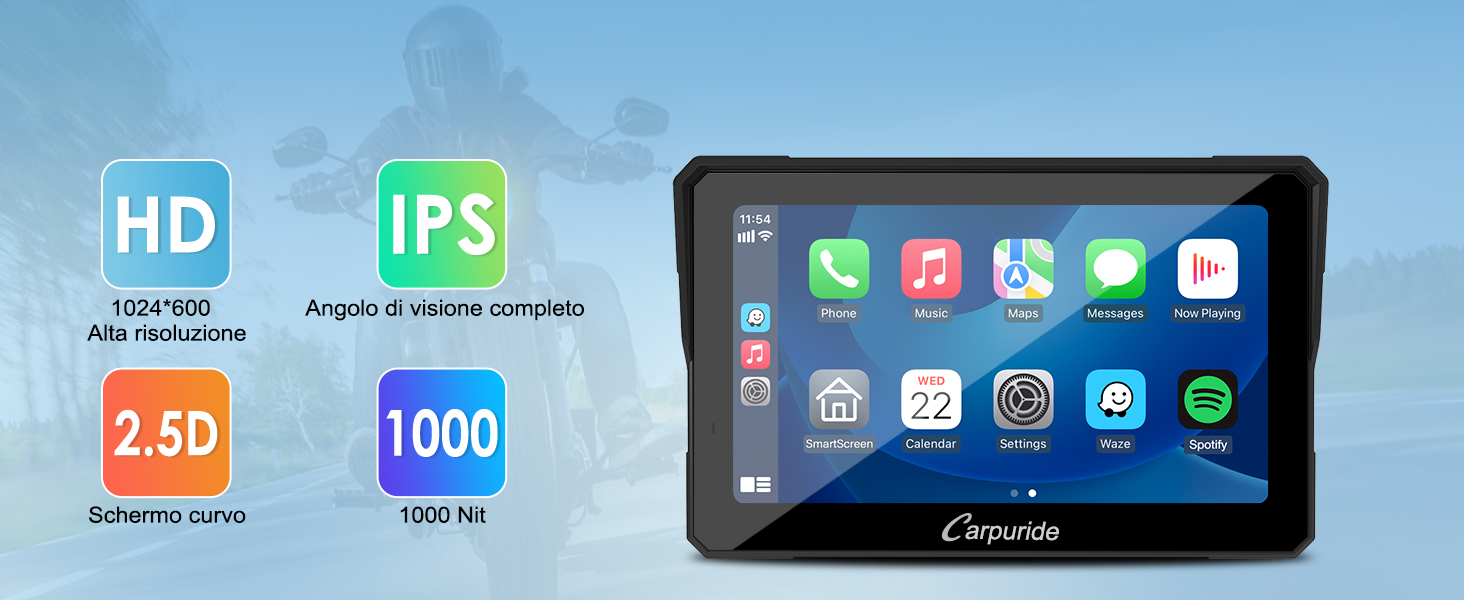
Figure 5: Apple CarPlay connection steps.

Figure 6: Android Auto connection steps.
2. Dual Bluetooth and Intercom Function
The W702 Pro features upgraded dual Bluetooth technology, enabling connection to two Bluetooth headsets/helmets simultaneously for music sharing and intercom functionality between two riders.
BT Trans (Bluetooth Transmission) Mode:
- Single-person Connection Mode: Connect your smartphone to the W702 Pro via Bluetooth. Then, connect your Bluetooth headset/helmet to the W702 Pro.
- Two-person Connection Mode: Connect two Bluetooth headsets/helmets to the W702 Pro. Music and navigation can be shared. Voice assistant commands and phone call audio are transmitted only to Bluetooth 1; therefore, the main rider should connect to Bluetooth 1.

Figure 7: Bluetooth Trans connection modes.
Using the Intercom Function:
- Click the audio output icon on the home page and select "BT Trans" mode. Connect both Bluetooth 1 and Bluetooth 2 simultaneously.
- Click the intercom icon on the home page to activate intercom mode. Bluetooth 1 and Bluetooth 2 can now make Bluetooth calls.
Note: The effective Bluetooth distance for intercom is approximately 10 cm, primarily for communication between the main rider and a co-rider on the same motorcycle.
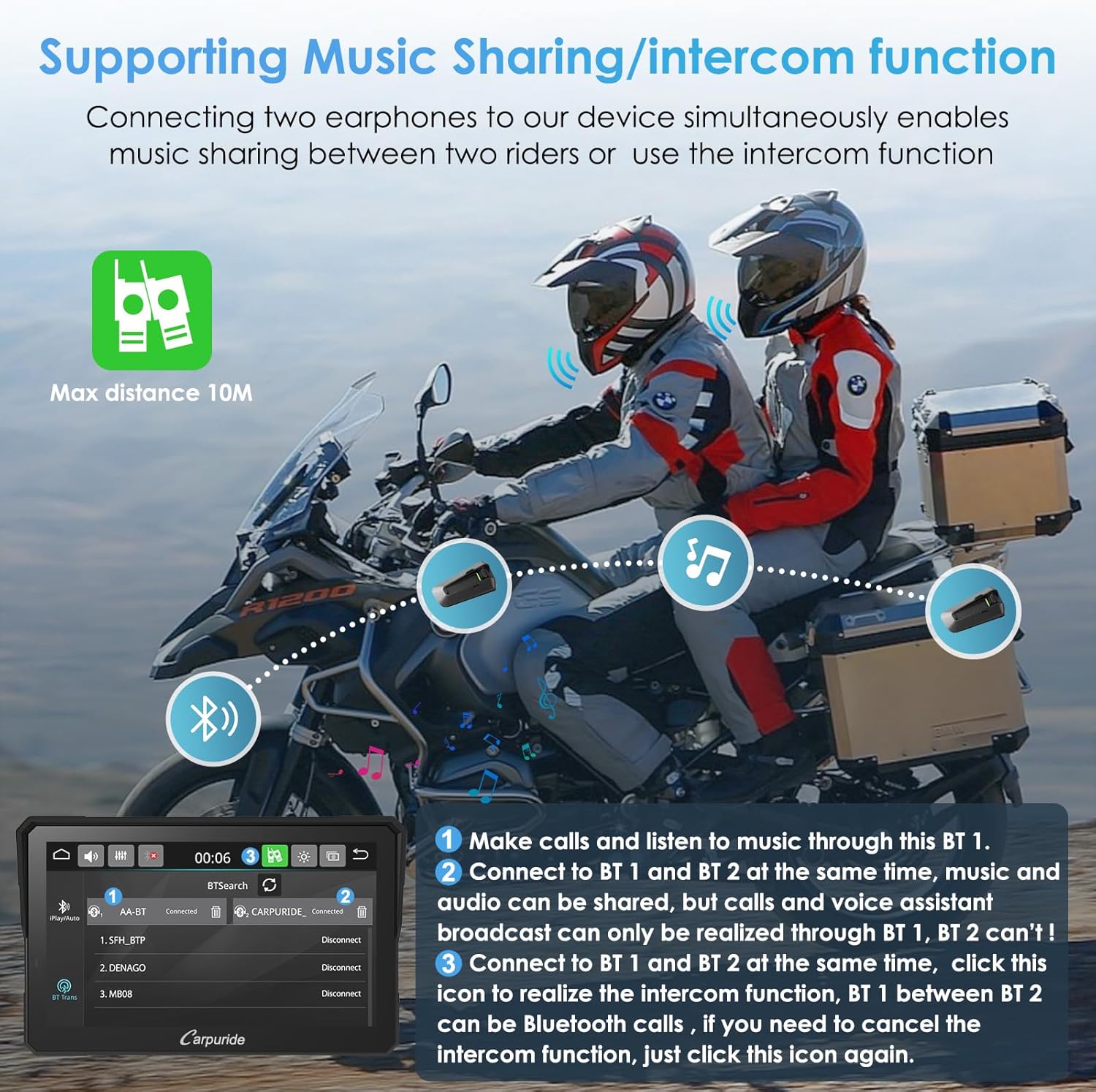
Figure 8: Intercom function in use.
3. Light Sensing Design
The device features a light sensor that automatically adjusts screen brightness based on ambient light conditions. This protects your eyes and promotes safer riding by ensuring optimal visibility day or night.
Note: Android phones, when using maps, cannot automatically switch to night mode. You must manually switch to night mode each time you turn on the device.

Figure 9: Light sensing feature for automatic brightness adjustment.
4. Compass & Barometer
For outdoor exploration, the integrated compass and barometer functions help you stay safe by providing directional guidance and altitude measurements, preventing you from getting lost.
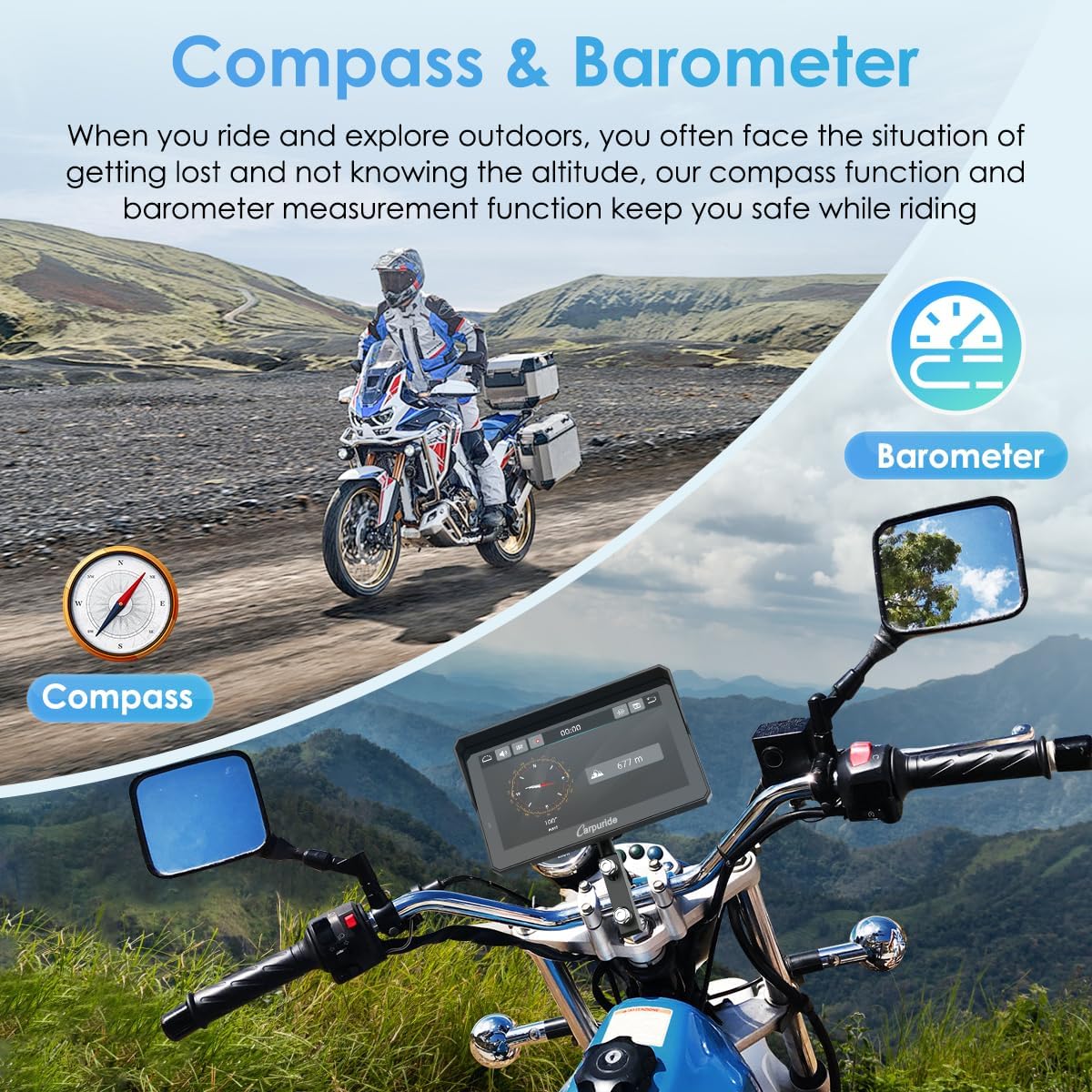
Figure 10: Compass and Barometer features for outdoor navigation.
5. Media Playback and Voice Control
The W702 Pro supports TF cards up to 64GB, allowing you to enjoy your favorite music or videos during your journey. Voice control via Siri or Google Assistant enables hands-free operation for calls, navigation, and music playback.

Figure 11: TF card support for media.
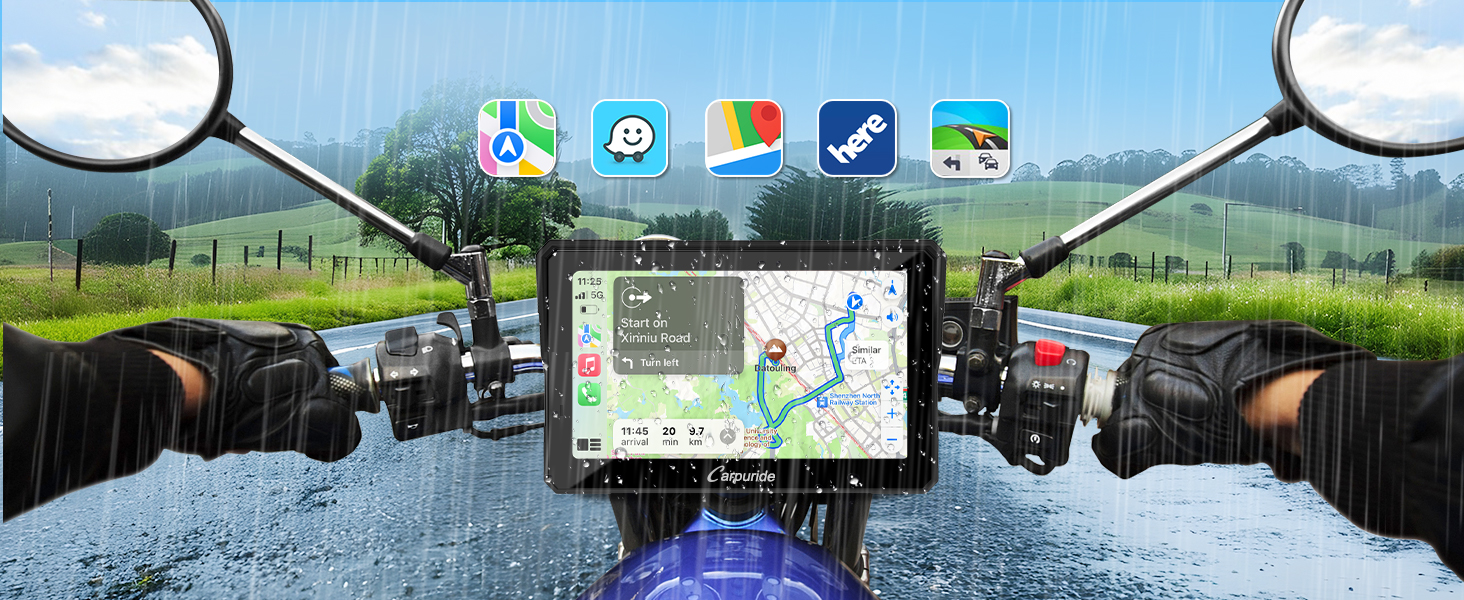
Figure 12: Voice control functionality.
Maintenance
1. IP67 Waterproof and Anti-theft Design
The W702 Pro features an IP67 waterproof and durable design, ensuring normal operation even in rain or intense sunlight. This allows for worry-free use in various weather conditions. The detachable anti-theft bracket provides added security and convenience.
The device operates perfectly within a temperature range of -20 °C to 70 °C.

Figure 13: Device operating in rainy conditions, demonstrating IP67 waterproof rating.
Troubleshooting
- Incompatible Phone Models: The device may not be fully compatible with Samsung Note and S series, as well as Huawei and Xiaomi series. Before purchasing, ensure your phone supports wireless CarPlay or wireless Android Auto.
- USB Cable Power Issues: If using the USB cable, ensure the motorcycle's USB port outputs 4.5V, 2.5A or higher. Insufficient voltage or current may cause the screen to turn off.
- TPMS Function: This product does NOT have a Tire Pressure Monitoring System (TPMS) function. If your manual indicates TPMS, please contact customer support for the correct manual.
- Application Compatibility: Some applications cannot be used with Apple CarPlay and Android Auto. This is not a product issue but rather due to these applications not having agreements with Apple and Google. Use apps that have agreements with Apple and Google.
- Android Night Mode: Android phones, when using maps, cannot automatically switch to night mode. You must manually switch to night mode each time you turn on the device.
Specifications
| Feature | Detail |
|---|---|
| Manufacturer | Carpuride |
| Model Number | MC-702 Pro |
| Product Dimensions | 18.2 x 4.42 x 11.4 cm; 960 grams |
| Screen Size | 7 Inches |
| Screen Resolution | 1024*600 IPS HD Touch Screen |
| Brightness | Up to 1000 nits peak brightness |
| Connectivity Technology | Bluetooth, Wi-Fi (Wireless CarPlay/Android Auto) |
| Special Features | Upgraded Dual Bluetooth, Waterproof (IP67), Light Sensor Design, Intercom Function, Compass, Barometer |
| Operating Temperature | -20 °C to 70 °C |
| Supported Storage | TF cards up to 64GB |
| Audio Output Mode | Stereo |
What's in the Box
The Carpuride W702 Pro package includes the following components:
- 1x Motorcycle Carplay Screen
- 1x U-shaped Bracket
- 1x Square Bracket
- 1x Power Cable
- 1x USB Cable
- 1x User Manual
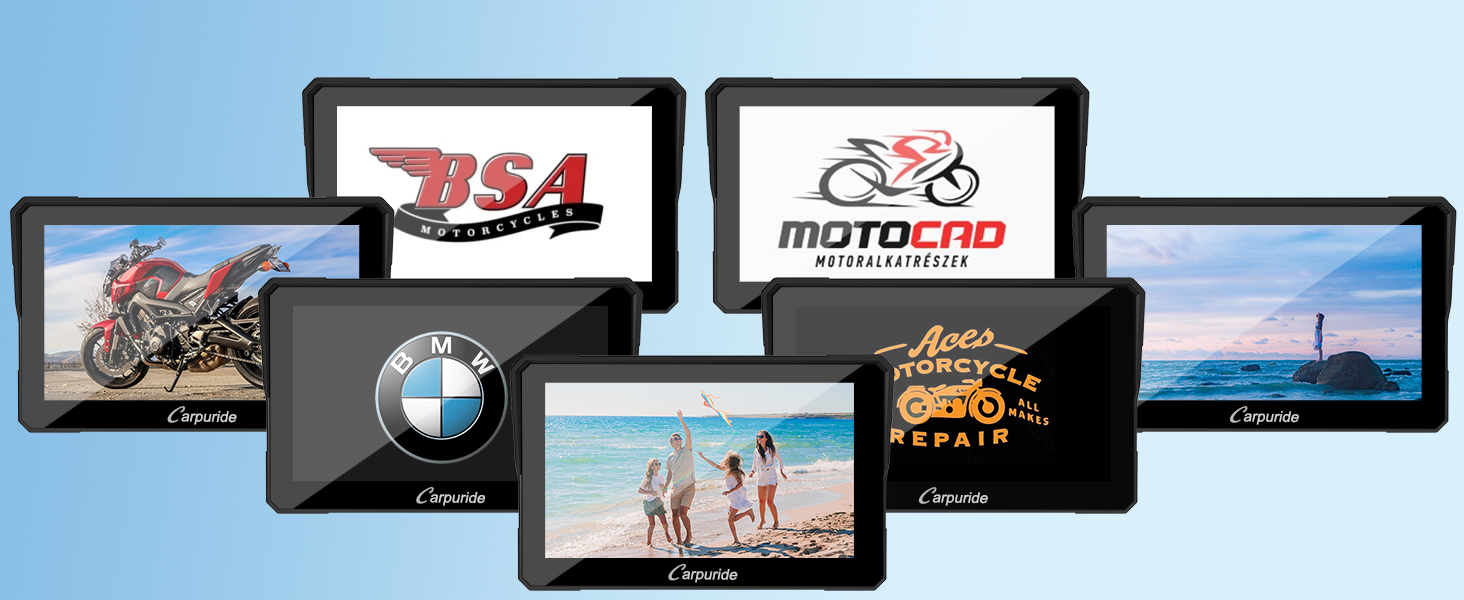
Figure 14: Package contents.
Warranty and Support
For warranty information and product support, please refer to the specific warranty details provided with your purchase or contact Carpuride customer service. Amazon's return policy allows for product returns within 30 days of receipt if you change your mind. For defective or damaged products, please consult Amazon's help page on returns and refunds.
For further assistance or inquiries, please visit the official Carpuride store on Amazon or contact their support channels.
Official Store: Carpuride Amazon Store
Official Product Videos
No official product videos from the seller were found for this product in the provided data.