1. Introduction
This manual provides essential instructions for setting up and operating your Generic GPS Tracker SIM Card. This SIM card is specifically designed for GPS tracking devices, offering reliable data service for real-time tracking through dedicated mobile applications and a web platform.
2. Product Overview and Key Features
The Generic GPS Tracker SIM Card transforms your GPS tracker into a reliable, accurate, and fast real-time tracking device. It is preloaded with a $5 value, providing unlimited data service for your GPS tracker.
- Dedicated for GPS Trackers: Designed exclusively for GPS tracking devices, compatible with over 1500 models.
- Unlimited Data: Provides unlimited data for continuous tracking.
- Mobile Tracking Apps: Includes access to Android and Apple mobile applications for convenient tracking.
- GPS Server Website: Access a dedicated web platform for detailed tracking and management.
- Google Maps Integration: Features an authorized and licensed Google Maps enabled mapping system with satellite, street, hybrid, and traffic views.
- Global Coverage: Offers coverage in the US, Canada, Mexico, and other select regions worldwide.
- 3-in-1 SIM Size: Compatible with Nano, Micro, and Standard SIM slots.

Image 2.1: The Generic GPS Tracker SIM Card, highlighting its pre-loaded $5 value and data service.
3. Compatibility
This SIM card is engineered to work with a wide range of GPS tracking devices, supporting all makes and models. It is compatible with 5G, 4G, 3G, and 2G cellular bands, including LTE CatM1, ensuring broad device support.
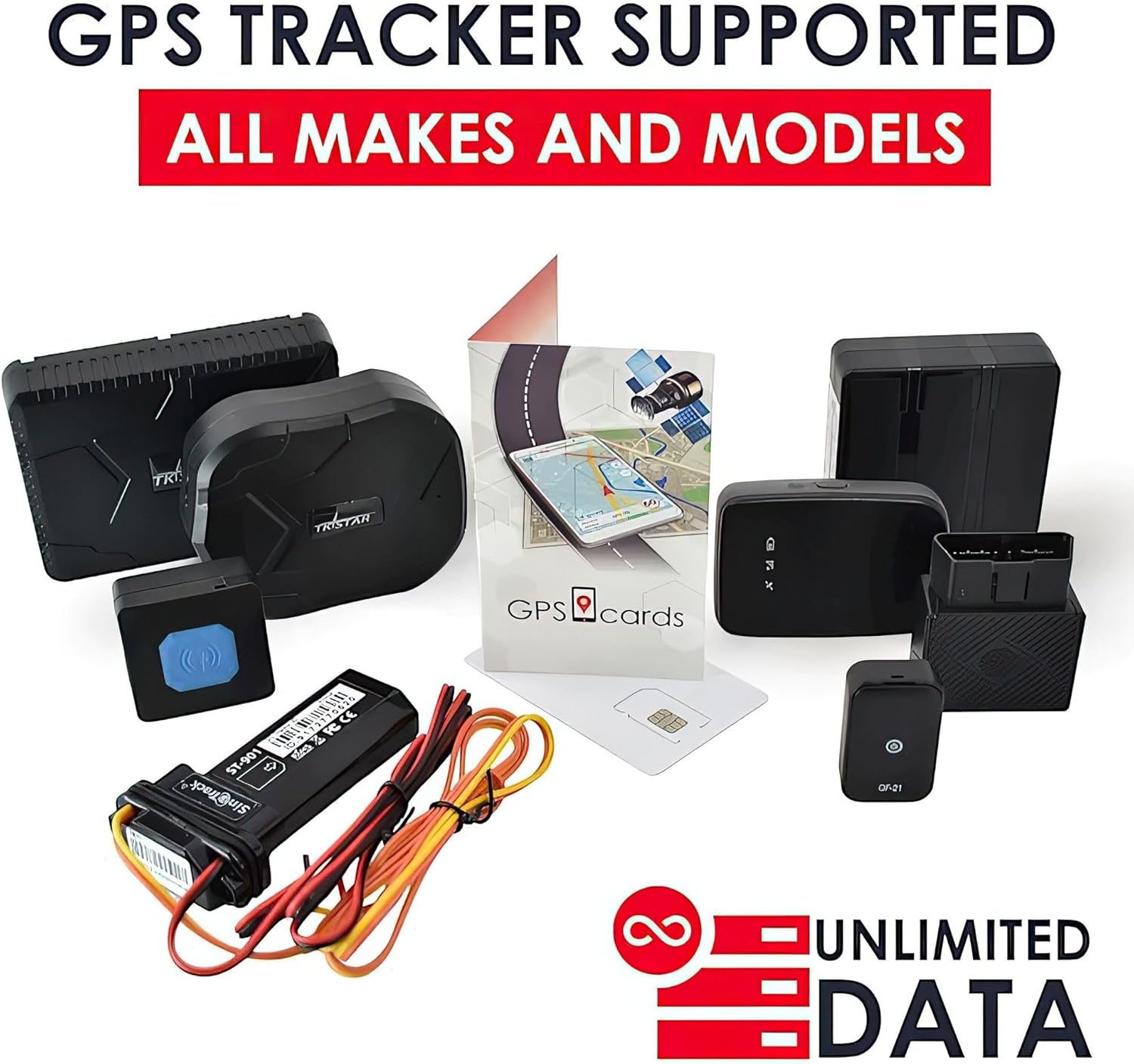
Image 3.1: An assortment of GPS trackers, illustrating the broad compatibility of the SIM card with different models.

Image 3.2: A visual comparison emphasizing that this SIM card is specifically designed for GPS trackers, not mobile phones.
4. Setup and Installation
Follow these steps for a hassle-free installation and activation process:
- Identify SIM Size: The SIM card comes in a 3-in-1 format (Standard, Micro, Nano). Carefully punch out the correct size needed for your GPS tracker.
- Insert SIM Card: Locate the SIM card slot on your GPS tracker. Gently insert the SIM card into the slot, ensuring it is oriented correctly. Refer to your GPS tracker's specific manual for exact SIM slot location and insertion method.
- Activate Service: Once the SIM card is installed in your GPS tracker, you will need to activate the service. Follow the activation instructions provided by the SIM card provider (GPScards). This typically involves pairing the SIM card with your specific GPS tracker.
- Power On Tracker: After activation, power on your GPS tracker. It should automatically connect to the network.

Image 4.1: Diagram showing how to separate the Nano, Micro, and Standard SIM sizes from the main card.

Image 4.2: A visual guide demonstrating the insertion of the SIM card into an OBD-II type GPS tracker.
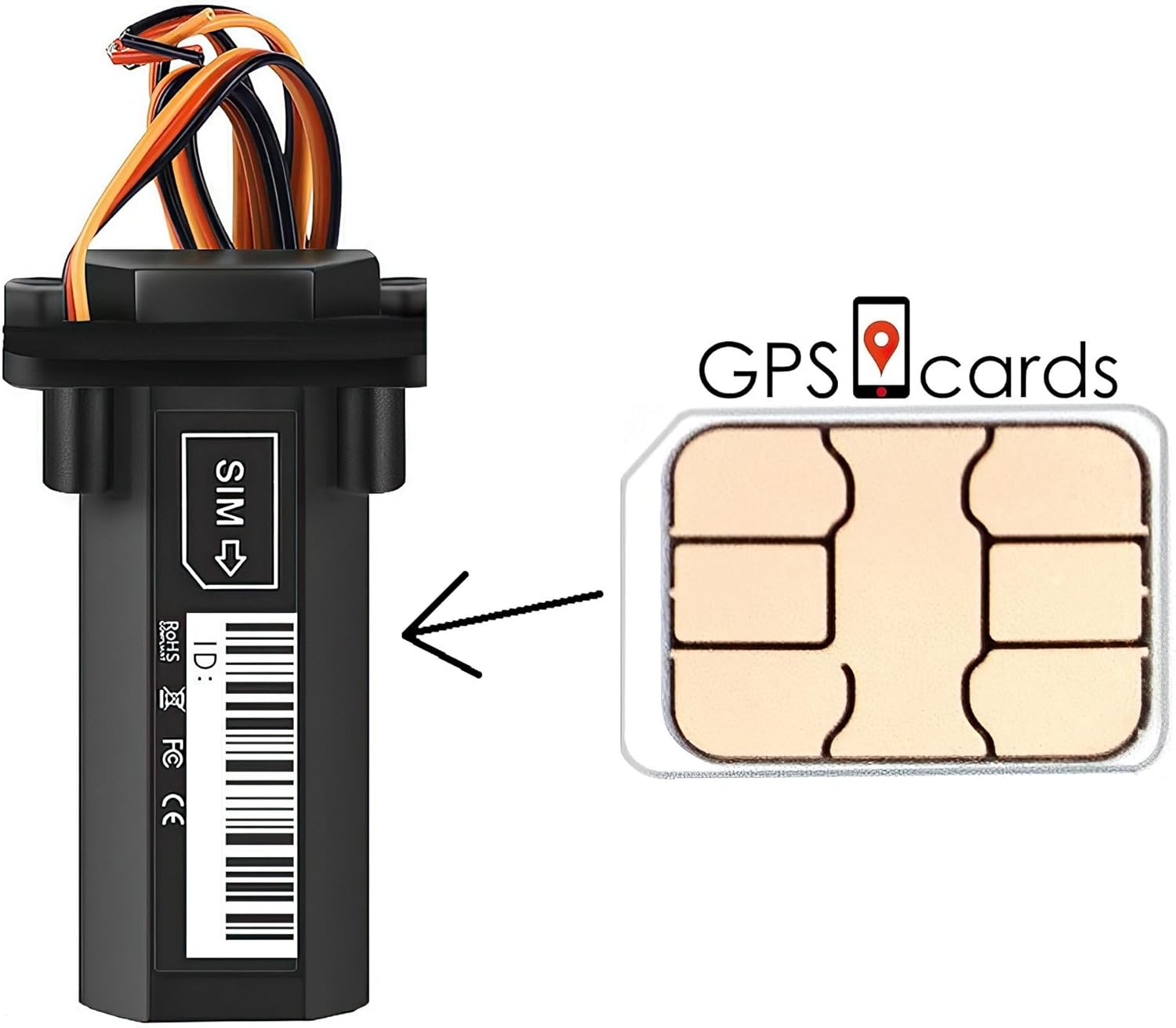
Image 4.3: A visual guide demonstrating the insertion of the SIM card into a wired GPS tracker.
5. Operating Instructions
Once your SIM card is installed and activated, you can begin tracking your device using the provided mobile applications or web platform.
5.1. Mobile Applications
Download the TurnKey Mobile App for GPS Tracking (available for Android and Apple devices). Log in using your credentials provided during activation. The app allows you to:
- View real-time location of your GPS tracker.
- Access tracking history (up to one year, with export option).
- Receive notifications (e.g., speed alerts, geofence breaches).
- Utilize various map views (satellite, street, hybrid).
5.2. Web Platform
Access the GPS tracking website using your web browser. The web platform offers comprehensive tracking features, including:
- Detailed real-time tracking on Google Maps.
- Advanced reporting and analytics.
- Management of multiple trackers.
- Customizable alerts and notifications.

Image 5.1: The GPS tracking platform interface shown on both a laptop and a smartphone, demonstrating its accessibility.
6. Coverage
The SIM card provides extensive cellular coverage for your GPS tracker. The service includes coverage across the US, Canada, and Mexico, with additional support in other select regions worldwide.

Image 6.1: A map illustrating the geographical coverage areas (marked in red) for the GPS Tracker SIM Card service.
7. Specifications
| Feature | Detail |
|---|---|
| SIM Size | 3-in-1 (Nano, Micro, Standard) |
| Coverage | US, Canada, Mexico & Worldwide (no extra fees) |
| Mobile Apps Included | Yes (Android & Apple) |
| Cellular Bands | 5G, 4G, 3G, 2G, LTE CatM1 |
| GPS Tracker Supported | All Makes and Models |
| Preloaded Amount | $5 |
| Tracking Storage History | Up to one year, with export option |
| Supported Application | TurnKey Mobile App for GPS Tracking |
8. Troubleshooting
If you encounter issues with your GPS Tracker SIM Card, consider the following common solutions:
- No Signal/Connectivity:
- Ensure the SIM card is correctly inserted into the tracker.
- Verify that the GPS tracker is powered on and in an area with good cellular reception.
- Confirm that the SIM card service has been activated.
- Check the coverage map to ensure you are within a supported region.
- Inaccurate Tracking:
- Ensure the GPS tracker has a clear view of the sky for optimal satellite reception.
- Verify that your GPS tracker's internal GPS module is functioning correctly.
- App/Website Issues:
- Ensure your mobile app is updated to the latest version.
- Clear your browser's cache and cookies if experiencing issues with the web platform.
- Verify your login credentials.
For persistent issues, please contact customer support.
9. Support
For technical assistance, activation inquiries, or any other support needs, please refer to the contact information provided by your SIM card provider (GPScards) at the time of purchase or activation. You can typically find support details on their website or within the mobile application.
10. Warranty Information
Warranty terms for the Generic GPS Tracker SIM Card are typically provided by the seller or the SIM card service provider. Please refer to your purchase documentation or contact the seller directly for specific warranty details and claims procedures.