
VEDO AF4
VEDO AF4 4-Channel Audio Mixer User Manual
Model: AF4
1. Introduction
Thank you for choosing the VEDO AF4 4-Channel Audio Mixer. This manual provides detailed instructions for setting up, operating, and maintaining your mixer to ensure optimal performance. The VEDO AF4 is a versatile audio console designed for various applications, including music production, podcasting, live performances, and computer audio integration. It features 4 input channels, Bluetooth and USB connectivity, an integrated digital sound card, and 48V phantom power.
2. Product Overview
The VEDO AF4 combines analog mixing capabilities with digital sound card functions, offering a comprehensive solution for audio control. Below is an overview of the mixer's main features and controls.
2.1 Mixer Layout and Controls

The mixer features dedicated controls for each channel, including gain, 3-band equalization (High, Mid, Low), pan, effect send (EFX), auxiliary send (AUX), and volume faders. Master controls for main output, headphones, and digital media playback are also present.
2.2 Key Features
- 4-Channel Input: Two mono microphone/line inputs and one stereo input (channels 3/4, also used for USB/PC).
- Bluetooth Connectivity: Integrated chip for wireless audio streaming.
- USB Playback: Supports audio playback from USB devices.
- Integrated Digital Sound Card: Bi-directional USB transmission for computer recording and playback without drivers.
- 48V Phantom Power: Available for condenser microphones on channels 1 and 2.
- Multi-Effects: Built-in effects processor with delay and repeat controls.
- Real-time Monitoring: Dedicated headphone output with volume control.
- Loopback Function: Ideal for recording and webcasting.
3. Setup
Follow these steps to set up your VEDO AF4 audio mixer.
3.1 Power Connection
- Connect the provided 5V/2A DC power adapter to the mixer's power input jack.
- Plug the power adapter into a suitable electrical outlet.
- Press the POWER button on the mixer to turn it on. The power indicator light will illuminate.
3.2 Input Connections
The VEDO AF4 supports various audio input sources.

- Microphones (Channels 1-2): Connect XLR or 1/4-inch TRS cables from your microphones to the MIC/LINE input jacks on channels 1 and 2. If using condenser microphones, activate the 48V PHANTOM power switch.
- Line Instruments (Channels 1-2): Connect instruments or audio devices with 1/4-inch TRS cables to the LINE input jacks on channels 1 and 2.
- Stereo Line Input (Channels 3/4): Connect stereo audio sources using 1/4-inch TRS cables to the LINE input jacks on channel 3/4.
- Tape In: Use RCA cables to connect external playback devices to the TAPE IN jacks.
3.3 Output Connections
- Main Output: Connect your main speakers or amplifier to the MAIN OUT (L/R) jacks using 1/4-inch TRS cables.
- Headphones: Connect headphones to the PHONES jack for monitoring.
- REC Out: Use RCA cables to connect to a recording device.
3.4 Dimensions

4. Operating Instructions
This section details the operation of the VEDO AF4 mixer's various functions.
4.1 Basic Mixing
- Gain Adjustment: Use the GAIN knob for each channel to set the input level. Adjust until the CLIP indicator flashes only occasionally.
- Equalization (EQ): Use the HIGH, MID, and LOW knobs to adjust the tone of each channel.
- Pan: The PAN knob adjusts the stereo position of the sound.
- EFX/AUX Send: Use the EFX and AUX knobs to send a portion of the channel signal to the internal effects processor or external auxiliary devices.
- Channel Volume: Adjust the VOL fader for each channel to control its individual output level.
- Main Output: Use the MAIN fader to control the overall output volume.
- Headphone Volume: Adjust the PHONES knob for headphone monitoring level.
4.2 Bluetooth Connection
The VEDO AF4 features integrated Bluetooth for wireless audio streaming.
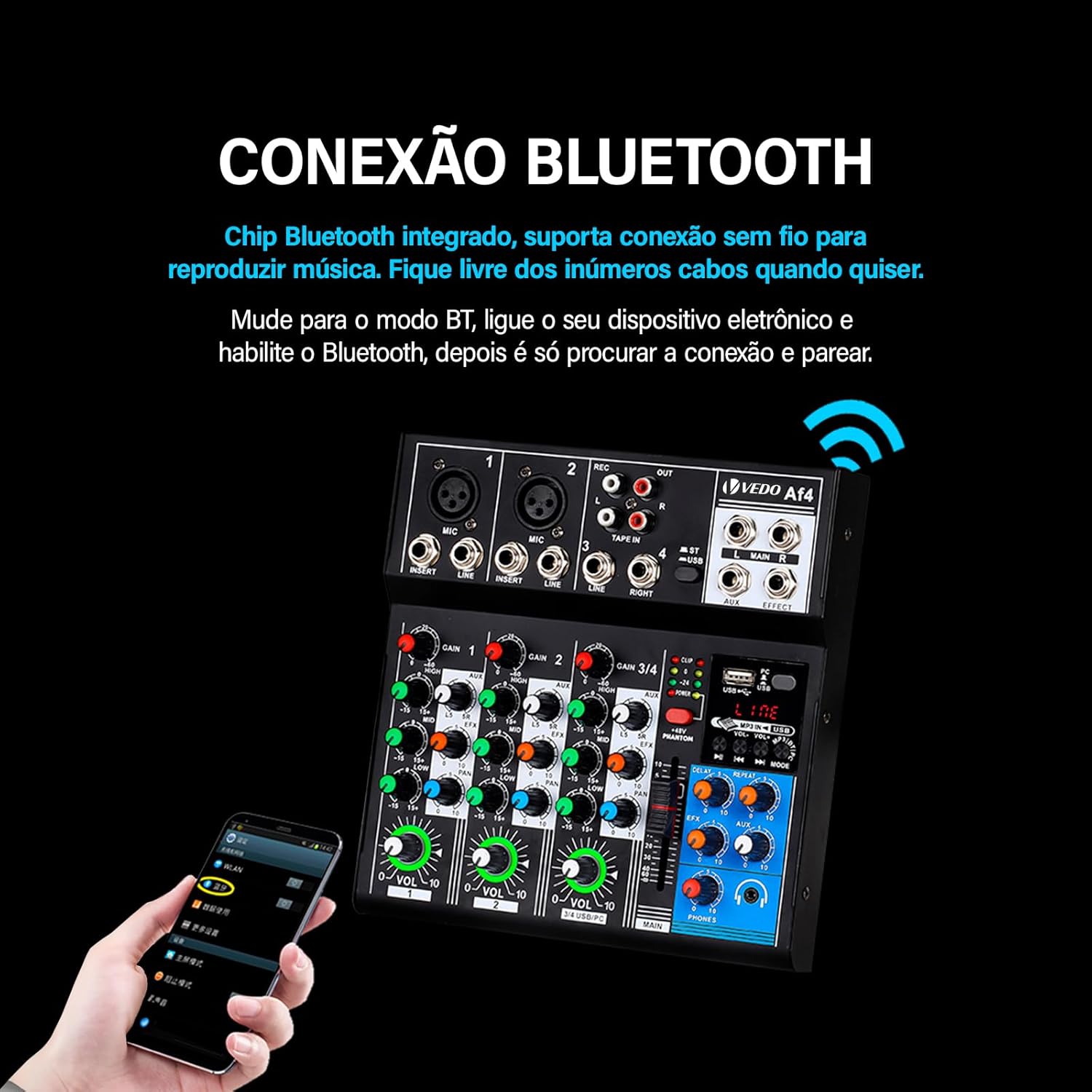
- Press the MODE button on the digital media player section until 'BT' or 'Bluetooth' is displayed.
- On your electronic device (smartphone, tablet), enable Bluetooth and search for available devices.
- Select 'VEDO AF4' (or similar name) from the list to pair.
- Once connected, audio from your device will play through channels 3/4. Adjust the VOL knob for channels 3/4 and the main output for desired volume.
4.3 USB Playback
Play audio files directly from a USB flash drive.
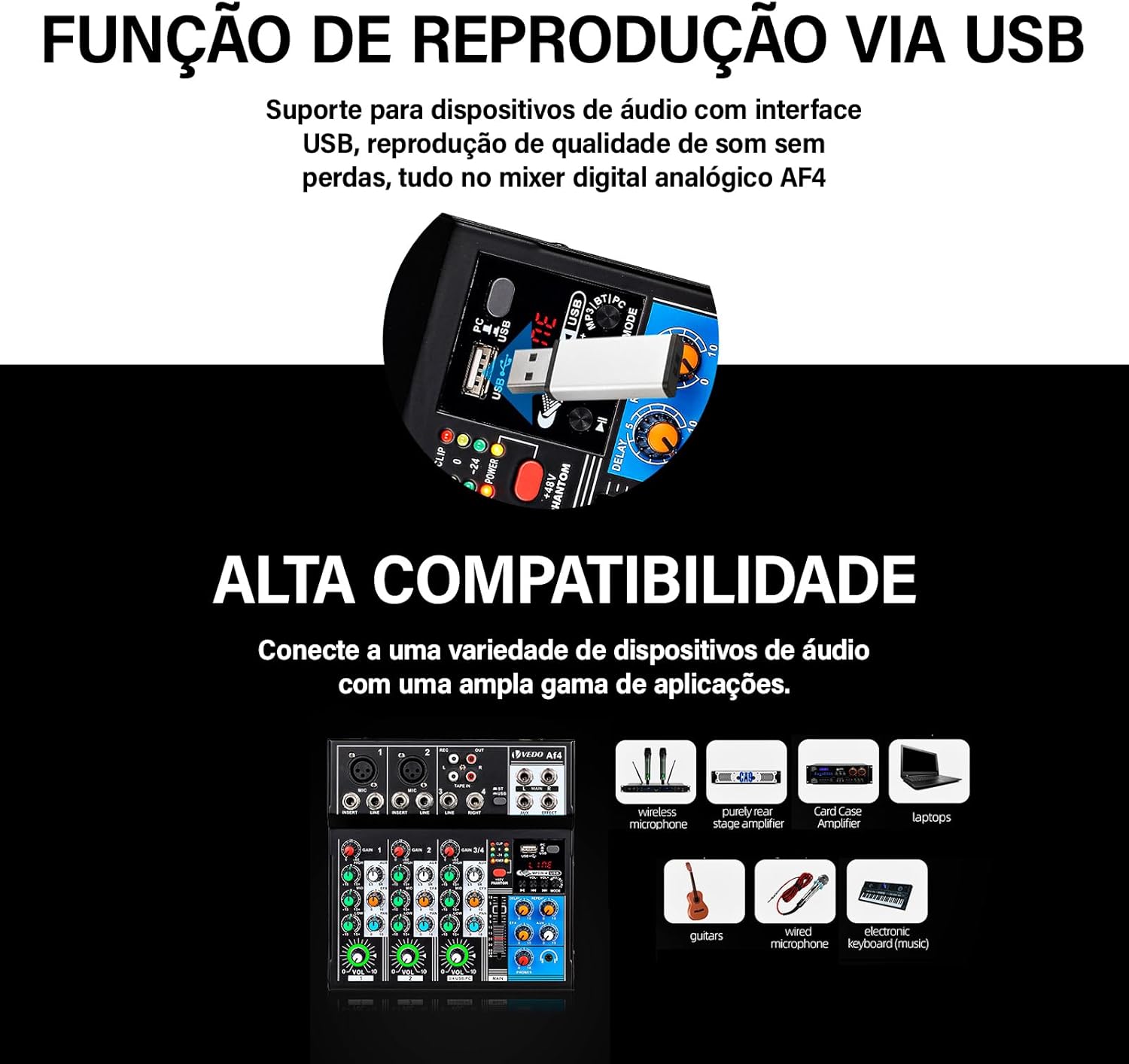
- Insert a USB flash drive containing MP3 or other compatible audio files into the USB port.
- The mixer will automatically switch to USB mode or you may need to press the MODE button.
- Use the playback controls (PLAY/PAUSE, PREV, NEXT) to navigate and play tracks.
- Audio will play through channels 3/4. Adjust the VOL knob for channels 3/4 and the main output for desired volume.
4.4 PC Audio Interface (Sound Card)
The VEDO AF4 can function as a bi-directional USB audio interface for your computer.
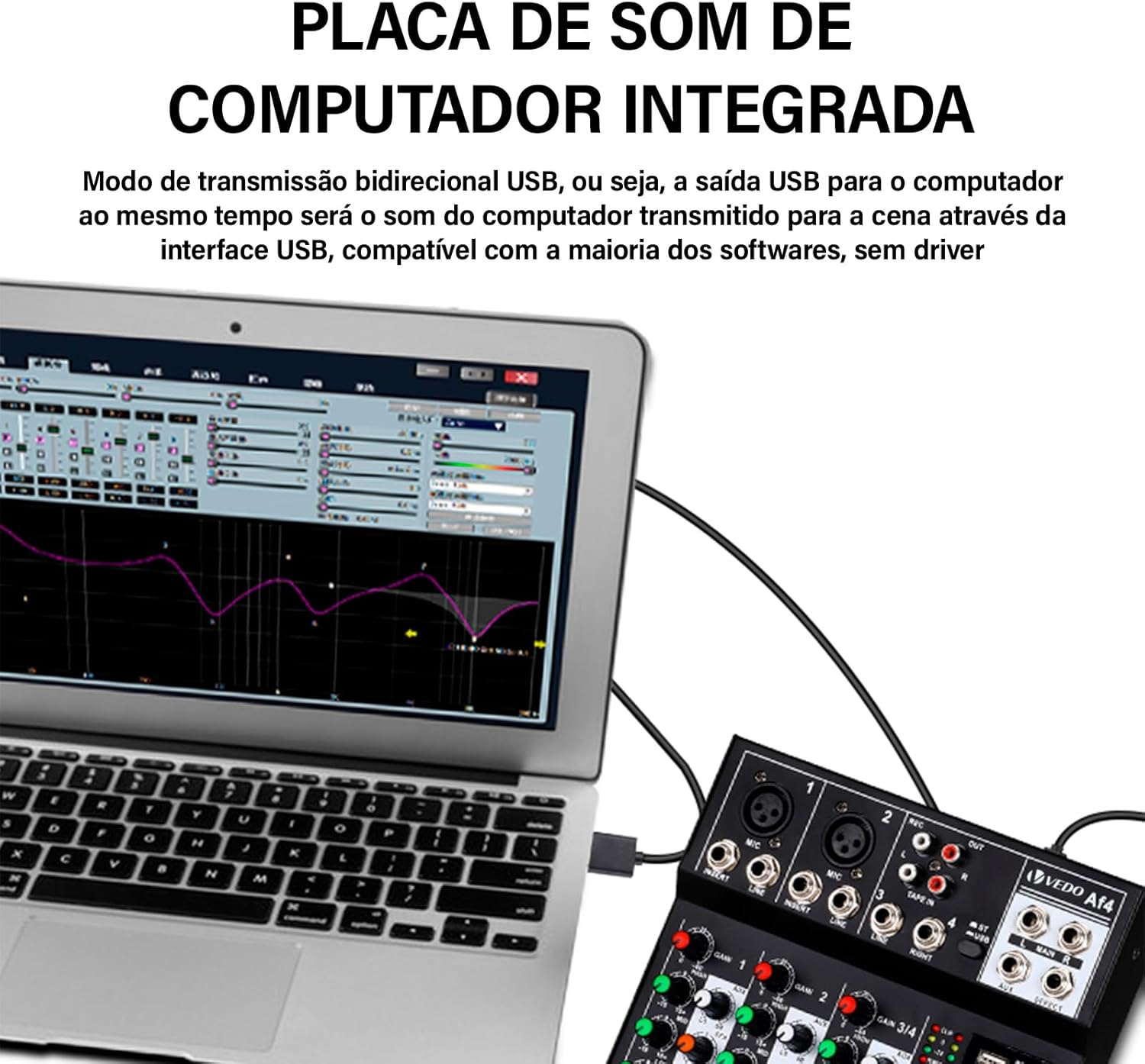
- Connect the mixer to your computer using a USB cable.
- The mixer will be recognized as an audio device by your computer's operating system without requiring additional drivers.
- In your computer's sound settings or DAW software, select the VEDO AF4 as the input and output device.
- Audio from the mixer's main output can be recorded to your computer, and audio from your computer can be played back through channels 3/4 of the mixer.
4.5 Loopback Function
The flexible LOOPBACK function is ideal for recording and webcasting, allowing you to capture both your microphone input and computer audio simultaneously.
5. Specifications
Detailed technical specifications for the VEDO AF4 audio mixer.
| Category | Specification |
|---|---|
| Input Channels 1-2 (Microphone) | |
| Input Configuration | Discrete, electronically balanced |
| Frequency Response | 10 Hz to 200 kHz |
| Gain Range | +14 dB to +60 dB |
| Signal-to-Noise Ratio | 120 dB E.I.N. |
| Input Channels 1-2 (Line) | |
| Input Configuration | Electronically balanced |
| Frequency Response | 10 Hz to 130 kHz |
| Gain Range | -6 dB to +38 dB |
| Signal-to-Noise Ratio | 95 dB E.I.N. |
| Stereo Channel (3/4) | |
| Frequency Response | 10 Hz to 70 kHz |
| Gain Range | Line: -8 to +15 dB / Microphone: +13 to +60 dB |
| Signal-to-Noise Ratio | Line: 96 dB / Microphone: 104 dB E.I.N. |
| Equalization | |
| Low | 50 Hz, +/- 15 dB |
| Mid | 700 Hz, +/- 15 dB |
| High | 10 kHz, +/- 15 dB |
| Primary Mixed Output | |
| Main Output | +28 dBu balanced / +22 dBu unbalanced |
| Auxiliary Output | +22 dBu balanced |
| EFF Output | +22 dBu balanced |
| Tape Output | +22 dBu balanced |
| Mobile Output (Headphones) | +15 dBu / 150 Ohm |
| Power Supply | DC: 5V/2A |
| Dimensions (L x W x H) | 26 x 24.8 x 6.6 cm |
| Weight | 1 kg |
| Connectivity | Bluetooth, USB |
Specifications and appearance are subject to change without prior notice.
6. Troubleshooting
This section addresses common issues you might encounter with your VEDO AF4 mixer.
- No Sound from Bluetooth/USB (Channels 3/4): Ensure the "ST / USB" button is engaged. If this button is not pressed, the audio from Bluetooth or USB sources may not function correctly.
- No Power: Verify that the 5V/2A DC power adapter is correctly connected to the mixer and a working power outlet. Check the power indicator light.
- No Microphone Sound:
- Check microphone cable connections.
- Ensure the GAIN and VOL knobs for the respective channel are turned up.
- If using a condenser microphone, ensure 48V PHANTOM power is activated.
- Distorted Sound: Reduce the GAIN for the input channel or the MAIN output level. Ensure input levels are not clipping (CLIP indicator flashing excessively).
- Bluetooth Pairing Issues: Ensure the mixer is in Bluetooth mode. Turn off and on Bluetooth on your device, then try pairing again. Ensure no other devices are currently connected to the mixer via Bluetooth.
If you encounter persistent issues, please refer to the support information in Section 8.
7. Maintenance
Proper care and maintenance will extend the life of your VEDO AF4 mixer.
- Cleaning: Use a soft, dry cloth to clean the mixer's surface. Do not use liquid cleaners or solvents, as they may damage the finish or internal components.
- Storage: Store the mixer in a cool, dry place away from direct sunlight, extreme temperatures, and excessive dust.
- Handling: Avoid dropping or subjecting the mixer to strong impacts.
- Ventilation: Ensure adequate ventilation around the mixer to prevent overheating.
8. Warranty and Support
The VEDO AF4 audio mixer comes with a Lifetime Warranty, as indicated in the product specifications.
For any product-related issues or support inquiries, please contact the seller or manufacturer directly. We aim to respond to all inquiries within 24 hours.
Related Documents - AF4
 |
VEDO 30in Bathroom Vanity Assembly Instructions Comprehensive assembly instructions for the VEDO 30-inch wall-mounted bathroom vanity, detailing parts, hardware, and step-by-step guidance for installation. |
 |
VEDO 36in Bathroom Vanity Assembly Instructions Comprehensive guide for assembling the VEDO 36in bathroom vanity. Includes a detailed parts inventory, hardware identification, and step-by-step visual instructions translated into text. |
 |
VēDO Adult Novelty Toys: Product Catalog and Usage Guide Explore the comprehensive VēDO range of adult novelty toys, including vibrators, c-rings, and massagers. This guide provides product specifications, detailed usage instructions, essential safety warnings, and warranty information. |
 |
Pylontech Low Voltage ESS and Inverter Compatibility List Comprehensive compatibility list for Pylontech Low Voltage Energy Storage Systems (ESS) and various inverter brands, detailing communication protocols, features, and firmware versions. |
 |
NKON ESS Eco & Pro Compatibility List for Low Voltage Inverters A comprehensive compatibility list for low voltage (hybrid) inverters with NKON ESS Eco & Pro energy storage systems, detailing inverter brands, models, communication protocols, and firmware versions. |
 |
BSLBATT Low-Voltage Battery Compatibility List for Inverters This document lists compatible inverter brands and models for BSLBATT low-voltage batteries, detailing compatibility with B-LFP48 Series, Li-Pro Series, and PowerLine-5 battery lines. |
Ask a question about this manual
Ask about setup, troubleshooting, compatibility, parts, safety, or missing instructions. Manuals+ will review the question and use this page’s manual context to help answer it.