MWRCTV 5MP POE IP Security Surveillance Bullet Camera User Manual
Model: MF528
1. Product Overview
The MWRCTV 5MP POE IP Security Surveillance Bullet Camera is designed for both indoor and outdoor security applications. It features a 5-megapixel resolution for clear video, Power over Ethernet (PoE) for simplified installation, and advanced night vision capabilities.
Key Features:
High Resolution: Ultra HD 5MP (2880*1616P) at 20fps with a 1/3" CMOS image sensor.
3.6mm HD Lens: Provides an 85° viewing angle.
Smart Dual Light AI Color Night Vision: Features 3 powerful IR LEDs for up to 100 feet (30 meters) night vision, automatically switching to full color upon human or vehicle detection.
IP67 Weatherproof: Full metal casing suitable for extreme temperatures and protection against dust and rain.
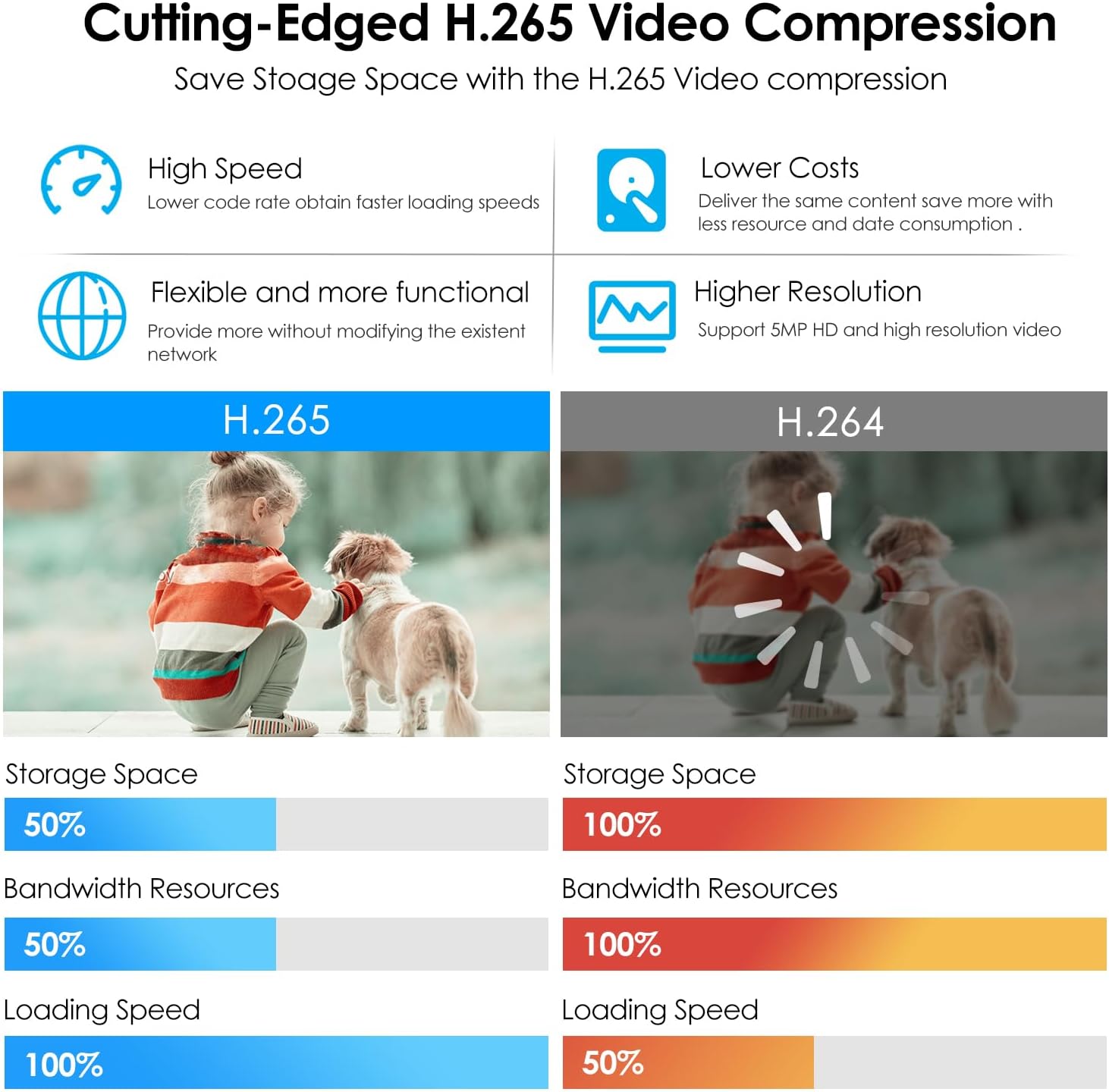
H.265 Video Compression: Efficiently saves storage space and reduces bandwidth consumption.
Power over Ethernet (PoE): Simplifies installation by providing power and data over a single Ethernet cable.
Compatibility: Works with ONVIF NVRs (e.g., Hikvision, Dahua) and third-party software like Blue Iris.
2. What's in the Box
Carefully unpack the box and ensure all items are present and in good condition. If any items are missing or damaged, please contact customer support.
1x MWRCTV 5MP POE IP Security Surveillance Bullet Camera (Model MF528)
1x Set of Fixed Camera Mounting Screws
1x RJ45 Port Waterproof Rubber Sleeve
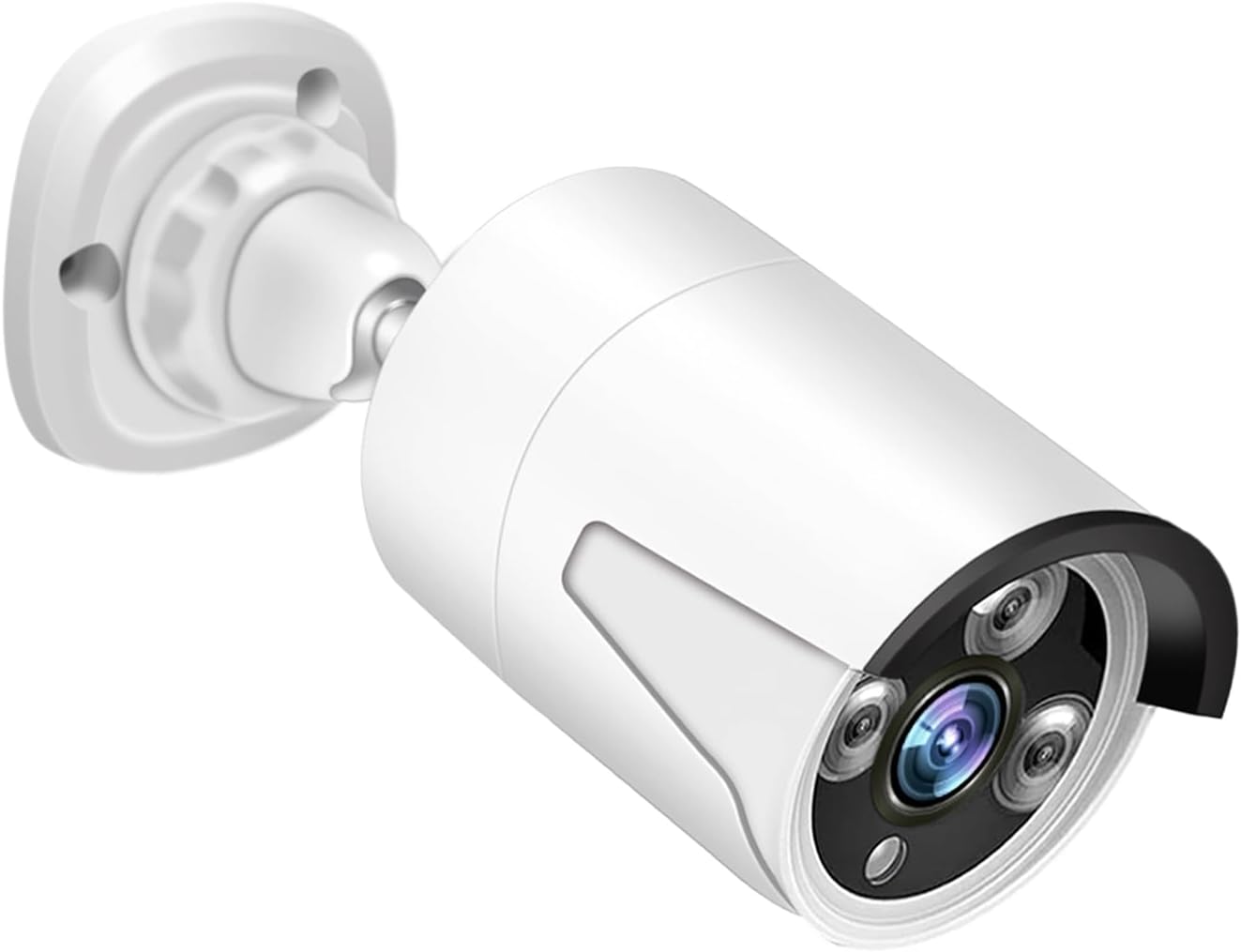
Image: The MWRCTV 5MP POE IP Security Surveillance Bullet Camera, showing its bullet form factor and lens.
Image: Detailed view of the camera with labels pointing to the built-in microphone, weatherproof shell, 3PCS lights, 3.6mm lens, PoE network port, and power connection.
3. Setup and Installation
3.1 Mounting the Camera
Choose a Location: Select a suitable indoor or outdoor location for surveillance. Ensure the camera has a clear field of view and is within range of your network cabling.
Mark Drill Holes: Use the camera's base as a template to mark the positions for drilling on the wall or ceiling.
Drill Holes: Drill pilot holes at the marked positions. Insert the provided wall anchors if mounting on drywall or masonry.
Secure the Camera: Align the camera base with the drilled holes and secure it using the provided mounting screws. Adjust the camera angle as needed.
3.2 Power over Ethernet (PoE) Connection
This camera supports Power over Ethernet (PoE), allowing both power and data transmission through a single Ethernet cable. This simplifies installation and reduces cabling costs.
Connect Ethernet Cable: Connect one end of an Ethernet cable to the camera's RJ45 port.
Apply Waterproof Sleeve: Install the provided waterproof rubber sleeve over the RJ45 connection to protect it from environmental elements, especially for outdoor installations.
Connect to PoE NVR/Switch: Connect the other end of the Ethernet cable to a PoE-enabled Network Video Recorder (NVR) or a PoE switch. Ensure your NVR or switch provides sufficient power (IEEE 802.3af standard).
No Separate Power Supply Needed: With PoE, a separate power adapter is not required for the camera.
Image: Diagram illustrating the PoE connection, showing the camera connected directly to a PoE NVR via a single Ethernet cable, eliminating the need for separate power supplies or switches.
3.3 Initial Configuration
Once connected, the camera should power on. You will need to access your PoE NVR or third-party software (e.g., Blue Iris) to discover and configure the camera. Refer to your NVR or software manual for specific steps on adding IP cameras. The camera supports ONVIF protocol for broad compatibility.
4. Operating the Camera
4.1 Video Monitoring and Recording
Access the live video feed and recorded footage through your connected NVR or compatible third-party software. The camera provides 5MP resolution for detailed surveillance.
4.2 Smart Dual Light AI Color Night Vision
The camera defaults to an intelligent full-color mode. In low-light conditions, it utilizes its 3 IR LEDs for black and white night vision. When human or vehicle movement is detected, the built-in white light automatically activates, illuminating the area and switching the view to full color for enhanced detail.
Image: Illustration of the camera's smart night vision, showing how it transitions from infrared to full-color when motion is detected.
4.3 Motion Detection and Email Alerts
Configure motion detection settings via your NVR or software. When motion is detected, the camera system can send email alerts to your configured address, allowing you to remotely check the situation via your mobile device. App push notifications may also be available depending on your NVR/software.
Image: Depiction of motion detection triggering an email alert and app push notification, showing a person detected by the camera.
4.4 One-Way Audio
The built-in microphone allows for one-way audio monitoring. You can listen to the audio from the camera's location in real-time through your NVR or third-party software. Audio content can also be recorded alongside video footage.
Image: A delivery person speaking, with a phone displaying a live camera feed and a microphone icon, illustrating the one-way audio capability.
4.5 H.265 Video Compression
The camera utilizes advanced H.265 video compression technology. This allows for more efficient storage of video footage and reduces bandwidth consumption compared to older H.264 standards, without compromising video quality.
Image: A comparison chart showing H.265 compression offering 50% less storage space and bandwidth resources, and 100% loading speed compared to H.264.
5. Maintenance
The MWRCTV camera is designed for durability and minimal maintenance, thanks to its IP67 weatherproof rating and full metal casing.
Regular Cleaning: Periodically clean the camera lens with a soft, damp cloth to ensure clear image quality. Avoid abrasive cleaners.
Check Connections: Occasionally inspect the Ethernet cable and waterproof sleeve for any signs of wear or damage, especially in outdoor environments.
Firmware Updates: Check the MWRCTV website or your NVR/software provider for any available firmware updates to ensure optimal performance and security.
Image: The camera shown in a rainy outdoor environment and various indoor settings, highlighting its IP67 waterproof rating and versatility for different installation locations.
6. Troubleshooting
If you encounter issues with your MWRCTV camera, refer to the following common troubleshooting steps:
Camera Not Powering On:
Ensure the Ethernet cable is securely connected to both the camera and the PoE NVR/switch.
Verify that your PoE NVR/switch is powered on and functioning correctly.
Check if the PoE port on your NVR/switch is active and providing power.
Camera Not Detected on Network:
Confirm the Ethernet cable is not damaged and is properly connected.
Ensure your NVR or software is configured to scan for new IP devices on the correct network segment.
Check if the camera's IP address is within the same subnet as your NVR/network. You might need to use a network scanning tool to find the camera's default IP.
If using a third-party NVR, ensure it supports ONVIF protocol and is compatible with 5MP cameras.
No Video Feed:
Verify the camera is powered on and connected to the network.
Ensure the camera has been successfully added and configured in your NVR or software.
Check network connectivity between the camera and the NVR/viewing device.
Poor Image Quality:
Clean the camera lens to remove any dirt or smudges.
Ensure there are no obstructions in the camera's field of view.
Check the video resolution settings in your NVR/software to ensure it's set to 5MP.
Night Vision Issues:
Ensure the area around the camera is not excessively bright, which can prevent IR LEDs from activating.
Check for any reflective surfaces close to the camera that might cause IR glare.
Verify night vision settings in your NVR/software.
7. Specifications
Detailed technical specifications for the MWRCTV 5MP POE IP Security Surveillance Bullet Camera (Model MF528).
Feature
Specification
Model Number
MF528
Resolution
5MP (2880*1616P)
Image Sensor
1/3" CMOS
Lens
3.6mm Fixed Lens
Viewing Angle
85 Degrees
Night Vision
Smart Dual Light AI Color Night Vision, 3 IR LEDs
Night Vision Range
Up to 100 feet (30 meters)
Audio
Built-in Microphone (One-Way Audio)
Video Compression
H.264 / H.265
Connectivity
Wired Ethernet, Power over Ethernet (PoE IEEE 802.3af)
Compatibility
ONVIF NVRs, Third-Party Software (e.g., Blue Iris)
Weatherproof Rating
IP67
Material
Full Metal Shell (Aluminum)
Power Source
PoE (12 Volts DC, 6 Watts)
Dimensions
3.7 x 3.8 x 7.6 inches (approx.)
Weight
0.45 Kilograms (approx.)
8. Warranty and Support
MWRCTV is committed to providing reliable products and excellent customer service.
Product Warranty: This product comes with a manufacturer's warranty. Please refer to the warranty card included in your package or visit the official MWRCTV website for specific terms and conditions.
30-Day Free Return: If you are not satisfied with your purchase, you may be eligible for a free return within 30 days of receipt.
Lifetime Technical Support: MWRCTV offers lifetime technical support for its products.
24/7 Online Support: For assistance, please contact our 24/7 online support team. Contact details can be found on the official MWRCTV website or through your purchase platform.
For further information or to access support resources, please visit the MWRCTV Store on Amazon.
Ask a question about this manual
Ask about setup, troubleshooting, compatibility, parts, safety, or missing instructions. Manuals+ will review the question and use this page’s manual context to help answer it.