
1. Product Overview
The PlayHot Portable Handheld Turbo Fan is a compact and powerful personal cooling device designed for various environments. It features advanced air turbo technology, multiple speed settings, and a long-lasting rechargeable battery, making it ideal for outdoor activities, travel, and daily use.
Key Features:
- High-Speed Airflow: Equipped with a three-phase brushless motor and 6-blade design, achieving up to 13,550 RPM and a maximum wind speed of 10m/s.
- 5 Adjustable Wind Gears: Easily switch between 5 wind speed settings to customize your cooling experience.
- Extended Battery Life: Integrated 5000mAh rechargeable battery provides up to 20 hours of operation on a single charge (at lowest speed).
- Portable & Foldable Design: Ultra-small and lightweight (190g) with a 180° foldable body for easy storage and transport. Includes an anti-lost lanyard.
- HD Digital Display: Clear display shows current wind speed and battery level.

Figure 1.1: The PlayHot Portable Handheld Turbo Fan in its two primary configurations: handheld and folded for desk use. The digital display shows the current fan speed and battery level.
Package Contents:
- Foldable Handheld Fan x 1
- Type-C USB Cable x 1
- Lanyard x 1
- User Manual x 1
2. Setup
Your PlayHot Portable Handheld Turbo Fan comes pre-assembled and ready for use after an initial charge.
Initial Charge:
- Before first use, fully charge the fan. Connect the included Type-C USB cable to the fan's charging port.
- Connect the other end of the USB cable to a compatible power source (e.g., USB wall adapter, computer USB port, power bank, car charger).
- The digital display will indicate charging status. Charging is complete when the battery icon shows full.

Figure 2.1: The fan's 5000mAh rechargeable battery can be conveniently charged using a Type-C USB cable from various sources, including USB chargers, car chargers, power banks, and laptops.
Attaching the Lanyard:
- Locate the small loop on the fan's handle.
- Thread the lanyard through the loop and secure it.
- The lanyard allows for convenient carrying and helps prevent accidental drops.
3. Operating Instructions
The fan features a simple push-button control for power and speed adjustment.
Power On/Off:
- To turn on the fan, press the power button located on the handle. The fan will start at Speed 1.
- To turn off the fan, cycle through all 5 speeds until the fan powers down, or press and hold the power button for 2 seconds.
Adjusting Wind Speed:
- While the fan is on, press the power button repeatedly to cycle through the 5 available wind speeds (Speed 1 to Speed 5).
- The digital display will show the current speed setting (1-5).

Figure 3.1: The fan's HD digital display provides real-time information on the selected wind speed (1-5) and the remaining battery power.
Folding Mechanism:
- The fan head can be folded 180 degrees relative to the handle.
- This allows for compact storage or conversion into a desk fan.
- Gently adjust the fan head to the desired angle until it clicks into place.

Figure 3.2: The versatile design allows the fan to be used as a handheld fan, worn around the neck with the included lanyard, or folded into a stable desk fan.
4. Charging
The fan is equipped with a 5000mAh rechargeable Lithium-Ion battery, providing extended usage times.
Battery Life per Speed Setting:
| Speed Setting | Approximate Working Hours |
|---|---|
| Speed 1 | Up to 20 hours |
| Speed 2 | Up to 16 hours |
| Speed 3 | Up to 12 hours |
| Speed 4 | Up to 8 hours |
| Speed 5 | Up to 4 hours |
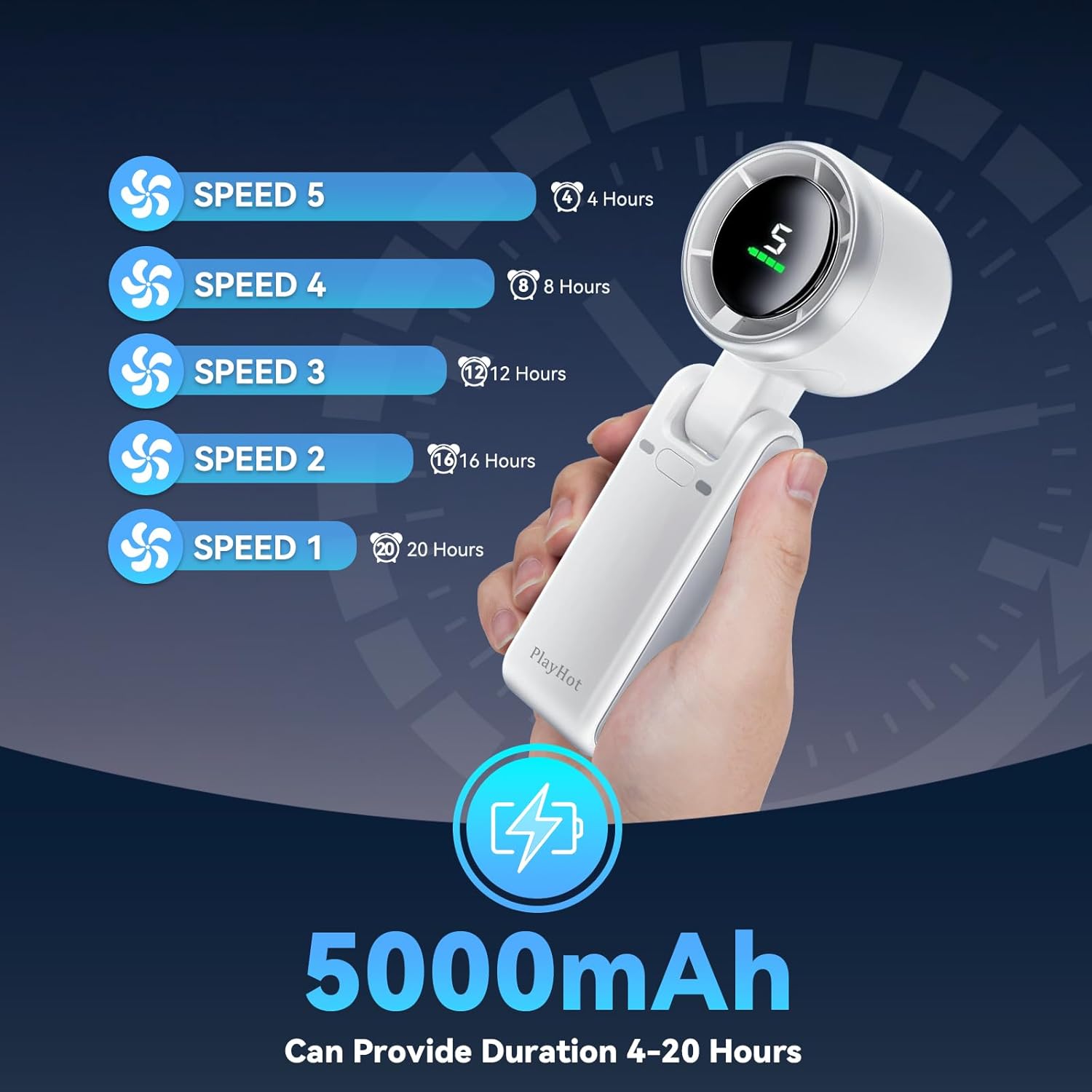
Figure 4.1: The 5000mAh battery provides varying durations of use depending on the selected wind speed, ranging from 4 hours at maximum speed to 20 hours at the lowest setting.
Charging Process:
- Connect the fan to a 5V USB power source using the provided Type-C cable.
- The digital display will show a flashing battery icon during charging.
- Once fully charged, the battery icon will appear solid.
- Avoid using the fan while charging for optimal battery health, though it is possible.
5. Maintenance
Proper maintenance ensures the longevity and optimal performance of your fan.
Cleaning:
- Ensure the fan is turned off before cleaning.
- Use a soft, dry cloth to wipe the exterior of the fan.
- For dust accumulation on the fan blades or grille, use a soft brush or compressed air. Do not use water or harsh chemicals.
Storage:
- Store the fan in a cool, dry place away from direct sunlight and extreme temperatures.
- If storing for an extended period, charge the battery to approximately 50% every 3 months to maintain battery health.
6. Troubleshooting
If you encounter issues with your fan, refer to the following common problems and solutions:
| Problem | Possible Cause | Solution |
|---|---|---|
| Fan does not turn on. | Battery is depleted. | Charge the fan fully using the provided Type-C cable. |
| Power button not pressed correctly. | Ensure a firm press on the power button. | |
| Weak airflow. | Fan is on a low speed setting. | Increase the wind speed by pressing the power button. |
| Air inlet/outlet blocked or dusty. | Clean the fan grille and blades as per maintenance instructions. | |
| Fan makes unusual noise. | Foreign object inside the fan. | Turn off the fan immediately. Inspect for any obstructions and carefully remove them if safe to do so. Do not force. |
| Fan not charging. | Cable or power source issue. | Try a different Type-C cable or USB power adapter. Ensure connections are secure. |
If the problem persists after attempting these solutions, please contact PlayHot customer support.
7. Specifications
| Feature | Detail |
|---|---|
| Brand | PlayHot |
| Model Name | Playhot Portable Turbo Fan (N607) |
| Color | White |
| Product Dimensions | 2.36"D x 6.89"W x 2.17"H |
| Item Weight | 8.4 ounces (approx. 238g) |
| Power Source | Battery Powered (1 Lithium Ion battery, included) |
| Battery Capacity | 5000mAh |
| Voltage | 5 Volts |
| Wattage | 5 watts |
| Number of Blades | 6 |
| Max Speed | 13550 RPM |
| Control Method | Push Button / Touch |
| Connector Type | USB Type C |
| Material | Plastic |
| Indoor/Outdoor Usage | Outdoor, Indoor |
8. Warranty and Support
PlayHot is committed to providing reliable products and excellent customer service.
Warranty Information:
- 365 Days Replacement Service: Your PlayHot Portable Handheld Turbo Fan is covered by a 365-day replacement service from the date of purchase for manufacturing defects.
Customer Support:
- Lifetime Technical Support: PlayHot offers lifetime technical support for your product.
- Fast Response: Expect a response to your inquiries within 12 hours.
- For assistance, please refer to the contact information provided on the product packaging or the official PlayHot website.

Figure 8.1: PlayHot is dedicated to providing responsive and reliable customer support for all product inquiries and service needs.