
Hobby Lobby 2445450
Hobby Lobby Hello Kitty Sunrise Alarm Clock User Manual
Model: 2445450
Brand: Hobby Lobby
Introduction
The Hello Kitty Sunrise Alarm Clock is designed to enhance your morning routine with its functional features and charming design. This arched clock displays time, date, and temperature, and includes convenient USB charging ports. It features a gradual sunrise effect for a gentle wake-up and a night light function for a cozy ambiance. Crafted from durable plastic, this clock is both functional and a decorative addition to any space.
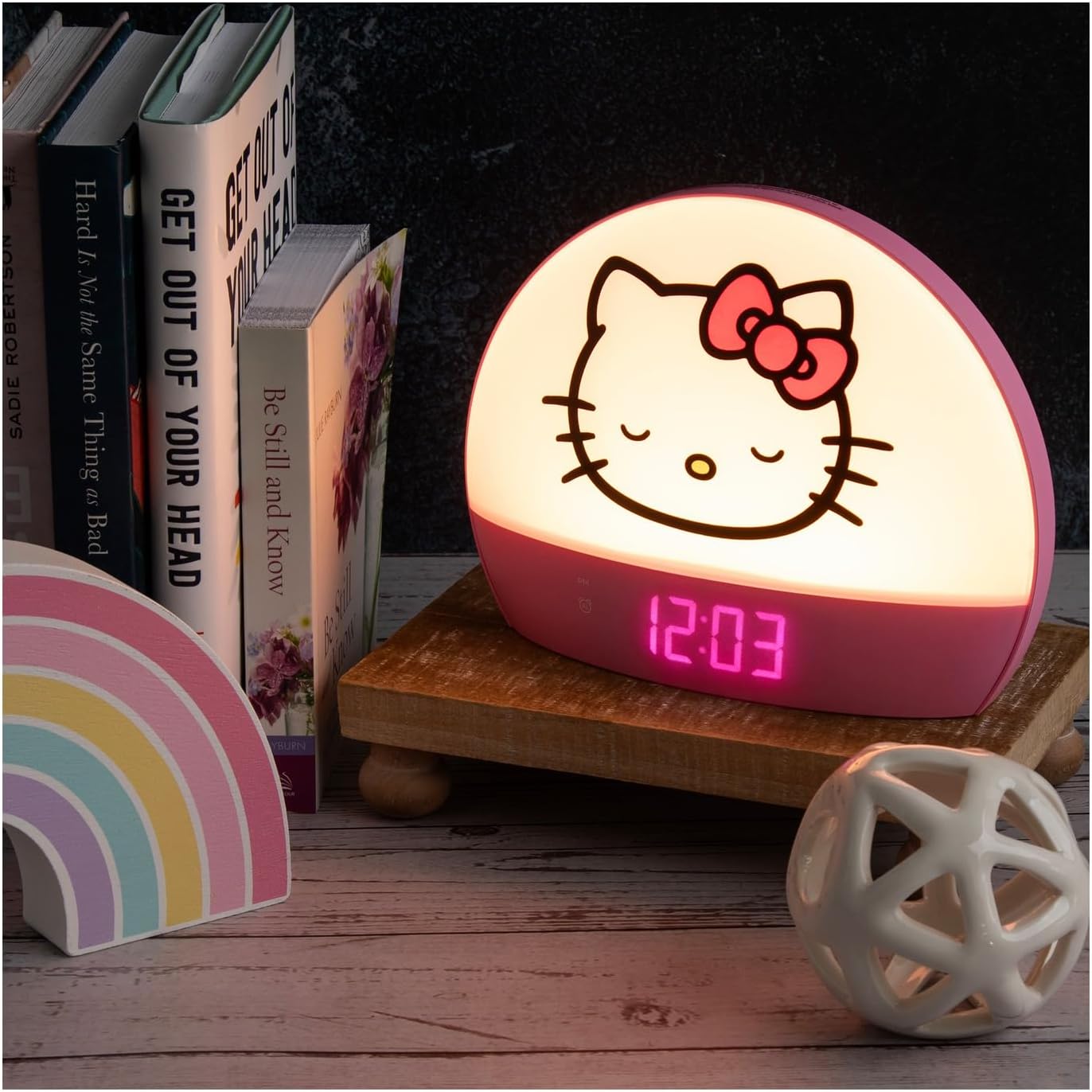
Figure 1: Hello Kitty Sunrise Alarm Clock in use.
Product Features
- Adorable Design: Features Hello Kitty's sleeping face on an arched front.
- Multifunctional Display: Shows time, date, and temperature.
- Gradual Sunrise Alarm: Gently eases you awake with a simulated sunrise effect.
- Night Light Function: Creates a cozy ambiance with adjustable lighting.
- Convenient Charging: Includes input ports on the back for charging smart devices.
- Portable Size: Compact dimensions (6" H x 7.5" W x 2.06" D) for easy placement.
- Durable Construction: Crafted from plastic.
Setup
- Unpack: Carefully remove the alarm clock and USB charging cable from its packaging.
- Connect Power: Insert the small end of the included USB cable into the 'INPUT 5V/2A' port on the back of the alarm clock. Connect the larger USB end to a compatible USB wall adapter (not included) and plug it into a power outlet.
- Initial Power-On: The clock display should illuminate upon connecting to power.

Figure 2: USB input and output ports on the back of the clock.
Note: The clock is designed to be powered via the USB cable. A wall adapter is required and sold separately.
Video: Unboxing and Initial Setup
Video 1: Demonstrates unboxing, connecting the power cable, and initial power-on of the alarm clock.
Operating Instructions
The control buttons are located on the back panel of the clock.
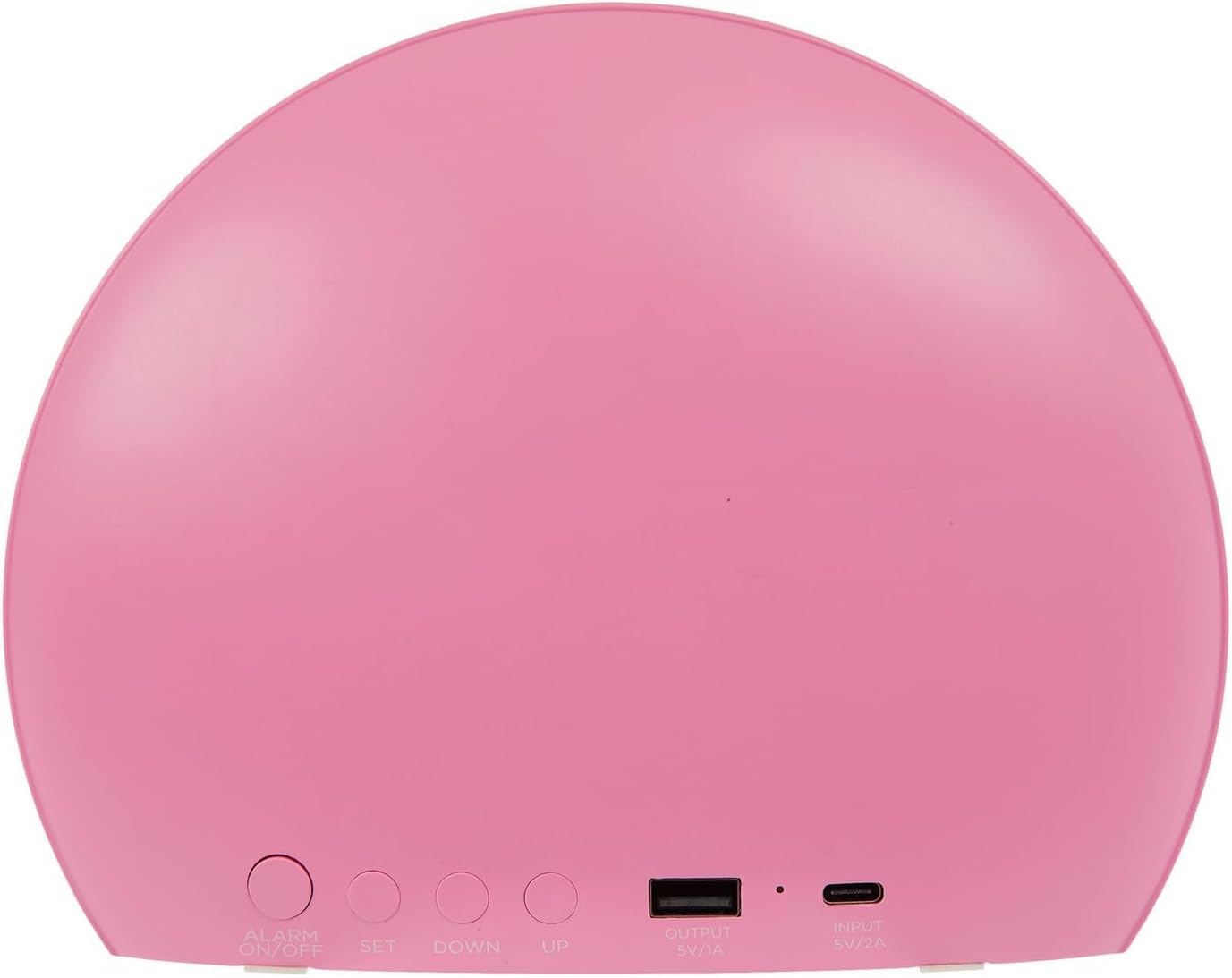
Figure 3: Rear view of the clock with control buttons labeled.
1. Setting Time, Date, and Temperature
- Enter Time Setting Mode: Long press the TIME button on the back. The hour digits will start blinking.
- Adjust Hour: Use the + (UP) and - (DOWN) buttons to set the correct hour.
- Adjust Minute: Press the TIME button again. The minute digits will blink. Use the + and - buttons to set the correct minute.
- Set 12/24-Hour Format: Continue pressing TIME to cycle through date and temperature settings. Use + and - to adjust values. The clock supports both 12-hour (with AM/PM indicator) and 24-hour formats.
- Confirm: Press TIME one last time or wait a few seconds for the settings to save automatically.
2. Adjusting Display Brightness
While in normal time display mode, short press the TIME button to cycle through different brightness levels for the digital display. There are multiple levels, including a very dim setting suitable for nighttime.
3. Setting Alarms
The clock supports two independent alarms (Alarm 1 and Alarm 2).
- Select Alarm: Short press the ALARM 1 or ALARM 2 button. The alarm time will be displayed.
- Enter Alarm Setting Mode: Long press the selected ALARM button. The hour digits will blink.
- Adjust Alarm Time: Use the + and - buttons to set the desired hour and minute, pressing the ALARM button to switch between hour and minute settings.
- Activate/Deactivate Alarm: After setting the time, short press the ALARM button to toggle the alarm ON or OFF. An alarm icon will appear on the display when active.
4. Sound Options
The clock offers various sound options for alarms or as background noise.
- Cycle Sounds: Short press the SOUND button to cycle through available sound options (e.g., white noise, music, nature sounds).
- Adjust Volume: Use the + and - buttons to adjust the volume of the selected sound.
5. Night Light and Color Options
The clock features a night light with multiple color settings.
- Cycle Colors: Short press the LIGHT button to cycle through different light colors and modes (e.g., solid colors, color-changing).
- Turn Off Light: Continue pressing the LIGHT button until the light turns off.
6. Sunrise Effect and AM/PM Visual Cues
The clock provides visual cues for AM/PM and a gradual sunrise effect.
- AM/PM Indicator: A moon icon appears for PM hours, and a sun icon appears for AM hours, providing a visual distinction for younger users.
- Sunrise Effect: When an alarm is set, the clock's light will gradually brighten before the alarm sounds, simulating a sunrise to gently wake the user.
7. Snooze Function
When the alarm sounds, press the large button on the top of the clock to activate the snooze function, providing a short delay before the alarm sounds again.
8. USB Charging Ports
The clock includes an 'OUTPUT 5V/1A' USB port on the back, allowing you to charge small smart devices like phones or tablets.
Video: How to Use the Product
Video 2: Detailed demonstration of setting time, adjusting brightness, cycling through sounds, and using the night light features.
Video: Visual Wake-Up Demonstration
Video 3: Shows the clock's visual cues for wake-up time and its use in a child's bedroom setting.
Maintenance
- Cleaning: Use a soft, dry cloth to clean the surface of the clock. Avoid abrasive cleaners or solvents.
- Placement: Place the clock on a stable, flat surface. Avoid placing it in direct sunlight or near heat sources.
- Water Exposure: Keep the clock away from water and high humidity to prevent damage.
Troubleshooting
- Clock Display Not On: Ensure the USB power cable is securely connected to both the clock's 'INPUT 5V/2A' port and a functioning USB wall adapter plugged into a live power outlet.
- USB Charging Not Working: Verify that the device you are trying to charge is compatible with 5V/1A output. Ensure the charging cable is properly connected to the clock's 'OUTPUT 5V/1A' port and your device.
- Alarm Not Sounding: Check that the alarm is activated (alarm icon visible on display) and the volume is set to an audible level using the SOUND and +/- buttons.
- Display Too Bright/Dim: Use the TIME button (short press) to cycle through brightness levels until desired illumination is achieved.
Specifications
| Feature | Detail |
|---|---|
| Brand | Hobby Lobby |
| Model Number | 2445450 |
| Color | Pink/White |
| Display Type | Digital |
| Special Features | Alarm, Illuminated, Temperature Display, Gradual Sunrise Effect, Night Light |
| Product Dimensions | 6.75"W x 6"H |
| Power Source | Corded Electric (USB) |
| Material | Plastic |
| Mounting Type | Tabletop |
| Connectivity Technology | USB |
| Item Weight | 1.03 pounds |
Warranty and Support
Specific warranty information for this product is not provided in the available details. For any product inquiries, technical support, or warranty claims, please refer to the official Hobby Lobby customer service channels or visit the Hobby Lobby Store on Amazon.
Ask a question about this manual
Ask about setup, troubleshooting, compatibility, parts, safety, or missing instructions. Manuals+ will review the question and use this page’s manual context to help answer it.