
OUKITEL BP2000
OUKITEL BP2000+B2000 Solar Generator User Manual
Model: BP2000 (with B2000 Expansion Battery)
1. Introduction
This manual provides essential instructions for the safe and efficient operation, setup, and maintenance of your OUKITEL BP2000 Solar Generator with the B2000 Expansion Battery. Please read this manual thoroughly before using the product to ensure optimal performance and longevity.

Figure 1: OUKITEL BP2000 Power Station with B2000 Expansion Battery
2. Safety Information
Always adhere to the following safety guidelines to prevent injury or damage to the product:
- Do not disassemble, repair, or modify the unit.
- Keep the unit away from heat sources, direct sunlight, and flammable materials.
- Ensure proper ventilation during use and charging.
- Do not expose the unit to water or excessive humidity.
- Use only OUKITEL-approved accessories and charging cables.
- Keep out of reach of children and pets.
3. Product Overview
The OUKITEL BP2000 is a versatile solar generator designed for various power needs, from emergency home backup to outdoor activities. When combined with the B2000 expansion battery, its capacity is significantly increased.
Key Features:
- High Capacity: 2048Wh (BP2000) expandable to 4096Wh (BP2000+B2000) and beyond.
- Powerful Output: 2200W AC output, capable of powering up to 15 devices simultaneously.
- Fast Charging: Fully charges in 1 hour with combined AC and solar input.
- Durable Battery: LiFePO4 battery with over 3500 cycles, offering a long lifespan.
- UPS Functionality: Provides reliable backup power with a 0.01s switchover time.

Figure 2: Output Ports and Device Connectivity
4. Setup
Initial Unpacking:
- Carefully remove the BP2000 and B2000 units from their packaging.
- Inspect both units for any signs of damage. If damaged, contact customer support immediately.
- Ensure all included accessories (charging cables, user manual) are present.
Connecting the B2000 Expansion Battery:
To expand the capacity of your BP2000, connect the B2000 expansion battery as follows:
- Place the B2000 unit on a stable, flat surface.
- Carefully place the BP2000 unit on top of the B2000 unit, aligning the connection ports.
- Connect the provided expansion cable between the BP2000 and B2000 units. Ensure a secure connection.
- The BP2000 will automatically detect the connected B2000 battery.
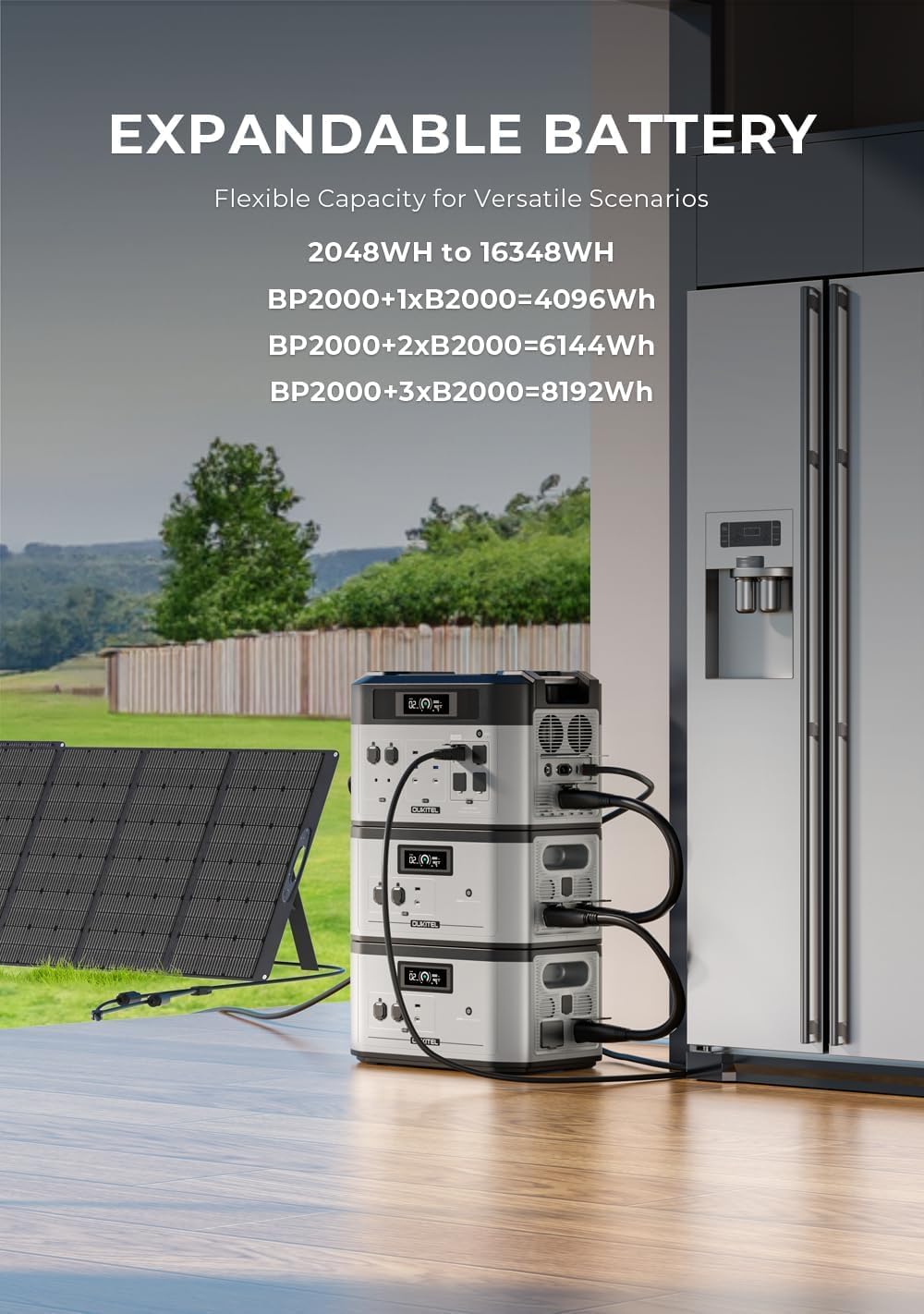
Figure 3: Expandable Capacity Configuration

Figure 4: Visual Guide to Capacity Expansion
5. Operating Instructions
Powering On/Off:
- To power on the unit, press and hold the main power button for 3 seconds. The display will illuminate.
- To power off, press and hold the main power button for 3 seconds until the display turns off.
Using AC Outputs:
- Ensure the unit is powered on.
- Press the AC output button to activate the AC outlets. The AC indicator on the display will light up.
- Plug your AC devices into the available outlets.
- To turn off AC output, press the AC output button again.
Using DC and USB Outputs:
- Ensure the unit is powered on.
- Press the DC output button to activate the DC and USB ports. The DC indicator on the display will light up.
- Connect your DC or USB devices.
- To turn off DC/USB output, press the DC output button again.
Uninterruptible Power Supply (UPS) Function:
The BP2000 can function as an Uninterruptible Power Supply (UPS) for critical devices. When connected to a wall outlet and devices are plugged into the AC outputs, the unit will pass through grid power. In case of a power outage, it will automatically switch to battery power within 0.01 seconds.
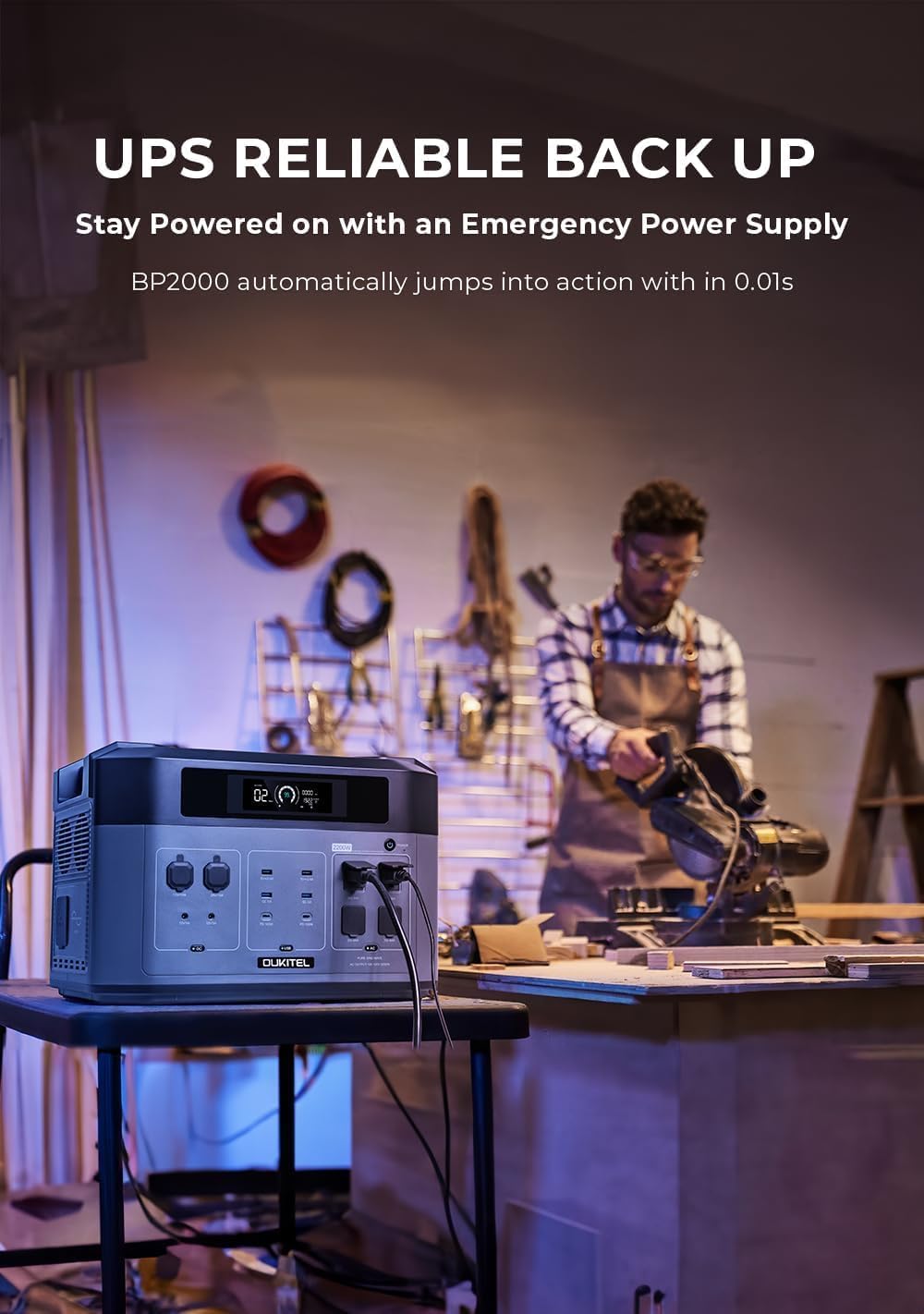
Figure 5: UPS Functionality in a Workshop Setting
6. Charging Methods
Your OUKITEL BP2000+B2000 system supports multiple charging methods:
AC Wall Charging:
- Connect the AC charging cable to the AC input port on the unit and then to a standard wall outlet.
- The unit supports adjustable AC charging from 600W (slow) to 1800W (fast).
- A full charge can be achieved in approximately 1 hour when combined with solar input.

Figure 6: Adjustable AC Wall Charging
Solar Charging:
- Connect compatible solar panels (up to 1000W) to the solar input port on the unit.
- Position solar panels in direct sunlight for maximum efficiency.
- The unit can be fully charged via solar in approximately 2.5 hours under optimal conditions.

Figure 7: Solar Charging Setup

Figure 8: Super Quick Charging Capabilities
7. Maintenance
Battery Care:
- For optimal battery life, store the unit in a cool, dry place between 0°C and 40°C (32°F and 104°F).
- If storing for extended periods, charge the battery to 50-80% every 3-6 months.
- Avoid fully discharging the battery frequently.

Figure 9: LiFePO4 Battery Lifespan
Cleaning:
- Use a dry, soft cloth to wipe the exterior of the unit.
- Do not use abrasive cleaners or solvents.
- Keep ventilation openings clear of dust and debris.
8. Troubleshooting
If you encounter issues with your OUKITEL BP2000+B2000, refer to the following common problems and solutions:
| Problem | Possible Cause | Solution |
|---|---|---|
| Unit does not power on | Battery fully discharged; Power button not held long enough | Charge the unit; Press and hold the power button for 3 seconds |
| AC output not working | AC output not activated; Overload protection triggered | Press the AC output button; Reduce connected load, restart unit |
| Unit not charging | Charging cable loose/damaged; Input source issue | Check cable connections; Verify wall outlet/solar panel functionality |
| B2000 not detected | Expansion cable loose/damaged; Incorrect connection | Ensure expansion cable is securely connected and aligned |
For further assistance, please contact OUKITEL customer support.
9. Specifications
| Feature | Specification |
|---|---|
| Brand | OUKITEL |
| Model Name | BP2000 |
| Style | BP2000+B2000 |
| Wattage (BP2000) | 2048 Watt-hours |
| Wattage (BP2000+B2000) | 4096 Watt-hours |
| Output Wattage | 3600W (Peak 4000W) |
| Voltage | 120 Volts |
| Fuel Type | Solar |
| Power Source | Battery Powered |
| Item Weight | 55 Pounds (BP2000 unit) |
| Product Dimensions | 18.5"L x 11.5"W x 12.5"H (BP2000 unit) |
| Special Feature | Portable, UPS Functionality |
| Included Components | Charger |
10. Warranty and Support
Warranty Information:
OUKITEL provides a two-year warranty from the date of purchase for free repairment. This warranty covers manufacturing defects and malfunctions under normal use. Please retain your proof of purchase for warranty claims.
Customer Support:
For any questions, technical support, or warranty claims, please contact OUKITEL customer service. You can find contact information on the official OUKITEL website or through your purchase platform.
- Return/Replacement Policy: Eligible for return/replacement within 30 days of purchase.
- Repair Service: Free repairment within two years from the order date. Typically completed within 1-2 weeks. Note: Water damage due to deliberate human factors is not covered.
- Service Area: Repair services are available in the USA and Western Europe.
Ask a question about this manual
Ask about setup, troubleshooting, compatibility, parts, safety, or missing instructions. Manuals+ will review the question and use this page’s manual context to help answer it.