
Cowiewie F40070M
Cowiewie F40070M Astronomical Reflector Telescope User Manual
Model: F40070M
1. Introduction
Thank you for choosing the Cowiewie F40070M Astronomical Reflector Telescope. This manual provides essential information for the proper assembly, operation, and maintenance of your telescope. Designed for beginners and enthusiasts, this telescope offers a clear view of celestial objects like the Moon and star clusters. Please read these instructions carefully before use to ensure a safe and enjoyable experience.

Image 1: The Cowiewie F40070M Astronomical Reflector Telescope, showing the main telescope tube, adjustable tripod, and included backpack.
2. Safety Information
- Never look directly at the Sun through the telescope or its finder scope without a professionally manufactured solar filter. Doing so can cause immediate and irreversible eye damage, including blindness.
- Do not leave the telescope unsupervised, especially when children are present.
- Handle optical components with care to avoid scratches or damage.
- Ensure the tripod is stable on a flat surface before use to prevent tipping.
3. Package Contents
Verify that all components are present in your package:
- Telescope Optical Tube Assembly (OTA)
- Adjustable Aluminum Tripod
- Kellner Eyepiece K6mm (76X magnification)
- Kellner Eyepiece K25mm (16X magnification)
- 5x24mm Finder Scope
- 45° Diagonal Prism
- Accessory Tray (often attaches to tripod)
- Shockproof Backpack
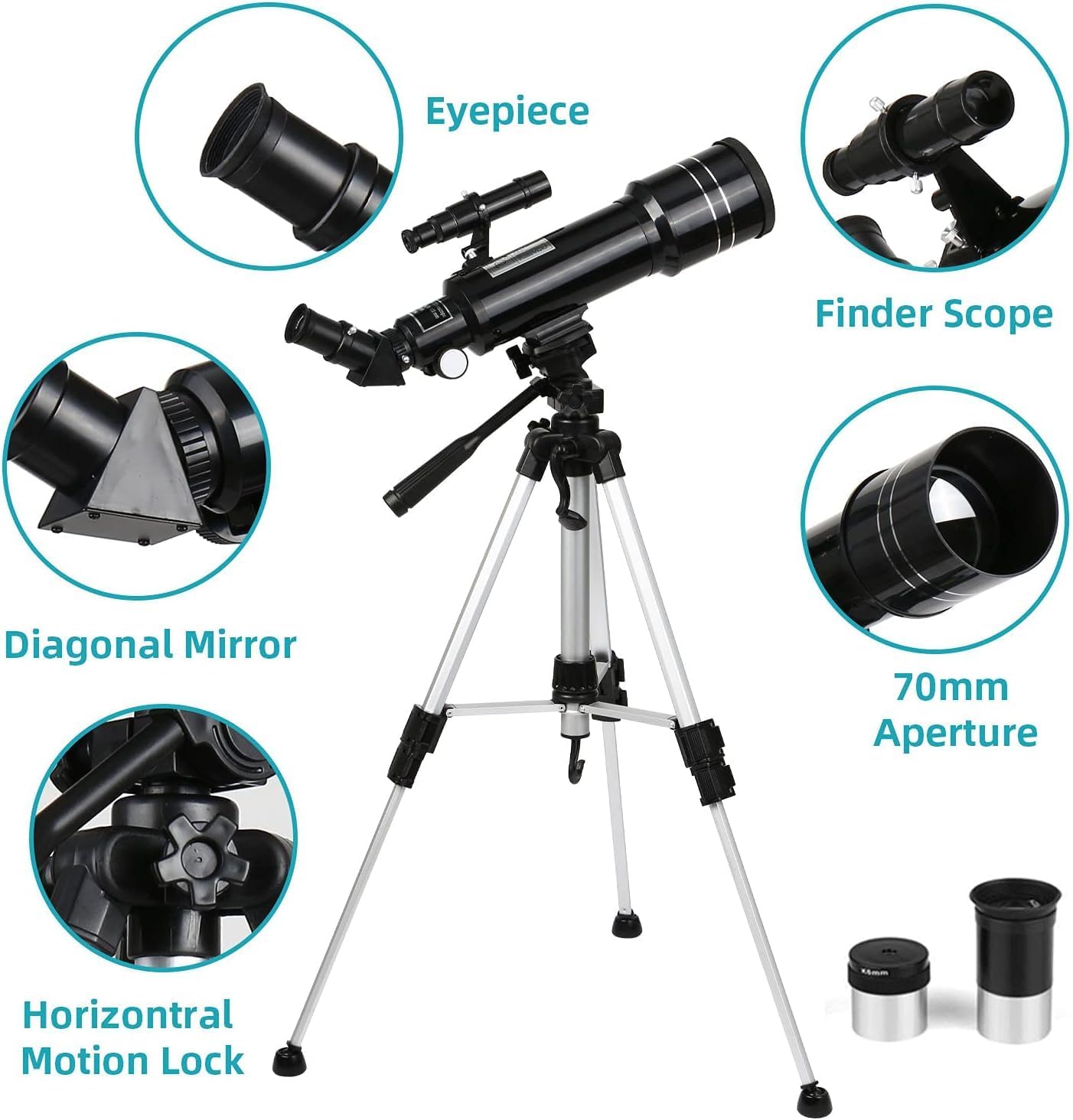
Image 2: Detailed view of the telescope's main components, including the eyepiece, finder scope, diagonal mirror, and the horizontal motion lock on the mount.
4. Assembly and Setup
- Set up the Tripod:
Unfold the aluminum tripod legs and extend them to your desired height. The tripod is adjustable from approximately 40cm to 104cm (15.7 to 40.9 inches). Ensure the legs are fully spread for maximum stability. You can attach a heavy object to the hook at the bottom of the central column for added stability.
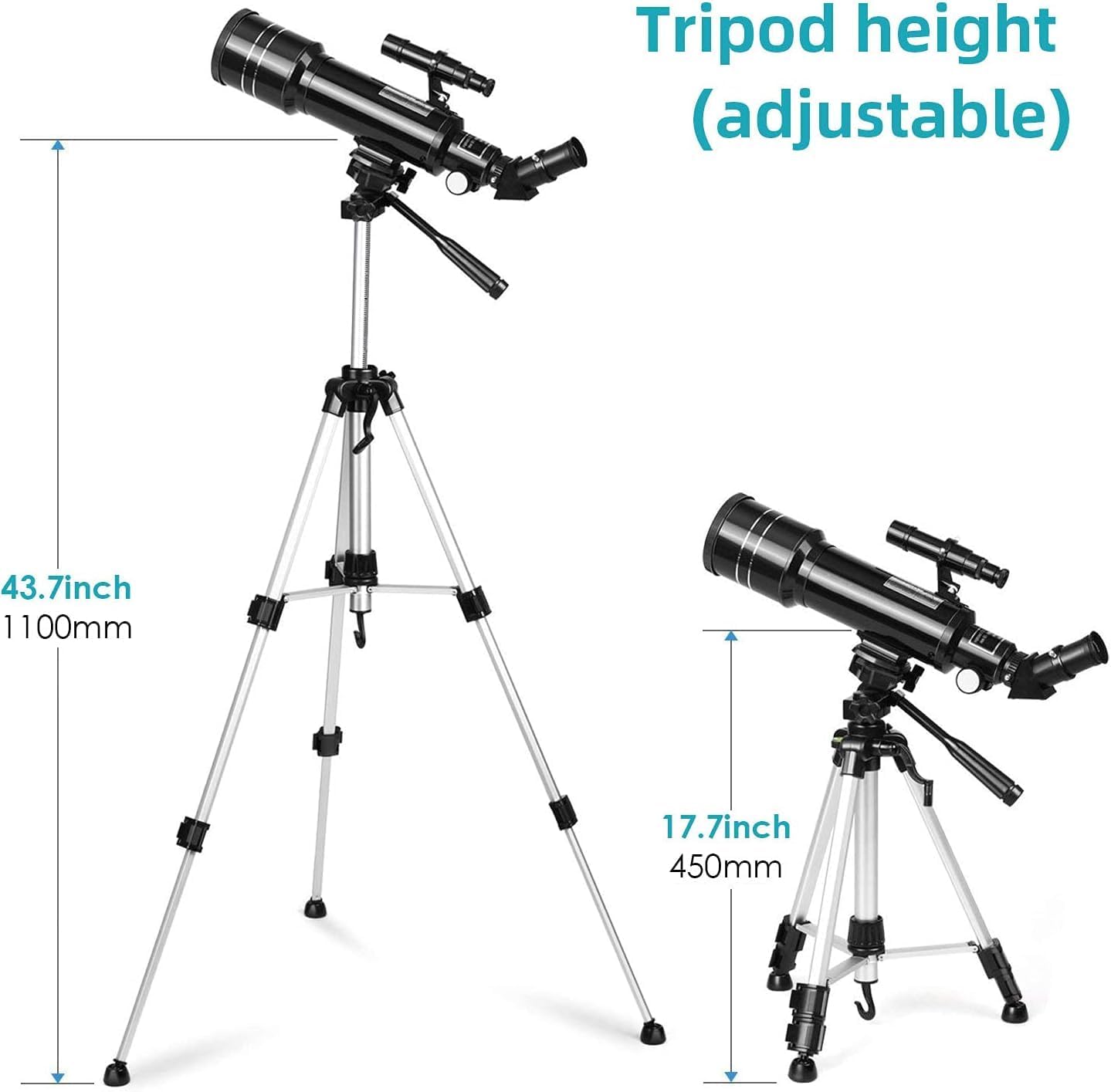
Image 3: Illustration of the tripod's adjustable height, showing minimum and maximum extensions.
- Attach the Telescope Tube:
Locate the mounting plate on the tripod head. Align the telescope tube with the mounting screw on the tripod head and securely fasten it. Ensure it is tight to prevent movement.
- Install the Diagonal Prism:
Insert the 45° diagonal prism into the focuser tube of the telescope. Secure it with the small thumbscrew on the focuser. The diagonal prism corrects the image orientation, making observations more comfortable.
- Insert an Eyepiece:
Choose either the K6mm or K25mm eyepiece. Insert it into the diagonal prism and secure it with the thumbscrew. Start with the K25mm eyepiece for a wider field of view and easier object location.
- Attach and Align the Finder Scope:
Mount the finder scope onto its bracket on the main telescope tube. Secure it with the provided screws. To align the finder scope, point the main telescope at a distant, stationary object (e.g., a treetop or building) during daylight hours. Look through the main telescope's eyepiece and center the object. Then, look through the finder scope and adjust its alignment screws until the same object is centered in the finder scope's crosshairs.
5. Operating Instructions
5.1 Finding Objects
- Use the finder scope to locate your desired celestial object. The finder scope provides a wider, lower-magnification view, making it easier to sweep the sky and pinpoint targets.
- Once the object is centered in the finder scope's crosshairs, it should be visible in the main telescope's eyepiece.
5.2 Focusing
- Turn the focus knob located on the focuser tube until the image appears sharp and clear. Fine adjustments may be needed as objects move or as your eyes adjust.
5.3 Changing Magnification
- To change magnification, remove the currently installed eyepiece and insert a different one. The K25mm eyepiece provides 16X magnification, ideal for wide-field views and locating objects. The K6mm eyepiece provides 76X magnification, suitable for more detailed observations of the Moon and planets.
5.4 Adjusting the Telescope Position
- The telescope mount allows for both horizontal (360°) and vertical (180°) movement. Use the horizontal motion lock and vertical adjustment handle to smoothly track objects across the sky.
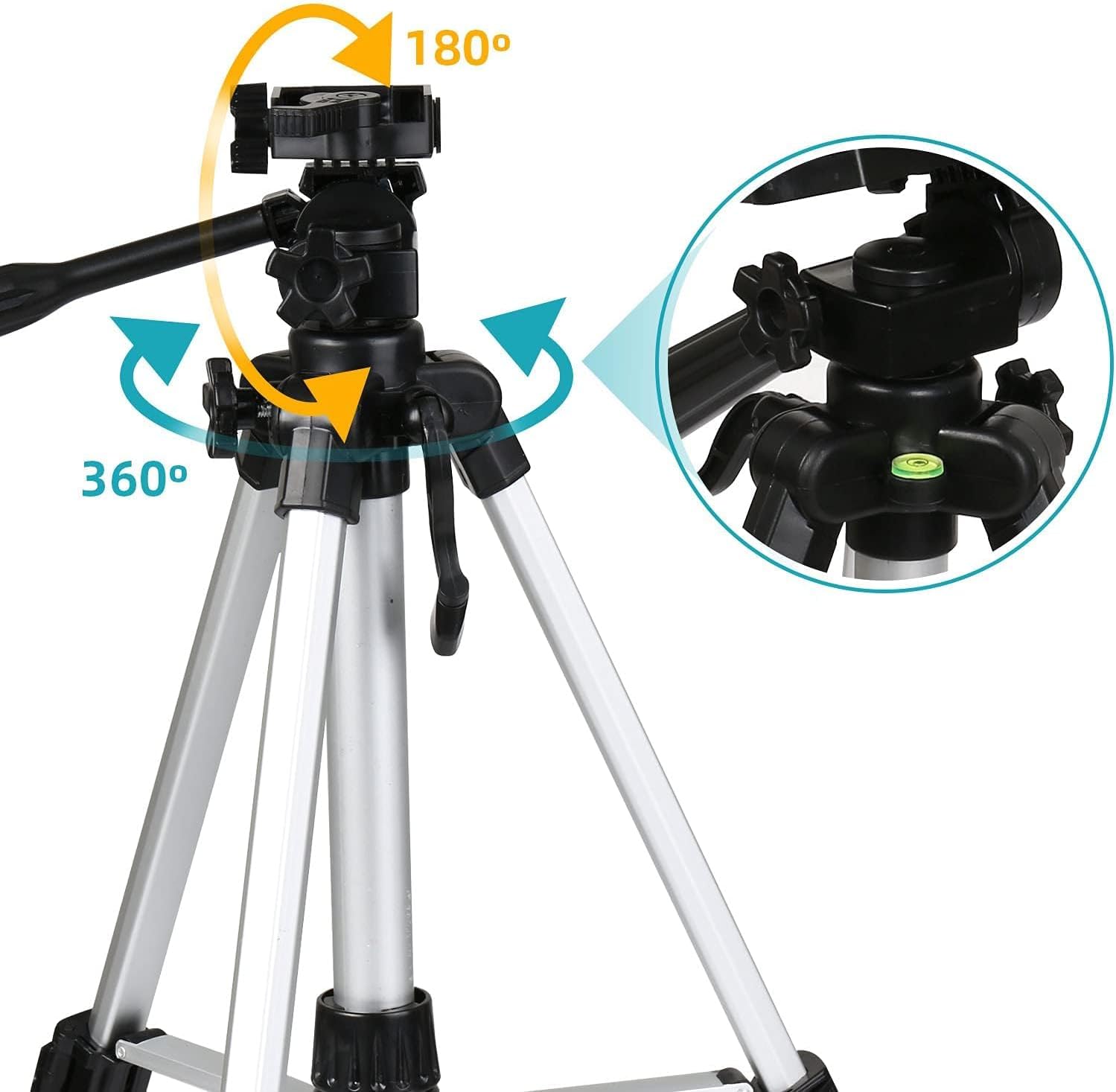
Image 4: The tripod head illustrating its 180-degree vertical and 360-degree horizontal rotation capabilities for flexible viewing.
6. Maintenance
- Cleaning Lenses: Use a soft, lint-free cloth specifically designed for optical lenses. Gently wipe the lens surfaces. For stubborn smudges, use a small amount of optical cleaning fluid applied to the cloth, not directly to the lens. Avoid touching the lens surfaces with your fingers.
- Storage: When not in use, store the telescope in its shockproof backpack in a cool, dry place to protect it from dust and moisture. Keep eyepieces in their protective containers.
- General Care: Avoid exposing the telescope to extreme temperatures or sudden temperature changes. Do not overtighten screws or knobs, as this can cause damage.

Image 5: The included shockproof backpack, demonstrating its utility for carrying the telescope during outdoor activities and for convenient storage.
7. Troubleshooting
| Problem | Possible Cause | Solution |
|---|---|---|
| Image is blurry or out of focus. | Incorrect focus setting. | Adjust the focus knob slowly until the image is sharp. Ensure the eyepiece is fully inserted and secured. |
| Cannot find objects in the main telescope. | Finder scope is not aligned with the main telescope. | Align the finder scope during daylight hours using a distant, stationary object (refer to Section 4.5). |
| Image appears upside down or reversed. | Diagonal prism not installed or incorrect type. | Ensure the 45° diagonal prism is correctly installed. This prism corrects the image for terrestrial viewing and makes astronomical viewing more comfortable. |
| Telescope image is dim or dark. | Observing in light-polluted areas; using too high magnification for conditions. | Move to a darker observation site if possible. Use the lower magnification K25mm eyepiece for brighter, wider views. Allow your eyes to adapt to the dark. |
| Tripod is wobbly or unstable. | Legs not fully extended or secured; uneven surface; lack of counterweight. | Ensure tripod legs are fully extended and locked. Place the tripod on a stable, level surface. Attach a heavy object to the hook under the central column for increased stability. |
8. Specifications
- Model: F40070M (Item Model Number: 40070-01)
- Optical Design: Reflector Telescope
- Focal Length: 400mm
- Objective Diameter: 70mm
- Eyepieces:
- Kellner K6mm (Magnification: 76X)
- Kellner K25mm (Magnification: 16X)
- Finder Scope: 5x24mm
- Diagonal Prism: 45° Erecting Prism
- Tripod: Height-Adjustable Aluminum Tripod (approx. 40cm to 104cm / 15.7 to 40.9 inches)
- Mount Type: Alt-Azimuth Mount (Pan-Tilt Head)
- Product Dimensions: 6.1 x 11.6 x 18.5 inches
- Item Weight: 5.09 pounds (2.31 Kilograms)
- Lens Coating: Multi-Coated
9. Warranty and Support
Warranty information for the Cowiewie F40070M Astronomical Reflector Telescope is not explicitly provided in this manual. For details regarding warranty coverage, technical support, or replacement parts, please contact Cowiewie customer service directly or refer to the product's original packaging and purchase documentation.
You may also visit the official Cowiewie store on Amazon for additional product information and support resources: Cowiewie Store
Ask a question about this manual
Ask about setup, troubleshooting, compatibility, parts, safety, or missing instructions. Manuals+ will review the question and use this page’s manual context to help answer it.