
LHRIVER Z3915-b
LHRIVER Countertop Ice Cube Maker User Manual
Model: Z3915-b
Introduction
Thank you for choosing the LHRIVER Countertop Ice Cube Maker. This manual provides important information regarding the safe operation, maintenance, and troubleshooting of your new appliance. Please read it thoroughly before first use and keep it for future reference.
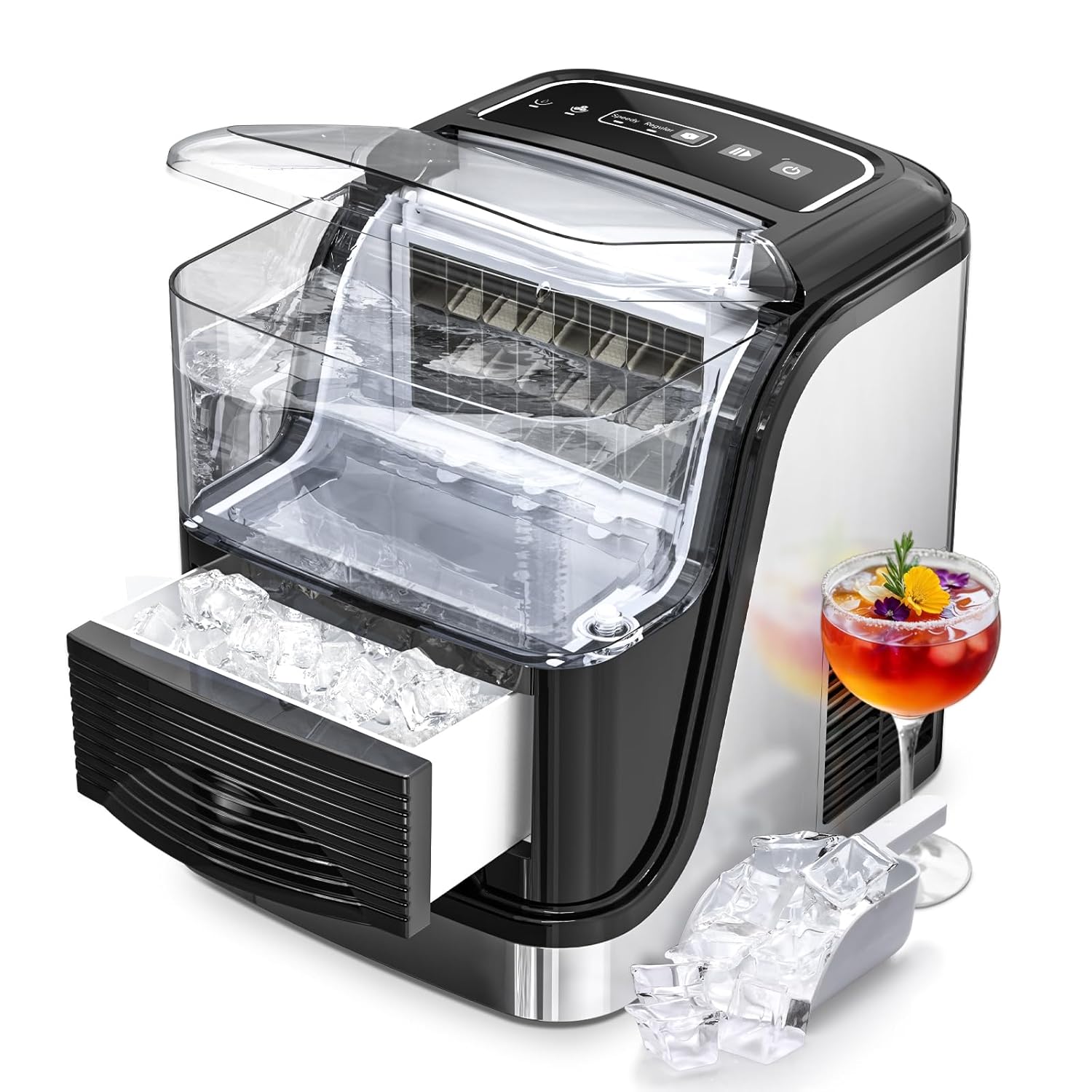
Image: The LHRIVER Countertop Ice Cube Maker, showcasing its compact design and the ice output, accompanied by a refreshing drink.
Safety Instructions
- Ensure the appliance is placed on a stable, level surface away from direct sunlight and heat sources.
- Do not immerse the appliance, power cord, or plug in water or other liquids.
- Unplug the ice maker from the power outlet before cleaning or when not in use.
- Keep children and pets away from the appliance during operation.
- Use only potable water in the water tank.
Product Components
- Ice Cube Maker Unit
- Ice Basket
- Ice Scoop
- User Manual (this document)

Image: Key components of the ice maker, highlighting the 2.5L removable water tank and the ice basket drawer.
Setup
- Unpacking: Carefully remove the ice maker from its packaging. Remove all packing materials, including tape and protective films.
- Placement: Place the ice maker on a flat, stable, and heat-resistant surface. Ensure there is at least 6 inches (15 cm) of clearance around the unit for proper ventilation. Avoid placing it near heat sources or in direct sunlight.
- Initial Cleaning: Before first use, clean the interior of the ice maker. Refer to the "Maintenance" section for detailed cleaning instructions.
- Water Filling: Open the top lid and fill the water tank with potable water up to the MAX fill line. Do not overfill.
- Power Connection: Plug the power cord into a grounded electrical outlet (120V).
Operating Instructions

Image: Detailed view of the easy-to-operate control panel, showing buttons for ON/OFF, size selection, and indicators for water level and ice fullness.
- Power On: Press the ON/OFF button to turn on the ice maker. The indicator light will illuminate.
- Select Ice Size: Press the Size Button to choose between two ice cube sizes:
- Small (Speedy): Recommended for ambient temperatures below 59°F (15°C).
- Large (Regular): Recommended for ambient temperatures above 77°F (25°C). This size produces solid ice cubes.

Image: Comparison of the two available ice cube sizes: solid ice and hollow ice, demonstrating their appearance and potential use in beverages.
- Ice Making Cycle: The ice maker will begin its first ice-making cycle. It takes approximately 6-8 minutes to produce the first batch of 24 ice cubes. The machine can produce up to 35 lbs of ice per day.
- Indicator Lights:
- Add Water Indicator: If this light illuminates, it means the water tank needs refilling. The ice maker will pause operation until water is added.
- Ice Full Indicator: When the ice basket is full, this light will turn on, and the ice maker will automatically stop making ice. Remove excess ice to resume operation.
- Collecting Ice: Use the provided ice scoop to remove ice from the ice basket. The pull-out ice basket allows for easy transfer of ice to a refrigerator or freezer for storage.
Maintenance
Regular cleaning and maintenance will ensure the longevity and optimal performance of your ice maker, and help produce healthy, clean ice cubes.
- Self-Cleaning Function:
- Ensure the water tank is filled with clean water.
- Press and hold the ON/OFF button for five seconds to activate the self-cleaning mode.
- The machine will run a cleaning cycle. Once complete, drain the water.
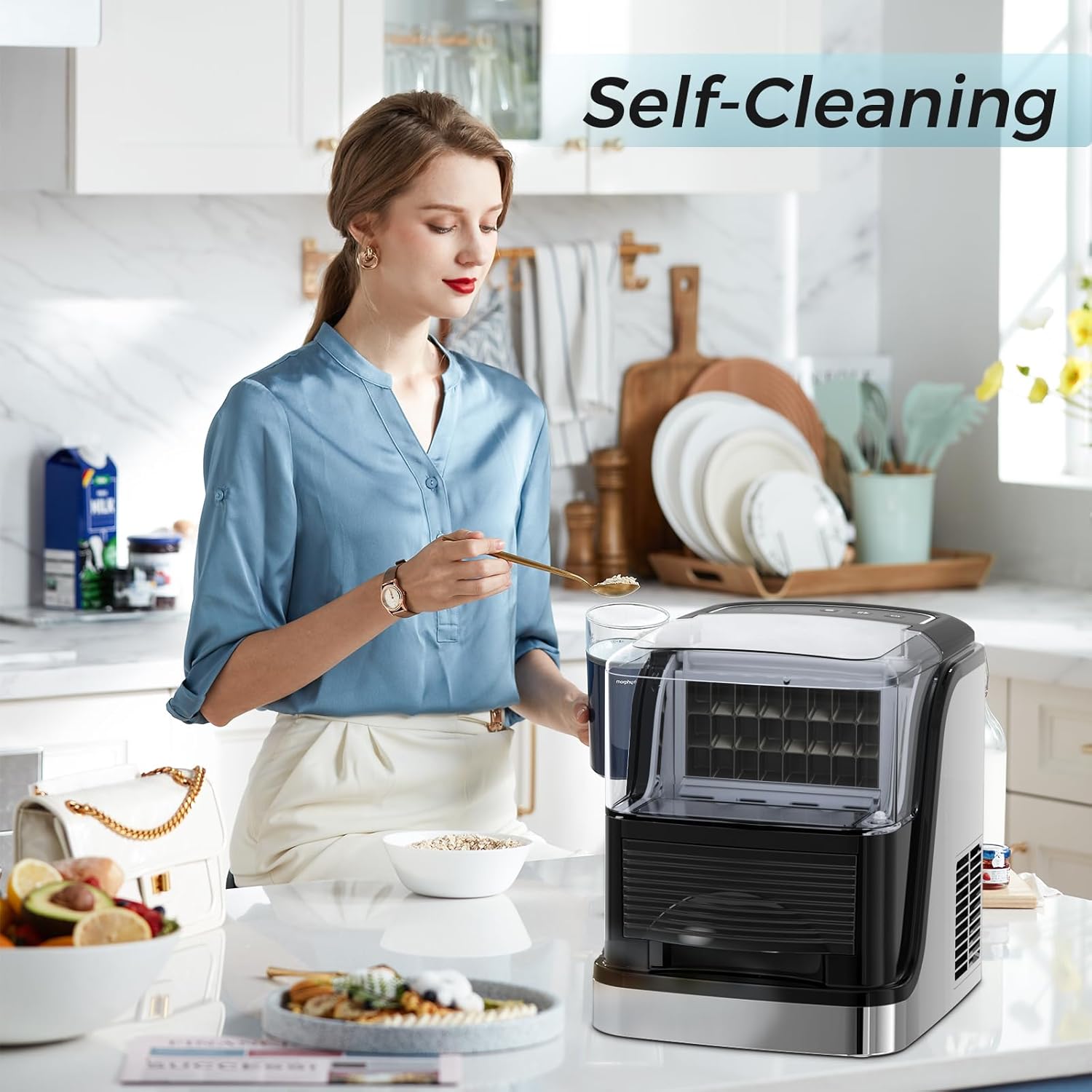
Image: A user demonstrating the self-cleaning function, emphasizing the ease of maintenance.
- Manual Cleaning:
- Unplug the ice maker from the power outlet.
- Remove the ice basket.
- Drain any remaining water from the water tank by removing the drain plug (usually located at the bottom or side).
- Clean the interior with a soft cloth and a mild detergent solution. Rinse thoroughly with clean water.
- Wipe the exterior with a damp cloth. Do not use abrasive cleaners or solvents.
- Clean your ice maker at least once a month for optimal hygiene.
- Storage: If the ice maker will not be used for an extended period, drain all water, clean the unit thoroughly, and allow it to air dry completely before storing it in a cool, dry place.
Troubleshooting
Before contacting customer support, please refer to the following common issues and their solutions:
| Problem | Possible Cause | Solution |
|---|---|---|
| Ice maker not turning on. | No power supply. | Check if the power cord is securely plugged into a working outlet. |
| "Add Water" indicator is on. | Water tank is empty or low. | Fill the water tank with potable water up to the MAX line. |
| "Ice Full" indicator is on. | Ice basket is full. | Remove ice from the basket. The machine will resume operation automatically. |
| Ice cubes are too small or not forming. | Ambient temperature is too high; insufficient water; machine needs cleaning. | Ensure proper ventilation. Select "Large" ice size if ambient temperature is high. Add water. Perform self-cleaning. |
| Unusual noise during operation. | Normal operation sounds (compressor, water pump); unit not level. | Ensure the unit is on a flat, stable surface. If noise persists and is abnormal, contact support. |
Specifications
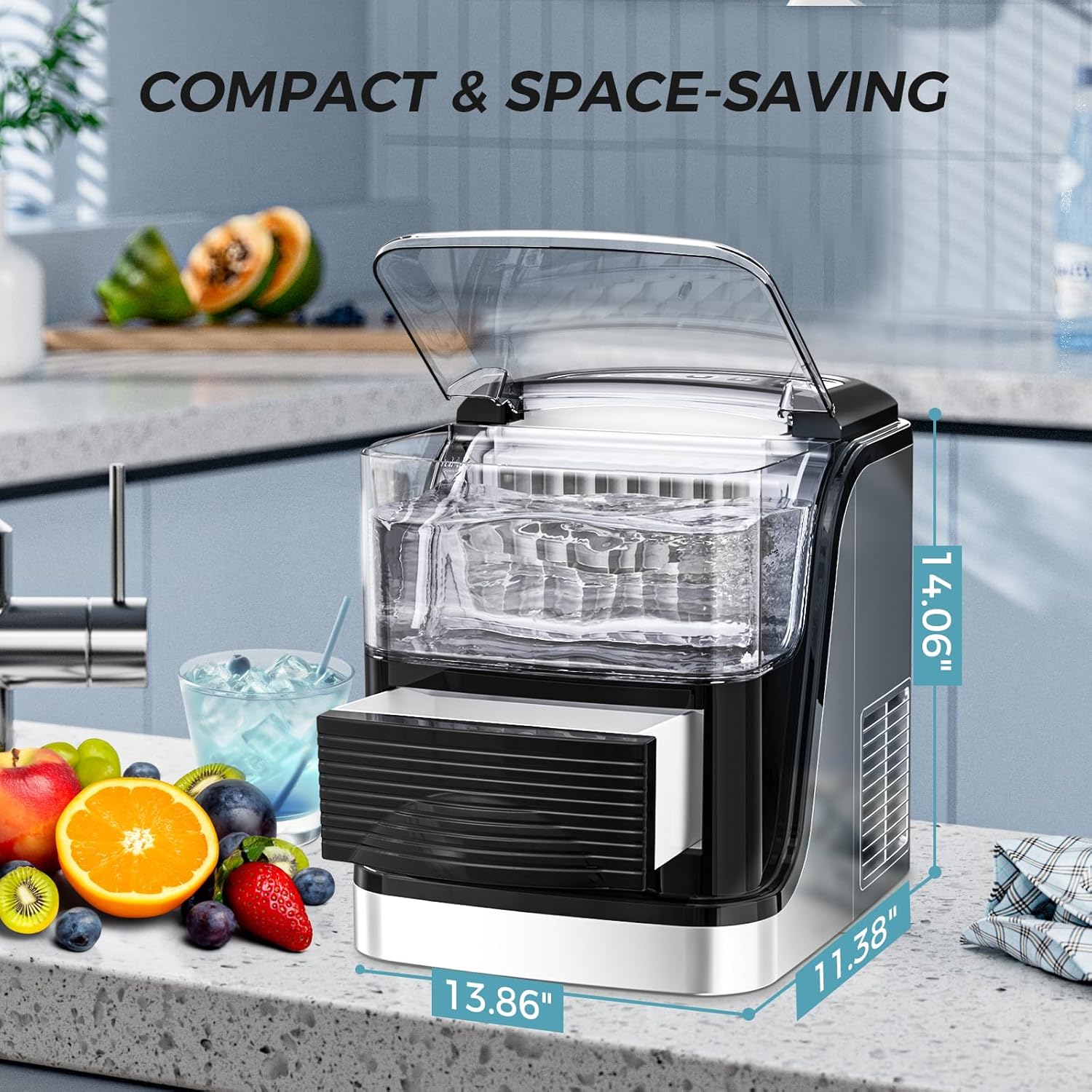
Image: Visual representation of the ice maker's compact dimensions, highlighting its space-saving design.
- Model: Z3915-b
- Brand: LHRIVER
- Product Dimensions (D x W x H): 14.06 x 13.86 x 11.38 inches
- Weight: Approximately 28.82 Pounds
- Ice Production Capacity: Up to 35 lbs per day
- Ice Production Cycle: 24 cubes in 6-8 minutes
- Water Tank Capacity: 2.5 Liters
- Voltage: 120 Volts
- Ice Cube Sizes: Small (Speedy), Large (Regular)
- Country of Origin: China
Warranty and Support
LHRIVER products are designed and manufactured to the highest quality standards. For warranty information or technical support, please contact LHRIVER customer service through the retailer where the product was purchased or refer to the official LHRIVER website for contact details.
Please have your model number (Z3915-b) and purchase date ready when contacting support.