
SUNSMAI S65-pro
SUNSMAI S65-pro 4-in-1 Steam Vacuum Mop User Manual
Model: S65-pro | Brand: SUNSMAI
Introduction
This manual provides comprehensive instructions for the safe and effective operation, maintenance, and troubleshooting of your SUNSMAI S65-pro 4-in-1 Steam Vacuum Mop. This versatile appliance combines vacuuming, steam mopping, and self-cleaning functions to provide an efficient cleaning solution for various floor types.
Product Overview
Key Features
- 4-in-1 Functionality: Integrates vacuuming, steam mopping, self-cleaning, and one-touch cord storage.
- High-Temperature Steam: Generates 212°F (100°C) steam to effectively remove 99.9% of stains, dust, pet hair, and dissolve stubborn grease.
- Real-Time Water Circulation System: Features separate clean (780ml) and dirty (550ml) water tanks, ensuring continuous fresh water delivery and immediate wastewater capture.
- Dual-Suction Modes: Offers 6.5 kPa Eco Mode for daily cleaning and 9.0 kPa Max Mode for deep cleaning, suitable for various debris.
- Carpet Brush Included: Comes with a dedicated carpet roller brush for effective cleaning on carpets.
- Automatic Self-Cleaning Program: Activates with a single button, using high-temperature steam to clean the brush and internal pipes, eliminating manual brush cleaning.
- Smart LED Control Panel: Provides real-time monitoring of temperature, suction mode (Eco/Max), and self-cleaning progress.
- Wired Power Design: Equipped with a 6-meter (19.7ft) extra-long power cord for continuous operation without runtime limitations.
- User-Friendly Design: Includes an edge-cleaning brush head for narrow corners, a safety lock to prevent accidental steam activation, integrated cord wrap, and self-propelled wheels for easy maneuverability.
Components

Image: All components included with the SUNSMAI S65-pro Steam Vacuum Mop. This includes the main body, docking station, cleaning tool, user manual, adapter, roller brush, optional carpet brush, and HEPA filter.
- Main body
- Docking Station
- Cleaning Tool
- User Manual
- Adapter
- Roller Brush
- Carpet brush (optional)
- HEPA filter
Setup
Before first use, ensure all components are present and undamaged. Follow these steps to set up your device:
- Unpack Components: Carefully remove all items from the packaging.
- Assemble Main Body: Insert the handle into the main body until it clicks securely into place.
- Fill Clean Water Tank: Locate the clean water tank (780ml capacity). Remove the cap and fill with clean tap water. For optimal steam performance, distilled water is recommended to prevent mineral buildup. Do not add cleaning solutions to the clean water tank unless specifically designed for steam mops and approved by the manufacturer.
- Install Roller Brush: Ensure the correct roller brush is installed for your cleaning task (standard roller brush for hard floors, optional carpet brush for carpets). Refer to the "Maintenance" section for brush installation and removal.
- Place on Docking Station: Position the unit on its docking station when not in use or during self-cleaning.
- Connect Power: Plug the 6-meter power cord into a suitable electrical outlet.
Operating Instructions
The SUNSMAI S65-pro offers multiple cleaning modes for various needs. Familiarize yourself with the control panel and functions.
Control Panel and Modes

Image: The control panel on the handle, featuring the Power Switch, Mode Switch, and Shift Switch for selecting cleaning functions.
- Power Switch: Press to turn the unit ON/OFF.
- Mode Switch: Toggles between different cleaning modes (Dry Vac, Wet Vac, Steam Mode).
- Shift Switch: Adjusts suction power between Eco Mode (6.5 kPa for daily cleaning) and Max Mode (9.0 kPa for deep cleaning).
- LED Display: Provides real-time information on current temperature, selected suction mode, and self-cleaning progress.
Cleaning Procedures
- Power On: Press the Power Switch to turn on the device. The LED display will illuminate.
- Select Mode: Use the Mode Switch to select your desired cleaning function:
- Dry Vacuum: For dry debris on hard floors or carpets.
- Wet Vacuum/Mop: For wet spills and general mopping.
- Steam Mode: Activates high-temperature steam for sanitizing and dissolving tough stains. Steam is ready in approximately 15-20 seconds.
- Adjust Suction (if applicable): If using vacuum functions, use the Shift Switch to select Eco or Max suction power based on the cleaning task.
- Begin Cleaning: Guide the mop across the floor. The self-propelled wheels assist with maneuverability. For best results with steam, move slowly over stubborn areas.
- Edge Cleaning: Utilize the edge-cleaning brush head to reach narrow corners and along baseboards.
- Monitor Water Tanks: The real-time water circulation system ensures fresh water is used. Monitor the dirty water tank (550ml capacity) and empty it when full to maintain optimal performance.
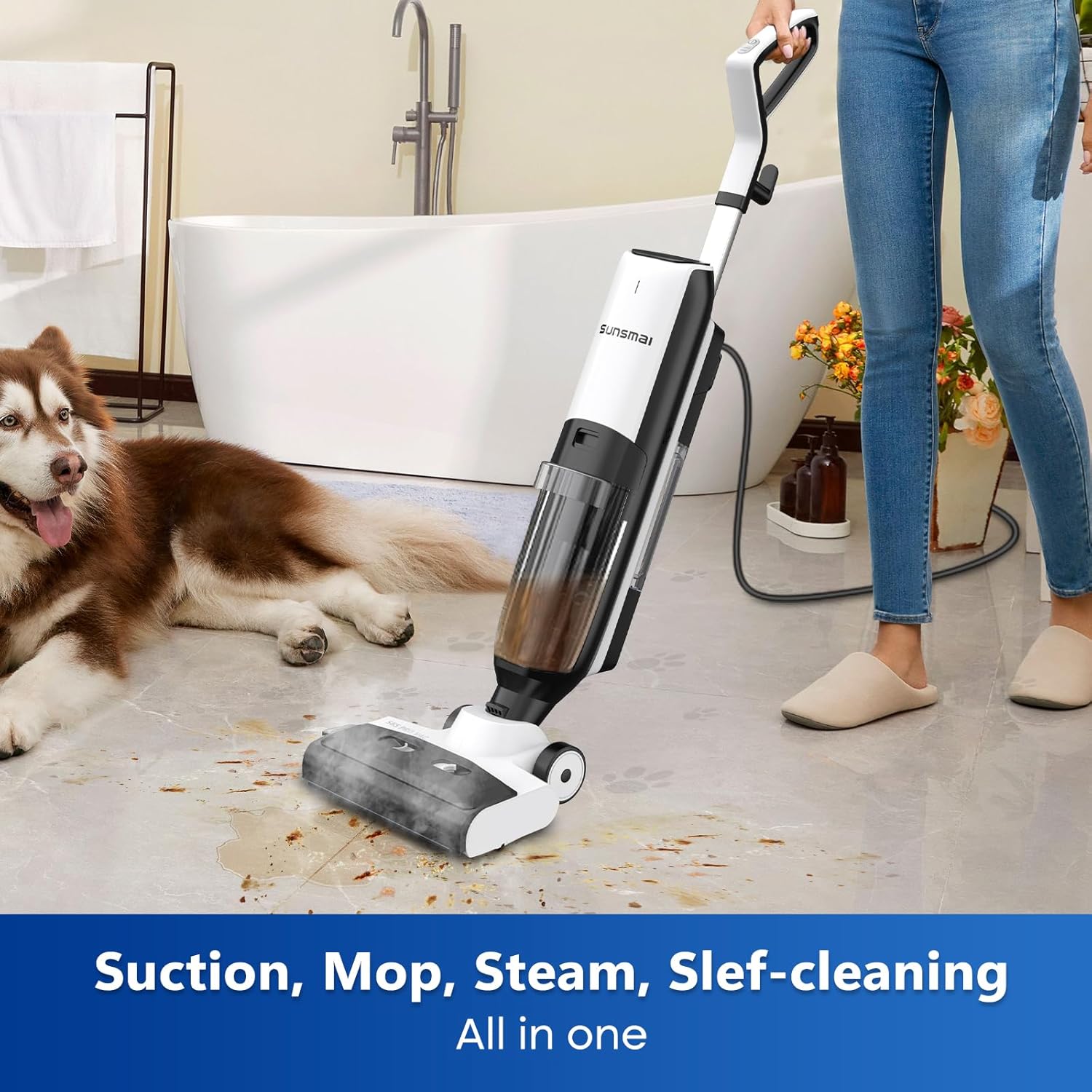
Image: The 4-in-1 Steam Vacuum Mop in action, demonstrating its ability to vacuum, mop, and steam clean simultaneously on hard surfaces.
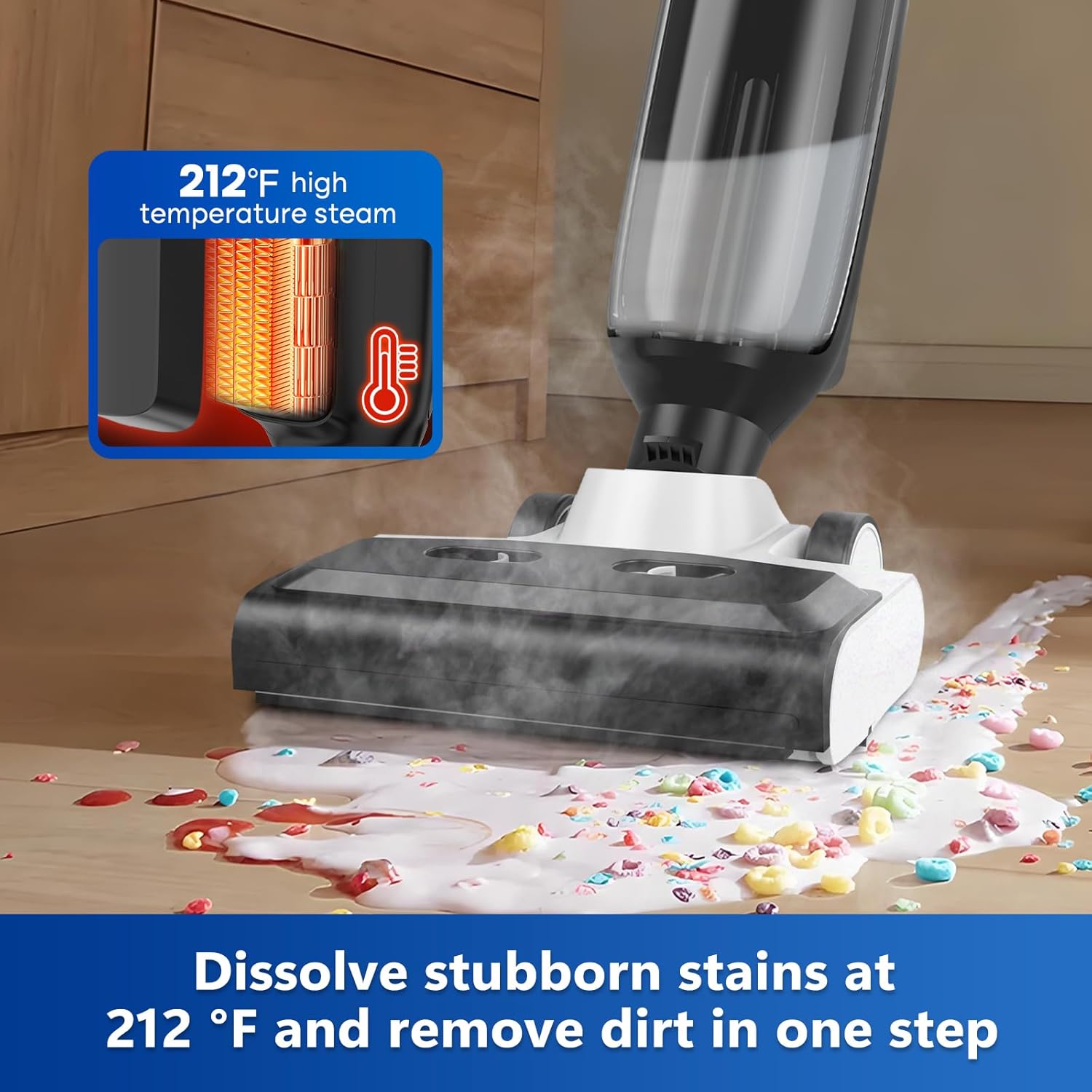
Image: The mop head applying 212°F (100°C) high-temperature steam to dissolve stubborn stains, illustrating the powerful steam cleaning capability.
Maintenance
Regular maintenance ensures the longevity and optimal performance of your SUNSMAI S65-pro. The automatic self-cleaning feature simplifies daily upkeep.
Automatic Self-Cleaning
- Initiate Self-Cleaning: After each use, place the unit on its docking station. Press and hold the self-cleaning button (often integrated with the power button or a dedicated button) for 3 seconds.
- Process: The unit will automatically begin a cycle where high-temperature steam cleans the roller brush and flushes the internal pipes with fresh water, removing residual grime.
- Completion: The LED display will indicate the progress and completion of the self-cleaning cycle.
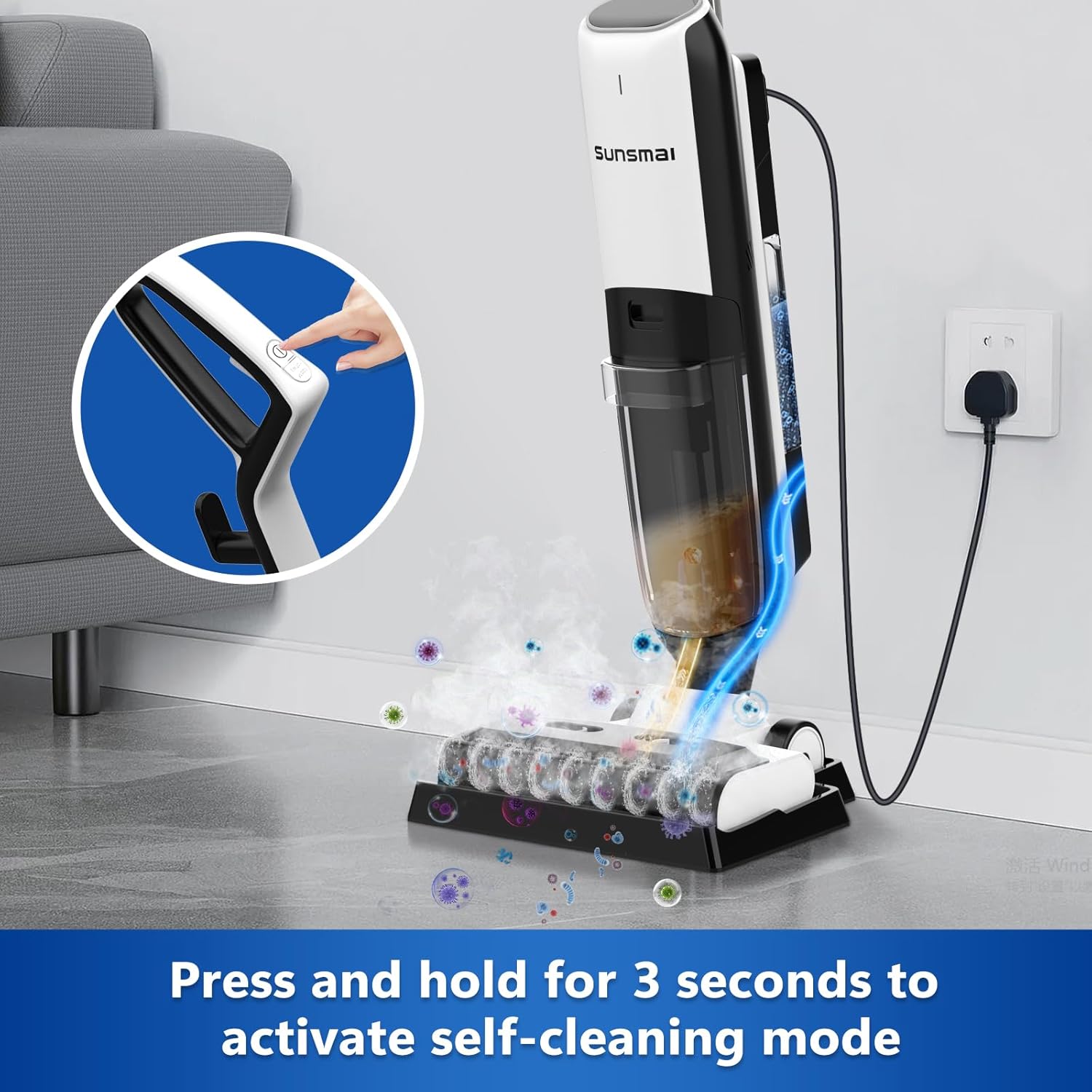
Image: Activating the automatic self-cleaning mode by pressing and holding the designated button for 3 seconds, ensuring the unit remains pristine.
Manual Cleaning (As Needed)
- Empty Dirty Water Tank: Regularly empty the dirty water tank (550ml capacity) after each use. Rinse it thoroughly with clean water.
- Clean Roller Brush: While the self-cleaning function is effective, occasionally remove the roller brush for manual inspection and cleaning, especially if significant debris or hair has accumulated. Use the provided cleaning tool to remove tangled hair or debris.
- Clean HEPA Filter: The HEPA filter should be cleaned periodically. Tap it gently to remove dust or rinse under running water if heavily soiled. Ensure it is completely dry before reinserting.
- Wipe Exterior: Use a soft, damp cloth to wipe down the exterior of the unit. Do not use harsh chemicals or abrasive cleaners.
Troubleshooting
If you encounter issues with your SUNSMAI S65-pro, refer to the following common solutions. For problems not listed here, please contact customer support.
| Problem | Possible Cause | Solution |
|---|---|---|
| No Power | Power cord not securely plugged in; Power outlet malfunction. | Ensure the power cord is fully inserted into the unit and the wall outlet. Test the outlet with another appliance. |
| No Steam Output | Clean water tank empty; Unit not heated sufficiently; Steam nozzle clogged. | Refill the clean water tank. Allow 15-20 seconds for the unit to heat up. Perform a self-cleaning cycle to clear potential clogs. |
| Poor Suction | Dirty water tank full; Roller brush clogged; HEPA filter dirty; Suction hose blocked. | Empty and clean the dirty water tank. Clean the roller brush. Clean or replace the HEPA filter. Check for blockages in the suction hose. |
| Leaves Streaks on Floor | Dirty water tank full; Roller brush dirty; Too much water used. | Empty and clean the dirty water tank. Perform a self-cleaning cycle or manually clean the roller brush. Ensure not to over-saturate the floor. |
| Unusual Noise | Debris caught in brush; Motor issue. | Check the roller brush for any trapped debris and remove it. If the noise persists, contact customer support. |
Specifications
| Feature | Detail |
|---|---|
| Brand | SUNSMAI |
| Model Name | S65-pro |
| Special Feature | HEPA, 4-in-1 steam cleaning/vacuum mode/self-cleaning/steam mop, dry without stripes, LED display screen |
| Surface Recommendation | Hard Floors, Carpets |
| Wattage | 1500 Watts |
| Item Weight | 12 Pounds (approx. 5.4 kg) |
| Clean Water Tank Volume | 780 Milliliters |
| Dirty Water Tank Volume | 550 Milliliters |
| Heat Time | 15 seconds |
| Maximum Temperature | 100 Degrees Celsius (212°F) |
| Voltage | 220 Volts |
| Product Dimensions | 28 x 12 x 12.5 inches |
| Power Cord Length | 6 meters (19.7 feet) |
Warranty and Support
SUNSMAI is committed to providing excellent customer service and product support.
- Protection Coverage: Your SUNSMAI S65-pro comes with a 1-Year Protection Coverage from the date of purchase.
- Customer Support:
- Swift Help: Expect a response within 12 hours for inquiries.
- 24/7 Support: Assistance is available around the clock.
- How to Reach Us: For any questions or assistance regarding your product, please follow these steps:
- Go to your Amazon account.
- Navigate to "Orders" and then "Order Detail" for your purchase.
- Locate the "Sold by: Easylife US" section and click on "Ask a question" to contact the seller directly.

Image: SUNSMAI Assistance team ready to provide swift help and 24/7 support, backed by a 1-year protection coverage.
Ask a question about this manual
Ask about setup, troubleshooting, compatibility, parts, safety, or missing instructions. Manuals+ will review the question and use this page’s manual context to help answer it.