
NIPLOOOW B0D97QWJ14
NIPLOOOW Moveable Dinosaur Shooting Toy Instruction Manual
Brand: NIPLOOOW | Model: B0D97QWJ14
Introduction
This manual provides detailed instructions for the safe and effective use of your NIPLOOOW Moveable Dinosaur Shooting Toy. Please read this manual thoroughly before assembly and operation to ensure proper function and enjoyment.
What's in the Box
Your NIPLOOOW Moveable Dinosaur Shooting Toy package includes the following components:
- 1 x Dinosaur Shooting Target
- 1 x Popper Gun
- 1 x Pair of Protective Glasses
- 24 x Foam Bullets
- 1 x Water Dropper (for steam function)
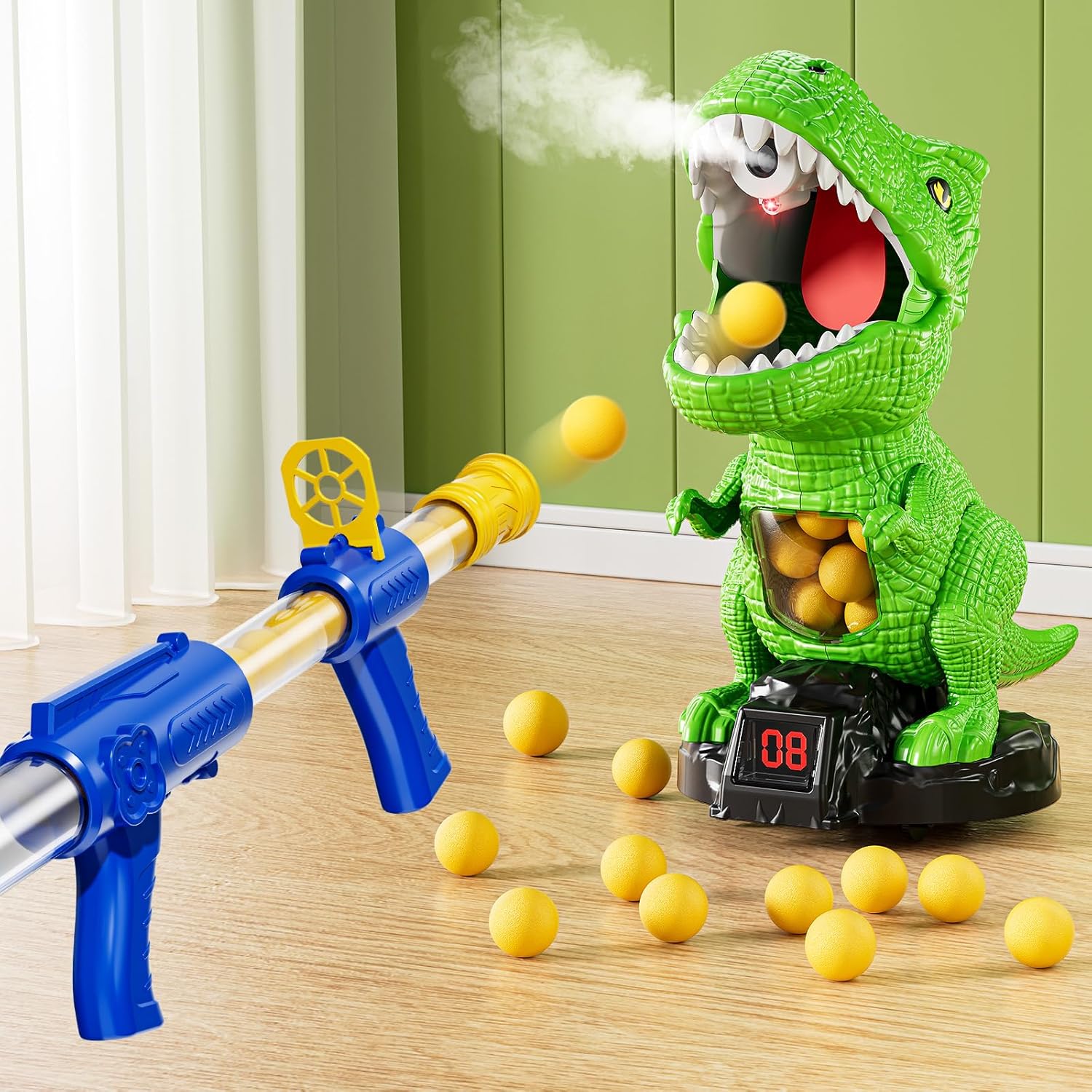
Image: The complete set of the NIPLOOOW Moveable Dinosaur Shooting Toy, including the dinosaur target, popper gun, foam balls, and protective glasses.
Setup
- Install Batteries: Locate the battery compartment on the base of the dinosaur target. Insert the required batteries (not included) according to the polarity markings. Secure the battery compartment cover.
- Attach Dinosaur Tail: Ensure the dinosaur's tail is securely attached. It can be lifted to retrieve foam balls.
- Prepare for Steam Function (Optional): Using the provided water dropper, carefully add 2-3 drops of clean water into the designated opening on the dinosaur's head (usually a small hole near the nostrils). Do not overfill.
- Load Popper Gun: Insert the foam bullets into the muzzle of the popper gun.
- Wear Protective Glasses: For safety, always wear the provided protective glasses during play.

Image: A visual guide to the toy's dimensions and included accessories.
Operating Instructions
1. Powering On and Mode Selection
- Locate the power switch on the base of the dinosaur target.
- Select between two play modes:
- Static Mode: The dinosaur target remains stationary, ideal for beginners.
- Mobile Mode: The dinosaur target moves automatically, avoiding obstacles, providing a more challenging experience.

Image: The dinosaur target illustrating its static and mobile play modes.
2. How to Shoot
- Load a foam ball into the muzzle of the popper gun.
- Pull the rear lever of the gun to build air pressure.
- Aim at the dinosaur's tongue and push the lever to launch the foam ball.

Image: Step-by-step guide on how to shoot the popper gun.
3. Scoring and Features
- When a foam ball hits the dinosaur's tongue, the digital LCD display on its base will record a point.
- The dinosaur will emit sounds (growls/roars) and spray mist from its mouth when hit, especially if water has been added for the steam function.
- Foam balls are collected in the dinosaur's belly for easy retrieval. Simply lift the tail to access them.

Image: Detailed view of the dinosaur's interactive features.
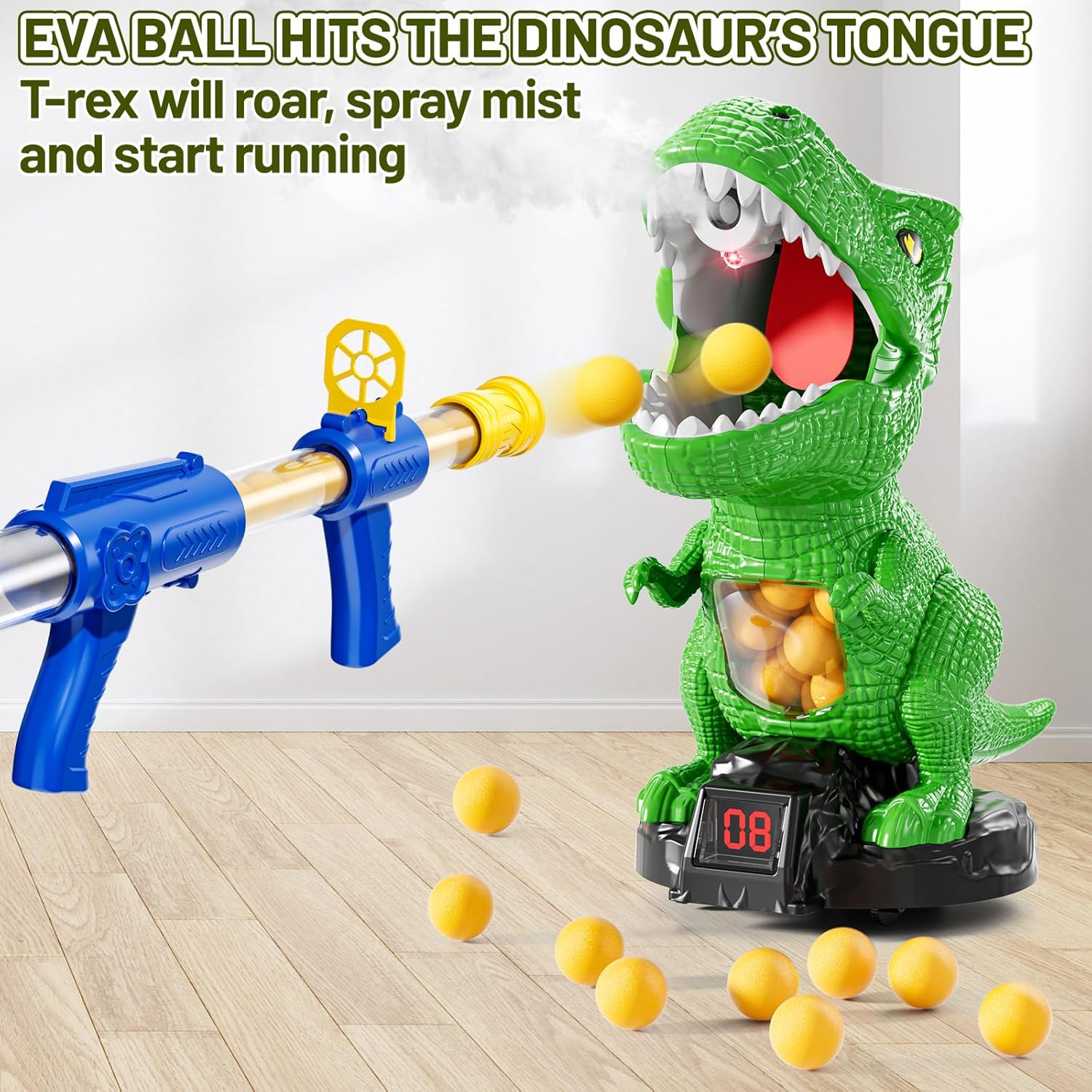
Image: The dinosaur reacting to being hit by a foam ball, showing mist and movement.
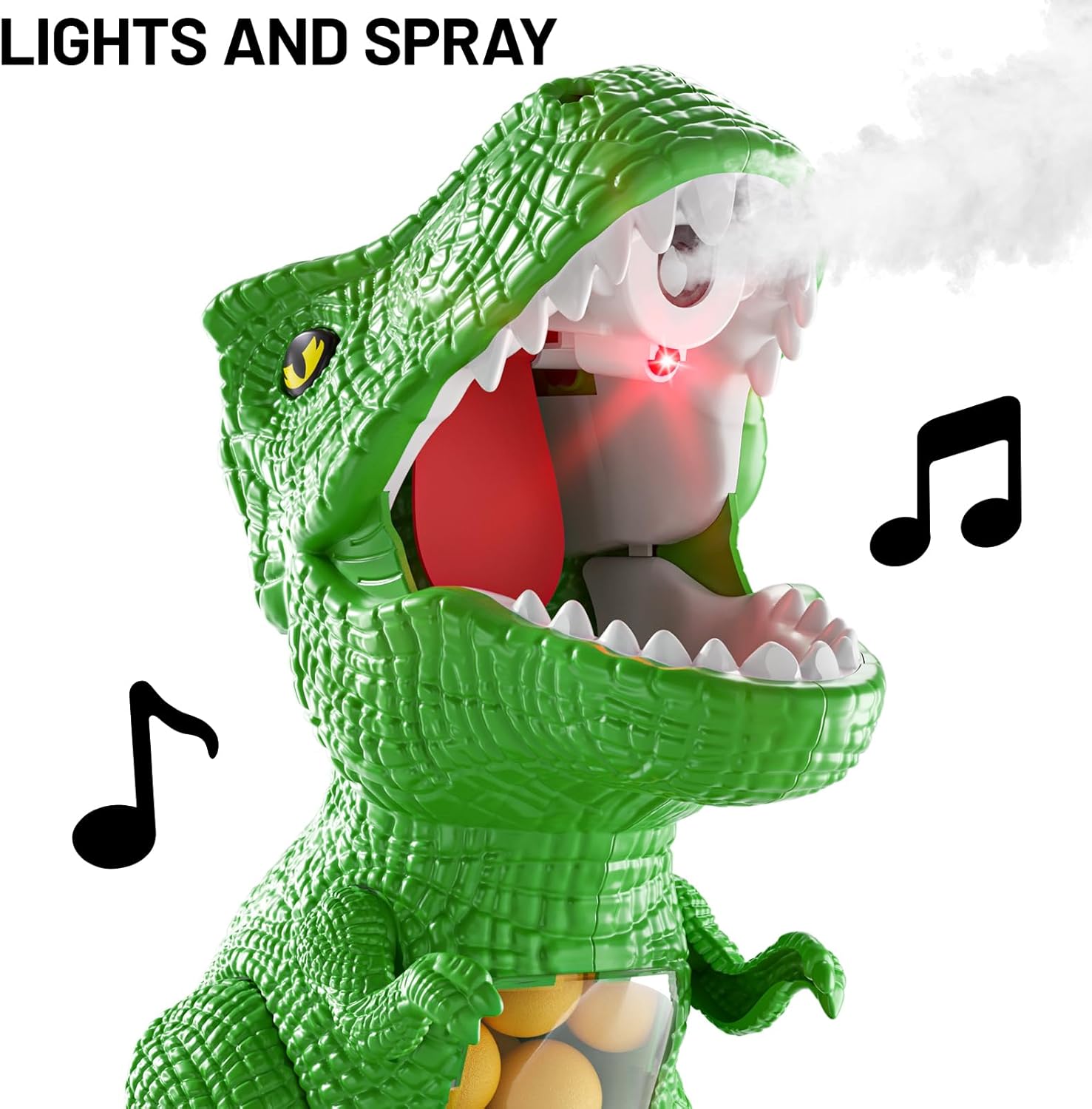
Image: The dinosaur's mouth with lights and steam effect.
Maintenance
- Cleaning: Wipe the toy surfaces with a dry or slightly damp cloth. Do not immerse the electronic components in water.
- Storage: Store the toy and its components in a cool, dry place away from direct sunlight when not in use.
- Battery Replacement: Replace batteries when the toy's functions (movement, sound, lights) become weak or unresponsive.
- Water for Steam: Empty any remaining water from the dinosaur's reservoir before storing to prevent mold or damage.
Troubleshooting
| Problem | Possible Cause | Solution |
|---|---|---|
| Dinosaur does not move or make sounds. | Batteries are low or incorrectly installed. | Check battery polarity and replace with fresh batteries. Ensure the power switch is ON. |
| Foam balls do not shoot effectively. | Insufficient air pressure in the popper gun. | Ensure the rear lever is pulled back completely to build maximum air pressure before launching. |
| Steam function is not working. | No water added or reservoir is empty. | Add 2-3 drops of clean water using the provided dropper. |
| Dinosaur does not score when hit. | Ball did not hit the target area (tongue) directly. | Aim carefully at the dinosaur's tongue. Ensure the target sensor is clean. |
Specifications
- Product Dimensions: 9 x 9.8 x 5.1 inches
- Item Weight: 1.23 pounds
- Manufacturer Recommended Age: 36 months - 8 years
- Material: Smooth ABS material (toy), EVA foam (balls)
Safety Information
Please observe the following safety guidelines to prevent injury and ensure safe play:
- Always wear the provided protective glasses during play to protect eyes from foam bullets.
- Do not aim the popper gun at people's faces or eyes.
- Use only the foam bullets provided with this toy. Do not use other projectiles.
- Adult supervision is recommended, especially for younger children.
- Keep small parts away from children under 3 years old to prevent choking hazards.
- Do not modify the toy or its components.
Official Product Video
Watch the official product video for a visual guide on how to set up and play with your NIPLOOOW Moveable Dinosaur Shooting Toy.
Video: An official demonstration of the NIPLOOOW Dinosaur Shooting Toy, showcasing its features and gameplay.
Warranty and Support
For warranty information, product support, or to purchase replacement parts, please contact NIPLOOOW customer service through the retailer where the product was purchased or visit the official NIPLOOOW website.
Ask a question about this manual
Ask about setup, troubleshooting, compatibility, parts, safety, or missing instructions. Manuals+ will review the question and use this page’s manual context to help answer it.