
1. Introduction
The LORDEM Plant Grow Light is designed to provide optimal lighting conditions for indoor plants. Featuring a full spectrum LED halo design, it supports healthy plant growth by mimicking natural sunlight. This grow light includes adjustable height, dimmable brightness levels, and an automatic timer function for convenient and efficient plant care.
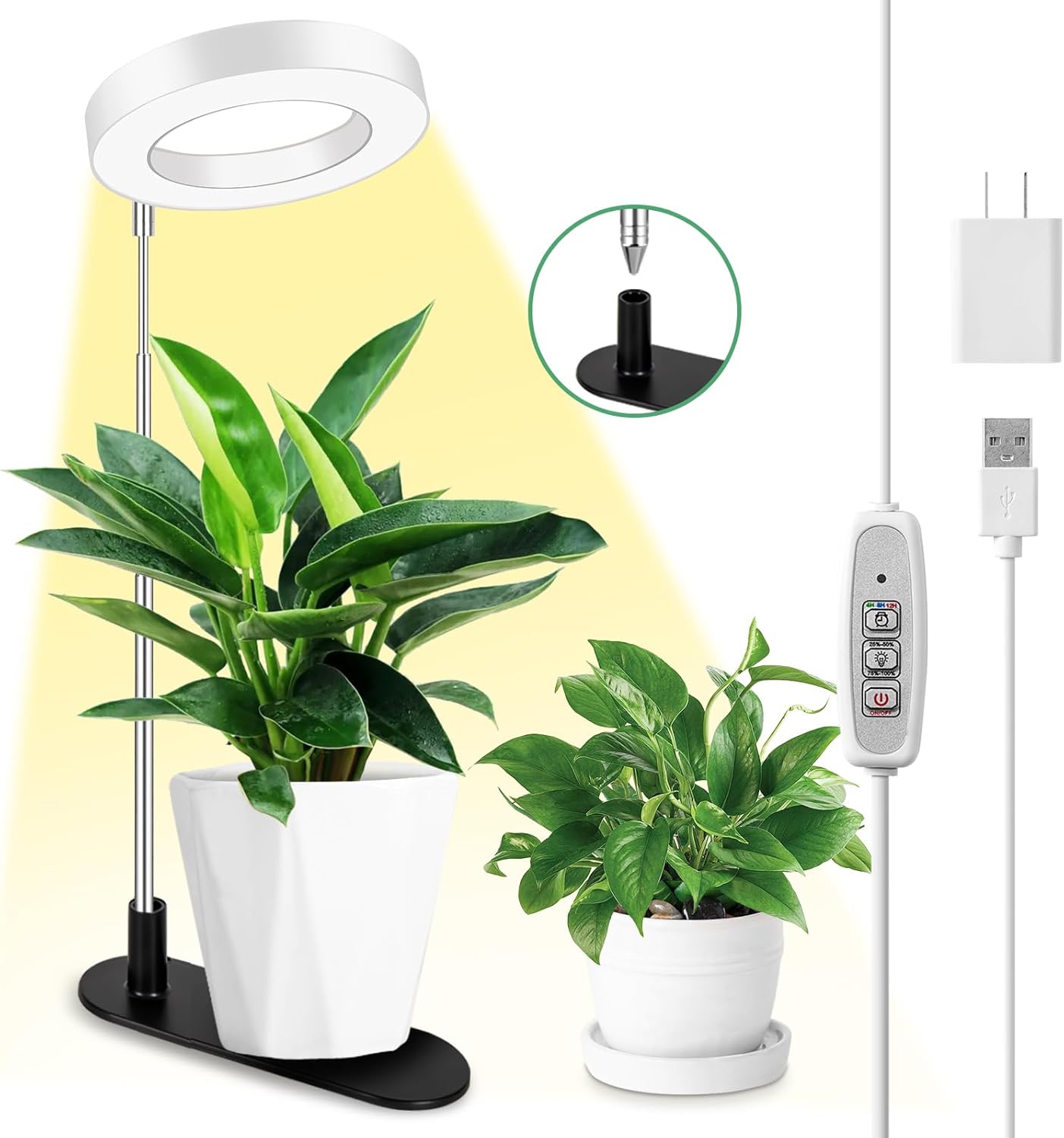
Image 1.1: The LORDEM Plant Grow Light illuminating an indoor plant on a desk.
2. Safety Information
- Ensure the product stand is stable, especially when using the detachable base, by placing a plant pot or other weight on it.
- Do not expose the grow light to water or high humidity. This product is intended for indoor use only.
- Keep out of reach of children and pets.
- Do not attempt to disassemble or modify the product. Refer all servicing to qualified personnel.
- Use only the provided adapter. Using an incompatible power source may damage the product or pose a safety risk.
- Avoid direct eye exposure to the LED light for prolonged periods.
3. Package Contents
Verify that all items are present in the package:
- 1 x Grow Light with Timer Controller
- 1 x Base (White Base)
- 1 x Adapter
- 1 x User Manual
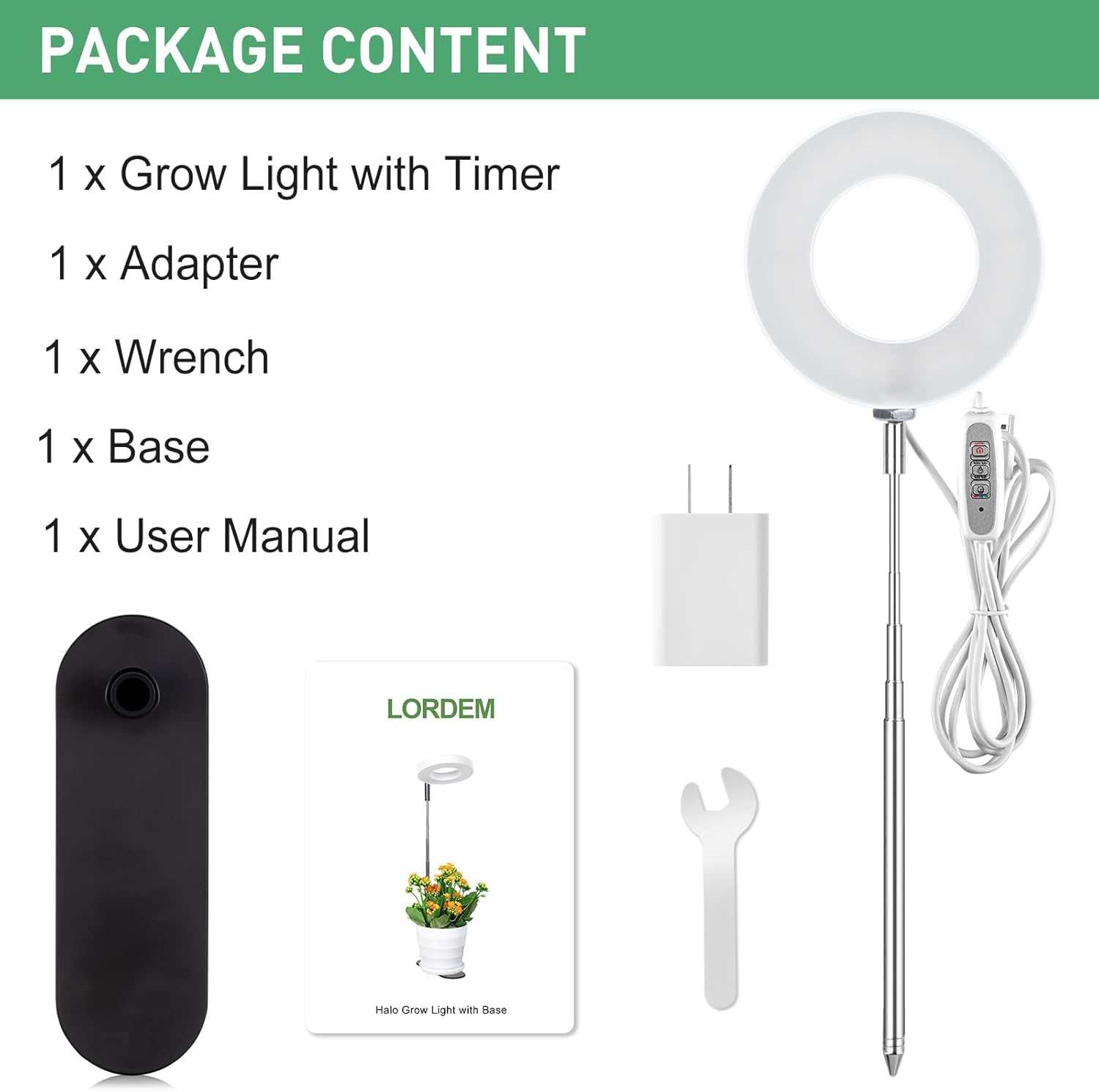
Image 3.1: All components included in the LORDEM Plant Grow Light package.
4. Setup Instructions
The LORDEM Plant Grow Light offers two installation methods: using the detachable base or inserting the metal stake directly into soil.
4.1. Assembly with Detachable Base
- Insert the metal stake end of the grow light into the designated hole on the detachable base.
- Place a plant pot on the base to ensure stability. The weight of the pot helps secure the light.
- Adjust the height of the light by gently pulling or pushing the telescopic rod.
4.2. Assembly with Metal Stake (Direct Soil Insertion)
- Carefully insert the metal stake end of the grow light directly into the soil of your plant pot. Ensure it is firmly planted to prevent tipping.
- Adjust the height of the light by gently pulling or pushing the telescopic rod.
- Rotate the light panel to direct illumination as needed.

Image 4.1: Visual guide for dual-use setup, illustrating both base and soil insertion methods.
4.3. Video Guide: Assembly and Features
Video 4.1: An official LORDEM video demonstrating the assembly process, height adjustment, and various features of the desk grow light.
5. Operating Instructions
The grow light is controlled via an inline controller on the power cord.
5.1. Power On/Off
- Connect the adapter to a power outlet and the USB cable to the grow light.
- Press the Power Button on the controller to turn the light on or off.
5.2. Brightness Adjustment
The light offers four dimming levels: 25%, 50%, 75%, and 100%.
- Press the Brightness Adjustment Button (represented by a sun icon) to cycle through the brightness levels.

Image 5.1: Visual representation of the four dimming levels.
5.3. Timer Function
The grow light features an automatic timer with 4, 8, and 12-hour settings. Once set, the light will turn on and off automatically at the same time each day.
- Press the Timer Button (represented by a clock icon) to select the desired duration:
- Green indicator: 4 hours
- Blue indicator: 8 hours
- Red indicator: 12 hours
- To deactivate the timer, press the Timer Button until no indicator light is on.

Image 5.2: The timer function with its corresponding indicator lights.
5.4. Height and Angle Adjustment
- The telescopic rod allows for height adjustment from 7.8 inches to 26 inches. Gently pull or push the rod to achieve the desired height.
- The halo light panel can be rotated 180 degrees to direct light precisely where your plants need it.

Image 5.3: The grow light's height can be adjusted to suit various plant sizes.
6. Maintenance
- Cleaning: Disconnect the power before cleaning. Wipe the light panel and stand with a soft, dry cloth. Do not use abrasive cleaners or solvents.
- Storage: When not in use for extended periods, store the grow light in a cool, dry place away from direct sunlight.
- Inspection: Periodically check the power cord and connections for any signs of damage. If damage is found, discontinue use and contact customer support.
7. Troubleshooting
| Problem | Possible Cause | Solution |
|---|---|---|
| Light does not turn on. | No power connection. | Ensure the adapter is securely plugged into a working outlet and the USB cable is connected to the light. |
| Light flickers or dims unexpectedly. | Unstable power supply or loose connection. | Check all connections. Try plugging into a different outlet. |
| Timer function is not working correctly. | Timer not set or power interruption. | Re-set the timer. If power is interrupted, the timer may need to be reset. |
| Light is unstable or tips over. | Insufficient weight on the base or loose stake. | If using the detachable base, place a heavy plant pot on it. If using the stake, ensure it is firmly inserted into the soil. |
8. Specifications
| Feature | Detail |
|---|---|
| Model Number | ca1216 |
| Light Source Type | LED |
| Number of LEDs | 48 |
| Spectrum | Full Spectrum (380nm - 780nm) |
| Wattage | 10 watts |
| Voltage | 5 Volts (DC) |
| Luminous Flux | 5700 Lux |
| Color Temperature | 4500 Kelvin |
| Color Rendering Index (CRI) | 92.00 |
| Height Adjustment Range | 7.8 inches - 26 inches |
| Timer Settings | 4H / 8H / 12H (Automatic Daily Cycle) |
| Dimming Levels | 25%, 50%, 75%, 100% |
| Material | Aluminum |
| Product Dimensions | 12.2"L x 3.74"W x 1.38"H |
| Item Weight | 7.4 ounces |
9. Warranty and Support
LORDEM products are manufactured with quality and reliability in mind. For warranty information or technical support, please refer to the contact details provided with your purchase or visit the official LORDEM website.
Please retain your proof of purchase for any warranty claims.