
TPone XT-01
TPone Bluetooth Speaker User Manual
Model: XT-01
Product Overview
The TPone XT-01 Bluetooth Speaker is a portable wireless speaker designed for versatile use, offering 30W (peak) loud stereo sound, multi-color rhythm lights, and TWS pairing capability. Its IPX5 waterproof rating makes it suitable for both indoor and outdoor environments, including parties, beaches, and camping. Equipped with Bluetooth 5.3, it ensures stable connectivity and features a durable design with a convenient hook for portability.
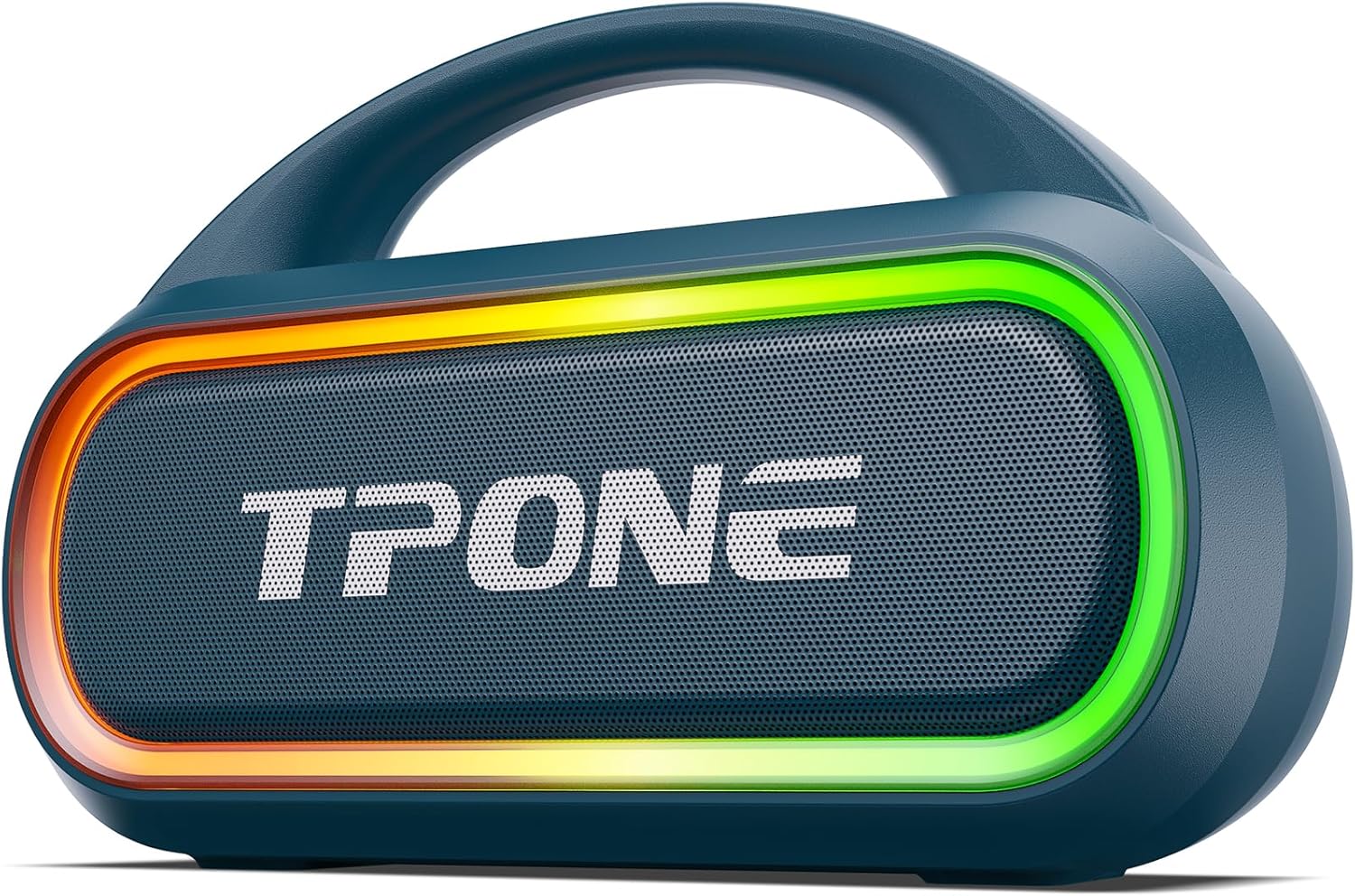
Image: The TPone XT-01 Bluetooth Speaker in Indigo Blue, showcasing its sleek design and integrated handle.
What's in the Box
- 1 x TPONE Bluetooth Speaker
- 1 x Type-C Charging Cable
- 1 x 3.5mm AUX Cable
- 1 x HOOK
- Quick Start Guide

Image: A visual representation of the package contents, including the speaker, charging cable, AUX cable, hook, and user manual.
Key Features
- 360° Stereo & Double Pairing: Connect two speakers for an immersive 60W (peak) stereo experience with 360° coverage.
- Dynamic Color Light Show: Features 7 light colors and 8 light modes that sync with music, adding ambiance to any setting.
- IPX5 Waterproof & Rugged Design: Built to withstand splashes, spills, and rain, ideal for outdoor adventures.
- Advanced Bluetooth 5.3 & Powerful Battery: Ensures fast, stable connections and up to 12 hours of playtime. Lights can be turned off to conserve battery.
- Durable Portable Design With Hooks: Compact and lightweight (1.85 lbs) with a convenient hook for easy transport.
- Multiple Connectivity Options: Supports Bluetooth, AUX, USB, and TF card playback.

Image: Internal view highlighting the 30W (peak) output and dual 15W full-range speakers for powerful sound.

Image: Speaker in an outdoor setting, illustrating its long battery life of up to 12 hours.

Image: Speaker placed near a bathtub, demonstrating its IPX5 waterproof capability.

Image: Speaker displaying its vibrant multi-color LED lights, illustrating the 7 available lighting modes.

Image: Two TPone speakers on a beach, illustrating the True Wireless Stereo (TWS) pairing feature for enhanced sound.

Image: Speaker on a table outdoors, showing its built-in power bank functionality charging a smartphone.
Setup
Charging the Speaker
Before first use, fully charge the speaker. Connect the provided Type-C charging cable to the speaker's DC 5V port and the other end to a compatible USB power adapter (not included). The charging indicator light will show charging status.
Powering On/Off
Press and hold the power button (often combined with the Bluetooth button) for a few seconds to turn the speaker on or off. A voice prompt will indicate the power status.
Bluetooth Pairing
- Ensure the speaker is powered on and in Bluetooth pairing mode (indicated by a flashing LED light).
- On your device (smartphone, tablet, etc.), enable Bluetooth and search for available devices.
- Select "TPone XT-01" from the list of devices.
- Once connected, the speaker will provide an audible confirmation, and the LED light will become solid.
True Wireless Stereo (TWS) Pairing
To achieve a true stereo sound experience, you can pair two TPone XT-01 speakers together:
- Ensure both speakers are powered on and not connected to any other Bluetooth device.
- On one speaker, press and hold the TWS pairing button (refer to the quick start guide for exact button location, often combined with another function).
- The speakers will automatically search for and connect to each other. A confirmation tone will sound once paired.
- Connect your device to one of the paired speakers via Bluetooth. Both speakers will now play audio in stereo.
Operating Instructions
Basic Controls
| Button/Function | Action | Description |
|---|---|---|
| Power Button | Press and Hold | Power On/Off |
| "+" Button | Short Press | Volume Up |
| "+" Button | Long Press | Next Track |
| "-" Button | Short Press | Volume Down |
| "-" Button | Long Press | Previous Track |
| Play/Pause Button | Short Press | Play/Pause Audio |
| Light Mode Button | Short Press | Cycle through 7 light colors and 8 light modes. |
| Light Mode Button | Press 7 times | Turn off the light. |
| Bass/Mode Button | Short Press | Switch between Bluetooth, AUX, TF Card, USB modes. |
| Bass/Mode Button | Long Press | Activate/Deactivate Bass Boost. |

Image: Close-up of the speaker's control panel, showing the buttons for power, volume, playback, and light modes.
Using AUX/TF Card/USB Playback
- Insert a 3.5mm AUX cable into the AUX port for wired audio connection.
- Insert a TF (microSD) card into the TF card slot for direct music playback.
- Insert a USB flash drive into the USB port for direct music playback.
- Use the Mode button to switch to the desired input source.

Image: Rear view of the speaker showing the USB, TF card, AUX, and Type-C charging ports.
Maintenance
- Cleaning: Use a soft, dry cloth to clean the speaker's exterior. For stubborn dirt, a slightly damp cloth can be used, ensuring no water enters the ports.
- Storage: Store the speaker in a cool, dry place away from direct sunlight and extreme temperatures.
- Battery Care: To prolong battery life, avoid fully discharging the speaker frequently. Charge it regularly, even if not in use for extended periods.
- Water Resistance: While IPX5 waterproof, avoid submerging the speaker in water. Ensure all port covers are securely closed before exposure to water.
Troubleshooting
| Problem | Possible Cause | Solution |
|---|---|---|
| Speaker does not turn on. | Low battery. | Charge the speaker fully. |
| Cannot pair via Bluetooth. | Speaker not in pairing mode; device Bluetooth off; too far from device. | Ensure speaker is in pairing mode. Turn device Bluetooth off/on. Move device closer to speaker (within 100ft). |
| No sound. | Volume too low; incorrect input mode; device not connected. | Increase speaker/device volume. Switch to correct input mode (Bluetooth, AUX, etc.). Reconnect device. |
| Sound distortion. | Volume too high; low battery; interference. | Lower volume. Charge speaker. Move away from other electronic devices. |
| TWS pairing fails. | Speakers already connected to other devices. | Disconnect both speakers from any other Bluetooth devices before attempting TWS pairing. |
Specifications
- Model Name: XT-01-E
- Item Model Number: XT-01
- Brand: TPone
- Color: Indigo Blue
- Material: Acrylonitrile Butadiene Styrene (ABS)
- Product Dimensions: 9.25"D x 6.3"W x 3.94"H
- Item Weight: 1.85 pounds
- Speaker Maximum Output Power: 30 Watts (Peak)
- Frequency Response: 18 KHz
- Wireless Communication Technology: Bluetooth 5.3
- Bluetooth Range: 100 Feet
- Water Resistance Level: IPX5 Waterproof
- Battery Life: Up to 12 hours (actual playtime may vary)
- Number of Batteries: 2 Lithium Ion batteries (included)
- Connectivity Protocol: AUX, Bluetooth, USB
- Control Method: Button, Touch
- UPC: 767461462814
Warranty and Support
The TPone XT-01 Bluetooth Speaker comes with an Extended Warranty Type. For specific warranty details and claims, please refer to the information provided with your purchase or contact the seller directly.
Return Policy: This product is eligible for a 30-day refund/replacement return policy.
Technical Support: Lifetime technical support is available. For assistance, please contact TPONE-US, the seller, through the Amazon platform or their official support channels.
You can typically find seller contact information on the product page under "Sold by" or "Ask a question" sections on Amazon.
Ask a question about this manual
Ask about setup, troubleshooting, compatibility, parts, safety, or missing instructions. Manuals+ will review the question and use this page’s manual context to help answer it.