
1. Introduction
This manual provides comprehensive instructions for the safe and efficient use of your TPone XT-01 Portable Bluetooth Speaker. Please read this manual thoroughly before operating the device and retain it for future reference. For any questions or concerns, please contact customer support.
2. Package Contents
Verify that all items listed below are included in your package:
- 1 x TPone XT-01 Portable Bluetooth Speaker
- 1 x Type-C Charging Cable
- 1 x 3.5mm AUX Cable
- 1 x Carabiner Hook
- 1 x Quick Start Guide

Image: Contents of the TPone XT-01 Portable Bluetooth Speaker package.
3. Product Overview
Familiarize yourself with the speaker's controls and ports.
Top Panel Controls:
- BASS/M Button: Short press to switch between Bass Boost mode and normal mode. Long press to switch between Bluetooth, AUX, and TF Card modes.
- - Button: Short press for previous track. Long press to decrease volume.
- Play/Pause Button: Short press to play or pause music.
- + Button: Short press for next track. Long press to increase volume.
- Power/Light Button: Long press to power on/off. Short press to cycle through light modes.

Image: Top control panel of the speaker.
Back Panel Ports:
- USB Port: For charging external devices (power bank function).
- TF Card Slot: For playing music directly from a TF (MicroSD) card.
- AUX Port: For wired audio connection using the 3.5mm AUX cable.
- DC 5V (Type-C) Port: For charging the speaker.
Image: Back panel ports of the speaker.
4. Setup
4.1. Initial Charging
Before first use, fully charge the speaker using the provided Type-C charging cable and a compatible 5V/2.1A power adapter (not included). The charging indicator light will show charging status.
4.2. Bluetooth Pairing
- Long press the Power/Light button to turn on the speaker. It will enter Bluetooth pairing mode automatically, indicated by a flashing light.
- Enable Bluetooth on your device (smartphone, tablet, etc.).
- Search for "XT-01" in the list of available Bluetooth devices and select it to connect.
- Once connected, a confirmation tone will sound, and the light will stop flashing.
Video: Demonstrates the process of connecting the TPone Bluetooth Speaker wirelessly to a device.
4.3. True Wireless Stereo (TWS) Pairing
To achieve 360° stereo sound, you can pair two XT-01 speakers together:
- Ensure both XT-01 speakers are powered on and not connected to any other Bluetooth device.
- On one speaker (this will be the primary speaker), long press the BASS/M button until you hear a pairing tone.
- The two speakers will automatically connect to each other. A confirmation tone will indicate successful TWS pairing.
- Now, connect your device to the primary speaker via Bluetooth as described in section 4.2.
Video: Illustrates the TWS pairing process for two TPone speakers to create a stereo sound experience.
5. Operating Instructions
5.1. Power On/Off
- Power On: Long press the Power/Light button.
- Power Off: Long press the Power/Light button again.
5.2. Volume Control
- Increase Volume: Long press the + button.
- Decrease Volume: Long press the - button.
5.3. Playback Control
- Play/Pause: Short press the Play/Pause button.
- Next Track: Short press the + button.
- Previous Track: Short press the - button.
5.4. Light Modes
The speaker features 7 light colors that can sync with the music rhythm. Short press the Power/Light button to cycle through the available light modes. To turn off the lights, short press the Power/Light button 7 times. Turning off the lights can extend playback time by 1-2 hours.
Video: Shows the various light modes of the TPone speaker, demonstrating how they change and sync with music.

Image: The speaker showcasing its seven distinct light modes.
5.5. Audio Input Modes (AUX, USB, TF Card)
Long press the BASS/M button to switch between Bluetooth, AUX, and TF Card modes. Insert the respective cable or card to use these modes.

Image: Connectivity options including TF Card, USB, AUX, and Type-C charging.
6. Features
6.1. IPX5 Waterproof and Rugged Design
The XT-01 speaker is designed with IPX5 waterproofing, offering protection against splashes, rain, and spills. This makes it suitable for outdoor use in various weather conditions. The robust construction ensures durability for active lifestyles.

Image: The speaker demonstrating its IPX5 waterproof capability.
Video: A short demonstration of the speaker's IPX5 waterproof rating, showing it being splashed with water.
6.2. Extended Playtime and Bluetooth 5.3
Equipped with Bluetooth 5.3, the speaker ensures fast and stable connections. It offers up to 12 hours of playtime on a single charge. Actual playtime may vary based on volume, audio content, and light usage.
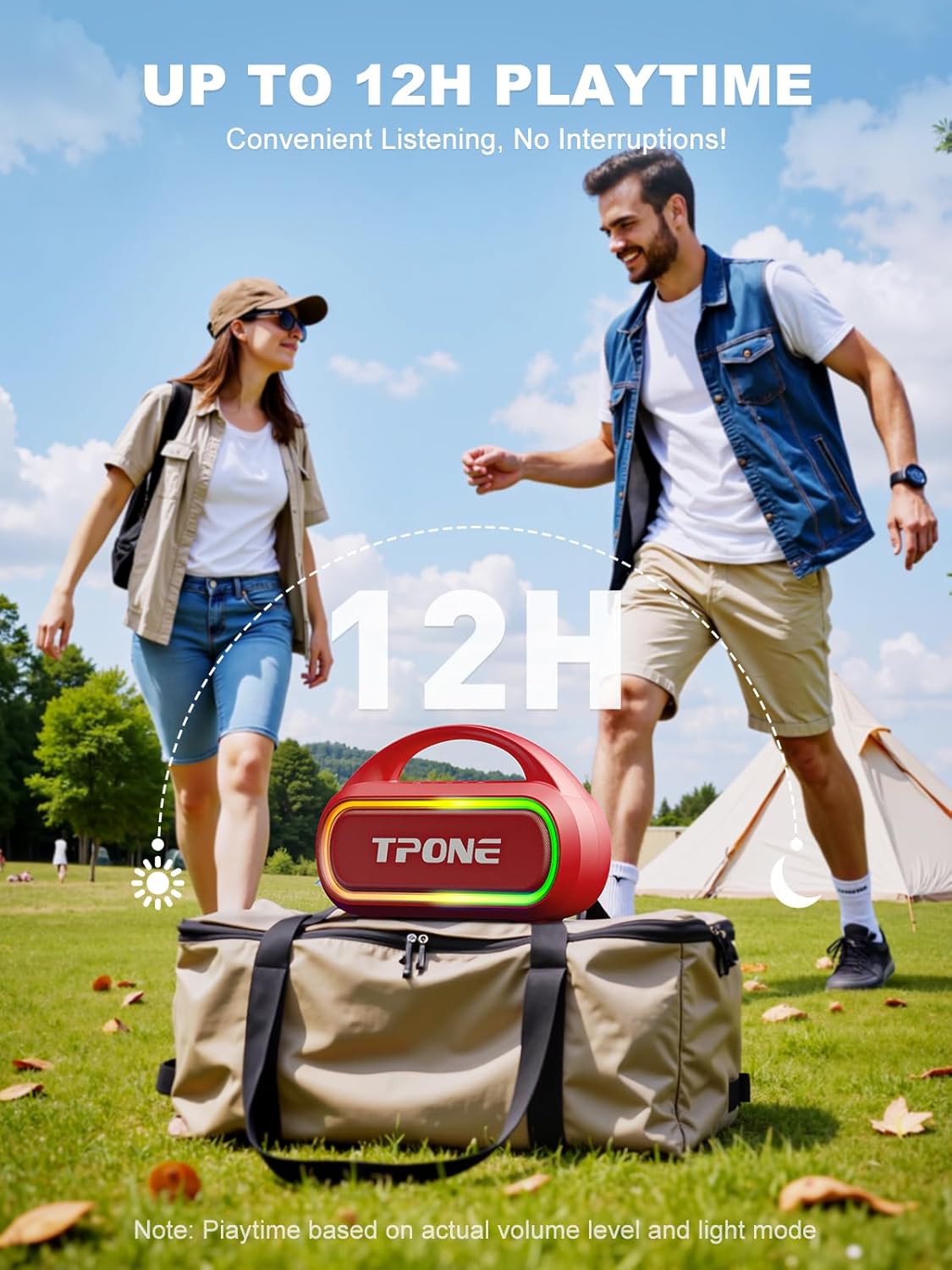
Image: The speaker highlighting its 12-hour playtime for outdoor use.
6.3. Portability
The compact size (5.5 inches high, 8.5 inches in diameter) and lightweight design make the XT-01 highly portable. It includes a carabiner hook for easy attachment to backpacks or other gear, ideal for outdoor adventures.

Image: The speaker attached to a backpack, demonstrating its portability.
Video: Demonstrates the ease of carrying the TPone speaker, showing it being clipped to a backpack.
6.4. Power Bank Function
The speaker features a built-in USB port that allows you to charge other devices, functioning as a portable power bank. This is useful for keeping your phone or tablet powered during outdoor activities.

Image: The speaker being used to charge a smartphone, showcasing its power bank feature.
7. Maintenance
- Cleaning: Use a soft, damp cloth to clean the speaker. Do not use abrasive cleaners or solvents.
- Storage: Store the speaker in a cool, dry place away from direct sunlight and extreme temperatures.
- Water Resistance: Ensure the rubber flap covering the charging and input ports is securely closed to maintain IPX5 water resistance.
- Battery Care: To prolong battery life, avoid fully discharging the speaker frequently. Charge it regularly, even if not in use for extended periods.
8. Troubleshooting
| Problem | Possible Cause | Solution |
|---|---|---|
| Speaker does not power on. | Low battery. | Charge the speaker fully. |
| Cannot pair via Bluetooth. | Speaker is already connected to another device or not in pairing mode. | Ensure the speaker is in Bluetooth pairing mode (flashing light) and disconnect from any other devices. Restart Bluetooth on your device. |
| No sound. | Volume too low on speaker or connected device; incorrect audio mode. | Increase volume on both speaker and device. Check if the correct audio input mode (Bluetooth, AUX, TF Card) is selected. |
| TWS pairing fails. | Speakers are too far apart or already connected to other devices. | Ensure both speakers are within close proximity and not connected to any other devices before initiating TWS pairing. |
9. Specifications
- Model Name: XT-01
- Speaker Maximum Output Power: 30 Watts
- Connectivity Technology: Wireless (Bluetooth 5.3)
- Wireless Communication Technology: Bluetooth
- Bluetooth Range: 100 Feet
- Water Resistance Level: IPX5 Waterproof
- Playtime: Up to 12 hours (varies with usage)
- Power Source: Battery Powered (2 Lithium Ion batteries included)
- Product Dimensions: 9.25"D x 6.3"W x 3.94"H
- Item Weight: 1.85 pounds
- Material: Acrylonitrile Butadiene Styrene (ABS)
- Audio Output Mode: Stereo
- Special Feature: Bass Boost, TWS Pairing, 7-Color Light Show, Power Bank Function
- Included Components: Speaker, Type-C Charging Cable, 3.5mm AUX Cable, Carabiner Hook, Quick Start Guide
10. Warranty and Support
The TPone XT-01 speaker comes with an extended warranty. For detailed warranty information or technical support, please refer to the Quick Start Guide included in your package or contact TPone customer service directly at TPONEindu@outlook.com. Please provide your model number (XT-01) and purchase details when contacting support.