
1. Important Safety Instructions
Please read all instructions carefully before using your ZenZee Electric Underblanket. Retain this manual for future reference.
- Do not use if the blanket is wet or damp.
- Do not use for infants, children, or persons insensitive to heat.
- Ensure the controller is always accessible and not covered during use.
- Do not insert pins or other sharp objects into the blanket.
- Do not use if folded or bunched up.
- Always unplug the blanket from the power outlet when not in use or before cleaning.
- Regularly inspect the blanket and power cord for any signs of wear or damage. If damaged, do not use and contact customer support.
- This underblanket is equipped with an automatic overheating protection system for your safety. If the blanket overheats, it will automatically switch off.
2. Package Contents
- 1 x ZenZee Electric Underblanket (190 x 80 cm)
- 1 x Detachable Controller with Power Cord
3. Setup Instructions
- Unpack the Underblanket: Carefully remove the electric underblanket and its controller from the packaging.
- Position on Bed: Lay the underblanket flat on your mattress. Ensure it is spread evenly and not folded or creased. This XL size (190 x 80 cm) is designed to cover a larger area for enhanced comfort.
- Secure the Blanket: Use the elastic bands located at each corner of the underblanket to securely attach it to your mattress. This prevents the blanket from shifting during use.
- Connect the Controller: Plug the detachable controller into the connection port on the blanket. Ensure it clicks firmly into place.
- Connect to Power: Plug the power cord of the controller into a suitable 240V electrical outlet. The controller cable is 150 cm long for convenient placement.
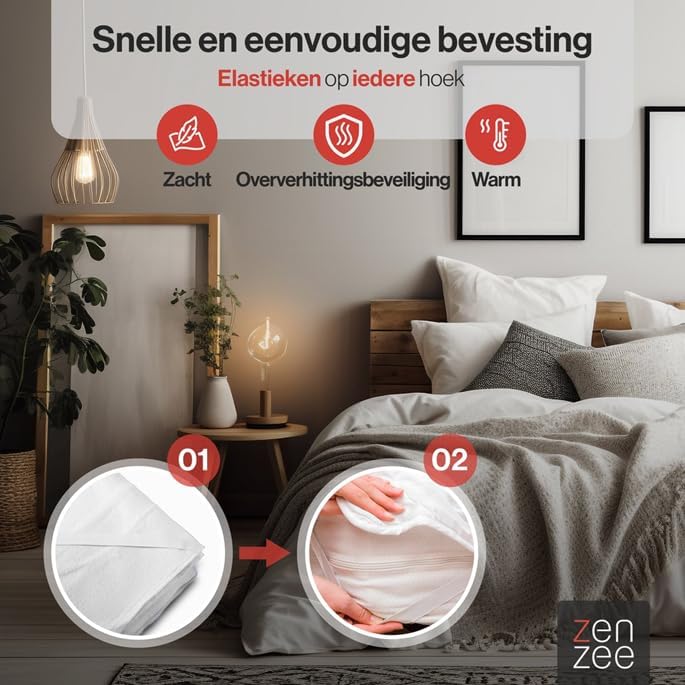
The image illustrates the elastic corner bands used to secure the underblanket to the mattress, ensuring it stays in place.

This diagram highlights the XL size of the ZenZee underblanket (190x80cm) compared to a standard 150x80cm blanket, showing its extended coverage for taller individuals or those who move frequently during sleep.
This video demonstrates the general setup and placement of an electric underblanket on a bed, including how to secure it with elastic bands. Please note that the blanket shown in the video may differ slightly in size (160x130cm) from your ZenZee 190x80cm model, but the installation principles are similar.
4. Operating Instructions
Your ZenZee Electric Underblanket features a user-friendly detachable controller with multiple heat settings and a timer function.
- Power On/Off: Press the power button on the controller to turn the blanket on or off.
- Adjust Heat Settings: The blanket offers 4 heat settings: Warm, Low, Medium, and High. Use the 'Heat' buttons (up/down arrows) to cycle through the desired temperature levels. The indicator lights on the controller will show the selected setting.
- Set the Timer: Press the 'Timer' button to select an automatic shut-off time. You can choose between 2, 4, 8, or 12 hours. The corresponding indicator light will illuminate. The blanket will automatically turn off after the selected time has elapsed.
- Pre-heating: For best results, turn on the blanket to a higher heat setting approximately 30 minutes before use to pre-warm your bed.
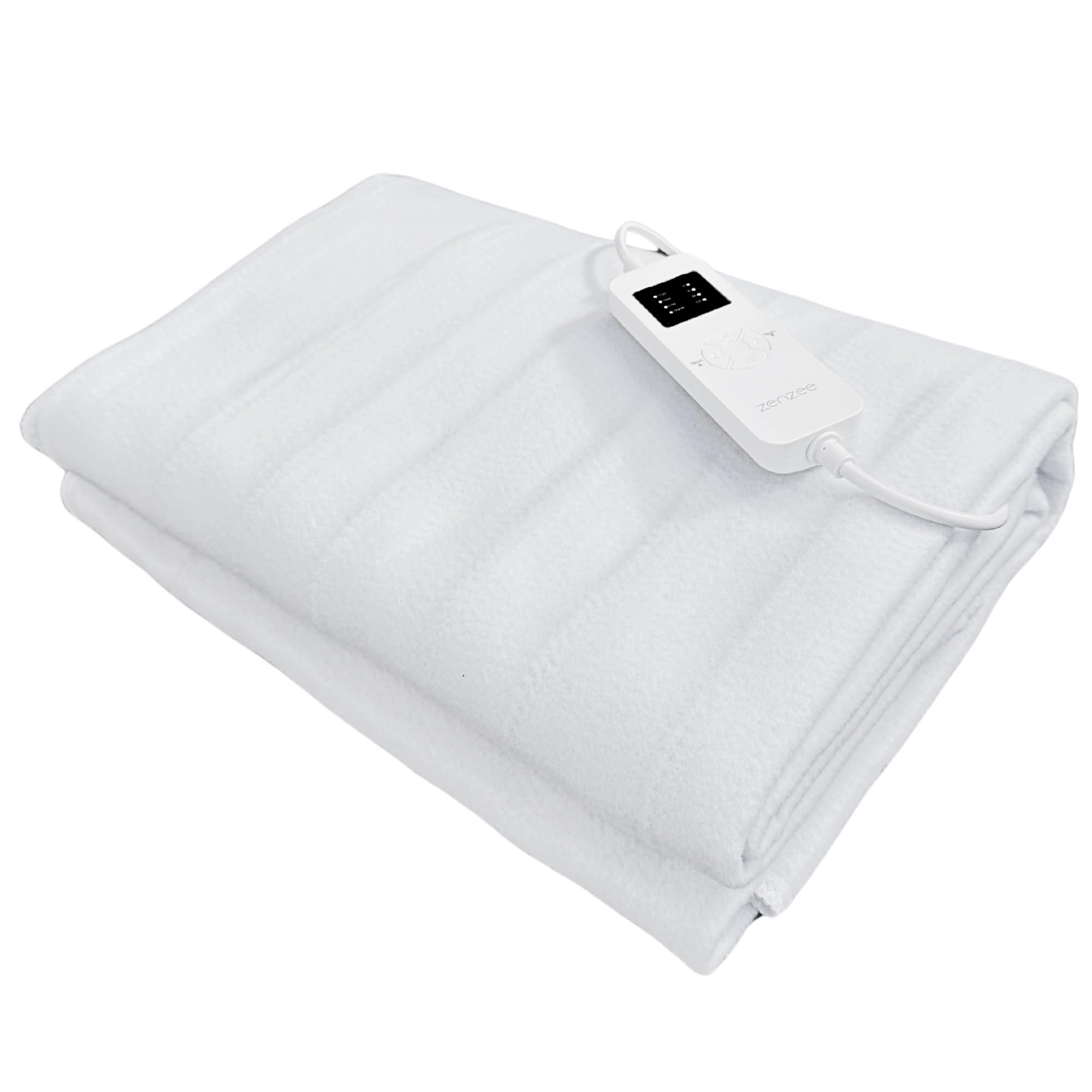
The image displays the controller, illustrating the buttons for power, adjusting heat levels (Warm, Low, Medium, High), and setting the timer (2h, 4h, 8h, 12h).

This image shows the underblanket laid out on a bed, visually representing the large heated surface and even heat distribution across its 190x80 cm area.
5. Maintenance and Cleaning
Proper care ensures the longevity and hygiene of your electric underblanket.
- Disconnect Power: Always unplug the blanket from the power outlet and disconnect the controller from the blanket before cleaning.
- Washing: The ZenZee Electric Underblanket is washable. You can hand wash it or machine wash it on a gentle cycle at 30°C.
- Drying: Do not tumble dry. Air dry the blanket completely before reconnecting the controller and using it again. Ensure no moisture remains in the electrical components.
- Storage: When not in use, store the blanket in a cool, dry place, preferably in its original packaging or a breathable bag. Do not place heavy objects on top of the folded blanket.

This image illustrates the washing instructions: the blanket is suitable for machine wash at 30°C on a gentle cycle or hand wash, after detaching the controller.
6. Troubleshooting
If you encounter any issues with your ZenZee Electric Underblanket, please refer to the following common problems and solutions:
| Problem | Possible Cause | Solution |
|---|---|---|
| Blanket does not heat up. | Not plugged in correctly; Controller not connected; Overheating protection activated; Faulty power outlet. | Ensure the power cord is securely plugged into the wall outlet. Check that the controller is firmly connected to the blanket. Unplug and wait 30 minutes before plugging back in to reset overheating protection. Test the outlet with another appliance. |
| Blanket heats unevenly. | Blanket is folded or bunched up. | Ensure the blanket is spread flat and smooth on the mattress. |
| Controller indicator lights are off. | No power; Controller malfunction. | Check power connection. If still unresponsive, contact customer support. |
If the problem persists after trying these solutions, please contact ZenZee customer support.
7. Specifications
- Model Number: NG-22003
- Dimensions (L x W x H): 190 x 80 x 0.5 cm
- Weight: 1 Kilogram
- Material: Polyester
- Color: White
- Voltage: 240V
- Wattage: 60W
- Heat Settings: 4 (Warm, Low, Medium, High)
- Timer Settings: 2, 4, 8, 12 hours
- Safety Features: Automatic Shut-off, Overheating Protection

This image highlights the safety features of the ZenZee electric underblanket, including secure attachment, heat protection, and overheating protection.
8. Warranty and Support
For warranty information, product support, or any questions not covered in this manual, please contact ZenZee customer service through your retailer or the official ZenZee website. Please have your model number (NG-22003) and purchase details ready when contacting support.