
Product Overview
The Bestier Modern TV Stand is designed to accommodate 55-60 inch televisions, featuring integrated RGB LED lighting for enhanced ambiance. This high-gloss entertainment center includes storage shelves, making it suitable for living rooms and bedrooms. Its construction utilizes CARB certified P2 particle board, ensuring stability and durability with a total weight capacity of 200 lbs.
Key features include:
- RGB LED lighting with up to 22 dynamic display modes.
- Adjustable tempered glass shelves for versatile storage and display.
- Five open compartments for organizing gaming devices, media, and decor.
- Constructed from CARB certified P2 particle board for stability and durability.
- Includes an anti-tip kit for enhanced safety.

Image: The Bestier Modern TV Stand, showcasing its design and integrated LED lighting in a typical living room setup.
Setup and Assembly
Assembly of the Bestier TV Stand is required. It is recommended to follow the provided instructions carefully. All necessary parts and hardware are typically labeled for ease of identification. A mini screwdriver and an Allen key are usually included, but additional tools may be helpful.
Assembly Steps:
- Unpack all components and verify against the parts list to ensure all pieces are present and undamaged.
- Identify and separate the different types of screws and bolts.
- Begin assembling the main frame according to the step-by-step diagrams. Pay close attention to the orientation of each panel.
- Install the adjustable tempered glass shelves into the designated compartments. Ensure they are securely placed.
- Attach the anti-tip kit to the TV stand and secure it to a wall stud to prevent accidental tipping, especially in households with children.
- Route cables through the integrated cable management holes at the back of the unit for a tidy setup.
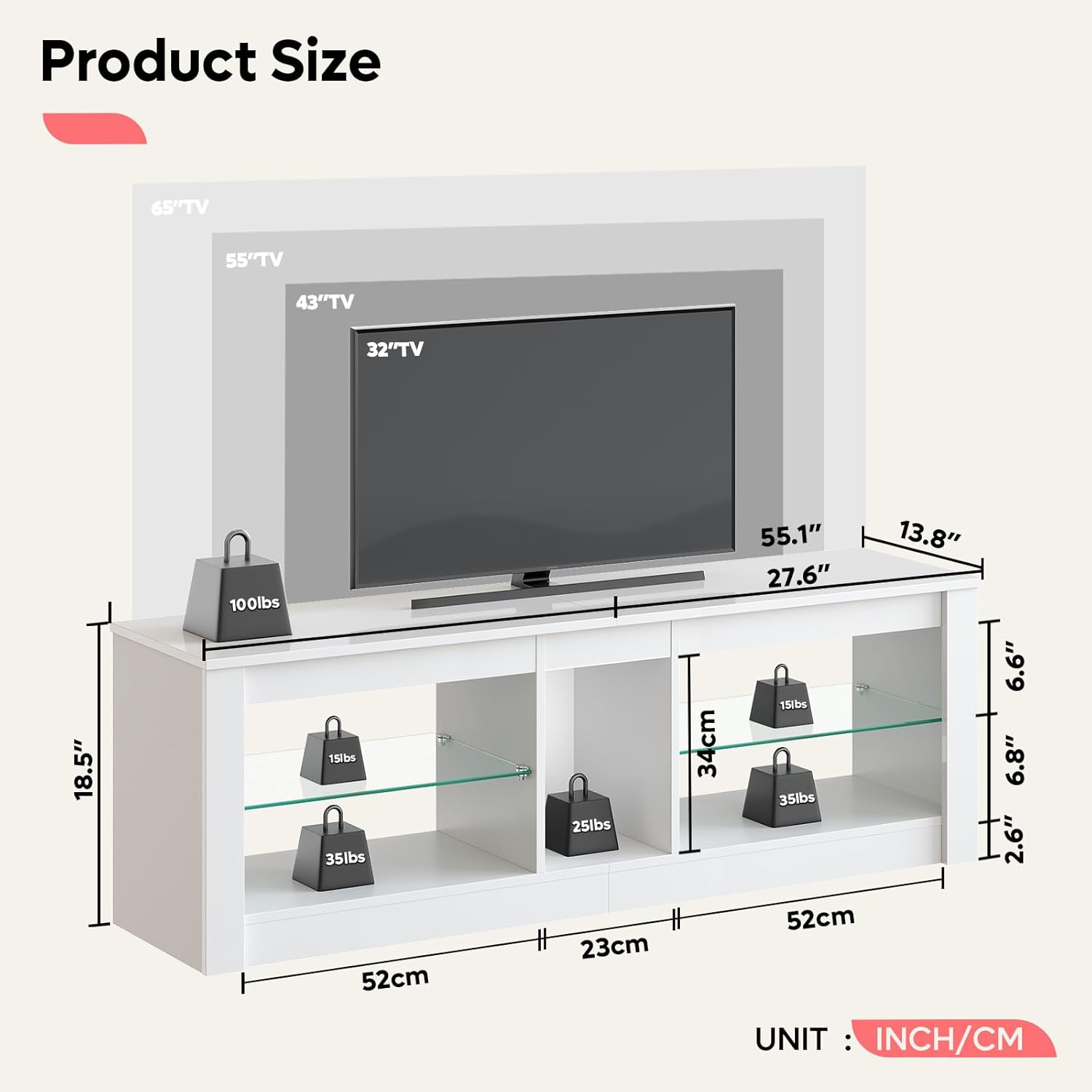
Image: Product dimensions and recommended TV sizes (up to 60 inches) for the Bestier TV stand.
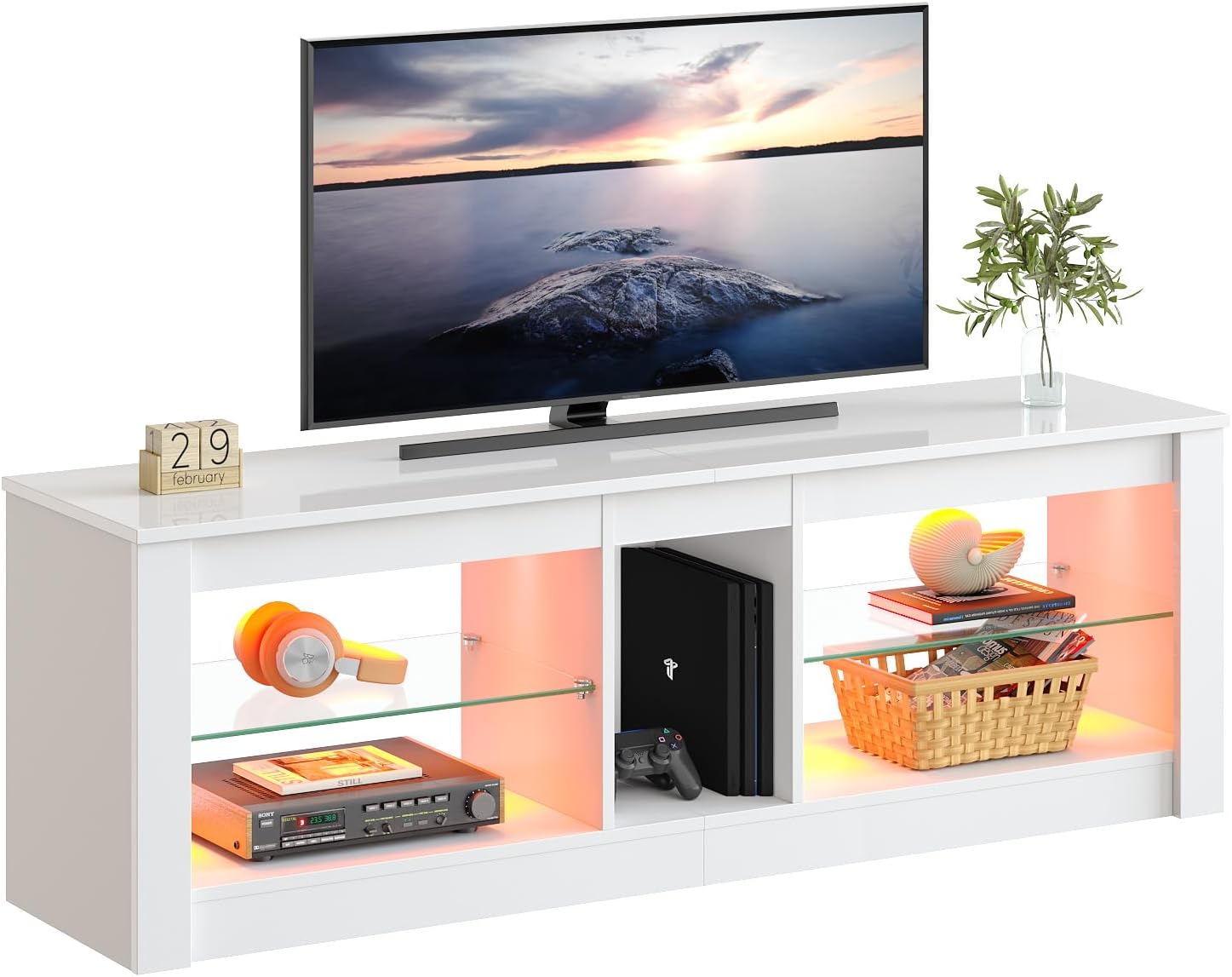
Image: Detailed view of the TV stand's construction, highlighting its sturdy structure, use of safe P2 particle board, the anti-tip kit, and cable management features.
Operating Instructions (LED Lights)
The integrated RGB LED lights provide customizable illumination for your entertainment area. The lights are controlled via a wireless remote.
LED Light Operation:
- Connect the LED strip to a USB power source.
- Ensure the remote control has a working battery (some remotes may come with a pre-installed battery).
- Point the remote control towards the LED receiver.
- Use the remote to power the lights on/off, change colors, adjust brightness, and select from 22 dynamic display modes (e.g., static, quick flashing, slow flashing).
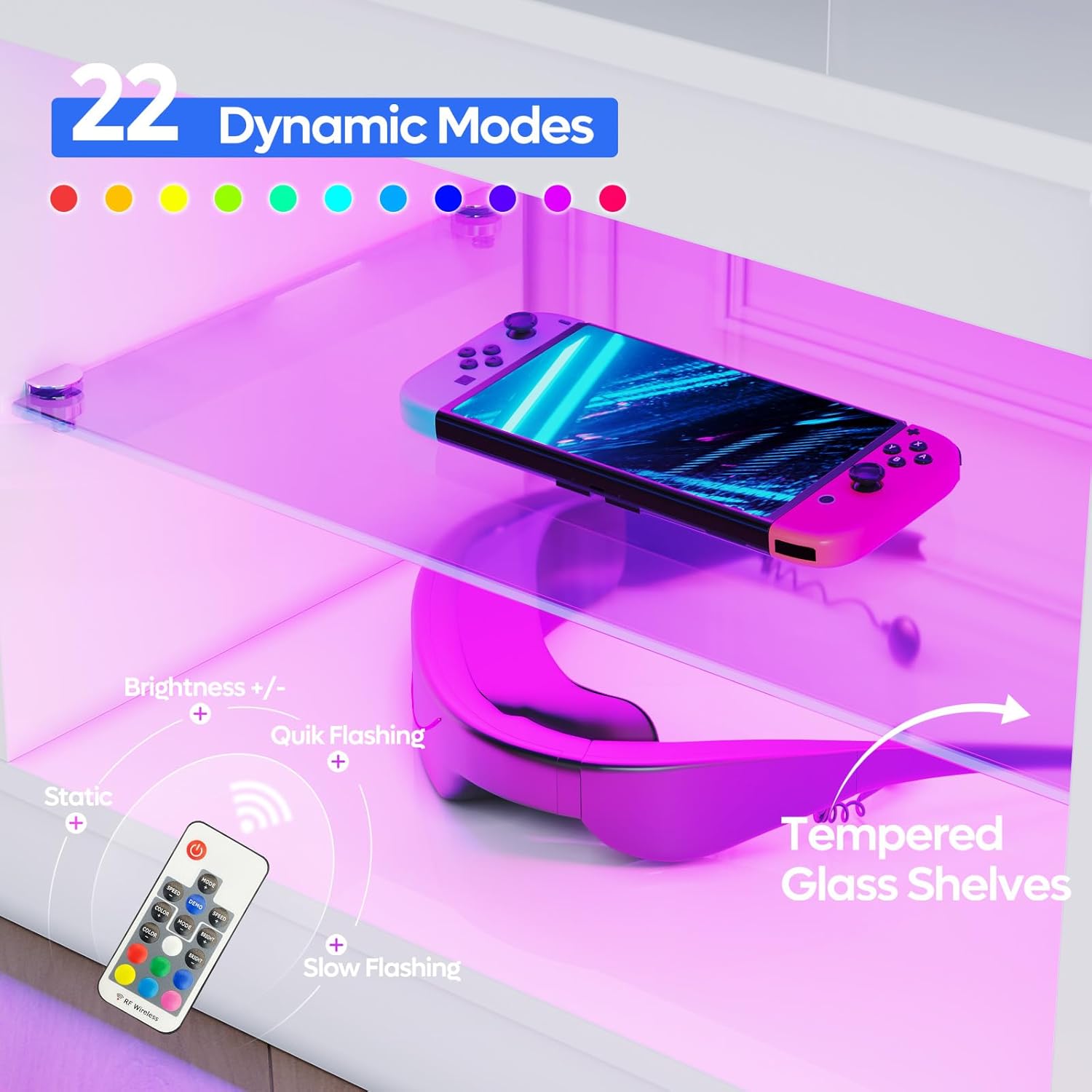
Image: The LED remote control and the illuminated tempered glass shelves, demonstrating the 22 dynamic lighting modes and brightness adjustments.
Maintenance and Care
To ensure the longevity and appearance of your Bestier TV stand, follow these maintenance guidelines:
- Cleaning: Wipe surfaces with a soft, damp cloth. Avoid abrasive cleaners or harsh chemicals that could damage the high-gloss finish or the engineered wood. For glass shelves, use a glass cleaner.
- Spills: Immediately wipe up any spills to prevent staining or damage to the material. The product is designed to be waterproof and heat-resistant to a degree, but prompt cleaning is always recommended.
- Protection: While the surface is scratch-resistant, avoid dragging sharp or heavy objects across it. Use coasters or protective pads under items that might scratch the surface.
- LED Lights: Ensure the LED strip and connections remain dry. If the lights malfunction, check the USB connection and remote control battery before attempting further troubleshooting.

Image: Illustration of the premium, kid and pet-friendly materials, highlighting heat-resistant, waterproof, and anti-scratching properties.
Troubleshooting
This section addresses common issues you might encounter with your Bestier TV stand.
Common Issues and Solutions:
- LED Lights Not Working:
- Check if the USB power cable is securely connected to both the LED strip and a functional USB power source.
- Ensure the remote control battery is inserted correctly and has sufficient charge. Replace if necessary.
- Verify that the LED strip itself is not damaged or kinked, which could cause a break in the circuit.
- Ensure the remote is pointed directly at the LED receiver.
- Assembly Difficulties (e.g., holes not aligning):
- Double-check the orientation of the panels against the assembly diagrams. Sometimes a panel may appear similar but needs to be rotated.
- Do not force screws or pegs if they do not align easily, as this can cause cracking. Re-evaluate the step and ensure the correct parts are being used.
- If issues persist, contact customer support for assistance.
- Stand Appears Unstable:
- Ensure all screws and fasteners are tightened securely.
- Verify that the anti-tip kit is properly installed and anchored to a wall stud.
- Ensure the stand is placed on a flat, level surface.
Specifications
| Feature | Specification |
|---|---|
| Brand | Bestier |
| Model Name | T274Y |
| Item Model Number | USAMZ06-T274Y-BWHT |
| Color | White |
| Product Dimensions | 13.8"D x 55.1"W x 18.5"H |
| Item Weight | 45.2 pounds |
| Recommended Uses | Television |
| Special Features | Adjustable Shelf, Heavy Duty, Scratch Resistant, LED Lights |
| Mounting Type | Floor Mount |
| Room Type | Living Room |
| Weight Limit | 200 lbs |
| Number of Shelves | 5 |
| Material | Engineered Wood (CARB certified P2 particle board) |
| Assembly Required | Yes |
Warranty and Support
Bestier offers a one-year warranty for this product, covering any quality issues that may arise. The Bestier customer service team is committed to providing satisfying solutions and stands by its products with lifetime customer service.
For any product issues, questions, or support needs, please contact Bestier customer service through the retailer's platform or the official Bestier website. When contacting support, please have your model number (USAMZ06-T274Y-BWHT) and purchase information readily available.