
chalvh J66-BK
chalvh J66-BK Wireless Earbuds User Manual
Model: J66-BK
1. Introduction
This manual provides detailed instructions for the proper use and maintenance of your chalvh J66-BK Wireless Earbuds. Please read this manual thoroughly before using the product to ensure optimal performance and longevity.
Product Overview
The chalvh J66-BK Wireless Earbuds are designed for high-fidelity audio and clear communication, featuring Bluetooth 5.4 connectivity, IP7 waterproofing, and Environmental Noise Cancellation (ENC) technology. The package includes the earbuds, a charging case, and a USB-C charging cable.

Image: chalvh J66-BK Wireless Earbuds in their charging case, displaying battery levels.
2. Setup
2.1 Charging the Earbuds and Case
Before first use, fully charge the earbuds and the charging case. Place the earbuds into the charging case. Connect the USB-C charging cable to the charging port on the case and plug the other end into a USB power adapter (not included). The LED display on the case will indicate the charging status. A full charge typically takes approximately 1.5 hours.

Image: Illustration of the USB-C quick charging port on the earbud case.
2.2 Bluetooth Pairing
- Initial Pairing: Open the charging case. The earbuds will automatically enter pairing mode, indicated by a flashing LED light on the earbuds.
- Activate Bluetooth: On your device (smartphone, tablet, etc.), enable Bluetooth.
- Select Device: Search for 'J66-BK' in the list of available Bluetooth devices and select it to connect.
- Confirmation: Once connected, a voice prompt will confirm successful pairing, and the earbud LED lights will turn off.
The earbuds feature Bluetooth 5.4 technology for stable and efficient connections.
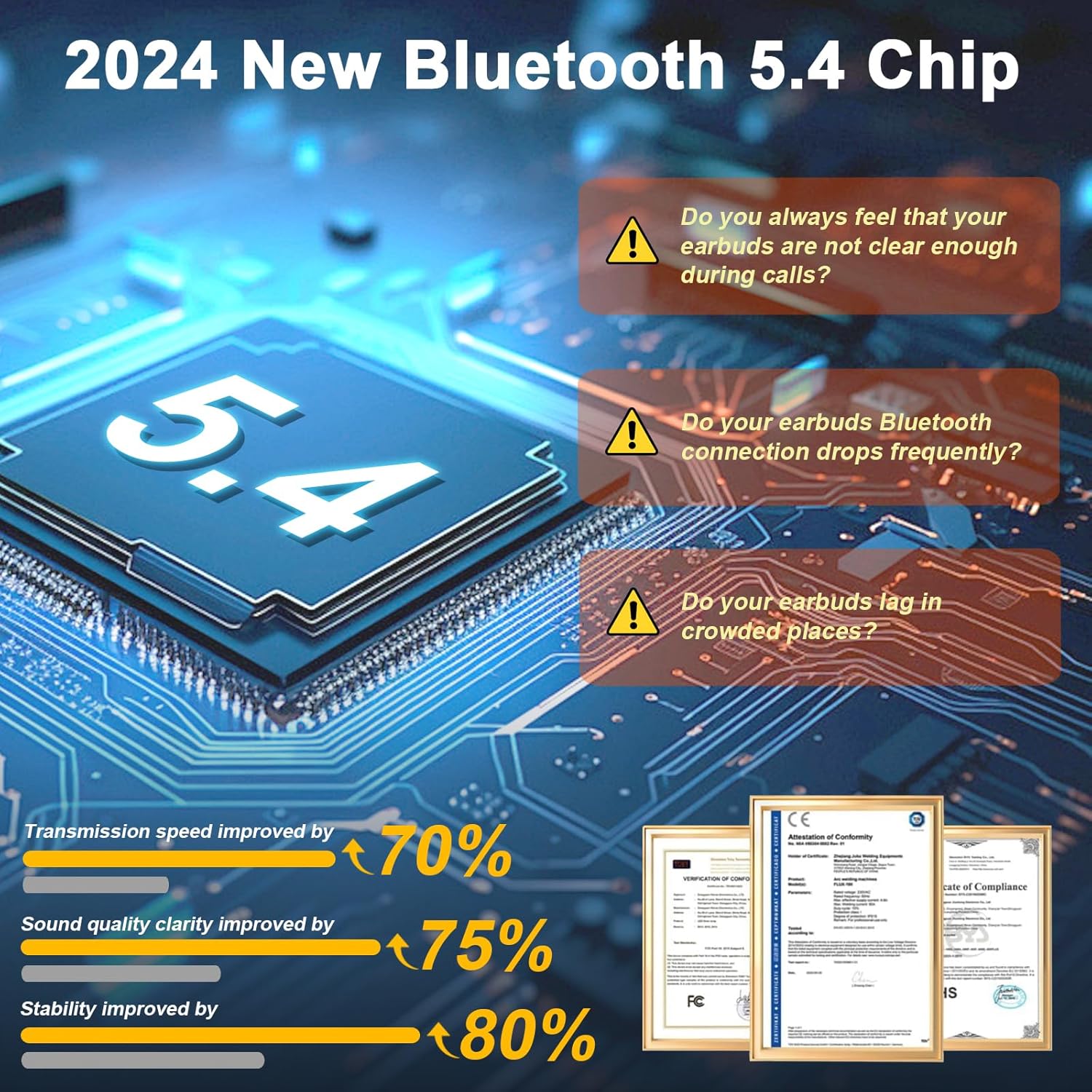
Image: Diagram illustrating the advanced Bluetooth 5.4 chip for improved connectivity.
2.3 Wearing the Earbuds
For optimal sound quality and comfort, choose the correct size eartips (S, M, L) and ensure a secure fit.
- Select Eartips: Try different eartip sizes to find the most comfortable and secure fit for your ears.
- Insert Earbud: Gently insert the earbud into your ear canal.
- Adjust Position: Rotate the earbud slightly until it sits snugly and comfortably in your ear, forming a good seal.

Image: Visual guide demonstrating the ergonomic design and the included S, M, L eartip sizes for a comfortable fit.
3. Operating Instructions
3.1 Touch Controls
The chalvh J66-BK earbuds feature intuitive touch controls on each earbud. Refer to the diagram below for specific functions:
- Play/Pause: Double-tap L/R earbud.
- Next Track: Tap and hold R earbud for 1.5 seconds.
- Previous Track: Tap and hold L earbud for 1.5 seconds.
- Volume Up: Single-tap R earbud.
- Volume Down: Single-tap L earbud.
- Answer Call: Single-tap L/R earbud.
- Hang Up/Reject Call: Tap and hold L/R earbud for 2 seconds.
- Activate Voice Assistant (Siri): Triple-tap L/R earbud.

Image: Detailed diagram of the touch control functions for both left and right earbuds.
3.2 Making Calls with ENC Technology
The earbuds are equipped with 4 Environmental Noise Cancelling (ENC) microphones to ensure clear call quality by reducing background noise.

Image: Visual representation of the 4-mic ENC technology for crystal clear calls, showing noise reduction capabilities.
3.3 Water Resistance (IP7)
The chalvh J66-BK earbuds are rated IP7 waterproof, making them resistant to sweat, light rain, and accidental splashes. They are suitable for sports and outdoor activities but should not be submerged in water.

Image: Depiction of the IP7 waterproof features, showing resistance to light rain, splashes, and sweat.
4. Maintenance
4.1 Cleaning
- Regularly clean the earbuds and charging case with a soft, dry, lint-free cloth.
- Remove eartips and clean them with mild soap and water, then dry thoroughly before reattaching.
- Ensure charging contacts on both earbuds and case are clean and free of debris to maintain proper charging.
4.2 Storage
- When not in use, store the earbuds in their charging case to protect them and keep them charged.
- Avoid storing the device in extreme temperatures or high humidity.
5. Troubleshooting
- Earbuds not pairing: Ensure both earbuds are charged. Place them back in the case, close it, then open it again to re-enter pairing mode. Check your device's Bluetooth settings and try reconnecting.
- Only one earbud working: Place both earbuds back into the charging case, close the lid, and then open it again. This often resets the connection between the two earbuds.
- No sound: Check the volume level on your connected device and on the earbuds. Ensure the earbuds are properly paired and selected as the audio output device.
- Charging issues: Clean the charging contacts on both the earbuds and the case. Try a different USB-C cable and power adapter. Ensure the case itself has sufficient charge.
- Poor call quality: Ensure the earbuds are properly seated in your ears. Check for any obstructions around the microphones.
6. Specifications
| Feature | Specification |
|---|---|
| Model | J66-BK |
| Connectivity | Bluetooth 5.4 |
| Wireless Communication Technology | Bluetooth |
| Battery Life (Earbuds) | Up to 8 hours (single charge) |
| Total Playtime (with Charging Case) | Up to 48 hours |
| Charging Time | Approx. 1.5 hours |
| Water Resistance | IP7 Waterproof |
| Microphones | 4 ENC Noise Cancelling Mics |
| Control Method | Touch |
| Material | Plastic |
| Form Factor | In-Ear |

Image: Overview of the earbud and charging case battery life, indicating 8 hours playtime and 40 hours from the charging case.
7. Warranty and Support
7.1 Warranty Information
The chalvh J66-BK Wireless Earbuds come with a 2-year replacement promise. For any manufacturing defects or performance issues within this period, please contact customer support for assistance.

Image: Information regarding the 2-year replacement promise and how to contact support.
7.2 Customer Support
If you encounter any issues or have questions regarding your chalvh J66-BK Wireless Earbuds, please contact our customer support team. Details on how to reach us can typically be found on the product packaging or the retailer's website where the product was purchased.