
ZTHY H18650CH-4S1P CMICR18650F8M7-4S1P
ZTHY Replacement Vacuum Battery User Manual
Model: H18650CH-4S1P CMICR18650F8M7-4S1P
Introduction
This user manual provides essential information for the safe and effective use of your ZTHY Replacement Vacuum Battery. Please read this manual thoroughly before installation and operation to ensure optimal performance and longevity of your battery.
Product Overview and Specifications
The ZTHY Replacement Vacuum Battery is a high-capacity Li-ion battery designed to provide reliable power for compatible robot vacuum cleaners. It features multiple safety protections to ensure safe operation.

Image: The ZTHY replacement battery showing its specifications label, including Li-ion type, 14.4V voltage, 2800mAh capacity, and 40Wh watt-hour rating.
Key Specifications:
- Battery Type: Li-ion
- Battery Voltage: 14.4V
- Capacity: 2800mAh
- Watt-hour: 40Wh
- Cycle Times: ≥500 cycles
- Runtime: ≥60 minutes per charge
- Part Numbers: H18650CH-4S1P, CMICR18650F8M7-4S1P
- Dimensions: Approximately 3.15 x 2.36 x 1.97 inches
- Item Weight: 7.6 ounces

Image: Diagram illustrating the dimensions of the ZTHY replacement battery, showing its length, width, and height.
Compatibility
This replacement battery is compatible with a range of robot vacuum cleaner models. Please verify your vacuum cleaner's model number before purchase to ensure compatibility.
Compatible Vacuum Models:
- Pure Clean PUCRC660
- Pure Clean PUCRC675
- Pure Clean PUCRC850
- Ikohs Netbot S14
- Ikohs Netbot S15
- iMartine C800
- Amarey A800
- Amarey A900 Robot Vacuum Cleaner

Image: The ZTHY replacement battery positioned next to a robot vacuum cleaner, illustrating its intended use and compatibility.
Safety Information
Your ZTHY replacement battery is equipped with multiple safety features to protect against common electrical issues. Adhering to proper usage and charging practices is crucial for safety and battery longevity.
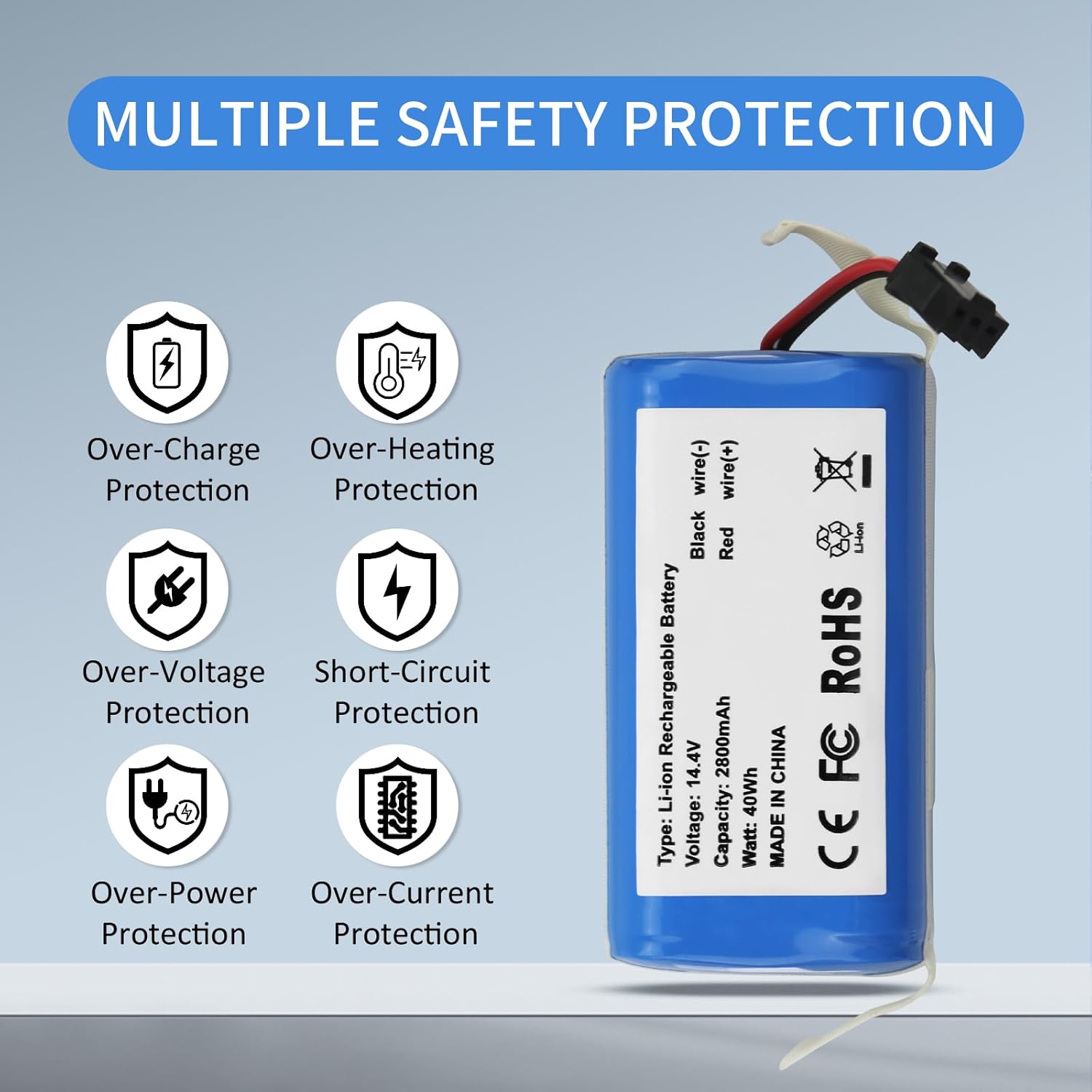
Image: A visual representation of the battery's built-in safety protections, including over-charge, over-heating, over-voltage, short-circuit, over-power, and over-current protection.
Built-in Protections:
- Over-Charge Protection: Prevents battery from being charged beyond its safe limit.
- Over-Discharge Protection: Protects against excessive discharge that can damage the battery.
- Over-Voltage Protection: Safeguards against voltage spikes.
- Over-Current Protection: Protects against excessive current flow.
- Over-Heating Protection: Monitors and prevents the battery from overheating.
- Short-Circuit Protection: Automatically cuts off power in case of a short circuit.
General Safety Guidelines:
- Do not disassemble, puncture, or modify the battery.
- Keep the battery away from fire, water, and extreme temperatures.
- Dispose of old batteries according to local regulations.
Installation Guide
Replacing your robot vacuum's battery is a straightforward process. Follow these steps carefully:
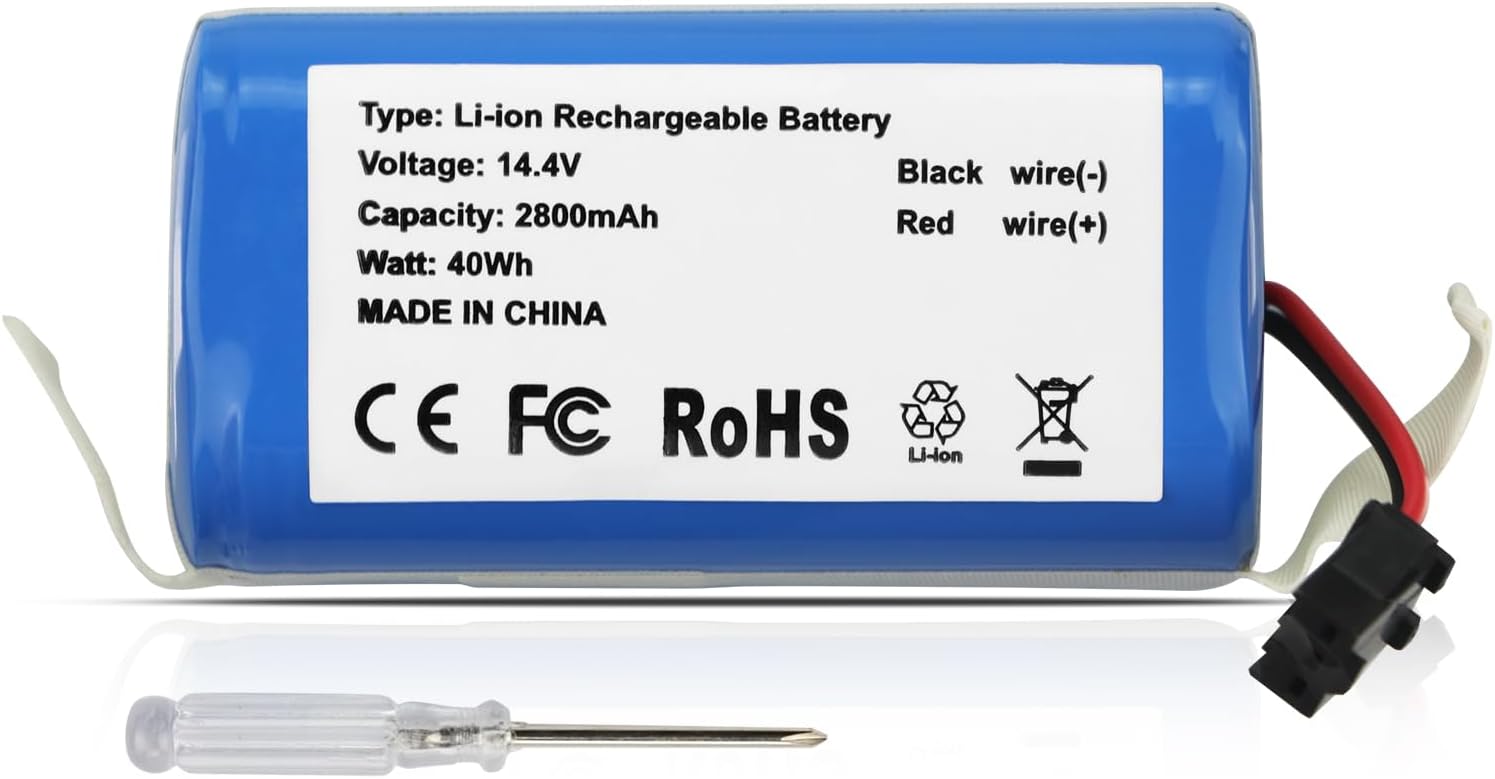
Image: The ZTHY replacement battery shown alongside a small screwdriver, indicating the tools needed for installation.
- Power Off: Ensure your robot vacuum cleaner is completely powered off and disconnected from any charging base or power source.
- Access Battery Compartment: Carefully turn the robot vacuum upside down. Locate the battery compartment cover, usually secured by two screws.
- Remove Screws: Use a suitable screwdriver to remove the two screws securing the battery compartment cover.
- Remove Cover: Gently lift and remove the battery compartment cover.
- Disconnect Old Battery: Carefully disconnect the old battery's connector from the vacuum cleaner's port. Note the orientation of the connector.
- Verify Connector: Before installing the new battery, ensure its connector is a 3-prong plug, matching your original battery's connector.

Image: A detailed view of a 3-prong battery connector, emphasizing the importance of verifying this specific plug type for compatibility.
- Install New Battery: Connect the new ZTHY battery's connector firmly into the vacuum cleaner's port, ensuring proper alignment. Place the battery into the compartment.
- Replace Cover: Re-attach the battery compartment cover and secure it with the two screws.
- Initial Charge: It is recommended to fully charge the new battery before its first use.
Operation and Charging
Proper charging and usage practices are essential for maximizing the lifespan and performance of your new battery.

Image: The ZTHY 2800mAh high-capacity battery displayed in a modern living room setting, highlighting its integration into daily household use.
Charging Guidelines:
- Use Original Charger: Always use the original charger that came with your robot vacuum cleaner. This ensures that charging voltage, current, and other parameters meet the battery requirements, preventing damage due to mismatch.
- Timely Charging: Do not wait until the battery is completely drained before charging. Charge the battery promptly when the vacuum cleaner indicates a low battery level.
- Avoid Overcharging: Do not leave the battery on charge continuously for extended periods after it is fully charged. Unplug the charger in a timely manner.
- Suitable Charging Environment: Charge the battery in a well-ventilated, dry environment with a suitable temperature, generally between 5℃ - 35℃ (41℉ - 95℉). Avoid charging in high-temperature, humid, or sunny places.
Usage Tips:
- Battery life varies based on settings, usage patterns, and ambient temperature.
- For optimal performance, allow the robot vacuum to complete its cleaning cycle and return to its charging dock.
Maintenance
Regular maintenance helps extend the life and efficiency of your battery.
- Regular Charging: Even when the vacuum cleaner is not in regular use, charge the battery periodically (e.g., once every 1-2 months) to prevent performance loss from excessive self-discharge.
- Deep Charge and Discharge: Every 2-3 months, perform a deep charge-discharge cycle. Fully charge the battery, then use the vacuum until the battery is low (but not completely drained). This can boost battery activity and extend its lifespan.
- Cleaning: Keep the battery and charger interface clean. Regularly remove dust and debris to ensure good contact and prevent charging issues or overheating.
Storage
If you plan to store your robot vacuum or battery for an extended period, follow these guidelines:
- Charge Before Storage: Fully charge the battery before storing it for a long time.
- Dry and Cool Environment: Store the battery in a dry and cool environment.
- Avoid Humidity and Corrosive Gases: Do not store the battery in humid places or environments containing corrosive gases.
Troubleshooting
While your ZTHY battery is designed for reliability, here are some common issues and potential solutions:
- Battery Not Charging:
- Ensure the charger is properly connected to both the vacuum and the power outlet.
- Verify that the charging contacts on both the vacuum and the charging dock (if applicable) are clean and free of debris.
- Confirm you are using the original or a compatible charger.
- Check the charging environment temperature; it should be within the recommended range (5℃ - 35℃).
- Reduced Runtime:
- Ensure the battery is fully charged before each use.
- Perform a deep charge-discharge cycle as described in the Maintenance section.
- Check for excessive debris in the vacuum's brushes or wheels, which can increase power consumption.
- Battery capacity naturally degrades over many charge cycles. If runtime remains significantly low after troubleshooting, the battery may be nearing the end of its lifespan.
- Vacuum Not Powering On:
- Ensure the battery is correctly installed and fully charged.
- Check the battery connector for any damage or loose connections.
- If the issue persists, consult your robot vacuum cleaner's original user manual or contact ZTHY customer support.
Warranty and Support
ZTHY is committed to providing high-quality products and customer satisfaction. For any questions, concerns, or support needs regarding your ZTHY Replacement Vacuum Battery, please contact our customer service team.
Please refer to your purchase documentation for specific warranty terms and conditions. Keep your proof of purchase for warranty claims.
You can visit the official ZTHY store on Amazon for more information and contact options: ZTHY Store
Ask a question about this manual
Ask about setup, troubleshooting, compatibility, parts, safety, or missing instructions. Manuals+ will review the question and use this page’s manual context to help answer it.