
1. Introduction
Thank you for choosing the Generic Clamp-on Desktop Shelving. This versatile 2/3 tier unit is designed to enhance your workspace by providing additional storage and organization above or below your desk. Its robust metal construction and adjustable features make it suitable for various items, from office supplies to decorative pieces. Please read this manual carefully before assembly and use to ensure proper installation and safe operation.
2. Product Features
- Smooth Movement: Designed to rise and fall smoothly with height-adjustable sit-to-stand desks, allowing for flexible positioning.
- Diversified Storage: Can be installed above the desktop for easy access or underneath for hidden storage.
- Adjustable Layer Spacing: Customize the height between shelves to accommodate items of various sizes.
- Strong Load-bearing Capacity: Constructed from durable metal, each layer can support up to 10 KG (22 pounds).
- Integrated Accessories: Includes hooks, storage boxes, and magnetic buckles for comprehensive organization.
- Side and Back Baffles: Prevents items from falling off the shelves.

Figure 2.1: Overall product view with dimensions and included accessories like hooks and magnetic buckles.

Figure 2.2: The shelving unit installed on a desk, highlighting the protective side and back baffles.
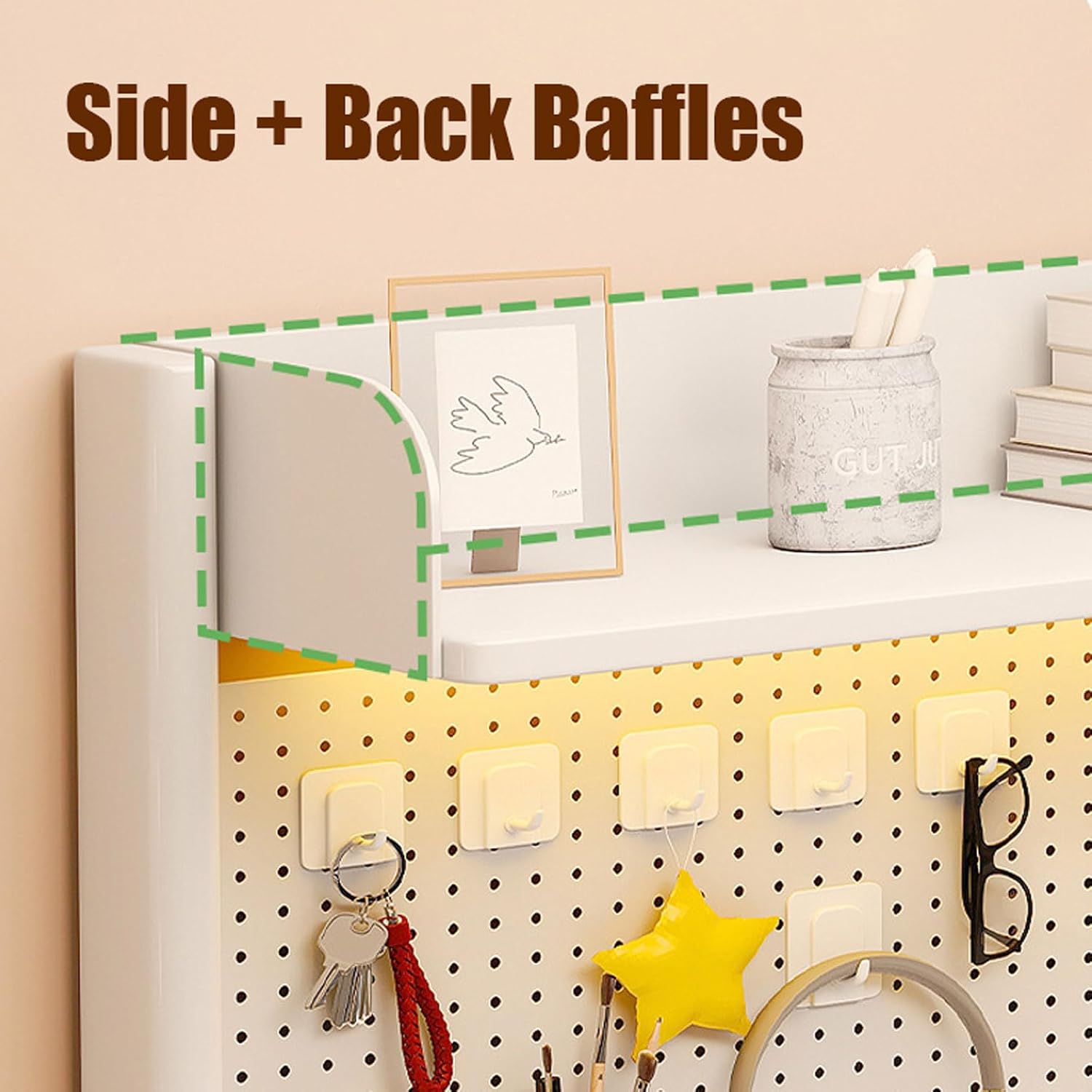
Figure 2.3: Detail of the adjustable layer spacing, allowing shelves to be repositioned vertically.
3. Package Contents
Please verify that all components are present and undamaged before proceeding with assembly. If any parts are missing or damaged, please contact customer support.
- 1 x Clamp-on Desktop Shelving Unit (main frame and shelves)
- C-Clamps for attachment
- Hooks (quantity as per model, typically 10)
- Magnetic Buckles (quantity as per model, typically 10)
- Storage Boxes (quantity may vary)
- Assembly Hardware (screws, etc.)
4. Setup and Installation
No tools or drilling are required for installation. The unit attaches securely to your desktop using dual C-clamps.
- Unpack Components: Carefully remove all parts from the packaging and lay them out on a clean, flat surface.
- Assemble Shelving Unit: Follow any included diagrams to connect the shelves to the main frame using the provided hardware. Ensure all connections are secure.
- Attach C-Clamps: Position the C-clamps onto the main frame's base.
- Position on Desk: Place the assembled shelving unit on your desktop in the desired location. Ensure the desk thickness is between 0.39 inches (1 cm) and 2.7 inches (7 cm) for proper clamp fit.
- Secure Clamps: Hand-tighten the C-clamps firmly to the desktop. Ensure the unit is stable and does not wobble. Do not overtighten to avoid damaging your desk.
- Adjust Shelf Height (Optional): If your model has adjustable shelves, loosen the securing screws, reposition the shelves to your preferred height, and re-tighten the screws.

Figure 4.1: Easy installation process using C-clamps, suitable for desks with thickness between 1-7 cm.
5. Operating Instructions
Once installed, your desktop shelving unit is ready for use.
- Organize Items: Place stationery, books, small electronics, or decorative items on the shelves.
- Utilize Hooks: Hang headphones, keys, cables, or other small items on the integrated hooks for easy access.
- Use Magnetic Buckles: Attach notes, photos, or reminders using the magnetic buckles on the back panel.
- Storage Boxes: Use the provided storage boxes for smaller items like pens, clips, or tissue.
- Adjusting Position: For height-adjustable desks, the unit will move with the desktop. If you need to change the horizontal position, simply loosen the C-clamps, slide the unit, and re-tighten.

Figure 5.1: Detail of the hook design, ideal for hanging keys or earphones.

Figure 5.2: Detail of the magnetic buckle design, useful for attaching sticky notes or photos.

Figure 5.3: Detail of the storage box design, suitable for stationery and other small items.
6. Maintenance
To ensure the longevity and appearance of your shelving unit, follow these simple maintenance guidelines:
- Cleaning: Wipe the surfaces with a soft, damp cloth. Avoid using abrasive cleaners or harsh chemicals, as these can damage the finish.
- Regular Inspection: Periodically check the C-clamps and all assembly hardware to ensure they remain tight and secure. Re-tighten if necessary.
- Avoid Overloading: Do not exceed the maximum load capacity of 10 KG (22 pounds) per shelf to prevent damage or instability.
7. Troubleshooting
If you encounter any issues with your desktop shelving unit, refer to the following common problems and solutions:
- Unit is Wobbly:
- Ensure the C-clamps are securely tightened to the desktop.
- Verify that the desktop thickness is within the recommended range (0.39"-2.7").
- Check all internal assembly screws to ensure they are tight.
- Difficulty Adjusting Shelf Height:
- Ensure the securing screws for the adjustable shelves are sufficiently loosened before attempting to move them.
- Do not force the shelves; they should slide smoothly once screws are loosened.
- Items Falling Off:
- Ensure items are placed within the confines of the shelves and baffles.
- Do not overload shelves, as this can cause instability.
8. Specifications
| Feature | Detail |
|---|---|
| Model | H 95cm/37.4in 80CM |
| Material | Metal |
| Mounting Type | Clamp-on (assemble) |
| Number of Shelves | 2-5 (adjustable) |
| Product Dimensions (H x W x D) | 95cm (37.4in) x 80cm (31.4in) x 20cm (7.87in) |
| Maximum Load Capacity (per shelf) | 10 KG (22 pounds) |
| Compatible Desk Thickness | 0.39 inches (1 cm) - 2.7 inches (7 cm) |
| Color | White |
| Manufacturer | YIFENG |
9. Safety Information
Please adhere to the following safety guidelines to prevent injury or damage to the product:
- Always ensure the unit is securely clamped to the desk before placing items on it.
- Do not exceed the maximum load capacity per shelf. Distribute weight evenly.
- Keep small children and pets away from the unit during assembly to prevent accidents.
- Avoid climbing on or hanging from the shelving unit.
- If the unit becomes damaged, discontinue use and replace any compromised parts.