
Introduction
This manual provides essential information for the safe and efficient use of your MARTUBE Retro Western Bluetooth Speaker. Please read these instructions thoroughly before operating the device and retain them for future reference.

Image: The MARTUBE Retro Western Bluetooth Speaker, showcasing its vintage design.
Setup
1. Unboxing and Initial Inspection
Carefully remove all components from the packaging. Inspect the speaker for any signs of damage. Ensure all accessories are present.
Video: An unboxing demonstration of the Retro Bluetooth Speaker, showing its packaging and contents.
2. Charging the Speaker
Before first use, fully charge the speaker. Connect the provided USB charging cable to the charging port on the speaker and to a compatible USB power adapter (not included). The charging indicator light will illuminate during charging and turn off when fully charged. A full charge provides approximately 15 hours of playtime.
3. Bluetooth Pairing
To connect your speaker to a Bluetooth-enabled device:
- Press and hold the power button (often integrated with the main knob) on the speaker until you hear an audible prompt indicating it is in pairing mode. The indicator light will flash.
- On your device (smartphone, tablet, etc.), navigate to the Bluetooth settings.
- Select "Retro Bluetooth Speaker" from the list of available devices.
- Once connected, you will hear a confirmation sound from the speaker, and the indicator light will become solid.

Image: The speaker paired with a smartphone, ready for music playback.
Operating Instructions
1. Power On/Off
Press and hold the main knob/button for approximately 3 seconds to power the speaker on or off. A distinct sound will indicate the power status.
2. Volume Control
Rotate the main knob clockwise to increase the volume and counter-clockwise to decrease it. The speaker also responds to volume adjustments from your connected device.

Image: A detailed view of the speaker's gear knob and responsive Bluetooth button.
3. Music Playback
Once paired, music played on your device will automatically stream through the speaker. Use your device to control playback (play, pause, skip tracks).
Video: A demonstration of the Retro Western Bluetooth Speaker's sound quality and connectivity.
4. Night Light Function
The speaker features an ambient night light. To activate or deactivate the night light, briefly press the dedicated light button (refer to product diagram for exact location). The light provides a warm, inviting atmosphere.
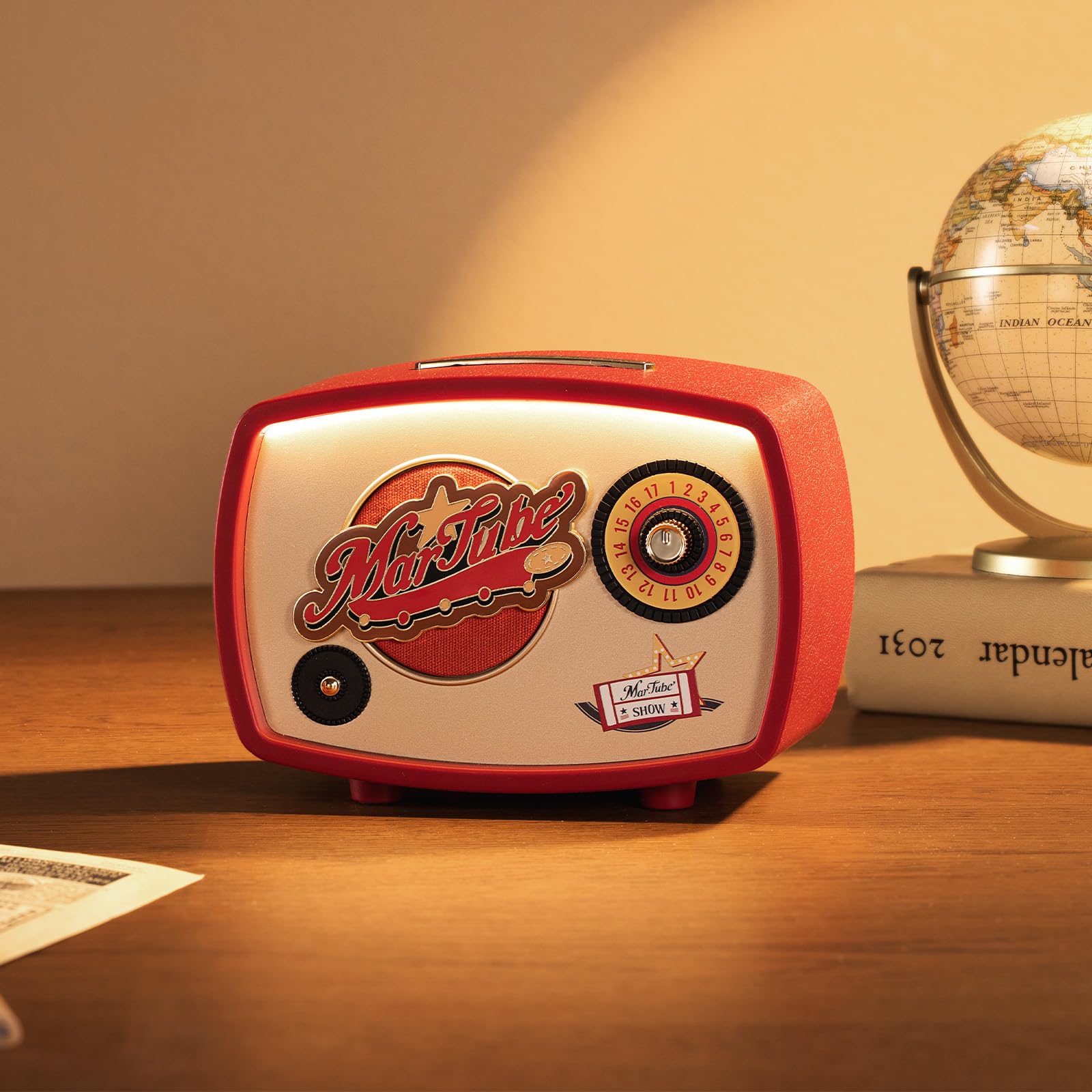
Image: The speaker with its ambient night light turned on, creating a warm glow.
Maintenance
1. Cleaning
Wipe the speaker with a soft, dry cloth. Do not use abrasive cleaners, solvents, or harsh chemicals. Avoid getting moisture into any openings.
2. Storage
When not in use for extended periods, store the speaker in a cool, dry place away from direct sunlight and extreme temperatures. Ensure the battery is partially charged before storage to prolong its lifespan.
Troubleshooting
- No Power: Ensure the speaker is charged. Connect it to a power source and check the charging indicator.
- Cannot Pair: Make sure the speaker is in pairing mode (flashing indicator light). Turn off Bluetooth on other nearby devices that might be trying to connect. Restart both the speaker and your device.
- No Sound: Check the volume levels on both the speaker and your connected device. Ensure the device is properly paired and playing audio.
- Sound Distortion: Move the speaker closer to your device to ensure a strong Bluetooth connection. Reduce the volume if it's too high.
- Lag in Audio/Video Sync: While the speaker is optimized for audio, some devices or applications may experience slight audio-video synchronization delays. This is often due to the source device or application and not the speaker itself.
Specifications
| Brand | MARTUBE |
| Model Number | MAR-22E-010 |
| Speaker Maximum Output Power | 5 Watts |
| Frequency Response | 9 KHz |
| Connectivity Technology | Bluetooth |
| Audio Output Mode | Stereo |
| Enclosure Material | Metal |
| Battery Average Life | 15 Hours |
| Bluetooth Range | 10 Meters |
| Item Dimensions (D x W x H) | 3.54"D x 6.1"W x 4.57"H |

Image: The speaker with its approximate dimensions for reference.
Warranty
This product comes with a 1-year limited warranty from the date of purchase. The warranty covers manufacturing defects and malfunctions under normal use. It does not cover damage caused by misuse, accidents, unauthorized modifications, or normal wear and tear. Please retain your proof of purchase for warranty claims.
Support
For further assistance, technical support, or warranty inquiries, please contact MARTUBE customer service through the retailer where the product was purchased or visit the official MARTUBE website. Please have your model number (MAR-22E-010) and proof of purchase ready when contacting support.


