
1. Product Overview
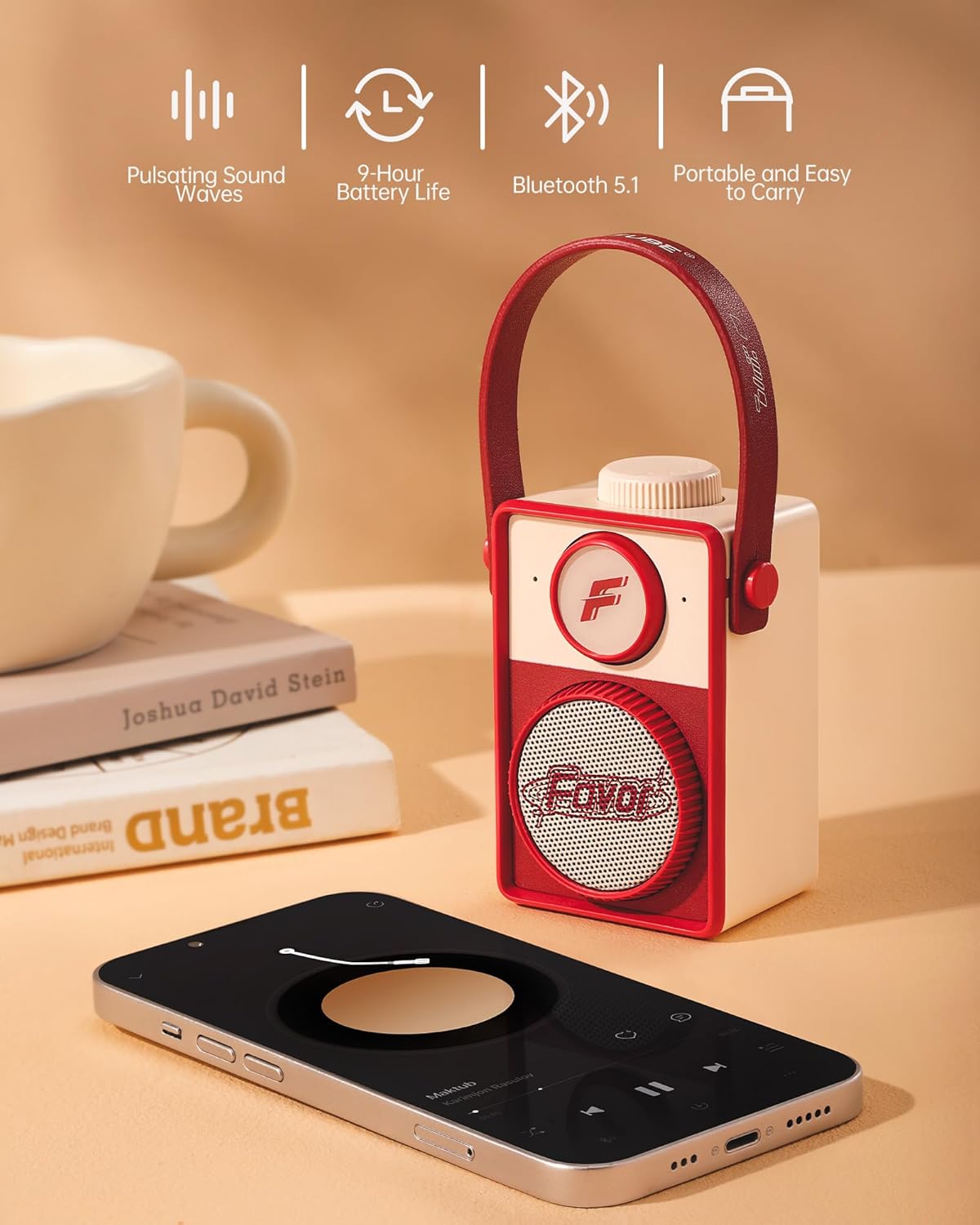
The MARTUBE Retro Portable Bluetooth Speaker (Model MAR-22E-012) combines vintage aesthetics with modern audio technology, offering high-definition sound and portability. This manual provides essential information for the safe and efficient use of your speaker.
Key Features
- HD Sound: Experience clear audio with robust bass.
- 9-Hour Playtime: Enjoy extended music playback on a single charge.
- Bluetooth 5.1 Connectivity: Ensures stable and seamless wireless connection.
- Compact and Portable Design: Easy to carry for use at home, office, or outdoors.
- Retro Aesthetic: Unique design that serves as a stylish accessory.
Package Contents
- MARTUBE Retro Portable Bluetooth Speaker (Model MAR-22E-012)
- USB Charging Cable
- User Manual


2. Setup
2.1 Charging the Speaker
Before first use, fully charge your speaker. Connect the provided USB charging cable to the charging port on the speaker and the other end to a compatible USB power source (e.g., computer, wall adapter). The charging indicator light will show the charging status.
2.2 Powering On/Off
To power on the speaker, long press the top knob until you hear an audible indication. To power off, long press the top knob again.
2.3 Bluetooth Pairing
- Ensure the speaker is powered on and in pairing mode (indicated by a flashing light, if applicable).
- On your mobile device (smartphone, tablet, laptop), enable Bluetooth.
- Search for available Bluetooth devices and select "Retro Bluetooth Speaker" from the list.
- Once connected, the speaker will provide an audible confirmation, and the indicator light will become solid.

3. Operating Instructions
3.1 Volume Control
Rotate the top knob clockwise to increase the volume and counter-clockwise to decrease the volume. You can also adjust the volume directly from your connected device.
3.2 Playback Control
Playback (play, pause, skip tracks) is primarily controlled through your connected Bluetooth device.
3.3 Connectivity
The speaker maintains a stable Bluetooth connection up to 10 meters (33 feet) in an open environment. Obstacles or interference may reduce this range.
4. Maintenance
4.1 Cleaning
- Use a soft, dry cloth to clean the exterior of the speaker.
- Do not use liquid cleaners, aerosols, or solvents as they may damage the finish.
4.2 Storage
- Store the speaker in a cool, dry place away from direct sunlight and extreme temperatures.
- Avoid storing in dusty or humid environments.
4.3 Battery Care
- To prolong battery life, avoid fully discharging the speaker frequently.
- Charge the speaker regularly, even if not in use for extended periods.
5. Troubleshooting
| Problem | Possible Cause | Solution |
|---|---|---|
| Speaker does not power on | Low battery; Power button not pressed correctly | Charge the speaker; Long press the top knob to power on |
| Cannot connect via Bluetooth | Speaker not in pairing mode; Device Bluetooth off; Out of range; Already connected to another device | Ensure speaker is on and flashing; Enable Bluetooth on your device; Move device closer to speaker; Disconnect from other devices |
| Poor sound quality | Low volume; Device too far; Interference | Increase speaker and device volume; Move device closer; Avoid sources of interference |
6. Specifications
| Feature | Detail |
|---|---|
| Brand | MARTUBE |
| Model Number | MAR-22E-012 |
| Color | Retro Red |
| Connectivity Technology | Bluetooth |
| Bluetooth Range | 10 Meters |
| Speaker Maximum Output Power | 5 Watts |
| Audio Output Mode | Mono |
| Battery Average Life | 9 Hours |
| Item Dimensions (D x W x H) | 1.69"D x 2.52"W x 3.5"H |
| Enclosure Material | Acrylonitrile Butadiene Styrene (ABS) |
| Control Method | Knob |
| Is Waterproof | FALSE |
| Water Resistance Level | Water Repellent |
7. Warranty and Support
7.1 Warranty Information
This MARTUBE product comes with a 1-year limited warranty from the date of purchase. The warranty covers manufacturing defects and workmanship under normal use. It does not cover damage caused by misuse, accidents, unauthorized modifications, or normal wear and tear.
Please retain your proof of purchase for warranty claims.
7.2 Customer Support
For technical assistance, warranty claims, or any questions regarding your MARTUBE Retro Portable Bluetooth Speaker, please contact MARTUBE customer support through the retailer where the product was purchased or visit the official MARTUBE website for contact information.