
1. Introduction
Thank you for choosing the Blue Star 1 Ton 5 Star Convertible 5 in 1 Cooling Inverter Split Air Conditioner, model IC512PNU. This manual provides essential information for the safe and efficient operation, installation, and maintenance of your new air conditioner. Please read this manual thoroughly before using the appliance and keep it for future reference.
2. Safety Information
To prevent injury to the user or other people and property damage, the following instructions must be followed. Incorrect operation due to ignoring instructions may cause harm or damage.
- Professional Installation: Installation must be performed by qualified personnel only. Improper installation can lead to water leakage, electric shock, or fire.
- Power Supply: Ensure the power supply matches the rating label. Do not use extension cords or multi-outlet adapters.
- Grounding: The appliance must be properly grounded to prevent electric shock.
- Maintenance: All maintenance and repairs should be carried out by qualified service personnel.
- Cleaning: Disconnect power before cleaning. Do not use strong detergents or solvents.
- Obstruction: Do not block the air inlet or outlet of the indoor or outdoor unit.
- Children: Keep children away from the unit and remote control.
3. Product Overview
This section provides an overview of the main components of your Blue Star Split Air Conditioner.
3.1 Indoor Unit

Figure 1: Front view of the Blue Star IC512PNU indoor unit. This image shows the sleek white design with the Blue Star logo and 'INVERTER' branding, along with a digital display showing '24'.
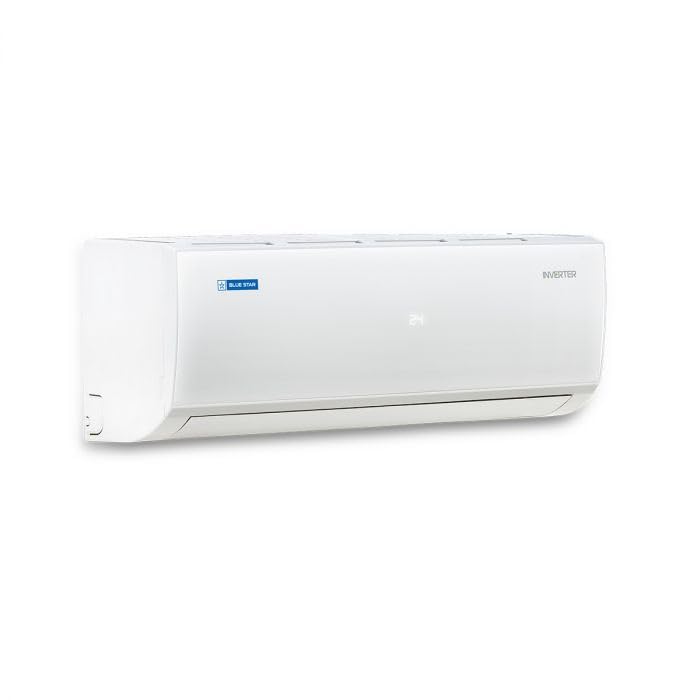
Figure 2: Angled view of the Blue Star IC512PNU indoor unit. This perspective highlights the side profile and the air outlet louvers.
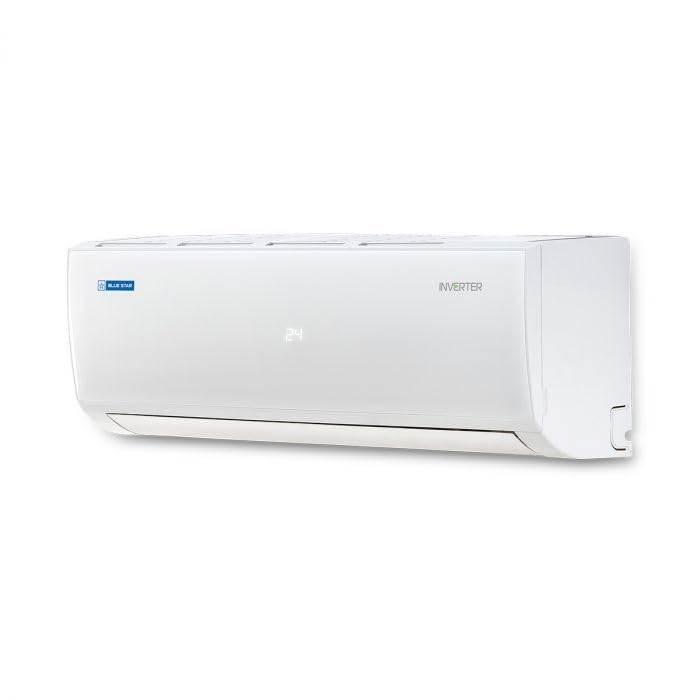
Figure 3: Side view of the Blue Star IC512PNU indoor unit. This image provides a clear look at the depth and design from the side.
3.2 Outdoor Unit
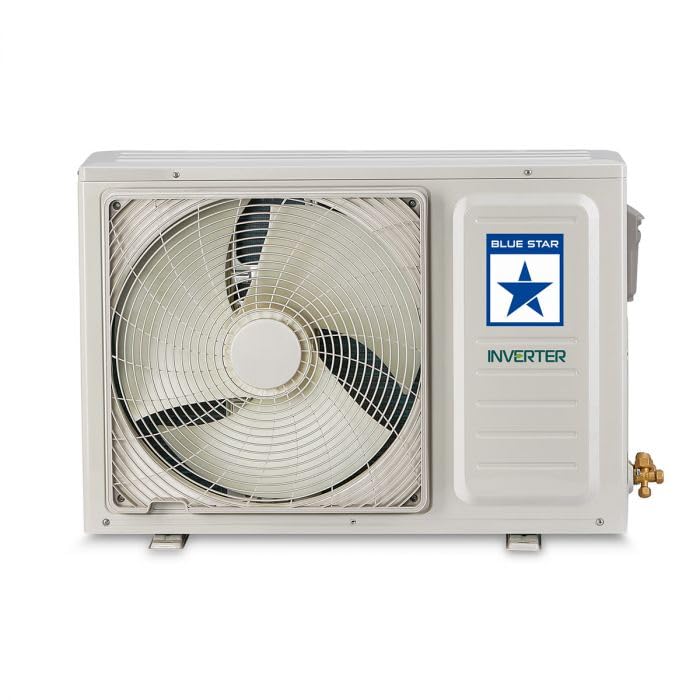
Figure 4: Blue Star IC512PNU outdoor unit. This image displays the compressor unit with its protective grille and the Blue Star logo, indicating it's an inverter model.
3.3 Remote Control
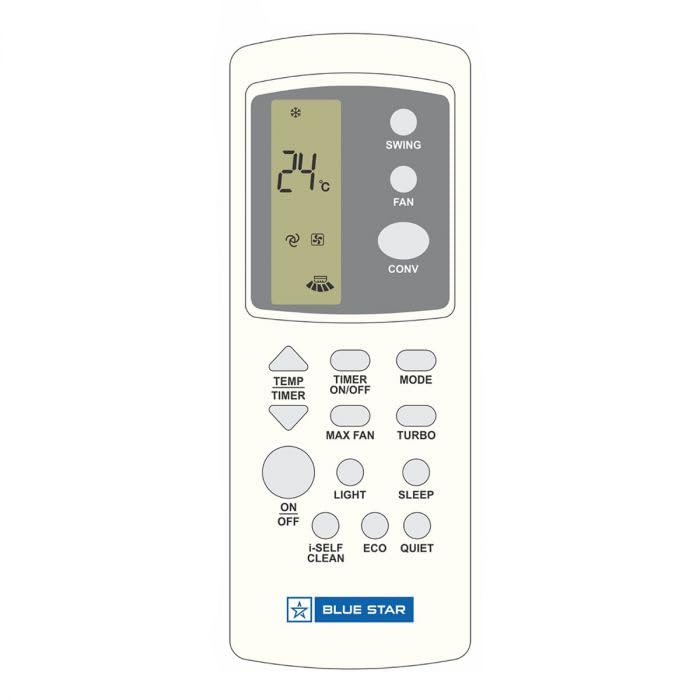
Figure 5: Remote control for the Blue Star IC512PNU air conditioner. This image shows the layout of buttons for temperature, mode, fan speed, timer, and special functions like 'CONV' (Convertible), 'ECO', 'SLEEP', and 'I-SELF CLEAN'. The display shows '24°C'.
3.4 Energy Efficiency Label
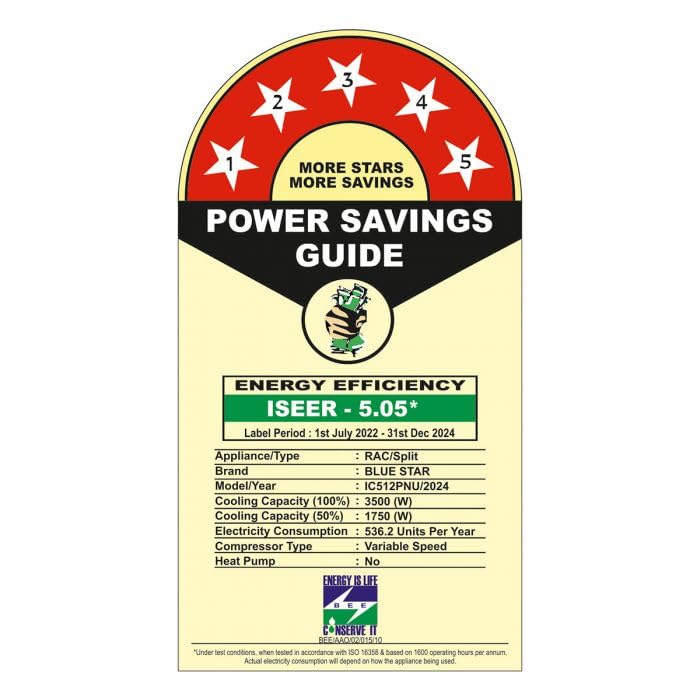
Figure 6: Power Savings Guide (Energy Efficiency Label) for the Blue Star IC512PNU. This label indicates a 5-star BEE rating with an ISEER of 5.05, detailing cooling capacity and electricity consumption.
4. Setup and Installation
Installation of this split air conditioner requires specialized tools and knowledge. It is highly recommended that you contact a qualified and certified technician for installation to ensure proper functioning and safety.
4.1 Pre-Installation Checks
- Location: Choose a location for the indoor unit that allows for even air distribution and is away from direct sunlight or heat sources. The outdoor unit should be placed in a well-ventilated area, away from obstacles.
- Power Supply: Ensure a dedicated power circuit with appropriate voltage and current capacity is available.
- Drainage: Plan for proper drainage of condensate water from the indoor unit.
4.2 Basic Installation Steps (for reference only, professional installation required)
- Mount the indoor unit on a sturdy wall, ensuring it is level.
- Install the outdoor unit on a stable, elevated platform or wall bracket.
- Connect the refrigerant pipes between the indoor and outdoor units.
- Connect the electrical wiring according to the wiring diagram provided in the full installation manual.
- Perform vacuuming and refrigerant charging.
- Test the unit for proper operation and check for leaks.
5. Operating Instructions
Your Blue Star air conditioner is designed for user-friendly operation via the wireless remote control.
5.1 Remote Control Functions
Refer to Figure 5 for the button layout. Key functions include:
- ON/OFF: Powers the unit on or off.
- MODE: Cycles through operating modes (Cool, Fan, Dry, Auto).
- TEMP ▲/▼: Adjusts the desired temperature.
- FAN: Adjusts fan speed (Auto, Low, Medium, High).
- SWING: Activates or deactivates the vertical air swing.
- TIMER ON/OFF: Sets the timer for automatic power on/off.
- CONV (Convertible): Activates the 5-in-1 Convertible Cooling feature, allowing you to adjust cooling capacity based on your needs.
- ECO: Engages energy-saving mode for optimized power consumption.
- SLEEP: Adjusts temperature and fan speed for comfortable sleep.
- I-SELF CLEAN: Initiates a self-cleaning cycle for the indoor unit.
- TURBO: Provides rapid cooling.
- LIGHT: Turns the indoor unit display light on or off.
5.2 5-in-1 Convertible Cooling
This feature allows you to operate the air conditioner at different cooling capacities (e.g., 40%, 60%, 80%, 100%, or 120%) to save energy or achieve faster cooling. Press the "CONV" button on the remote control to cycle through the available modes. Refer to the full remote control manual for detailed instructions on each convertible mode setting.
6. Maintenance
Regular maintenance ensures optimal performance and extends the lifespan of your air conditioner. Always disconnect the power supply before performing any maintenance.
6.1 Air Filter Cleaning
The air filter should be cleaned every two weeks or more frequently depending on usage and air quality.
- Open the front panel of the indoor unit.
- Remove the air filters.
- Clean the filters with a vacuum cleaner or wash them with lukewarm water.
- Allow the filters to dry completely in a shaded area before reinstalling.
- Close the front panel.
6.2 Indoor Unit Surface Cleaning
Wipe the indoor unit with a soft, dry cloth. For stubborn dirt, use a damp cloth with a mild detergent, then wipe dry. Do not use harsh chemicals or abrasive cleaners.
6.3 Outdoor Unit Maintenance
Periodically check the outdoor unit for any obstructions (leaves, debris) and clear them. Ensure the area around the outdoor unit is clear for proper airflow. For detailed cleaning of the outdoor coil, contact a professional service technician.
7. Troubleshooting
Before contacting service, please check the following common issues and solutions:
| Problem | Possible Cause | Solution |
|---|---|---|
| Unit does not start | No power; Remote control batteries low; Timer set | Check power supply; Replace batteries; Cancel timer setting |
| Insufficient cooling | Dirty air filter; Blocked air inlet/outlet; Room too large; Doors/windows open | Clean air filter; Remove obstructions; Ensure room size matches AC capacity; Close doors/windows |
| Water leakage from indoor unit | Drain pipe blocked or bent; Improper installation | Clear drain pipe; Contact professional for inspection |
| Unusual noise | Loose parts; Obstruction in fan; Unit not level | Check for loose parts; Remove obstruction; Ensure unit is level; Contact service if noise persists |
If the problem persists after checking these points, please contact Blue Star customer service or a qualified service technician.
8. Specifications
The following are key specifications for the Blue Star IC512PNU Air Conditioner:
- Brand: Blue Star
- Model Name: IC512PNU
- Cooling Power: 12000 British Thermal Units (1 Ton)
- BEE Star Rating: 5 Star
- Inverter Type: Has Inverter
- Special Feature: Dust Filter, Convertible 5 in 1 Cooling
- Colour: White
- Filter Type: Dust Filter
- Installation Type: Split System
- Compressor Type: Rotary Screw
- Core Material: Copper
- Control Method: Remote Control
- Form Factor: Mini-Split
- Efficiency: High Efficiency
- Room Type: Living Room
9. Warranty and Support
For warranty information, service requests, or technical support, please refer to the warranty card included with your product or visit the official Blue Star website. Keep your purchase receipt as proof of purchase for warranty claims.
Blue Star Customer Service: Please refer to your product documentation for local contact numbers or visit www.bluestarindia.com (example link, actual link may vary).