
Introduction
Thank you for choosing the BESHON Flat Plug Power Strip. This versatile power solution is designed to provide convenient and safe power access for multiple devices in various settings. With its compact design, multiple outlets, and integrated USB ports, it is an ideal accessory for home, office, dorm rooms, and travel.
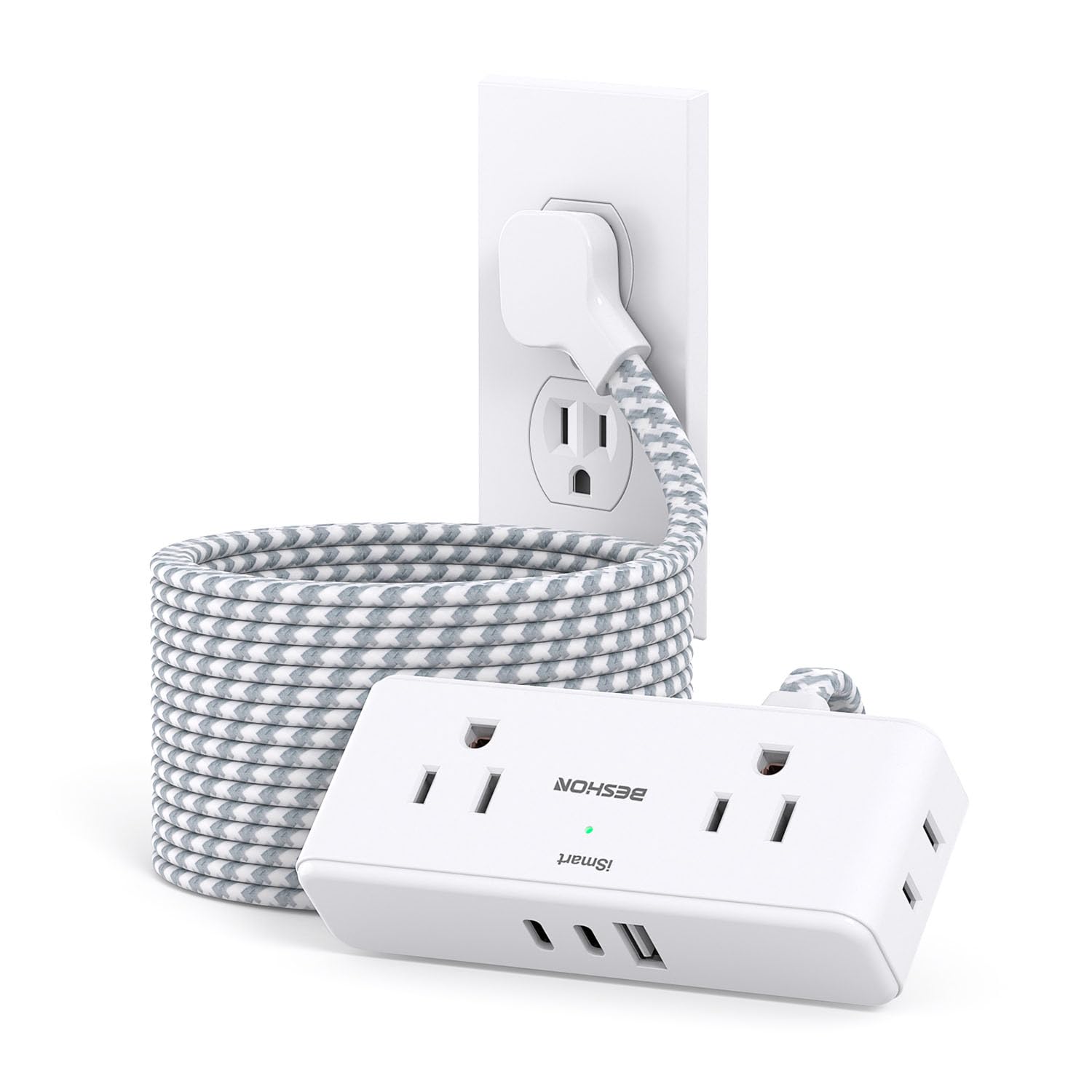
Image: The BESHON Flat Plug Power Strip, showcasing its compact design, 15ft braided cord, and multiple power outlets and USB ports.
Safety Instructions
- Do not exceed the maximum power rating of 1875W (15A/125V).
- This power strip is designed for indoor use only. Avoid exposure to moisture or wet conditions.
- Do not disassemble or modify the device. Refer all servicing to qualified personnel.
- Keep out of reach of children.
- Ensure the plug is fully inserted into the wall outlet.
- This power strip does NOT include surge protection. It is suitable for cruise ships where surge protectors are often prohibited.
Product Features
15ft Braided Extension Cord
The 15-foot extension cord is constructed from pure copper for enhanced current carrying capacity (15A). Its braided design ensures durability and resistance to deformation, contributing to safer long-term use. The ultra-thin 0.35-inch flat plug with a 45° right-angle design allows furniture to be placed closer to the wall, minimizing gaps and improving room aesthetics.

Image: A visual representation of the 15ft braided extension cord, highlighting its durable construction and the space-saving flat plug design.
7-in-1 Power Strip with USB Ports
This power strip converts a single wall outlet into a comprehensive charging station, offering 4 AC outlets, 2 USB-C ports, and 1 USB-A port. It can simultaneously charge up to 7 devices, making it highly efficient for various electronic needs.
- AC Outlets: 4 widely spaced outlets (2.3 inches apart) accommodate larger adapters without blocking adjacent ports.
- USB-C Ports: Deliver up to 5V/3A Max for rapid charging of compatible devices.
- USB-A Port: Provides up to 5V/2.4A Max.
- Total USB Output: 5V/3.1A, compatible with cellphones, laptops, tablets, earphones, and cameras.

Image: The power strip illustrating its 7-in-1 functionality with 4 AC outlets and 3 USB ports, designed for efficient device charging.

Image: The USB power strip demonstrating its compatibility with a range of USB-powered devices, including phones, tablets, and laptops.
Compact and Travel-Friendly Design
With dimensions of 4.5 x 1.1 x 1.8 inches, this power strip is exceptionally compact and lightweight, making it easy to carry in luggage. Its design is ideal for travel, dorm rooms, offices, and any space where minimizing clutter is desired.

Image: The compact power strip shown packed inside a suitcase, illustrating its portability for travel.
Multi-Safety Protection
The BESHON power strip is equipped with multiple safety features and holds RoHS, FCC, and ETL certifications. These protections ensure safe operation for your devices and peace of mind.
- Overload Protection
- Short-Circuit Protection
- Over-Current Protection
- Over-Voltage Protection
- Overheating Protection
- PC Retardant Materials
- Grounding Protection

Image: A graphic displaying icons for short-circuit, over-voltage, over-current, high temperature control, PC retardant materials, and grounding protection.
Setup
To set up your BESHON Flat Plug Power Strip, simply plug the flat plug into a standard 3-prong wall outlet. The slim design allows it to sit flush against the wall, enabling you to push furniture closer without obstruction. Ensure the power strip is placed on a stable, dry surface away from heat sources and direct sunlight.

Image: A visual comparison showing how the ultra-thin flat plug allows furniture to sit closer to the wall compared to a standard plug.
Operating Instructions
Once plugged in, the power strip is ready for use. Connect your devices to the available AC outlets or USB ports as needed.
- AC Outlets: Insert your device's power cord into any of the 4 AC outlets.
- USB Charging: Connect your USB-A or USB-C compatible devices directly to the respective ports. The smart charging technology will detect your device and deliver optimal charging speed up to the maximum specified output.
Maintenance
- Keep the power strip clean and free from dust and debris. Use a dry cloth for cleaning.
- Avoid liquid contact.
- Regularly inspect the cord and plug for any signs of damage. Discontinue use if any damage is found.
- Do not overload the power strip beyond its rated capacity.
Troubleshooting
| Problem | Possible Cause | Solution |
|---|---|---|
| No power to devices | Power strip not plugged in; Wall outlet not working; Overload. | Ensure power strip is securely plugged in. Test wall outlet with another device. Unplug some devices to reduce load. |
| Slow charging via USB | Device requires higher power; Faulty USB cable. | Check device's charging requirements. Use a high-quality USB cable. |
| Power strip feels hot | Overloaded; Poor ventilation. | Unplug some devices. Ensure adequate airflow around the power strip. If overheating persists, discontinue use. |
Specifications
| Feature | Detail |
|---|---|
| Model Number | BS104M |
| Brand | BESHON |
| Total Power Outlets | 4 AC Outlets |
| USB Ports | 2 USB-C, 1 USB-A |
| USB-C Output | 5V/3A Max |
| USB-A Output | 5V/2.4A Max |
| Total USB Output | 5V/3.1A |
| Voltage | 125.0V |
| Item Weight | 15.2 ounces |
| Package Dimensions | 7.91 x 3.94 x 2.72 inches |
| Special Feature | Cruise Ship Approved (No Surge Protection) |
| Certifications | RoHS, FCC, ETL |
Warranty and Support
BESHON products are manufactured with high-quality materials and undergo rigorous testing. This product is covered by the manufacturer's standard warranty against defects in materials and workmanship. For specific warranty details, technical support, or customer service inquiries, please refer to the contact information provided with your purchase or visit the official BESHON website.
Product Video
Video: An official BESHON video showcasing the features and benefits of the Smart Power Strip, including its design and functionality.