
1. Product Overview
The YZONA Truck Cargo Carrier is designed to expand the cargo capacity of your pickup truck. It features a robust steel construction, adjustable dimensions, and integrated LED lighting for enhanced utility.
This bed rack is compatible with most pickup trucks, provided the truck bed width is between 55.8 and 62.76 inches. It is not compatible with trucks equipped with Tonneau Covers or Bed Covers.
The rack is built from premium heavy-duty steel plate, ensuring durability and corrosion resistance with its textured black powder coating. It supports a static weight of up to 1000 pounds and a dynamic weight of 500 pounds.
Its versatile design includes numerous slots for accessory installation and cargo tie-down, making it suitable for transporting items such as kayaks, surfboards, canoes, luggage, and skis. Side panels offer additional mounting points for accessories like lights, high-lift jacks, fire extinguishers, and roof tents.

Figure 1: Compatibility and Adjustable Width (56"-63")

Figure 2: Integrated LED Light Bars for Night Illumination
2. Safety Information
- Always ensure the cargo carrier is securely mounted to the truck bed rails before loading any items.
- Regularly check all mounting hardware for any looseness, especially before and after long trips, and tighten as necessary.
- Distribute cargo evenly across the rack to maintain vehicle stability and prevent damage to the rack or vehicle.
- Do not exceed the maximum load capacity of 1000 pounds (static) or 500 pounds (dynamic) to prevent structural failure or accidents.
- Be aware of the increased height and width of your vehicle when the rack is installed, especially when entering garages, drive-thrus, or low-clearance areas.
- Secure all cargo with appropriate tie-downs to prevent shifting or falling during transit.
3. Package Contents
Verify that all components are present before beginning installation:
- One (1) set of YZONA Truck Cargo Carrier bed rack components
- Two (2) LED lights
- Installation instructions manual
- All necessary mounting hardware
Note: Extension harnesses for the LED lights are not included and must be purchased separately.
4. Specifications
| Brand | YZONA |
| Model Number | Y-BedRack-0010-FBM-1 |
| Color | Black |
| Material | Carbon Steel |
| Vehicle Service Type | Truck |
| Automotive Fit Type | Universal Fit (Truck bed width 55.8-62.76 inches) |
| Item Dimensions (L x W x H) | 46 x 20 x 6.6 inches (Packaged) |
| Adjustable Length | Min 53 inches, Max 59 inches |
| Adjustable Height | Min 19.2 inches, Max 22.3 inches |
| Adjustable Width | Min 55.8 inches, Max 62.76 inches |
| Item Weight | 78 Pounds |
| Load Capacity | 1000 LBS (Static), 500 LBS (Dynamic) |
| Mounting Type | Easy Snap |
| Is Foldable | No |

Figure 3: Adjustable Size Dimensions

Figure 4: Load Capacity Illustration (1000 LBS)
5. Setup and Installation
The YZONA Truck Cargo Carrier is designed for easy installation without requiring drilling, cutting, or modifications. It securely mounts onto the truck's bed rail system. All necessary hardware is included.
Installation Steps:
- Assemble the Rack Components: Connect the main sections of the bed rack using the provided screws, washers, and nuts. Ensure all connections are firm.
- Attach Mounting Brackets: Secure the base brackets to the rack structure. Apply EVA pads to the bottom of each bracket to protect your truck bed.
- Position on Truck Bed: Carefully place the assembled rack onto your truck bed rails.
- Secure to Truck Bed: Depending on your truck bed type, use either the 'With Track Installation' or 'No Track Installation' method as detailed in the provided diagrams. Tighten all bolts securely.
- Adjust Dimensions: Adjust the height and width of the rack to fit your specific truck bed and cargo needs. Ensure all adjustment bolts are fully tightened after setting the desired dimensions.
- Install LED Lights: Mount the two LED lights onto the designated slots on the rack. Connect them to your vehicle's electrical system (extension harnesses sold separately).
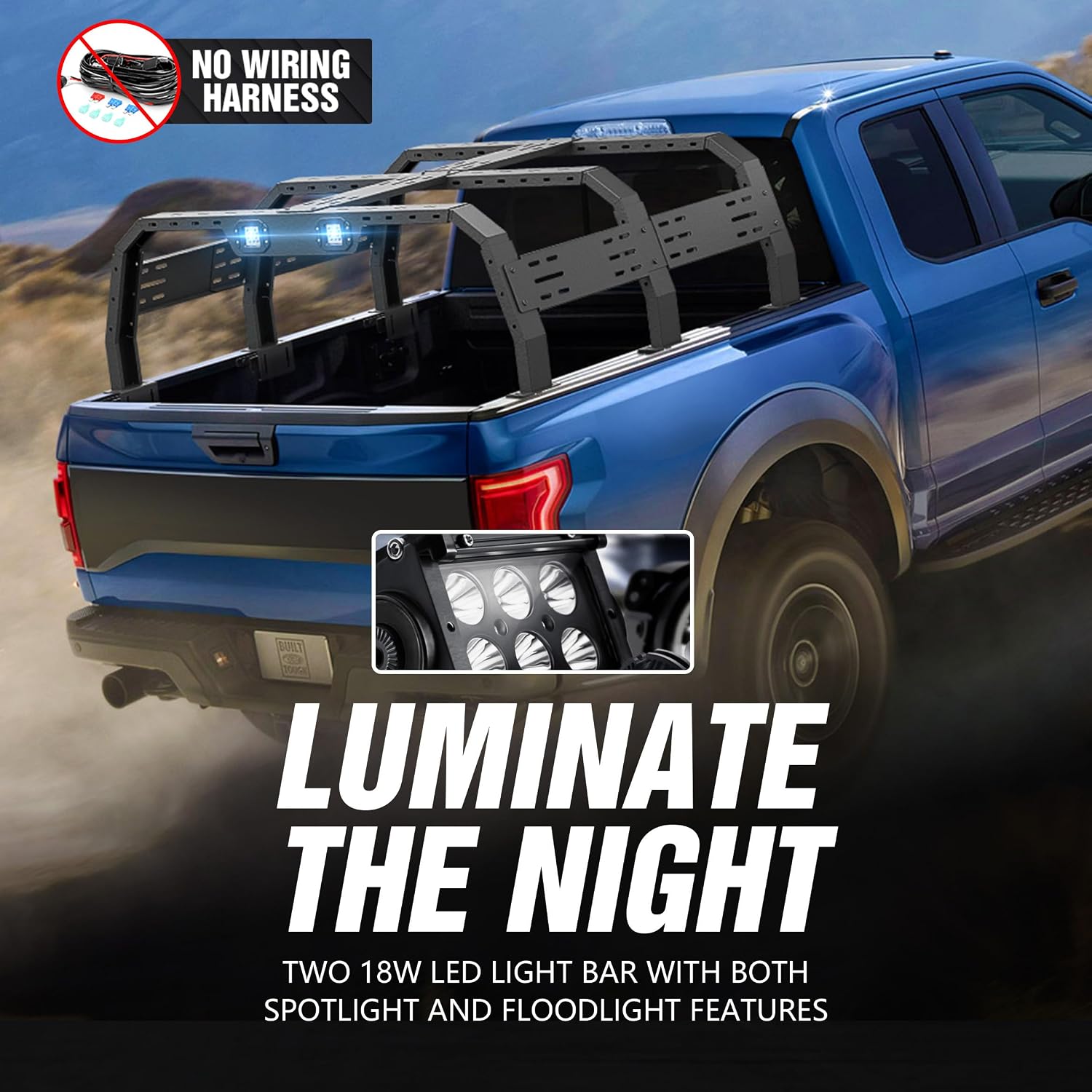
Figure 5: Detail Display of Installation Features

Figure 6: Easy Installation Methods
Installation Video:
Video 1: Detailed installation guide for YZONA Bed Racks.
6. Operating Instructions
Cargo Loading:
- Ensure the rack is securely installed and all bolts are tightened before loading cargo.
- Distribute the weight of your cargo evenly across the rack to maintain vehicle balance and prevent excessive stress on any single point.
- Utilize the numerous slim slots and side panels for attaching tie-downs, bungee cords, or other securing devices to prevent cargo movement during transit.
- When transporting long items like kayaks or lumber, ensure they are properly secured at multiple points and do not obstruct your view or vehicle lights.
LED Light Operation:
- Once the LED lights are wired to your vehicle's electrical system, they can be operated via the connected switch.
- Use the LED lights for additional illumination during nighttime driving, off-road adventures, or when loading/unloading cargo in low-light conditions.
7. Maintenance
- Regular Inspection: Periodically inspect the entire rack system for any signs of wear, damage, or corrosion. Check all bolts, nuts, and connections for tightness.
- Cleaning: Clean the rack with mild soap and water. Avoid harsh chemicals or abrasive cleaners that could damage the powder coating. Rinse thoroughly and dry to prevent water spots or rust.
- Hardware Check: Before each use, especially before long trips or when carrying heavy loads, verify that all mounting hardware is secure. Tighten any loose fasteners immediately.
- LED Lights: Check the functionality of the LED lights regularly. If a light is not working, inspect the wiring for damage or loose connections.
8. Troubleshooting
Loose Rack:
- Issue: The cargo carrier feels unstable or moves on the truck bed.
- Solution: Re-check all mounting bolts and nuts. Ensure they are tightened to the recommended specifications. Verify that the base brackets are correctly seated on the truck bed rails.
LED Lights Not Working:
- Issue: LED lights do not illuminate when switched on.
- Solution: Check the wiring connections from the lights to the vehicle's electrical system. Ensure the switch is functioning correctly and that there are no blown fuses in the circuit. Verify that the extension harnesses (if used) are properly connected.
Difficulty Adjusting Rack Dimensions:
- Issue: The rack's height or width adjustments are stiff or difficult to move.
- Solution: Loosen the adjustment bolts sufficiently. Clean any dirt or debris from the adjustment channels. Apply a small amount of silicone lubricant if necessary.
9. Warranty and Support
This YZONA Truck Cargo Carrier comes with a 1-year factory warranty from the date of purchase. This warranty covers manufacturing defects and material flaws under normal use.
YZONA also provides lifetime customer service support. If you have any questions, concerns, or require assistance with your product, please do not hesitate to contact our support team. We are committed to ensuring your satisfaction.
For warranty claims or technical support, please refer to the contact information provided on your purchase receipt or visit the official YZONA website.