
1. Introduction
This manual provides instructions for the Apkezel Wireless Bluetooth Meat Thermometer, Model 768657033382. This device is designed to accurately monitor the internal temperature of food during cooking, offering convenience and precision for various cooking methods.

Image 1.1: Apkezel Wireless Bluetooth Meat Thermometer, showing the probe, charging base, and a smartphone displaying the companion app.

Image 1.2: Overview of the thermometer's key features including wireless connectivity, timer, accuracy, alarm functions, and waterproof design.
2. Product Features
- 100% Wireless Operation: The thermometer probe operates without cables, allowing direct insertion into meat or placement in ovens, grills, or smokers.
- Extended Bluetooth Range: Offers a wireless Bluetooth connectivity range of up to 150 meters, enabling remote temperature monitoring.
- Smart Application Control: Connects via a dedicated app, providing 9 preset meat types and customizable cooking times. Notifications are sent to your phone when the target temperature is reached.
- Precise Temperature Probes: Features a high-precision integrated sensor. The ceramic handle is heat-resistant up to 270 °C, and the probe monitors internal food temperatures up to 100 °C. Provides readings within 3 seconds with an accuracy of ±1 °C.
- IP67 Waterproof Rating: The food-grade stainless steel probe is rust-proof, corrosion-resistant, and IP67 waterproof, allowing for easy cleaning with water.
- High-Capacity Battery: The host unit fully charges in 2-3 hours, offering up to 120 hours of standby time. The probe charges in 10 minutes for up to 24 hours of continuous use.
- Versatile Application: Suitable for various cooking appliances including electric grills, ovens, air fryers, smokers, and griddles.

Image 2.1: Illustration of the 100% wire-free design, showing the probe in use without cables.

Image 2.2: Visual representation of the 150-meter long-distance Bluetooth connectivity, allowing monitoring from a distance.

Image 2.3: Detailed view of the precise temperature probes, indicating the temperature ranges for the ceramic handle and the internal sensor.
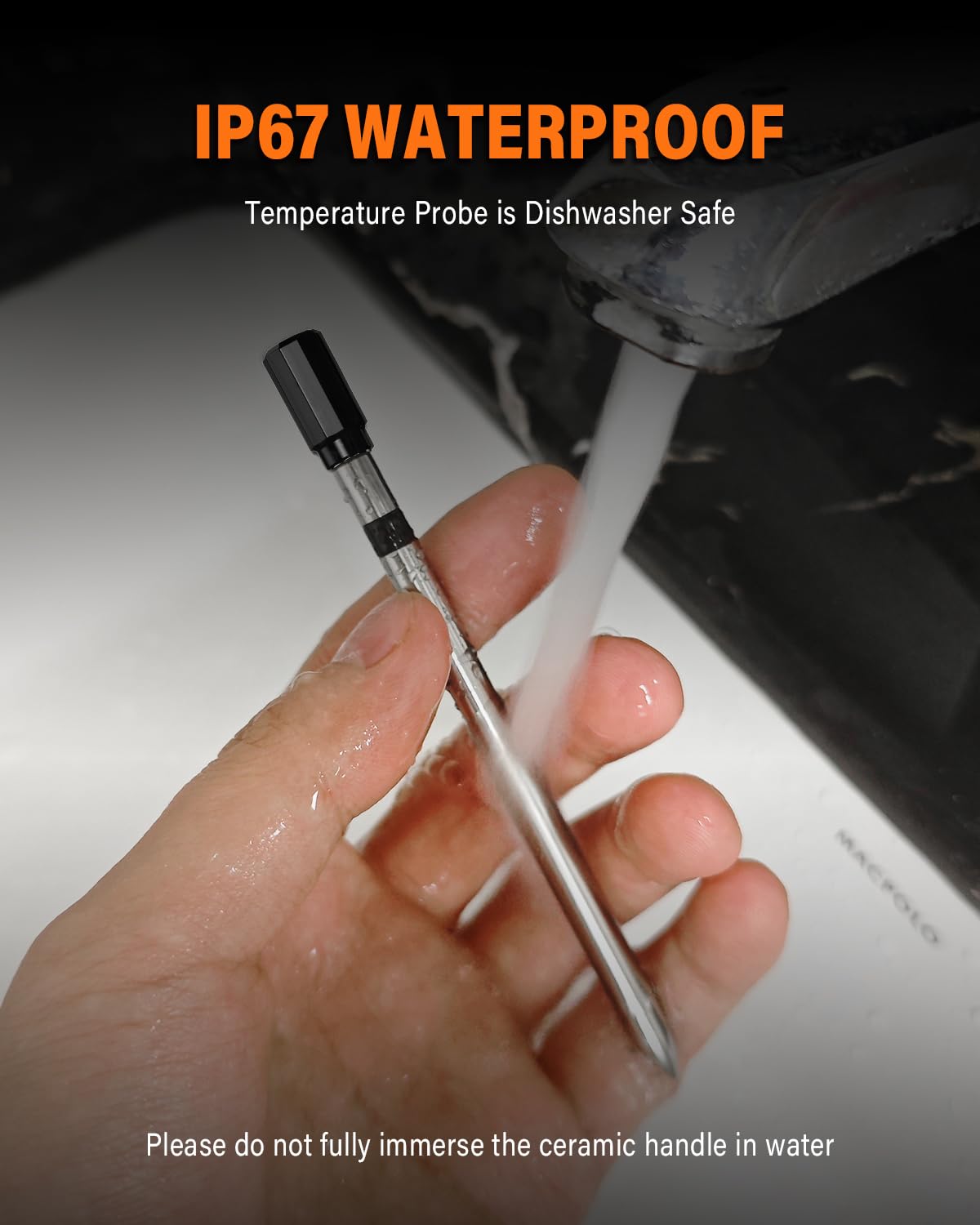
Image 2.4: The thermometer probe being rinsed under water, illustrating its IP67 waterproof capability. Note: Do not fully immerse the ceramic handle.

Image 2.5: Screenshot of the companion app, showcasing its various functions for monitoring and controlling cooking.

Image 2.6: The smart booster unit with its integrated display, providing real-time cooking information.
3. Setup
3.1 Charging the Device
Before first use, ensure both the probe and the booster unit are fully charged.
- Probe Charging: Insert the probe into the booster unit. A 10-minute charge provides approximately 24 hours of working time.
- Booster Unit Charging: Connect the booster unit to a power source using the provided USB-C cable. A full charge takes 2-3 hours and provides up to 120 hours of standby time.

Image 3.1: Charging instructions for both the probe and the booster unit.
3.2 App Download and Connection
- Power on the booster unit.
- Download the 'JOYBIBIQ' app from your smartphone's app store.
- Open the JOYBIBIQ app and tap the 'Start' button.
- Locate the device named 'JOYBIBIQ' in your phone's Bluetooth settings and select 'Connect'.
- Once connected, the app will display the device status.

Image 3.2: Step-by-step guide for connecting the thermometer to the smartphone application.
4. Operating Instructions
4.1 Basic Usage
- Insert Probe: Carefully insert the stainless steel probe into the thickest part of the meat, avoiding bones. Ensure the probe is inserted past the safety line for accurate internal temperature readings.
- Select Settings: Open the JOYBIBIQ app. Select the type of meat you are cooking and your desired doneness from the preset options. You can also customize the target temperature manually.
- Monitor Temperature: The app will display the real-time internal temperature of your food. The booster unit's display also shows current and target temperatures.
- Receive Alerts: The app will send a notification to your smartphone when the food reaches the target temperature. The booster unit may also provide an audible alert.
- Enjoy: Remove the food from the heat source once the target temperature is reached. Allow meat to rest as recommended for optimal results.

Image 4.1: Easy-to-follow steps for using the Apkezel Wireless Bluetooth Meat Thermometer.
4.2 App Functions
The JOYBIBIQ app provides several functions to enhance your cooking experience:
- USDA Preset Temperatures: Choose from a variety of USDA-recommended temperatures for different types of meat and doneness levels.
- Customizable Settings: Adjust target temperatures and set custom timers according to your preferences.
- Real-Time Monitoring: View live temperature readings and cooking progress directly on your smartphone.
- Alert Notifications: Receive alerts when your food reaches the desired temperature, preventing overcooking or undercooking.

Image 4.2: Overview of the multiple functions available within the JOYBIBIQ application.
5. Maintenance
5.1 Cleaning
The stainless steel probe is IP67 waterproof and can be cleaned with water after use. To ensure longevity and proper function:
- Wash the probe thoroughly with soap and water after each use.
- Important: Do not fully immerse the ceramic handle portion of the probe in water. The ceramic handle is heat-resistant but not designed for full submersion.
- Wipe the booster unit with a damp cloth. Do not immerse the booster unit in water.
- Ensure all components are dry before storing.
5.2 Storage
Store the thermometer and booster unit in a cool, dry place when not in use. Keep the probe inserted in the booster unit for convenient storage and to ensure it remains charged.
6. Troubleshooting
- No Bluetooth Connection: Ensure the booster unit is powered on and within range (up to 150m). Check your phone's Bluetooth settings to confirm it's enabled and attempting to connect to 'JOYBIBIQ'. Restarting both the app and the booster unit may resolve the issue.
- Inaccurate Temperature Readings: Ensure the probe is inserted correctly into the thickest part of the meat, avoiding bones, and past the safety line. Verify that the probe's internal sensor (up to 100°C) is measuring the food's internal temperature, not the ambient temperature of the cooking environment. The ceramic handle is heat-resistant up to 270°C for ambient heat, but the internal sensor is for food temperatures up to 100°C.
- Short Battery Life: Ensure both the probe and booster unit are fully charged before use. Refer to Section 3.1 for charging times. Battery performance can vary with usage patterns and environmental conditions.
- App Not Responding: Close and reopen the JOYBIBIQ app. If the issue persists, try restarting your smartphone.
7. Specifications
| Model Number | 768657033382 |
| Brand | Apkezel |
| Connectivity Technology | Bluetooth |
| Probe Internal Temperature Range | -20°C to 100°C (-4°F to 212°F) |
| Ceramic Handle Heat Resistance | Up to 270°C (518°F) |
| Temperature Accuracy | ±1°C (±1.8°F) |
| Reading Time | 3 seconds |
| Waterproof Rating | IP67 (Probe) |
| Probe Material | Food-grade Stainless Steel |
| Booster Unit Charge Time | 2-3 hours |
| Booster Unit Standby Time | Up to 120 hours |
| Probe Charge Time | 10 minutes |
| Probe Working Time (after 10 min charge) | Up to 24 hours |
| Power Source | 1 A Battery (included) |
| Package Dimensions | 14.7 x 14.7 x 2.8 cm |
| Weight | 180 grams |
| Country of Origin | China |
8. Warranty and Support
Specific warranty information for this product is not provided in the available data. For any product-related inquiries, technical support, or warranty claims, please contact the retailer or manufacturer directly. Ensure you have your purchase receipt and model number (768657033382) available when seeking support.