
1. Introduction
This manual provides detailed instructions for the installation, operation, and maintenance of your YESKANO C7TN 2K Wireless Solar PTZ Outdoor Security Camera. Please read this manual thoroughly before using the product to ensure proper function and safety.
2. Product Overview
2.1 Package Contents
Ensure all items are present in the package:
- YESKANO C7TN 2K Wireless Solar PTZ Camera
- Solar Panel
- Mounting Bracket and Screws
- USB Charging Cable
- User Manual (this document)
2.2 Camera Features
- 100% Wireless Operation: Powered by a solar panel for continuous, uninterrupted operation.
- 2K QHD Image Quality: Captures clear images with enhanced color and detail.
- 360° PTZ Control: Pan (355°) and Tilt (120°) functionality for comprehensive area coverage.
- Color Night Vision: Intelligent white light activation for full-color video at night.
- Advanced PIR & AI Detection: Effectively identifies human motion, reducing false alarms.
- Two-Way Audio: Built-in microphone and speaker for remote communication.
- IP66 Weather Resistance: Designed to withstand various weather conditions (rain, snow, dust, sun).
- Flexible Storage: Supports microSD card (8-128GB, not included) and optional Cloud storage.
- 2.4GHz WiFi Connectivity: Dual antennas ensure a stable signal. (Does not support 5GHz WiFi).
- Bluetooth for Faster Connection: Simplifies initial setup.

Image 2.2.1: YESKANO C7TN Camera and Solar Panel.
3. Setup and Installation
3.1 Charging the Camera
Before initial use, fully charge the camera's internal battery using the provided USB cable. Although the solar panel provides continuous power, a full initial charge ensures optimal performance from the start.
3.2 App Download and Account Creation
Download the dedicated application for the camera. Search for "Yes iHome" on the Google Play Store or Apple App Store.


Follow the in-app instructions to create an account and log in.
3.3 Connecting the Camera to WiFi
- Open the "Yes iHome" app and select "Add Device".
- Power on the camera. The camera will enter pairing mode (indicated by a specific LED status or voice prompt).
- Use the app to scan the QR code on the camera or select the camera model manually.
- Connect your smartphone to a 2.4GHz WiFi network. The camera does not support 5GHz WiFi.
- The app will guide you through connecting the camera to your WiFi network, often using Bluetooth for a faster initial connection.
- Once connected, you can name your camera and begin live viewing.
3.4 Physical Installation
The camera is designed for outdoor use and can be wall-mounted or ceiling-mounted. Choose a location with optimal sunlight exposure for the solar panel and a clear view of the area you wish to monitor.

Image 3.4.1: Camera and Solar Panel Installation Diagram. The solar panel provides continuous power, extending battery life.
- Mark the drilling points using the mounting bracket as a template.
- Drill holes and insert wall anchors if necessary.
- Secure the mounting bracket to the wall or ceiling with screws.
- Attach the camera to the mounting bracket.
- Mount the solar panel in a location that receives direct sunlight for several hours a day. Connect the solar panel cable to the camera.
- Adjust the camera's angle to cover the desired area.

Image 3.4.2: Pan and Tilt functionality for 360° coverage.
4. Operating Instructions
4.1 Live View and PTZ Control
Open the "Yes iHome" app and select your camera to access the live view. Use the on-screen controls to pan (355°) and tilt (120°) the camera remotely, allowing you to monitor a wide area.
4.2 Motion Detection and Alerts
The camera features advanced PIR (Passive Infrared) detection combined with AI analysis to accurately identify human motion. This helps minimize false alarms from pets or vehicles.
- Human Detection: The camera is optimized to detect humans without requiring a subscription.
- Other Object Detection: Detection of animals, vehicles, etc., may require an additional subscription.
- Alerts: When motion is detected, you will receive instant notifications on your smartphone.
- Deterrent Features: At night, the camera can activate spotlights and a siren to deter intruders. Voice warnings can also be configured.

Image 4.2.1: PIR + AI Detection for accurate human identification.

Image 4.2.2: Deterring unwanted intrusions with siren and white light.
4.3 Night Vision
The camera provides clear vision in low-light conditions. When it's dark, the camera's white lights will intelligently activate to provide full-color night vision, capturing more details than traditional infrared night vision.

Image 4.3.1: 2K QHD image quality for clear details, day or night.
4.4 Two-Way Audio
Utilize the built-in microphone and speaker to communicate remotely. You can speak to family members, delivery personnel, or warn off unknown visitors directly through the app.
4.5 Storage Options
- MicroSD Card: Insert a microSD card (8GB to 128GB, not included) into the designated slot for local storage of recordings.
- Cloud Storage: Optional cloud storage is available for encrypted data backup. Refer to the app for subscription details.

Image 4.5.1: Flexible storage options including Cloud and MicroSD card.
5. Maintenance
- Cleaning: Periodically clean the camera lens and solar panel with a soft, damp cloth to ensure clear images and efficient solar charging. Avoid abrasive cleaners.
- Firmware Updates: Check the "Yes iHome" app regularly for firmware updates to ensure optimal performance and security.
- Battery Health: The solar panel helps maintain battery charge. In prolonged periods of low sunlight, consider manually charging the camera via USB to ensure continuous operation.
- Weather Resistance: The camera is IP66 rated. While it withstands various weather conditions, ensure all covers and seals are properly closed after accessing the microSD slot or charging port.
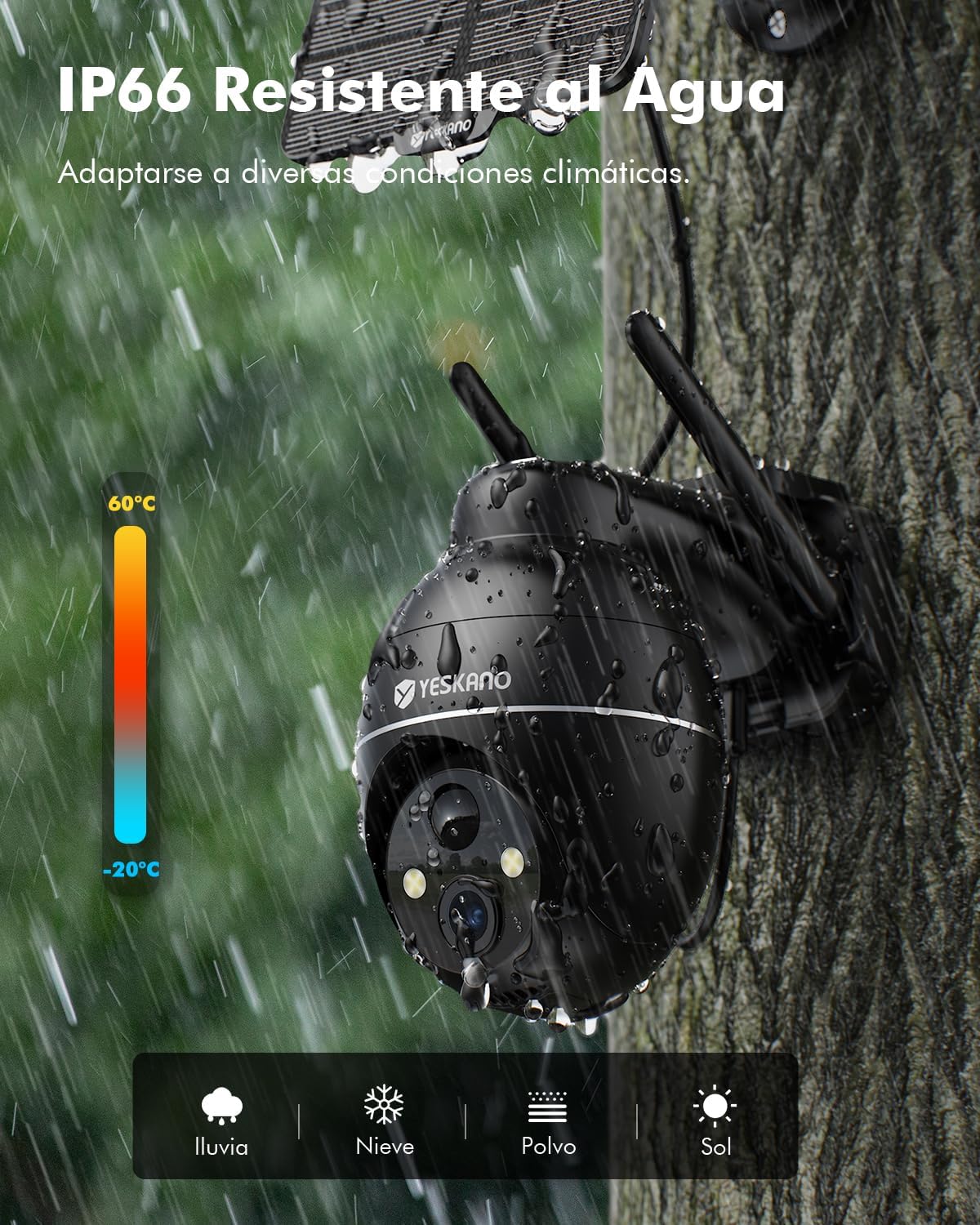
Image 5.1.1: IP66 Weather Resistance ensures durability in various conditions.
6. Troubleshooting
6.1 Common Issues and Solutions
- Camera not connecting to WiFi:
- Ensure your WiFi network is 2.4GHz. The camera does not support 5GHz.
- Check WiFi signal strength at the camera's location.
- Restart your router and the camera.
- Ensure the camera is fully charged.
- Reset the camera (refer to the app or product for reset button location) and try pairing again.
- Poor image quality:
- Clean the camera lens.
- Check your internet connection speed.
- Ensure there are no obstructions in front of the lens.
- Solar panel not charging:
- Ensure the solar panel is positioned to receive direct sunlight for several hours daily.
- Clean the surface of the solar panel.
- Check the connection cable between the solar panel and the camera.
- Frequent false alarms:
- Adjust the motion detection sensitivity in the app.
- Define specific detection zones to exclude areas with frequent non-human movement (e.g., trees swaying).
- Ensure the camera's angle is set correctly for optimal detection.
7. Specifications
| Feature | Detail |
|---|---|
| Model Name | C7TN |
| Video Recording Resolution | 2K QHD (3MP) |
| Color | Black |
| Wireless Communication Technology | Bluetooth, Wi-Fi (2.4GHz only) |
| Form Factor | Dome / Bullet |
| Material | ABS + PC + Metal |
| Voltage | 5 Volts |
| Power | 1 Watt-hours |
| Dimensions (L x W x H) | 18 x 17.1 x 12.9 cm |
| Weight | 870 grams |
| Battery Type | Lithium-ion (1 included) |
| Special Features | Uninterrupted solar power, 2K QHD quality, color night vision, 2.4G WiFi, PTZ control, motion detection |
| Usage | Outdoor Security |
| Compatible Devices | Smartphone |
| Power Source | Solar power, Battery power |
| Mounting Type | Wall Mount |
8. Warranty and Support
YESKANO offers a 3-year warranty on this product. For any questions, technical support, or warranty claims, please contact YESKANO customer service. You can typically find contact information within the "Yes iHome" app or on the official YESKANO website.
Customer support aims for a quick response within 24 hours.

Image 8.1.1: Warranty and Customer Support Information.