
Dytole DY103 Pro
Dytole Wireless Headset DY103 Pro User Manual
Model: DY103 Pro
1. Product Overview
The Dytole Wireless Headset DY103 Pro is designed for clear communication and immersive audio, ideal for work-from-home, office, and call center environments. It features advanced noise cancellation, dual connectivity, and a long-lasting battery.

Image: Dytole Wireless Headset DY103 Pro, showcasing the headset on its charging base with the USB dongle.
Key Features:
- AI Noise Cancellation Microphone: Reduces up to 99% of background noise for crystal-clear calls.
- Immersive HiFi Stereo Sound: Delivers deep bass and crisp treble for both calls and media.
- Dual Connection Options: Connects via Bluetooth V5.3 or 2.4G USB Dongle for versatile use.
- Multifunctional Charging Dock: Conveniently charges the headset and provides additional USB ports (USB-C and USB-A) for data transfer and peripheral connections.
- Long Battery Life: Up to 60 hours of continuous playtime.
- Comfortable Design: Features ultra-soft ear pads, an adjustable headband, and a 270-degree rotatable microphone.
2. What's in the Box
Verify that all components are present in the package:
- Dytole Bluetooth Headset
- Bluetooth Headphones with Microphone
- Type C charging cable
- User Manual (this document)
3. Setup Guide
3.1. Charging the Headset
Before first use, fully charge the headset. You can charge it using the included Type-C cable directly or by placing it on the multifunctional charging dock.
- Connect the Type-C charging cable to the headset's charging port or place the headset securely on the charging dock.
- Connect the other end of the cable to a USB power source (e.g., computer USB port, wall adapter).
- The charging indicator light on the headset will show charging status (refer to LED indicator section for details).
- A full charge takes approximately 1.5 hours.
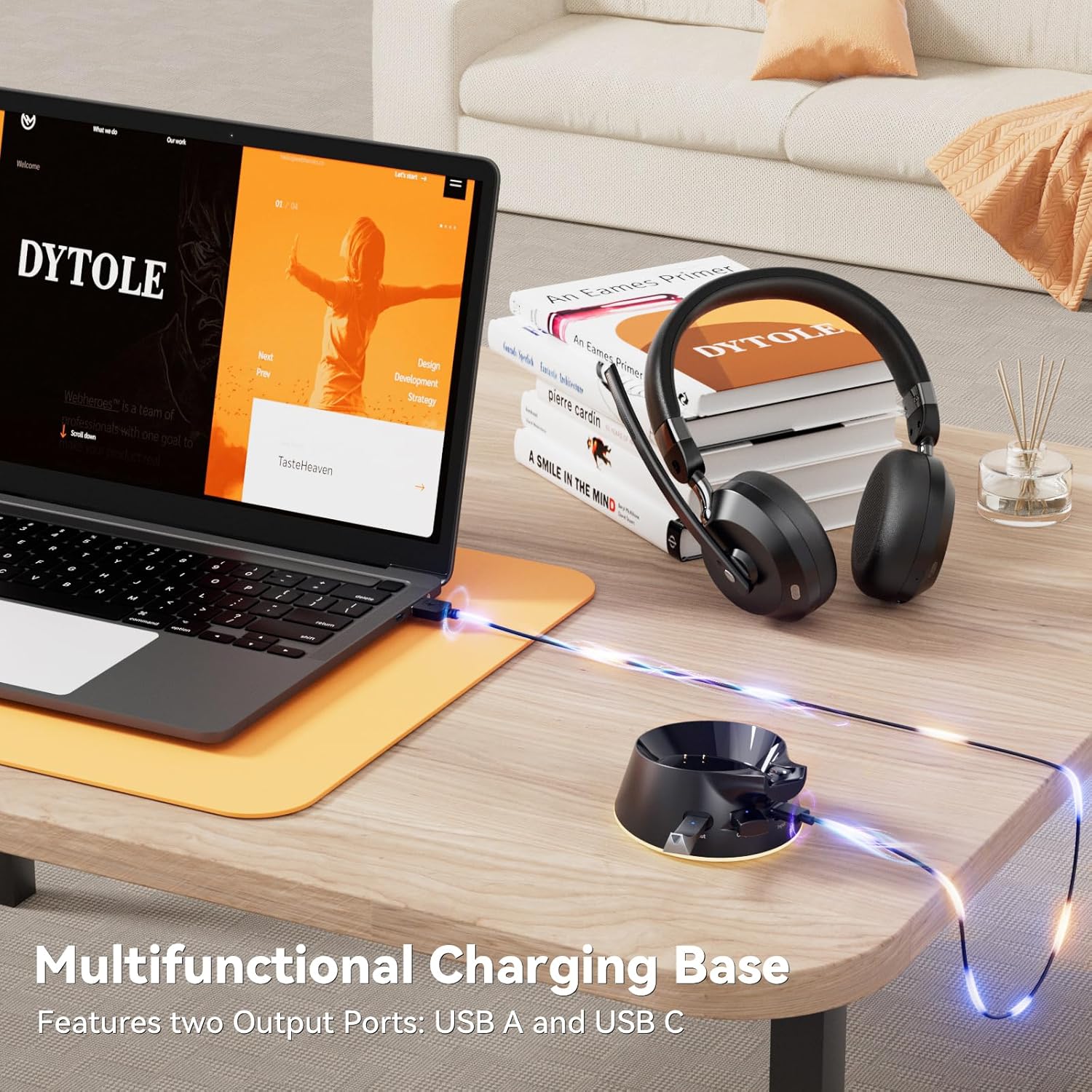
Image: The Dytole Wireless Headset charging on its multifunctional base, connected to a laptop via USB.
3.2. Connecting via USB Dongle (2.4G Wireless)
For a stable and plug-and-play connection, use the included 2.4G USB dongle.
- Insert the USB dongle into an available USB port on your computer (PC/Laptop).
- Power on the headset. It will automatically attempt to connect to the dongle.
- Once connected, the indicator light on the dongle and headset will stabilize (e.g., solid blue).
- Ensure the headset is selected as the audio input and output device in your computer's sound settings.
Image: Close-up of the Dytole Wireless Headset and its accompanying USB dongle, ready for connection.
3.3. Connecting via Bluetooth (Bluetooth V5.3)
For wireless connection to Bluetooth-enabled devices like cellphones, tablets, or computers.
- Ensure the headset is powered off.
- Press and hold the Power button for 2-3 seconds until the LED indicator flashes blue and red, indicating pairing mode.
- On your device, enable Bluetooth and search for "DY103 Pro" in the list of available devices.
- Select "DY103 Pro" to connect. Once paired, the headset's LED indicator will turn solid blue.
- The effective Bluetooth range is approximately 49 feet (15 meters).
4. Operating Instructions
4.1. Power On/Off
- Power On: Press and hold the Power button for 2-3 seconds until the LED indicator lights up.
- Power Off: Press and hold the Power button for 3-4 seconds until the LED indicator turns off.
4.2. Volume Control
- Volume Up: Press the "+" button.
- Volume Down: Press the "-" button.
4.3. Call Management
- Answer/End Call: Press the Multi-function button once.
- Reject Call: Press and hold the Multi-function button for 2 seconds.
- Microphone Mute/Unmute: Press the Mute button on the microphone boom. The microphone is 270-degree rotatable for optimal positioning.

Image: The Dytole Wireless Headset highlighting its 270-degree rotatable microphone and adjustable earcups for comfort.
4.4. Music Playback
- Play/Pause: Press the Multi-function button once.
- Next Track: Press and hold the "+" button for 2 seconds.
- Previous Track: Press and hold the "-" button for 2 seconds.

Image: A woman wearing the Dytole Wireless Headset in an office, illustrating the Environmental Noise Cancellation feature during a call.
5. Multifunctional Charging Dock
The included charging dock is more than just a charging station; it's a versatile hub for your workspace.
- Headset Charging: Simply place the headset on the dock to charge.
- USB Dongle Storage: A dedicated slot keeps your USB dongle secure and prevents loss.
- Dual USB Ports: Features both USB-C and USB-A ports for fast and efficient data transfer.
- Peripheral Connectivity: Supports connection of various peripheral devices, such as mobile hard drives and USB flash drives.
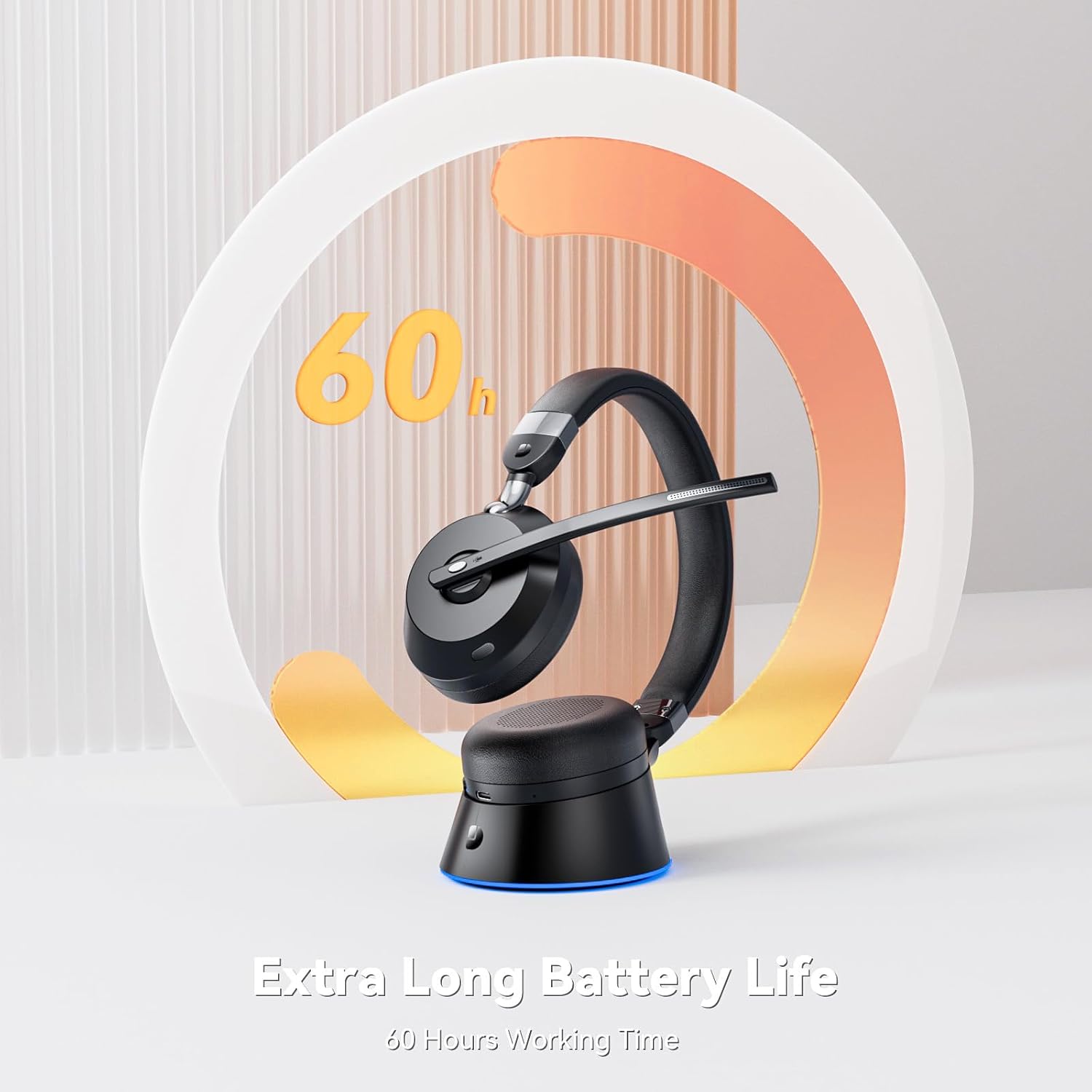
Image: The Dytole Wireless Headset on its charging base, visually representing its impressive 60-hour battery life.
6. Maintenance and Care
- Cleaning: Use a soft, dry cloth to clean the headset and charging dock. Avoid using harsh chemicals or abrasive materials.
- Storage: Store the headset in a cool, dry place away from direct sunlight and extreme temperatures. When not in use, it is recommended to store it on its charging dock.
- Battery Care: To prolong battery life, avoid fully discharging the headset frequently. Charge it regularly, even if not in constant use.
- Water Resistance: This product is not water resistant. Avoid exposure to liquids.
7. Troubleshooting
| Problem | Possible Cause | Solution |
|---|---|---|
| No sound from headset / Microphone not working |
|
|
| Headset not pairing |
|
|
| Short battery life |
|
|
| Robotic voice with mic (as per review) |
|
|
8. Specifications
| Feature | Detail |
|---|---|
| Model Name | DY103 |
| Connectivity Technology | Bluetooth 5.3, Wireless |
| Wireless Communication Technology | Bluetooth, USB Dongle |
| Charging Time | 1.5 Hours |
| Battery Life | 60 Hours (continuous playtime) |
| Bluetooth Range | 49 Feet (approx. 15 meters) |
| Item Weight | 195 Grams (6.9 ounces) |
| Frequency Range | 20 Hz - 20,000 Hz |
| Microphone | AI Noise Cancellation, 270° Rotatable |
| Ear Placement | On Ear |
| Material | Leather, Plastic, Stainless Steel |
| Compatible Devices | Cellphones, Desktops, Laptops, PC, Tablets |
| Control Type | Button Control |
| Water Resistance Level | Not Water Resistant |
9. Warranty and Support
Dytole products are manufactured with high-quality standards. For any issues or inquiries regarding your Dytole Wireless Headset DY103 Pro, please refer to the contact information provided with your purchase or visit the official Dytole support website.
Please retain your proof of purchase for warranty claims. The warranty typically covers manufacturing defects under normal use conditions.
For further assistance, you may visit the Dytole Store on Amazon.
Ask a question about this manual
Ask about setup, troubleshooting, compatibility, parts, safety, or missing instructions. Manuals+ will review the question and use this page’s manual context to help answer it.