
Hmaston MK-06
H'MASTON MK-06 Type-C Wireless Lavalier Microphone Instruction Manual
Comprehensive guide for setting up, operating, and maintaining your H'MASTON MK-06 Type-C Wireless Lavalier Microphone.
1. Introduction
Thank you for choosing the H'MASTON MK-06 Type-C Wireless Lavalier Microphone. This professional 2-in-1 microphone system with a charging case is designed for high-quality audio recording, offering noise reduction and versatile recording modes. Please read this manual carefully to ensure proper use and optimal performance of your device.
2. Product Overview
The H'MASTON MK-06 is a compact and efficient wireless microphone system. It includes a transmitter (microphone) and a receiver, housed in a portable charging case. Key features include:
- Efficient Power Supply: The professional microphone features a built-in 50-55mAh lithium battery and supports an efficient 3.7V working voltage, ensuring excellent performance and user experience.
- Three-in-One Smart Recording Mode: This mobile phone microphone combines three modes: normal recording, professional-level noise reduction, and beautiful reverberation, to meet your recording experience in different environments and needs. It enters the standard normal recording mode when powered on. Click the function key to activate the noise reduction recording mode, double-click the function key to switch to the reverberation recording mode. One-touch operation and easy switching allow you to capture the perfect sound on any occasion.
- Charming Light Effect Design: With a breathing light effect, it adds a sense of technology. The charging compartment is also equipped with 4 power indicator lights, allowing users to grasp power information at any time and avoid the embarrassment of insufficient power.
- Easy Connection and Smart Pairing: The wireless microphone is Plug and Play, with automatic connection and automatic pairing functions, which greatly simplifies the operation process and allows users to start recording faster and more conveniently.

Figure 2.1: Overview of the H'MASTON MK-06 Type-C Wireless Lavalier Microphone system, including the transmitter, receiver, and charging case.

Figure 2.2: The H'MASTON MK-06 microphone and receiver, demonstrating connection to a smartphone and charging within its case.
3. Setup
Setting up your H'MASTON MK-06 microphone is a simple plug-and-play process.
- Charge the Microphone and Receiver: Ensure both the microphone (transmitter) and the receiver are fully charged using the provided charging case and cable. The charging case has 4 indicator lights to show its power level.
- Connect the Receiver: Insert the Type-C receiver into the Type-C port of your compatible recording device (e.g., smartphone, tablet). The receiver will automatically power on and indicate its status with a blue light.
- Power On the Microphone: Take the microphone (transmitter) out of the charging case. It will automatically power on and attempt to pair with the receiver. A blinking blue light on the microphone indicates it is searching for a connection.
- Automatic Pairing: Once the microphone and receiver are successfully paired, the blue light on the microphone will become solid, indicating a stable connection.
- Attach the Microphone: Clip the microphone to your clothing, ideally near your mouth, for optimal sound capture.

Figure 3.1: The Type-C receiver plugged into a smartphone, ready for use.

Figure 3.2: The microphone transmitter clipped to a user's collar for hands-free recording.
Video 3.1: A short demonstration of unboxing, connecting the receiver to a phone, and clipping the microphone to clothing. This video illustrates the plug-and-play setup process.
4. Operating Instructions
The H'MASTON MK-06 offers three distinct recording modes to optimize your audio capture for different scenarios.
4.1 Recording Modes
Upon powering on, the microphone defaults to Normal Recording Mode. You can switch between modes using the function button on the microphone:
- Normal Recording Mode: Standard audio capture. This is the default mode.
- Noise Reduction Mode: Click the function button once to activate professional-level noise reduction. This mode is ideal for environments with background noise, helping to isolate your voice.
- Reverberation Mode: Double-click the function button to switch to reverberation mode. This mode adds an echo effect, suitable for specific creative audio effects.
The one-touch operation and easy switching allow you to capture the perfect sound for any occasion.
4.2 Power and Charging
- Microphone Battery Life: The built-in lithium battery provides 3-4 hours of continuous use on a single charge.
- Charging Case: The portable charging case allows you to recharge the microphone multiple times. The 4 LED indicators on the case show its remaining power.
- Charging Time: The microphone can be fully charged in approximately 1 hour within the charging case.

Figure 4.1: The charging case with its four LED power indicators, providing visual feedback on battery status.
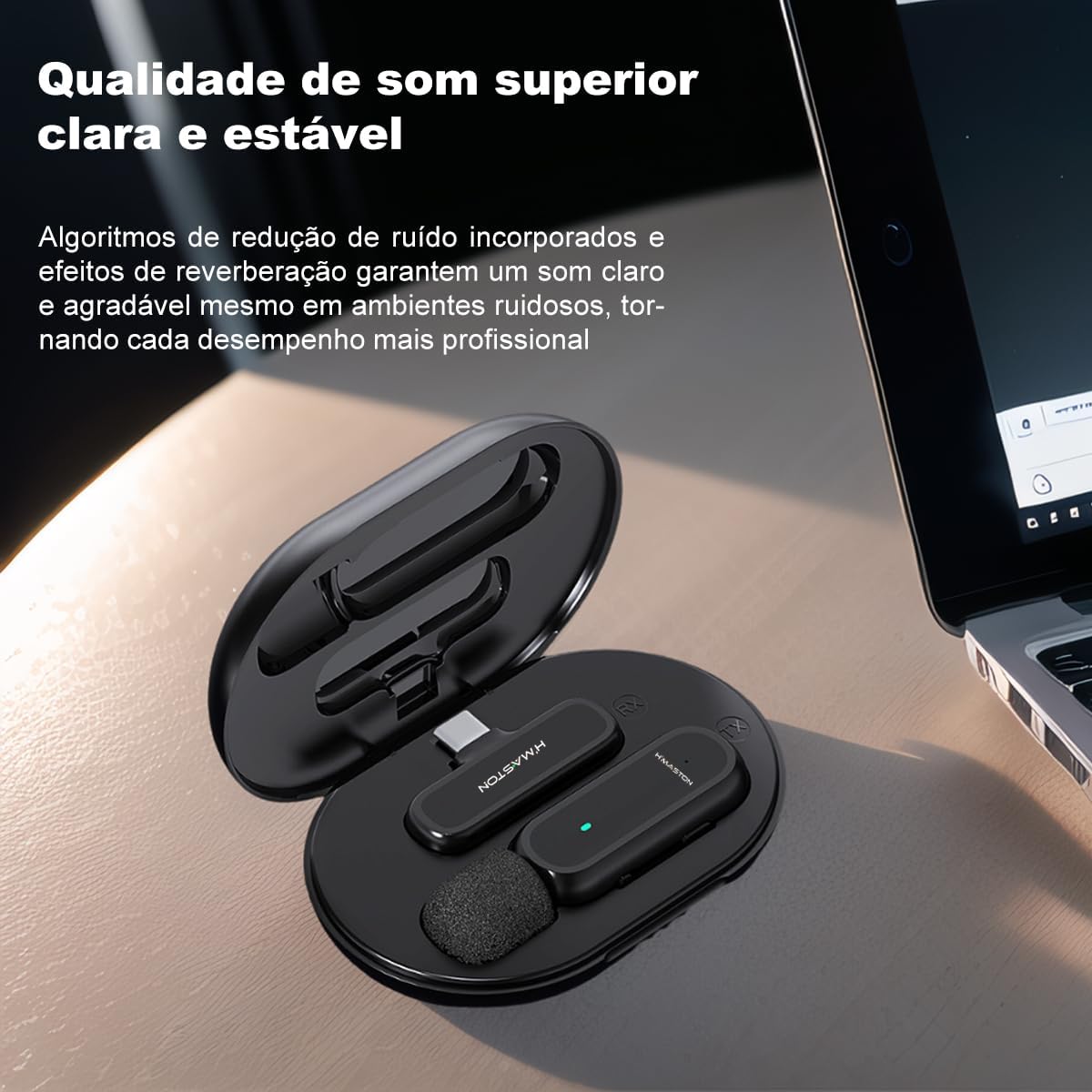
Figure 4.2: An illustration highlighting the 3-4 hour battery life of the H'MASTON MK-06 microphone.
5. Maintenance
To ensure the longevity and optimal performance of your H'MASTON MK-06 Wireless Lavalier Microphone, follow these maintenance guidelines:
- Cleaning: Use a soft, dry cloth to wipe the microphone and receiver. Avoid using harsh chemicals or abrasive materials.
- Storage: When not in use, store the microphone and receiver in their charging case to protect them from dust and physical damage. Store in a cool, dry place.
- Battery Care: For best battery health, avoid fully discharging the battery frequently. Recharge regularly, even if not completely depleted.
- Avoid Water Exposure: The device is not waterproof. Keep it away from water, moisture, and extreme temperatures.
6. Troubleshooting
If you encounter issues with your H'MASTON MK-06 microphone, refer to the following common problems and solutions:
| Problem | Possible Cause | Solution |
|---|---|---|
| Microphone not connecting/pairing | Low battery on microphone or receiver; receiver not properly inserted; pairing failed. | Ensure both devices are charged. Re-insert the receiver firmly into the device. Power cycle both the microphone and receiver by placing them back in the case and taking them out again. |
| No sound or low sound quality | Microphone too far from source; incorrect recording mode; device volume too low; interference. | Ensure microphone is clipped close to the speaker. Check the recording mode (e.g., switch to Noise Reduction in noisy environments). Increase recording device volume. Move away from potential sources of interference. |
| Short battery life | Battery not fully charged; aging battery. | Ensure the microphone is fully charged before use (approx. 1 hour). If battery life significantly degrades over time, consider contacting support. |
| Receiver not recognized by device | Incompatible device; loose connection. | Verify your device has a compatible Type-C port. Ensure the receiver is securely plugged in. Try restarting your recording device. |
7. Specifications
| Feature | Detail |
|---|---|
| Model | MK-06 TIPO-C |
| Brand | Hmaston |
| Microphone Form Factor | Lavalier |
| Connectivity Technology | Wireless |
| Connector Type | USB Type-C |
| Compatible Devices | Devices with Type-C connector |
| Special Features | Mute function, Noise Reduction |
| Power Source | Battery Powered |
| Number of Channels | 1 |
| Item Dimensions (L x W x H) | 7 x 3 x 12 cm |
| Item Weight | 140 g |
| Batteries Included | Yes |
| Rechargeable Battery | Yes |
| UPC | 717052492027 |

Figure 7.1: Illustration showing the 360-degree audio reception capability of the microphone.

Figure 7.2: Image illustrating the compact and portable design of the microphone and its charging case.

Figure 7.3: Diagram showing compatibility of the MK-06 (Type-C) with various Type-C enabled devices.
8. Warranty and Support
Your H'MASTON MK-06 Type-C Wireless Lavalier Microphone comes with a manufacturer's warranty.
- Manufacturer's Warranty: The product includes a 7-day manufacturer's warranty.
- Return Policy: A return policy of 31 days is available for refunds or replacements.
- Customer Support: For any questions, technical assistance, or warranty claims, please refer to the seller's contact information on the purchase platform or visit the official Hmaston store.