
Rinsmola G21 Pro
Rinsmola G21 Pro Wireless Earbuds User Manual
Model: G21 Pro | Brand: Rinsmola
Introduction
Welcome to the user manual for your Rinsmola G21 Pro Wireless Earbuds. These earbuds feature advanced Bluetooth 5.4 technology, deep bass stereo sound, ENC noise-cancelling microphones, and an IP7 waterproof rating, designed for a superior audio experience in various environments. This manual provides detailed instructions on setup, operation, maintenance, and troubleshooting to help you get the most out of your new earbuds.
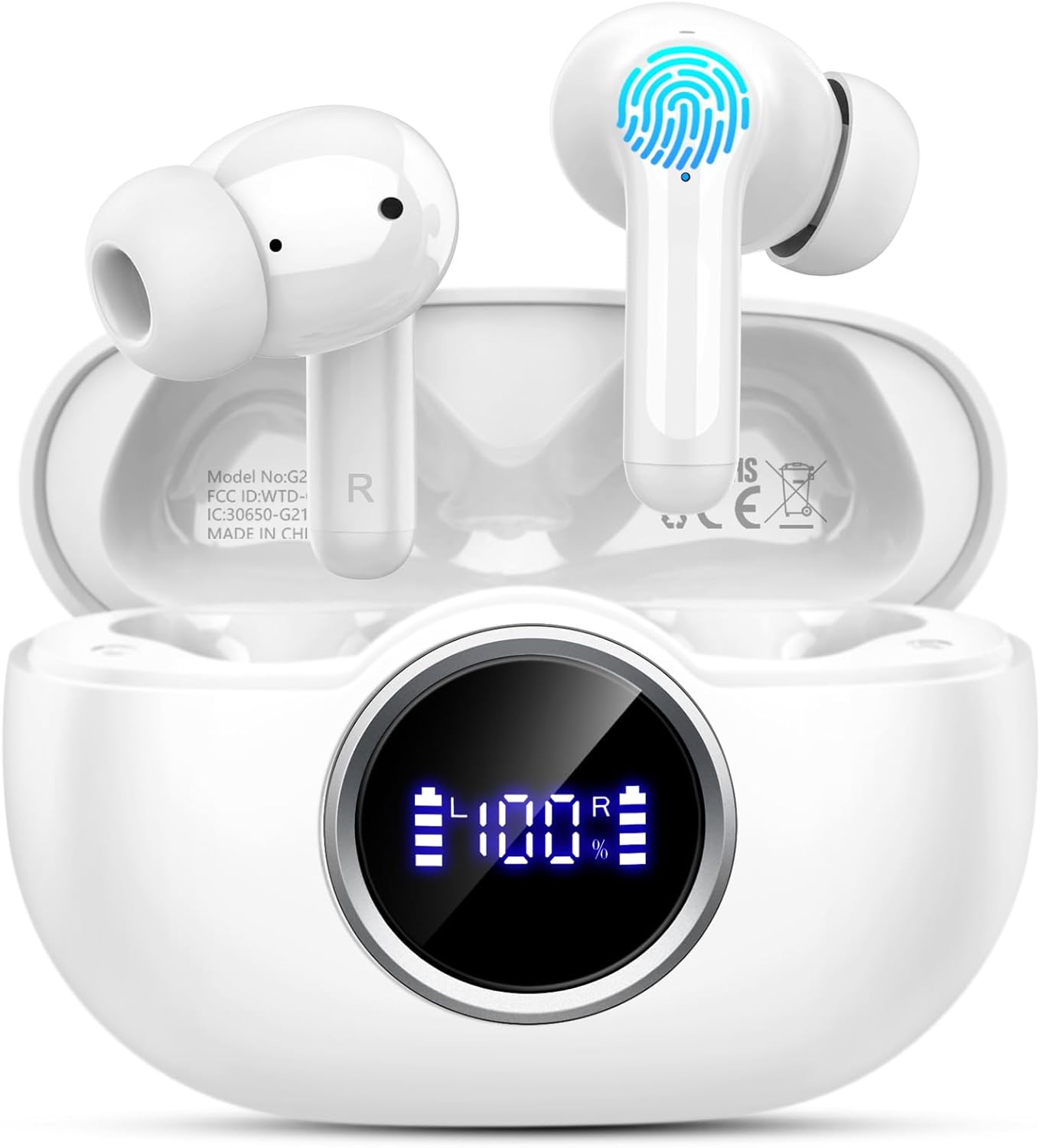
Figure 1: Rinsmola G21 Pro Wireless Earbuds and Charging Case.
Video 1: An overview of the Rinsmola G21 Pro Earbuds, demonstrating automatic pairing, Bluetooth 5.4, deep bass stereo, ENC noise reduction, ergonomic design, smart touch control, IP7 waterproofing, and battery life.
Setup
1. Unboxing and Package Contents
Upon opening the package, ensure all components are present. The standard package includes:
- Rinsmola G21 Pro Wireless Earbuds (Left and Right)
- Charging Case
- USB-C Charging Cable
- Multiple sizes of Replaceable Silicone Ear Tips (S, M, L)
- User Manual (this document)

Figure 2: Package contents of the Rinsmola G21 Pro Earbuds.
2. Charging the Earbuds and Case
Before first use, fully charge the earbuds and the charging case.
- Place both earbuds into the charging case. Ensure they are correctly seated; magnetic contacts will hold them in place.
- Connect the USB-C charging cable to the charging port on the case and the other end to a USB power source (e.g., computer, wall adapter).
- The LED display on the charging case will show the current battery percentage. The earbuds' individual charging status (L/R) will also be displayed.
- A full charge for the case and earbuds typically takes approximately 1.5 hours.

Figure 3: Dual LED display indicating charging status and battery level.
3. Pairing with Your Device
The Rinsmola G21 Pro earbuds feature one-step pairing for quick connection.
- Open the charging case. The earbuds will automatically power on and enter pairing mode.
- On your device (smartphone, tablet, laptop), go to the Bluetooth settings.
- Search for available devices and select "G21 Pro" from the list.
- Once selected, the earbuds will connect automatically. A voice prompt will confirm successful pairing.
- After initial pairing, the earbuds will automatically connect to the last paired device when removed from the case.

Figure 4: One-step pairing process for the G21 Pro Earbuds.

Figure 5: Enhanced Bluetooth 5.4 technology for stable and fast connection.
Operating Instructions
1. Wearing the Earbuds
The G21 Pro earbuds are designed for an ergonomic and comfortable fit.
- Choose the ear tips that best fit your ears for optimal sound isolation and comfort. Different sizes (S, M, L) are provided.
- Gently insert the earbuds into your ear canal and rotate them slightly to ensure a secure and comfortable fit.
- The earbuds are ultralight, weighing only 3.6 grams each, providing a barely-there feel.

Figure 6: Ergonomic design and comfortable fit with interchangeable ear tips.
2. Smart Touch Controls
The earbuds feature intuitive touch controls on the outer surface of each earbud.
| Action | Function |
|---|---|
| 1 Click (R/L) | Answer/End Call |
| Hold for 2S (R/L) | Reject Call |
| 2 Clicks (R/L) | Play/Pause Music |
| 3 Clicks (R/L) | Activate Voice Assistant (SIRI) |
| Hold for 2S (L) | Previous Track |
| Hold for 2S (R) | Next Track |
| 1 Click (R) | Volume Up |
| 1 Click (L) | Volume Down |

Figure 7: Overview of Smart Touch Controls.
3. ENC Noise Reduction for Clear Calls
The Rinsmola G21 Pro earbuds are equipped with 4 ENC (Environmental Noise Cancelling) microphones to effectively reduce environmental noise, ensuring clear call quality. This technology helps retain up to 85% of the human voice, making your calls clear even in noisy environments.

Figure 8: ENC Noise Reduction for enhanced call clarity.
4. Audio Quality and Dynamic Driver
Experience high-quality stereo sound with deep bass. The earbuds feature a 14.2mm dynamic driver and nano-scale material, designed to emit sound closer to the original audio, providing an 85%+ bass enhancement.

Figure 9: Internal structure showcasing the 14.2mm Large Dynamic Driver.
5. Battery Life
The Rinsmola G21 Pro earbuds offer extended playtime.
- Up to 8 hours of playtime on a single charge for the earbuds.
- The charging case provides an additional 28 hours of battery life, totaling over 36 hours of combined playtime.
- Fast charging via USB-C allows for quick power-ups.

Figure 10: Extended battery life and fast charging capabilities.
Maintenance
1. Cleaning Your Earbuds and Case
Regular cleaning helps maintain optimal performance and hygiene.
- Use a soft, dry, lint-free cloth to wipe the earbuds and charging case.
- For ear tips, remove them from the earbuds and clean with a mild soap solution if necessary, then rinse thoroughly and dry completely before reattaching.
- Gently clean the charging contacts on both the earbuds and inside the case with a dry cotton swab to ensure proper charging.
- Avoid using abrasive materials, alcohol, or chemical cleaners.
2. Water Resistance (IP7 Rating)
The Rinsmola G21 Pro earbuds are rated IP7 waterproof, meaning they are protected against immersion in water up to 1 meter for up to 30 minutes.
- This rating makes them suitable for sports and workouts, protecting against sweat and light rain.
- Important: The charging case is not waterproof. Do not expose the charging case to water or moisture.
- Ensure earbuds are completely dry before placing them back into the charging case to prevent damage.

Figure 11: IP7 Waterproof rating for the earbuds.
3. Storage
When not in use, store the earbuds in their charging case to protect them and keep them charged. Store the case and earbuds in a cool, dry place away from extreme temperatures and direct sunlight.
Troubleshooting
If you encounter any issues with your Rinsmola G21 Pro earbuds, try the following troubleshooting steps:
- Earbuds not pairing or connecting:
- Ensure both earbuds are fully charged.
- Make sure Bluetooth is enabled on your device.
- Place both earbuds back into the charging case, close the lid, wait a few seconds, then open the lid again to re-initiate pairing mode.
- Forget "G21 Pro" from your device's Bluetooth list and try pairing again.
- Try pairing with a different device to rule out device-specific issues.
- Only one earbud working:
- Ensure both earbuds are charged.
- Place both earbuds back into the charging case and then take them out simultaneously.
- If the issue persists, try resetting the earbuds (refer to the full reset instructions in the detailed manual if available, or try forgetting the device and re-pairing).
- Low volume or poor sound quality:
- Adjust the volume on both your device and the earbuds.
- Ensure the ear tips are the correct size for a snug fit, providing good seal in your ear canal.
- Clean any debris from the earbud nozzles and ear tips.
- Ensure there are no obstructions between the earbuds and your device.
- Charging issues:
- Check the USB-C cable and charging adapter for damage.
- Ensure the charging contacts on the earbuds and inside the case are clean and free of debris.
- Try a different USB-C cable or power source.
Specifications
Below are the technical specifications for the Rinsmola G21 Pro Wireless Earbuds:
| Feature | Detail |
|---|---|
| Model Name | G21 Pro |
| Brand | Rinsmola |
| Connectivity Technology | Wireless |
| Wireless Communication Technology | Bluetooth 5.4 |
| Ear Placement | In Ear |
| Form Factor | In Ear |
| Color | White |
| Audio Driver Type | Dynamic Driver (14.2mm) |
| Noise Cancellation | ENC (Environmental Noise Cancelling) Mic |
| Water Resistance Level | IP7 Waterproof (Earbuds only) |
| Play Time (Earbuds) | Up to 8 Hours |
| Total Play Time (with Charging Case) | Over 36 Hours |
| Charging Time | Approx. 1.5 Hours (Fast Charging via USB-C) |
| Control Method | Touch |
| Item Weight | 3.52 ounces |
| Product Dimensions | 0.79 x 1.57 x 1.97 inches |

Figure 12: Product parameters as listed on the packaging.
Warranty and Support
Rinsmola is committed to providing high-quality products and customer satisfaction.
- Warranty: Your Rinsmola G21 Pro Wireless Earbuds come with a 2-year warranty. Please retain your proof of purchase for warranty claims.
- Support: For any technical assistance, troubleshooting beyond this manual, or warranty inquiries, please contact Rinsmola customer support. Refer to the contact information provided on the product packaging or the official Rinsmola website.

Figure 13: Rinsmola's commitment to quality service, including a 2-year warranty.
Ask a question about this manual
Ask about setup, troubleshooting, compatibility, parts, safety, or missing instructions. Manuals+ will review the question and use this page’s manual context to help answer it.