
1. Introduction
This manual provides essential information for the safe and efficient installation, operation, and maintenance of the CungSu PNOZ 773113 Safety Relay. Please read this manual thoroughly before attempting to install or operate the device. Retain this manual for future reference.
The CungSu PNOZ 773113 is designed for use in industrial automation systems, providing critical safety functions. It is supplied new with a factory seal, ensuring product integrity.
2. Safety Information
WARNING:
- Installation and maintenance must be performed by qualified personnel only.
- Disconnect all power sources before performing any installation, wiring, or maintenance procedures.
- Ensure all local and national electrical codes and safety regulations are followed.
- Do not operate the device if it appears damaged or if any components are missing.
- This device is intended for specific safety functions. Do not use it for purposes other than those specified in this manual.
Failure to follow these safety instructions could result in serious injury, death, or equipment damage.
3. Setup and Installation
The PNOZ 773113 safety relay is designed for DIN rail mounting within an electrical enclosure. Ensure adequate ventilation around the device.
3.1 Unpacking
Carefully remove the PNOZ 773113 from its packaging. Inspect the device for any signs of damage that may have occurred during transit. If damage is found, do not install the device and contact your supplier.
3.2 Mounting
- Ensure the DIN rail is securely mounted within the control cabinet.
- Hook the top edge of the PNOZ 773113 onto the DIN rail.
- Press the bottom edge of the device firmly until it clicks into place on the DIN rail.
3.3 Wiring
Refer to the wiring diagram provided with the product or on the device itself for specific connection points. Ensure all connections are secure and correctly polarized.
- Power Supply: Connect the appropriate voltage to the designated power terminals.
- Input Circuits: Connect safety sensors or emergency stop buttons to the input terminals.
- Output Circuits: Connect contactors or other control elements to the safety output terminals.
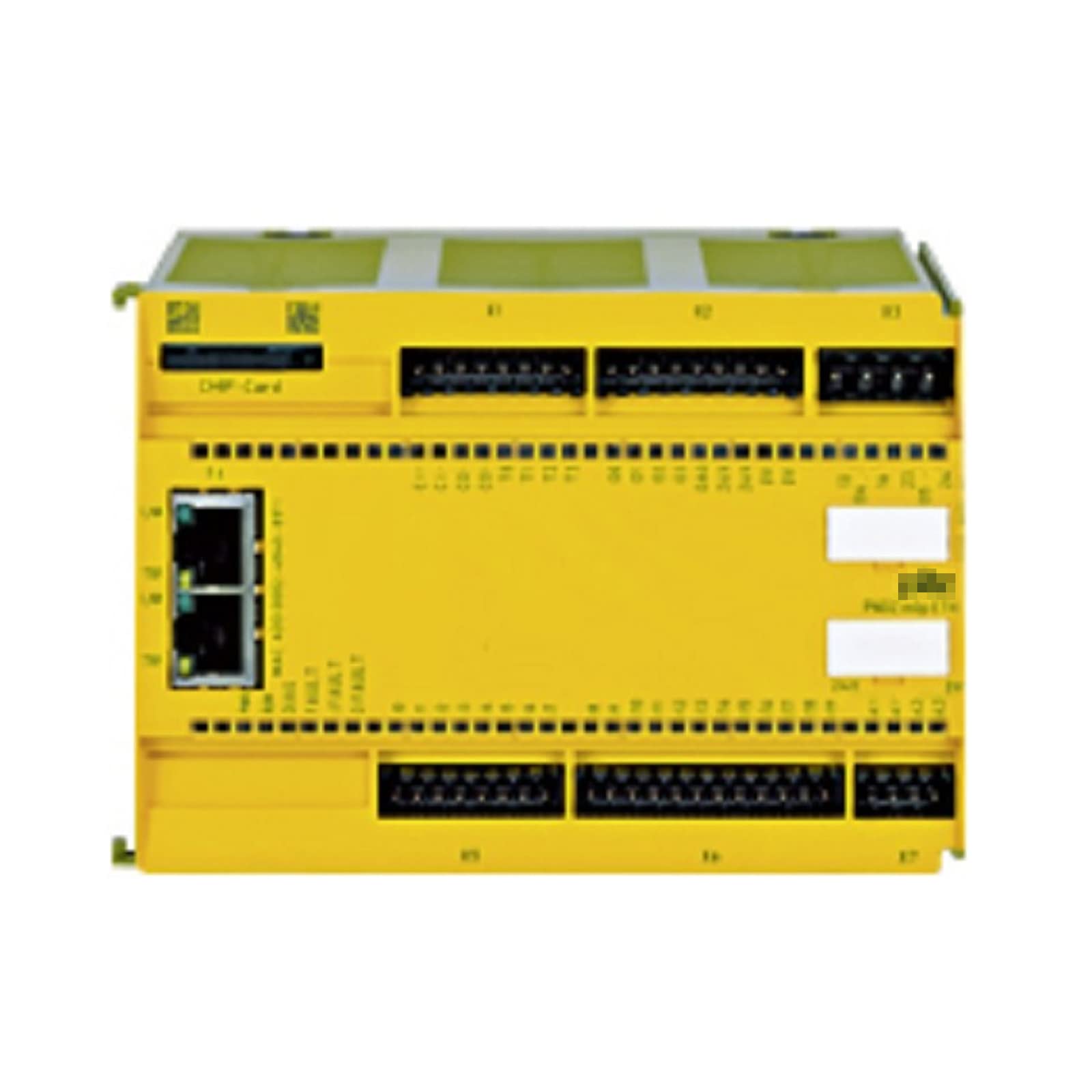
Figure 1: CungSu PNOZ 773113 Safety Relay. This image shows the front view of the PNOZ 773113 device, highlighting its compact design and terminal block layout for electrical connections.
4. Operating Instructions
Once the PNOZ 773113 is correctly installed and wired, it is ready for operation.
4.1 Initial Power-Up
- Verify all wiring connections are correct and secure.
- Apply power to the control system.
- Observe the status indicators on the PNOZ 773113. Typically, a green LED indicates normal operation, while a red LED or flashing pattern indicates a fault.
4.2 Function Test
Perform a function test after initial power-up and periodically thereafter to ensure the safety relay is operating correctly.
- Activate each connected safety input (e.g., press an E-stop button, open a safety gate).
- Verify that the safety outputs de-energize as expected.
- Reset the safety input and verify that the safety outputs re-energize (if configured for automatic reset) or can be manually reset.
5. Maintenance
The CungSu PNOZ 773113 is designed for minimal maintenance. However, regular inspections are recommended to ensure continued safe operation.
5.1 Routine Checks
- Visual Inspection: Periodically inspect the device for any signs of physical damage, loose connections, or discoloration.
- Functionality Test: Conduct regular functional tests as described in Section 4.2 to confirm proper operation of safety circuits.
- Cleaning: If necessary, gently clean the exterior of the device with a soft, dry cloth. Do not use abrasive cleaners or solvents.
CAUTION:
Always disconnect power before performing any cleaning or inspection that requires direct contact with the device.
6. Troubleshooting
This section provides guidance for common issues encountered with the PNOZ 773113. For problems not listed here, contact CungSu technical support.
| Problem | Possible Cause | Solution |
|---|---|---|
| Device does not power on. | No power supply or incorrect wiring. | Check power connections and voltage. Verify wiring against the diagram. |
| Safety outputs do not energize. | Safety input active (e.g., E-stop pressed) or fault condition. | Check all safety inputs. Reset any active safety devices. Check status LEDs for fault codes. |
| Device shows a fault indication. | Internal fault or external wiring error. | Refer to the specific fault code (if available) in the product's detailed technical documentation. Verify all external wiring. |
7. Specifications
- Part Number: PNOZ 773113
- Manufacturer: CungSu
- Product Status: New with Factory Seal
- ASIN: B0D8YPQF39
- Date First Available: July 6, 2024
- Further detailed technical specifications can be found in the product's datasheet.
8. Warranty and Support
8.1 Customer Service
CungSu is devoted to providing excellent customer service. If you have any issues regarding the product, you are welcome to send a message to the supplier, Realing US, through the Amazon platform or directly via their provided contact information.
8.2 Returns and Replacements
This product typically comes with a 30-day return policy for refund or replacement, subject to the seller's terms and conditions.
8.3 Protection Plans
Optional extended protection plans, such as a 4-Year Protection Plan, may be available for purchase separately to cover the device beyond the standard warranty period.