
1. Introduction
This manual provides essential instructions for the safe and efficient use of your eeTao 15V-24V AC/DC Adapter Charger. This adapter is specifically designed to be compatible with Takki S81 and S81 Max Portable Power Stations, providing a reliable power supply for charging your device.
2. Safety Information
Please read and understand all safety warnings and instructions before using this product. Failure to follow these instructions may result in electric shock, fire, or serious injury.
- The adapter supports a wide input voltage range of 100-240VAC at 50/60Hz, making it suitable for worldwide use.
- This charger incorporates multiple protection features: OVP (Over Voltage Output Protection), OCP (Over Current Output Protection), and SCP (Short Circuit Output Protection) to ensure safe operation.
- The product meets CE and RoHS specifications, indicating compliance with European safety, health, and environmental protection standards.
- Important Note on Batteries: Rechargeable batteries have a limited lifespan, typically 1 to 3 years. If your power station's battery is old or completely depleted, it may no longer accept a charge. This is a characteristic of the battery itself and not an indication of a fault with the charger. If you suspect a battery issue, a voltmeter can be used to verify the charger's output functionality.

Image: Diagram illustrating the multiple security protection features of the adapter, including temperature, overcharge, lightning, short circuit, and anti-interference protection.
3. Package Contents
Verify that all items are present upon opening the package:
- 1 x eeTao 15V-24V AC/DC Adapter Charger (Model: SAW30A-190-1500U)
4. Setup
Follow these steps to set up your adapter for charging:
- Connect to Power Station: Insert the barrel connector of the adapter's DC output cable into the charging input port of your Takki S81 or S81 Max Portable Power Station. Ensure a firm connection.
- Connect to Wall Outlet: Plug the AC input prongs of the adapter into a standard 100-240VAC wall outlet.

Image: The eeTao power supply adapter is compatible with Takki S81 (24000mAh) and S81 Max (30000mAh) portable power stations. Note: Power stations are not included.
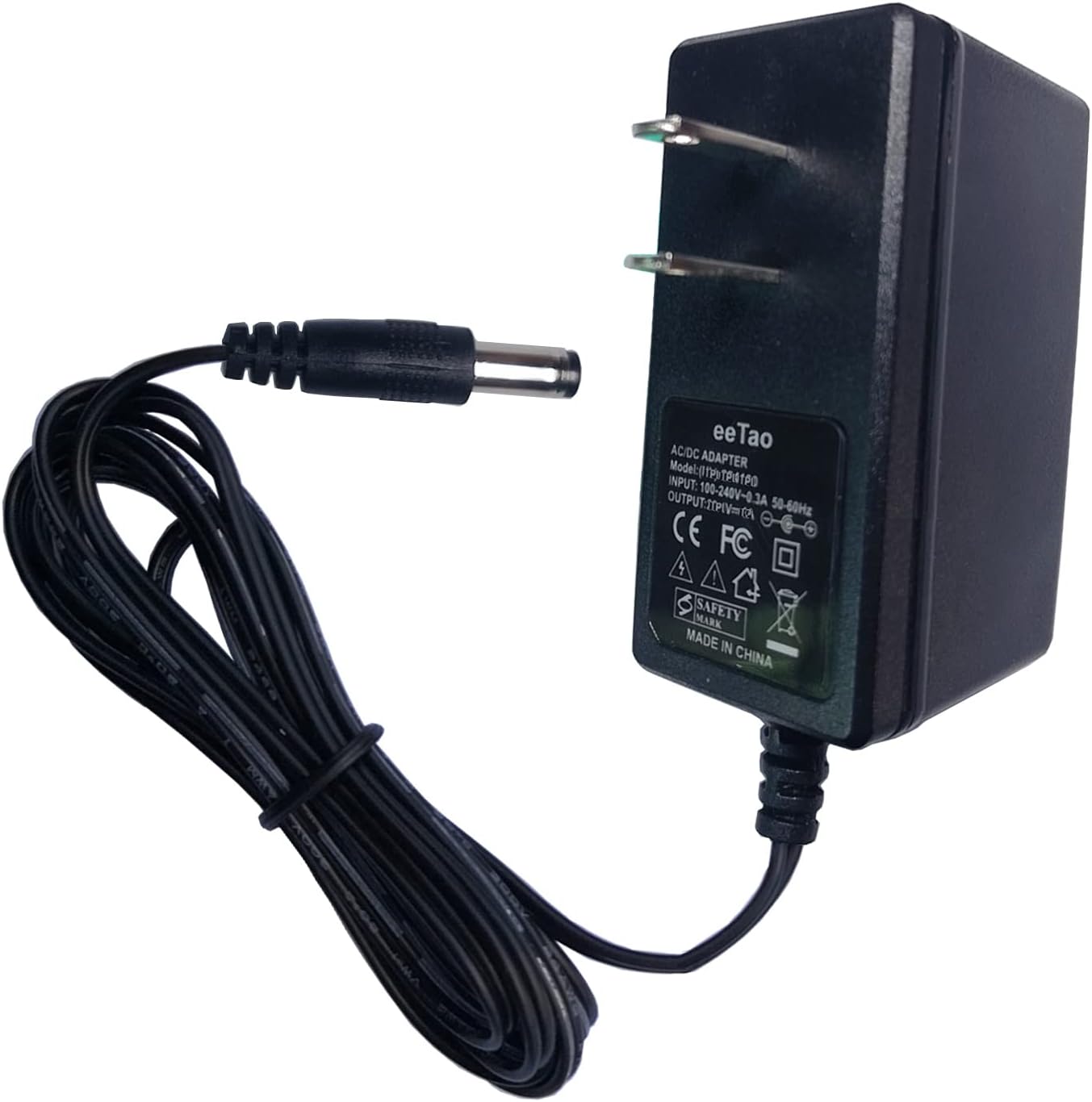
Image: A side view of the eeTao AC/DC adapter, highlighting its compact design and the barrel connector for device input. The product label with model number SAW30A-190-1500U is visible.
5. Operating Instructions
Once properly connected, the adapter will begin supplying power to your Takki portable power station.
- The power station's charging indicator (if available) should activate, confirming that charging is in progress.
- Refer to your Takki S81 or S81 Max power station's user manual for specific charging status indicators and estimated charging times.
- It is generally recommended to charge the power station in a well-ventilated area.
6. Maintenance
To ensure the longevity and optimal performance of your eeTao adapter, follow these maintenance guidelines:
- Cleaning: Keep the adapter and its cable clean and free from dust and debris. Use a soft, dry cloth for cleaning. Do not use liquid cleaners.
- Storage: Store the adapter in a cool, dry place away from direct sunlight and extreme temperatures when not in use.
- Cable Care: Avoid bending or crimping the cable excessively, especially near the connectors, to prevent internal damage.
- No Disassembly: Do not attempt to open or repair the adapter. This will void the warranty and could lead to electrical hazards.

Image: An illustration detailing the construction of a premium cable, featuring an inner insulator, coarsening core for enhanced conductivity, and a durable TPE protective outer layer.
7. Troubleshooting
If you encounter issues while using your eeTao adapter, refer to the following common troubleshooting steps:
- Power Station Not Charging:
- Ensure the adapter's barrel connector is fully inserted into the power station's charging port.
- Verify that the adapter is securely plugged into a functional wall outlet. Test the outlet with another device if necessary.
- Confirm that the power station itself is turned on or in a state that allows charging, as per its own manual.
- As mentioned in the safety section, an old or dead power station battery may not accept a charge. This is a battery limitation, not a charger defect.
- Adapter Feels Warm: It is normal for the adapter to become slightly warm during operation. If it becomes excessively hot or emits a burning smell, immediately unplug it from the wall outlet and discontinue use.
- No Power Output: If you suspect the adapter is not providing power, use a voltmeter to test the DC output voltage at the barrel connector. It should read approximately 19V DC.
8. Specifications
| Feature | Specification |
|---|---|
| Brand | eeTao |
| Model Number | SAW30A-190-1500U |
| Input Voltage | 100-240VAC, 50/60Hz |
| Output Voltage | 19V DC |
| Output Current | 1.5 Amps |
| Maximum Power | 28.5 Watts |
| Connector Type | Barrel |
| Safety Standards | CE, RoHS, OVP, OCP, SCP |
| Material | Metal, Plastic |
| Item Dimensions | 3 x 3 x 1 inches |
9. Warranty and Support
eeTao stands behind the quality of its products.
- Warranty: This product is covered by a 30-day refund policy and a 24-month exchange warranty from the date of purchase.
- Customer Support: For any questions, technical assistance, or warranty claims, please contact eeTao customer service through the retailer where the product was purchased.