
mini ac unit for bedroom-BaiCER
Portable Air Conditioner User Manual
Model: mini ac unit for bedroom-BaiCER | Brand: Generic
1. Introduction and Overview
Thank you for choosing the Generic Portable Air Conditioner. This compact and versatile unit is designed to provide a comfortable environment by combining cooling, humidification, and air purification functions. Its lightweight design and easy-to-carry handle make it ideal for use in various settings, including your home, office, or during outdoor activities. This manual provides essential information for the safe and efficient operation of your new portable air conditioner.

Figure 1.1: The portable air conditioner in operation, demonstrating its cooling effect.
Key features include a multi-functional design suitable for dry environments, an easy-to-use push-button control panel, a large-capacity water tank for extended use, and an energy-saving, ultra-quiet operation that minimizes disturbance.
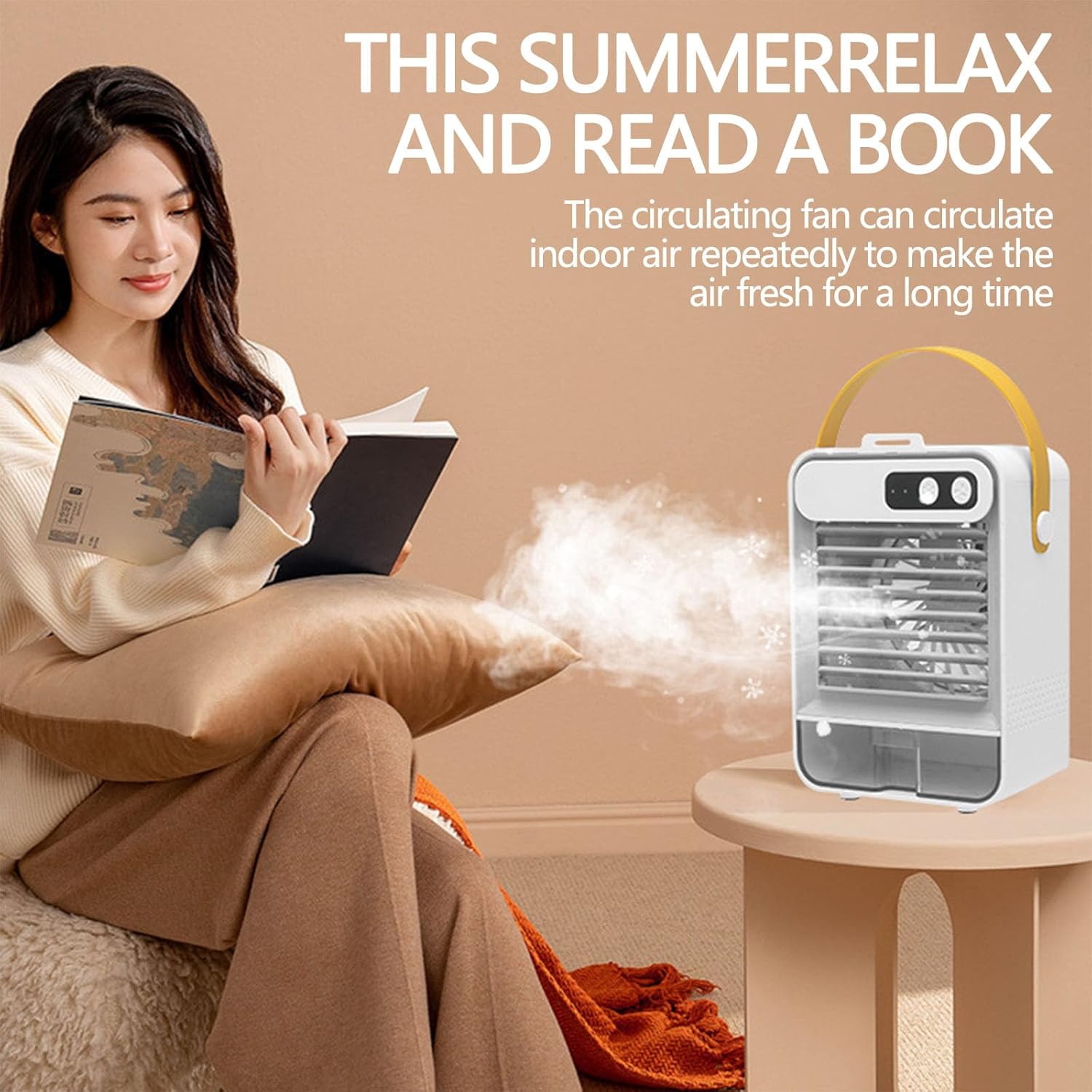
Figure 1.2: The portable air conditioner provides a comfortable environment for relaxation.
2. Setup and Initial Use
2.1 Unpacking
Carefully remove all components from the packaging. Ensure you have the following items:
- 1x Portable Air Conditioner (Chiller)
- 1x Data Cable (for charging/power)
- 1x User Manual (this document)
2.2 Charging the Unit
Before first use, fully charge the built-in battery using the provided data cable. Connect the data cable to the unit's charging port and a compatible USB power source (e.g., wall adapter, computer USB port). The charging indicator light will show the charging status.
2.3 Filling the Water Tank
For cooling and humidification, the unit requires water. The large-capacity water tank can hold up to 1600 ml (54 oz) of water.
- Locate the water tank on the unit.
- Open the water tank cover.
- Carefully pour clean, cool water into the tank. Do not exceed the maximum fill line.
- For enhanced cooling, you may add ice cubes to the ice box compartment within the water tank.
- Close the water tank cover securely.
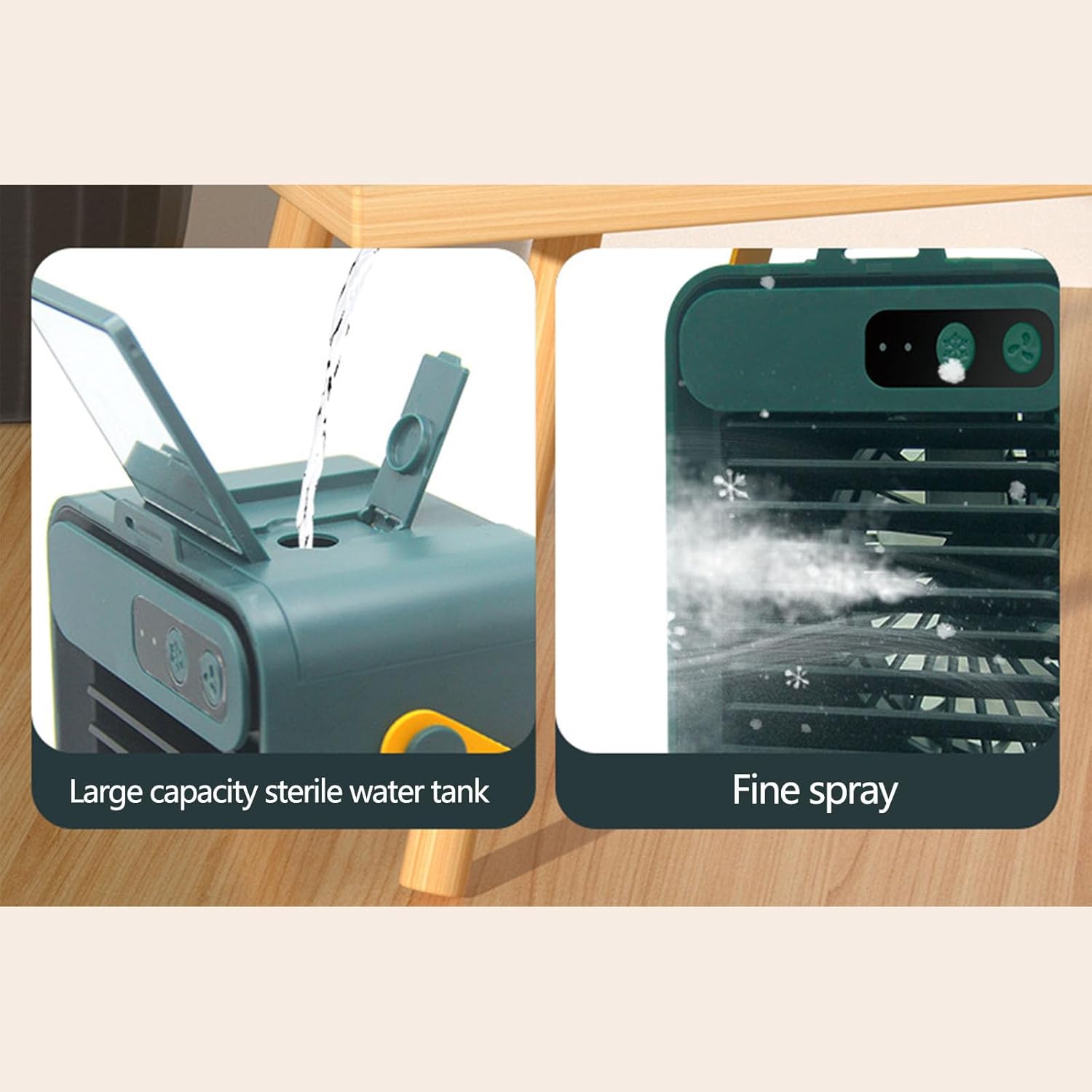
Figure 2.1: Filling the large capacity water tank and observing the fine spray.
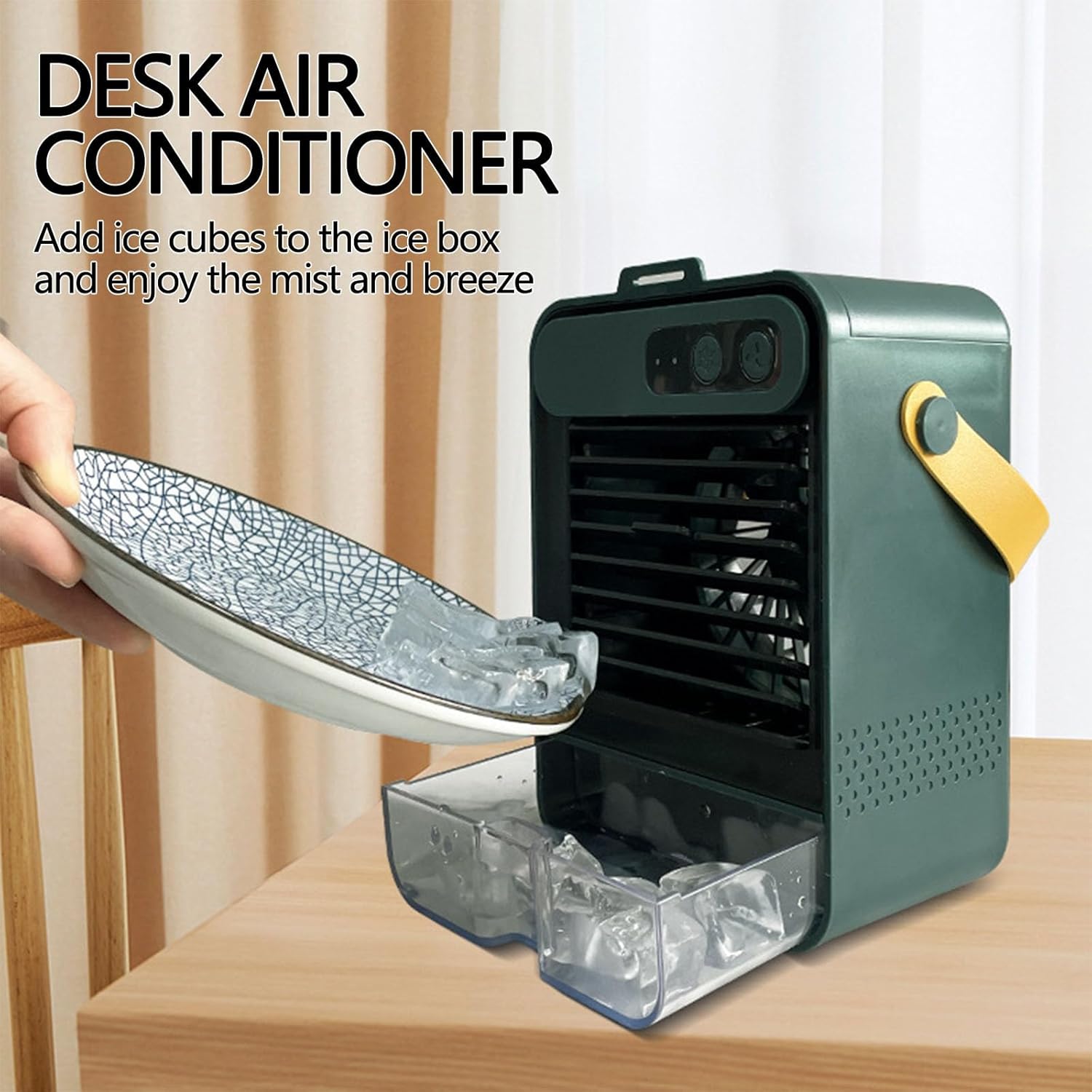
Figure 2.2: Adding ice cubes to the unit for enhanced cooling effect.
3. Operating Instructions
3.1 Powering On/Off
Press the power button on the control panel to turn the unit on or off.
3.2 Adjusting Fan Speed
The unit features multiple fan speed settings to suit your comfort needs. Press the fan speed button to cycle through the available modes:
- First Gear (Sleep Wind): Gentle and comfortable, ideal for quiet environments or during sleep.
- Second Gear (Natural Wind): Refreshing and natural, suitable for office or study.
- Third Gear (Super Gale): Powerful airflow for rapid cooling in hot weather.

Figure 3.1: Fan speed settings and their corresponding airflow.
3.3 Adjusting Airflow Direction
The front grid of the unit is adjustable, allowing you to direct the cool air as needed. Manually adjust the grid to achieve your desired airflow direction.
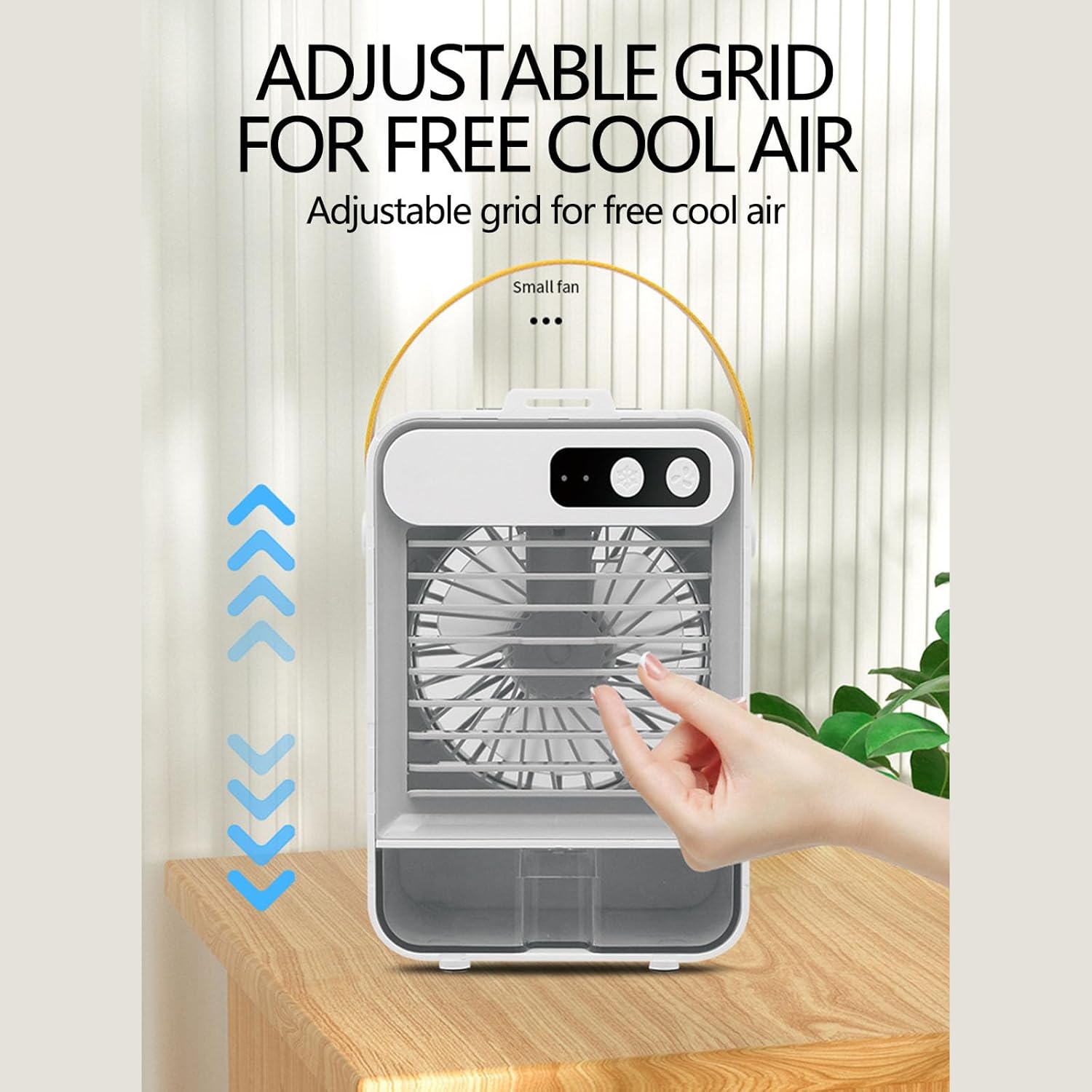
Figure 3.2: Adjusting the front grid for customized airflow.
3.4 Special Features
- Auto Shut-Off: The unit may have an automatic shut-off feature for safety or when the water level is low.
- Low Water Indicator: An indicator will alert you when the water tank needs refilling.
- Silent Operation: Designed for low noise output (approximately 50 dB), ensuring minimal disturbance.

Figure 3.3: The unit's low noise level ensures a peaceful environment.
4. Maintenance
Regular maintenance ensures optimal performance and longevity of your portable air conditioner.
4.1 Cleaning the Water Tank
To prevent mold or mildew buildup, it is recommended to clean the water tank regularly, especially if the unit is used frequently or with tap water.
- Turn off and unplug the unit.
- Empty any remaining water from the tank.
- Wipe the inside of the tank with a soft cloth and mild detergent.
- Rinse thoroughly with clean water.
- Allow the tank to air dry completely before refilling or storing the unit.
4.2 Exterior Cleaning
Wipe the exterior of the unit with a soft, damp cloth. Do not use abrasive cleaners or solvents.
5. Troubleshooting
If you encounter issues with your portable air conditioner, refer to the following common problems and solutions:
| Problem | Possible Cause | Solution |
|---|---|---|
| Unit does not turn on | Battery is low or depleted Power cable not connected | Charge the unit fully Ensure data cable is securely connected |
| No cool air/Mist not visible | Water tank is empty No ice added (for colder mist) | Refill water tank Add ice cubes to the ice box |
| Unusual noise | Unit not on a flat surface Obstruction in fan/air intake | Place unit on a stable, flat surface Check for and remove any obstructions |
| Low water indicator is on | Water level is low | Refill the water tank |
6. Specifications
| Feature | Specification |
|---|---|
| Brand | Generic |
| Model Name | swamp cooler fan-BaiCER |
| Mounting Type | Tabletop Mount |
| Color | WH |
| Product Dimensions | 5"D x 4"W x 7.5"H |
| Item Weight | 1 pounds |
| Reservoir Capacity | 1600 Milliliters (54 oz) |
| Air Flow Capacity | 350 Cubic Feet Per Minute |
| Noise Level | 50 dB |
| Voltage | 12 Volts |
| Built-In Battery Capacity | 1000mah-1200mah |
| Duration (on battery) | 1-3 hours |
| Controls Type | Push-button (Remote listed in specs, but description states push-button) |
| Special Features | Adjustable Speed, Auto Shut-Off, Low Water Indicator, Silent Operation |
7. Warranty Information
This Generic Portable Air Conditioner comes with a 1-Year Warranty from the date of purchase. This warranty covers manufacturing defects and malfunctions under normal use. Please retain your proof of purchase for warranty claims. For detailed warranty terms and conditions, please refer to the documentation provided at the time of purchase or contact customer support.
8. Customer Support
For any questions, technical assistance, or warranty inquiries, please contact the manufacturer, BaiCER, or the seller from whom you purchased the product. Please have your model number (mini ac unit for bedroom-BaiCER) and purchase details ready when contacting support.
Ask a question about this manual
Ask about setup, troubleshooting, compatibility, parts, safety, or missing instructions. Manuals+ will review the question and use this page’s manual context to help answer it.