
1. Introduction
This manual provides detailed instructions for the assembly, operation, and maintenance of your Joomer 9.5 FT 478 LED Smart RGB Cone Tree Lights. Please read this manual thoroughly before use to ensure proper functionality and safety.

Image: Overview of the Joomer Smart RGB Cone Tree Lights, showcasing its vibrant color display and control methods via remote and smartphone app.
2. Safety Information
- Ensure the product is installed on a stable, level surface to prevent tipping.
- Keep away from open flames and heat sources.
- Do not attempt to modify or repair the product. Contact customer support for assistance.
- Unplug the lights from the power source before cleaning or when not in use for extended periods.
- This product is designed for outdoor use but ensure all connections are secure and protected from excessive moisture.
3. Package Contents
- 9.5 FT LED Cone Tree Light Assembly (18 strands with 22 LEDs each, 1 star topper with 10 LEDs, total 406 LEDs on PVC wire)
- Base for assembly
- Remote Control
- Power Adapter
- Instruction Manual

Image: Detailed view of the cone tree lights, highlighting its 9.5 FT height, 2.95 FT base diameter, 10-LED star topper, and various control methods including remote, app, and wired button controller.
4. Setup Instructions
Assembly is required for this product. Follow these steps carefully:
- Assemble the base components by connecting the curved sections to form a circular base.
- Insert the vertical pole sections into the center of the base, ensuring they are securely connected.
- Attach the star topper to the top of the pole.
- Carefully unroll the LED light strands and attach them to the base, ensuring even distribution around the pole. The strands are designed to hang from the star topper to the base.
- Connect the power adapter to the main controller and then to a power outlet.
For a visual guide on assembly, please refer to the video below:
Video: A demonstration of the assembly process for the Joomer 9.5 FT Christmas Tree Lights, showing how to connect the base, pole, star topper, and light strands.
5. Operating Instructions
5.1. Smart App Control (Surplife App)
The Surplife app allows for comprehensive control over your lights. It is available for both iOS and Android devices.
- **Download and Install**: Search for "Surplife" in your device's app store or scan the QR code provided in the product packaging.
- **Bluetooth Pairing**:
- Ensure Bluetooth is enabled on your mobile phone.
- Open the Surplife app. The app will automatically search for nearby devices.
- Select your device from the list to pair. No subscription or account is required.
- **Control Functions**:
- **Lighting Modes**: Choose from multiple vibrant scene modes and 16 million different color combinations.
- **DIY Lighting**: Create custom scenes and effects, as each LED acts as an individual pixel.
- **Music Sync**: Utilize the built-in microphone to sync light colors with your music.
- **Timer Function**: Set automatic on/off times for the lights.
- **Dimmable Lighting**: Adjust brightness from 1% to 100%.

Image: Screenshots of the Surplife app, demonstrating music synchronization, color selection via a color wheel, and various preset scene options for the lights. A QR code for app download is also visible.
Download the Surplife App: iOS App Store
5.2. Remote Control
The included remote control provides quick access to various light functions.
- **Important Note**: Remove the insulation sheet from the remote control battery before first use. Aim the remote directly at the controller unit of the lights. Do not cover the controller to ensure proper remote functionality.
- **Functions**: The remote allows you to turn the lights ON/OFF, adjust speed/brightness, switch between static colors (CS, C3, C7), activate auto-loop mode, control fading effects, set 7-color circular run, 7-color gradual flow, 7-color overlay, select modes (M+/M-), choose scenes (S1-S4), and activate music modes (Music 1-4).
- **Timer**: Set 30-minute or 1-hour delay off functions.

Image: Detailed layout of the remote control, indicating buttons for power, brightness, color selection, dynamic modes, and timer settings.
5.3. Music Sync Feature
The cone tree lights feature a built-in microphone that enables synchronization with music. This creates dynamic light displays that react to audio, suitable for various events.
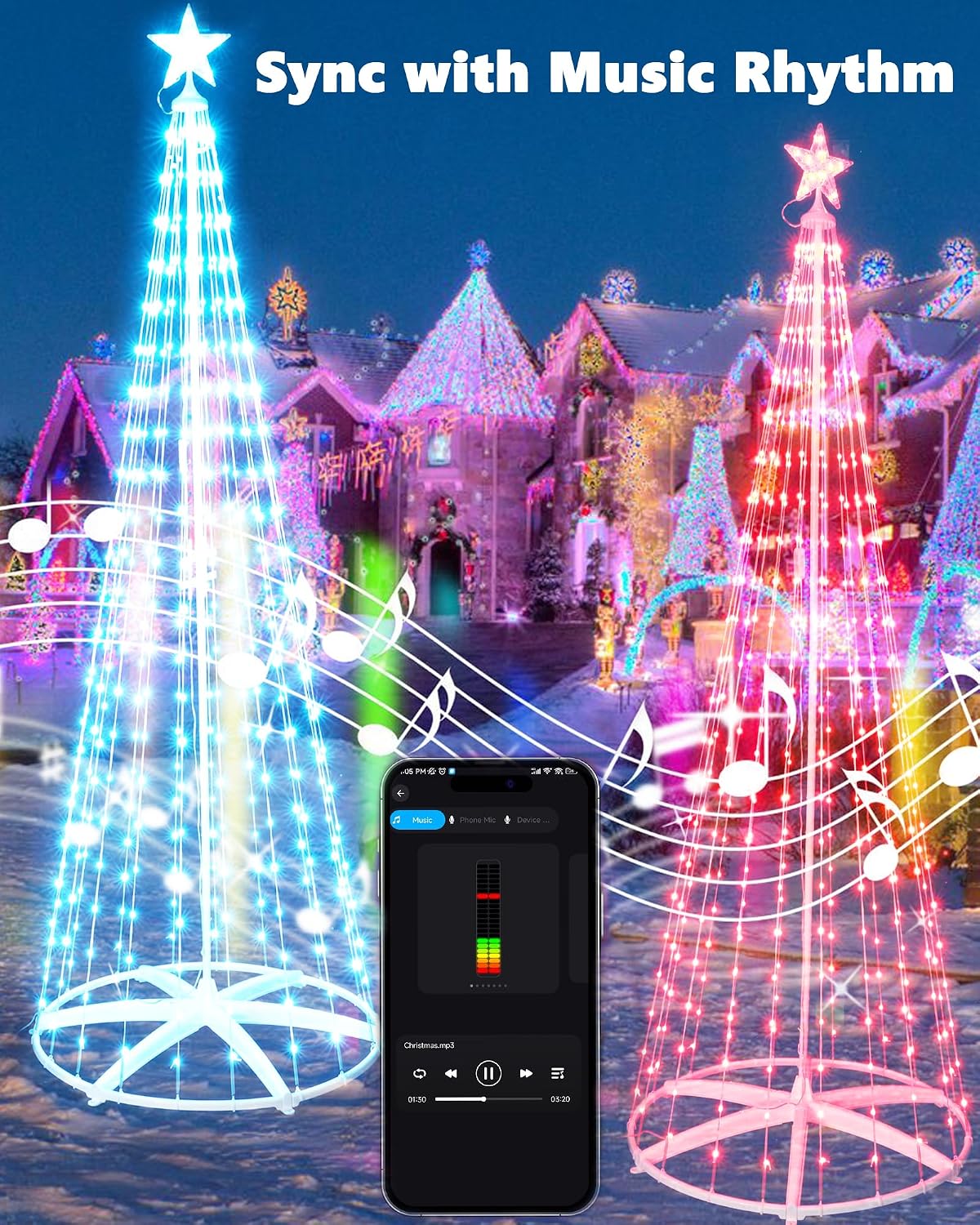
Image: The Joomer cone tree lights displaying colors that change in rhythm with music, controlled via a smartphone app.
6. Features
- **360° View Design**: Features 18 strands with 22 LEDs each, plus a star topper with 10 LEDs, totaling 406 LEDs on PVC wire. The product title indicates 478 LEDs; please refer to product packaging for the exact total if different.
- **Smart Control**: Compatible with the Surplife app (iOS/Android) and includes a dedicated remote control.
- **Dynamic Lighting**: Offers multiple vibrant scene modes and 16 million color combinations.
- **DIY Customization**: Each LED functions as an individual pixel, allowing for personalized light patterns.
- **Music Synchronization**: Built-in microphone for lights to react to music.
- **Timer Functionality**: Schedule automatic on/off times.
- **Dimmable**: Adjustable brightness from 1% to 100%.

Image: A collage of Joomer cone tree lights showcasing various built-in dynamic effects and options for DIY customization through the app.
7. Maintenance
- **Cleaning**: Gently wipe the lights and frame with a soft, dry cloth. Do not use harsh chemicals or abrasive cleaners.
- **Storage**: When not in use, carefully disassemble the lights and store them in their original packaging or a protective container in a cool, dry place.
- **Inspection**: Periodically check the power cord, adapter, and light strands for any signs of damage. Discontinue use if damage is found.
8. Troubleshooting
| Problem | Possible Cause | Solution |
|---|---|---|
| Lights do not turn on. | No power, loose connection, remote insulation sheet not removed. |
|
| Remote control not responding. | Insulation sheet present, remote not aimed at controller, battery low. |
|
| App cannot connect via Bluetooth. | Bluetooth off, app not updated, device too far. |
|
| Lights not syncing with music. | Microphone obstructed, music volume too low. |
|
9. Specifications
- **Model Number**: JT-DC050V3000-G
- **Height**: 9.5 FT (approximately 2.9 meters)
- **Base Diameter**: 2.95 FT (approximately 0.9 meters)
- **LED Count**: 478 LEDs (including star topper)
- **Control Methods**: Bluetooth App (Surplife), Remote Control
- **Color Options**: 16 Million RGB Colors
- **Special Features**: Music Sync, Timer Function, Dimmable, DIY Modes, Preset Scenes
- **Item Weight**: 6.8 pounds (approximately 3.08 kg)
- **Assembly**: Required
- **Batteries**: Required for remote control (type not specified, typically CR2025 or similar button cell)
- **Manufacturer**: Changzhou Jutai Electronic Co.,Ltd
10. Warranty and Support
For warranty information, technical support, or any inquiries regarding your Joomer Smart RGB Cone Tree Lights, please refer to the product packaging or contact the manufacturer directly through their official website or customer service channels.