
1. Introduction
This manual provides detailed instructions for the installation, operation, and maintenance of your Podofo HD Waterproof Rear Camera. Designed for enhanced safety, this camera offers clear rear vision for various vehicles, compatible with 6.8-inch, 7-inch, 9-inch, 9.3-inch, and 10.26-inch portable car stereos that support AHD video signal format.
2. What's in the Box
- Podofo HD Waterproof Rear Camera
- Power Cable
- 15m/49ft RCA Extension Cable
- Mounting Screws (2 pcs)
- User Manual

Figure 2.1: Contents of the Podofo HD Waterproof Rear Camera package.
3. Product Features
- High-Definition Clarity: 1920x1080 pixel resolution for sharp and detailed images.
- Superior Night Vision: Equipped with automatic gain control, white balance, and backlight compensation for clear images in low-light conditions (minimum illumination: 0.01Lux).
- Robust and Reliable: IP68 waterproof rating ensures flawless operation in various weather conditions. Wide operating temperature range from -30°C to +80°C.
- Wide-Angle View: 107-degree wide-angle lens provides extensive surveillance coverage.
- High Signal-to-Noise Ratio: Greater than 69dB Noise Ratio for sharp, noise-free images.
- Adjustable Mounting: Multi-angle adjustment for optimal reversing view.
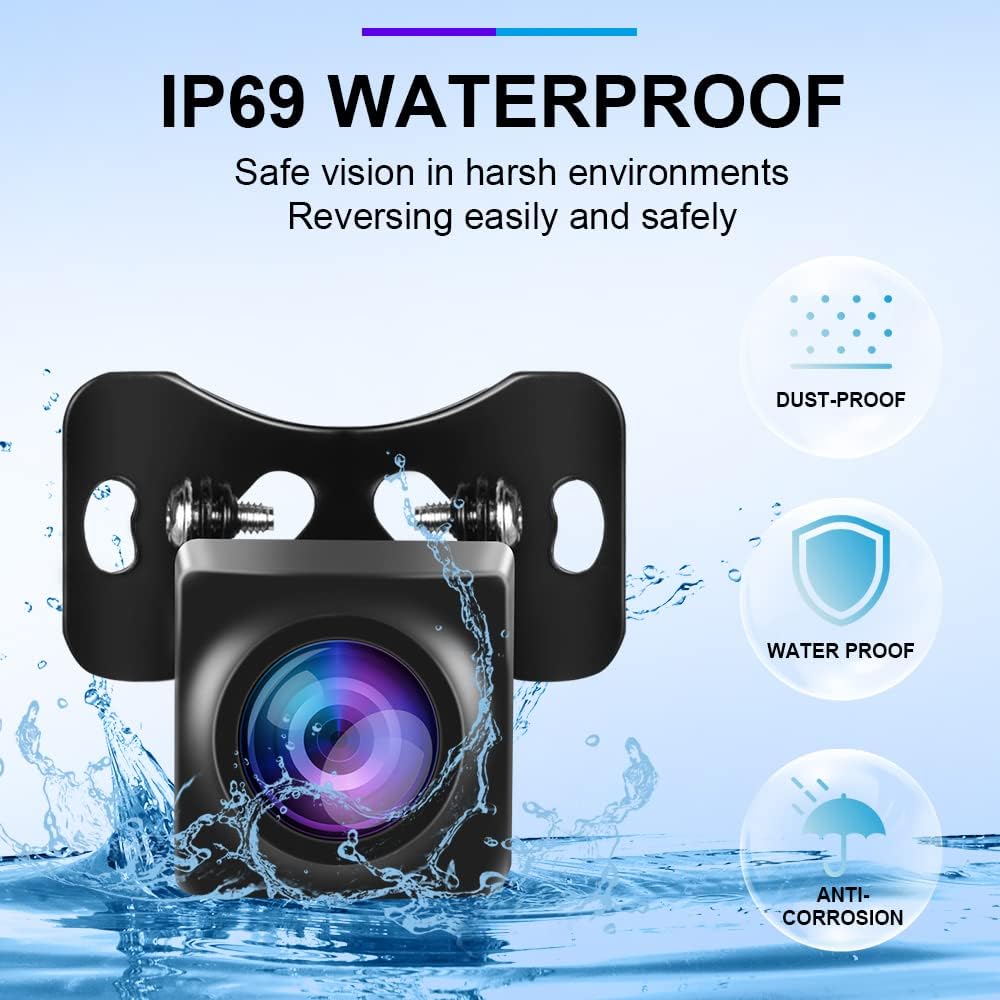
Figure 3.1: IP68 Waterproof rating for reliable performance in harsh environments.

Figure 3.2: Color night vision capability for clear visibility day and night.
4. Specifications
| Feature | Specification |
|---|---|
| Pixel Resolution | 1920*1080P |
| Noise Ratio (SNR) | ≥69dB |
| Horizontal Viewing Angle | 107° |
| Waterproof Rating | IP68 |
| Minimum Illumination | 0.01Lux |
| Power Supply | DC12V |
| Operating Temperature | -30°C ~ +80°C |
| TV System | PAL (AHD) |
| Optical Sensor Technology | CMOS |
| Lens Type | Fixed Wide Angle |
| Connector Type | RCA |
| Product Dimensions | 4.72 x 1.57 x 1.18 inches |
| Item Weight | 10.6 ounces |
5. Setup and Installation
Proper installation is crucial for optimal performance. Please ensure the vehicle's power supply is off before beginning. Consult a professional if you are unsure about any steps.
5.1 Mounting the Camera
The camera is designed for universal fit and can be mounted using the provided license plate bracket or an alternative bracket if preferred. Ensure the mounting location provides a clear, unobstructed view of the rear of your vehicle.

Figure 5.1: Multi-angle adjustment allows for finding the best reversing angle.
5.2 Wiring Diagram and Connection
Follow the diagram below to connect the camera to your car stereo/monitor. The camera is powered by the reversing light circuit, ensuring it activates automatically when the vehicle is put into reverse.
- Connect the camera's video output (yellow RCA) to the 'CAM IN' or 'Video IN' port on your car stereo/monitor.
- Connect the camera's red power wire to the positive (+) 12V power supply of the vehicle's reverse lamp.
- Connect the camera's black ground wire to the negative (-) terminal or chassis ground.
- Connect the red trigger wire from the RCA extension cable to the reverse or back line of your car radio/monitor to signal when to switch to the camera view.
Video 5.1: Detailed guide on connecting the backup camera to your car stereo. This video demonstrates the wiring process for the power, ground, and RCA connections.
Video 5.2: General installation steps for a car backup camera, including mounting and wiring considerations.
6. Operating Instructions
The camera automatically activates when the vehicle is shifted into reverse, displaying the rear view on your connected car stereo or monitor.
6.1 Adjusting Video Format (1080P/720P)
The camera defaults to HD 1080P. If your monitor defaults to 720P or displays a black and white screen, you may need to adjust the format:
- Power off the monitor.
- Locate the small white wire on the camera's cable.
- Cut the white wire.
- Power on the monitor and switch to 720P format in your monitor's settings.
- To restore 1080P format, reconnect the white wire.
Video 6.1: Instructions on how to switch between 1080P and 720P video formats by cutting or reconnecting the white wire.
6.2 Switching Mirror Image
To switch the mirror image (e.g., for front view camera use):
- Power off the camera.
- Locate the small green wire on the camera's cable.
- Cut the green wire.
- Power on the camera. The image will now be non-mirrored.
- To restore mirror image, reconnect the green wire.
6.3 Parking Guide Lines
The camera displays parking guide lines by default. To remove them:
- Power off the camera.
- Locate the small green wire on the camera's cable.
- Cut the green wire.
- Power on the camera. The parking guide lines will now be removed.
- To restore parking guide lines, reconnect the green wire.
Note: Switching formats or mirror image requires powering off the camera before cutting/reconnecting wires.
7. Maintenance
The Podofo HD Waterproof Rear Camera is designed for durability. To ensure longevity:
- Regularly clean the camera lens with a soft, damp cloth to remove dirt or debris.
- Avoid using harsh chemicals or abrasive materials that could damage the lens or casing.
- Ensure all cable connections remain secure and free from corrosion.
8. Troubleshooting
8.1 Black Screen or Interference
If you experience a black screen, distorted image, or interference, check the following:
- Video Format: Ensure your monitor supports the AHD video signal format (1920x1080P or 1280x720P). If your monitor only supports 720P, follow the instructions in Section 6.1 to switch the camera's format.
- Connections: Verify all RCA and power connections are secure and correctly wired according to the diagram in Section 5.2.
- Power Supply: Confirm the camera is receiving stable 12V power.
- Monitor Settings: Check your car stereo/monitor settings to ensure the correct camera input is selected and the video format matches the camera's output.
Video 8.1: Troubleshooting steps for black screen or interference issues, focusing on correct video format settings.
9. Warranty and Support
For warranty information or technical support, please refer to the contact details provided with your purchase or visit the official Podofo website. If you are uncertain about any aspect of our rear view camera, simply send us a message or a picture, and our team will promptly offer personalized advice to assist with your concerns.