
1. Introduction
This manual provides comprehensive instructions for the safe and efficient installation, operation, and maintenance of your KWCWB Automatic Rolling Door Motor. Please read this manual thoroughly before installation and use, and retain it for future reference. Proper installation and adherence to these instructions are crucial for optimal performance and safety.

Image 1.1: KWCWB Automatic Rolling Door Motor with included remote controls and manual pull cords.
2. Safety Information
Always prioritize safety during installation, operation, and maintenance. Failure to follow these safety guidelines may result in injury or damage to property.
- Ensure all electrical connections are performed by a qualified electrician and comply with local electrical codes.
- Keep hands, clothing, and other objects clear of the door and opener mechanism during operation.
- Do not allow children to play with or operate the door opener or its remote controls.
- Regularly inspect the door and opener for signs of wear, damage, or misalignment.
- In case of power failure, use the manual release mechanism (pull cords) to operate the door.
- The motor features an auto-stop function for obstructions and low voltage protection. However, always exercise caution.

Image 2.1: Safety features including auto stop for obstruction, low voltage protection, speed fluctuation protection, and rolling encoding.
3. Package Contents
Verify that all components are present and undamaged before proceeding with installation.
- KWCWB Automatic Rolling Door Motor (1 unit)
- Remote Controls (2 units)
- Installation Hardware (e.g., mounting brackets, fasteners) - Specific items may vary, refer to packing list.
- User Manual (this document)

Image 3.1: The motor's control panel with LED display and buttons, alongside the two included remote controls.
4. Product Overview
4.1 Key Features
- Powerful 800N Motor: Capable of lifting rolling doors up to 242 sq. ft. or 14.7 ft. in height.
- Quiet Operation: Designed for low noise output, approximately 55 dB.
- Multiple Control Methods: Operate via remote control, manual pull cord, or integrated control panel.
- Enhanced Security: Utilizes encrypted rolling code technology with billions of combinations to prevent code theft.
- Safety Mechanisms: Includes auto-stop for obstructions, low voltage protection, and speed fluctuation protection.
- Compact Design: Space-saving dimensions (approx. 11.81 x 4.72 x 15.74 inches) suitable for narrow spaces above garage doors.
- Automatic Shutdown Mode: Programmable auto-shutdown or auto-delay shutdown options.
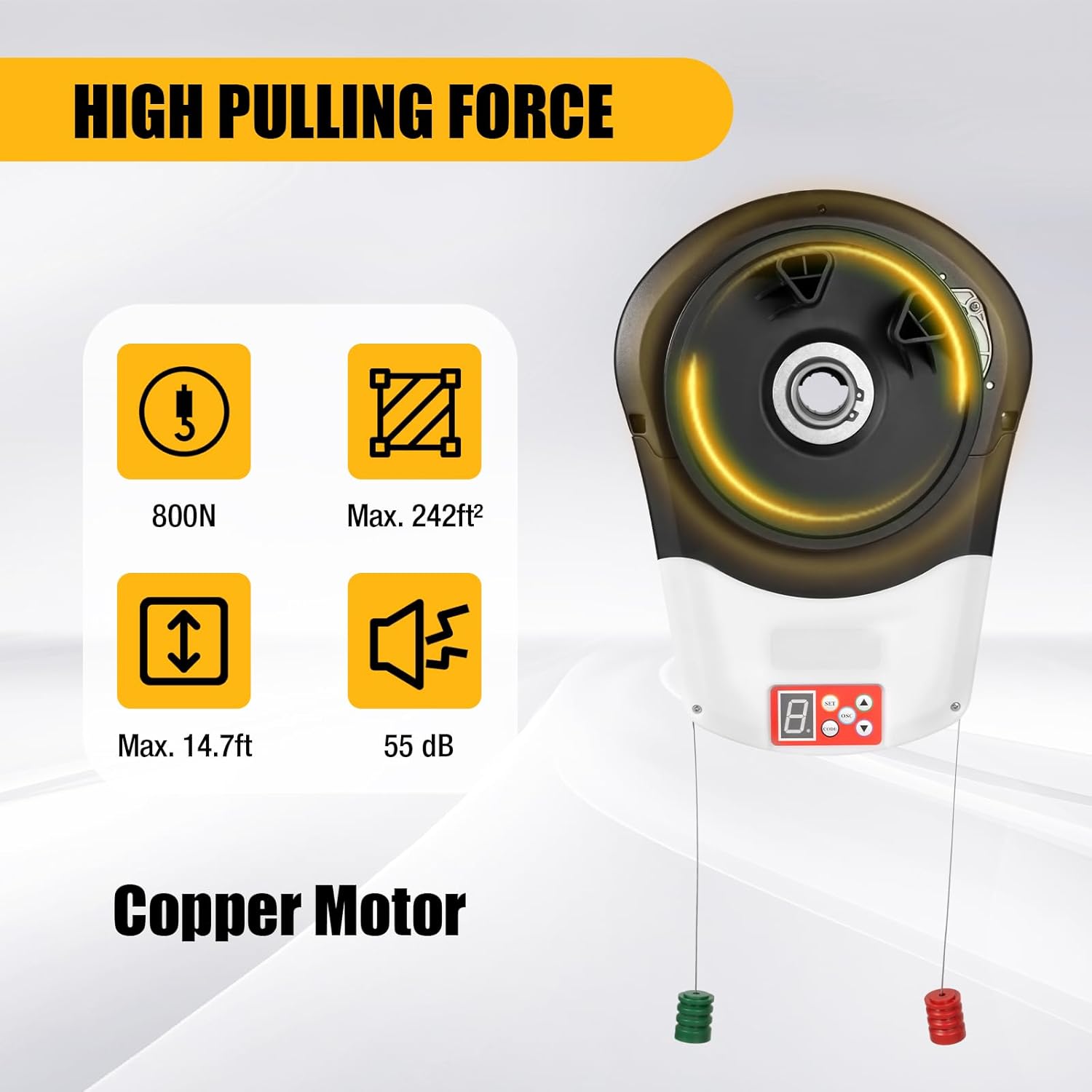
Image 4.1: Key performance indicators of the motor, including pulling force, maximum door area, maximum door height, and noise level.
4.2 Components and Controls
Familiarize yourself with the main components and control interface of the motor unit.
- Motor Unit: The main housing containing the motor and control board.
- Control Panel: Located on the motor unit, featuring an LED display and buttons for 'SET', 'OSC', 'CODE', 'Up (Open)', and 'Down (Close)'.
- Remote Controls: Handheld devices for wireless operation.
- Manual Release Cords: Red and green cords for manual operation during power outages or emergencies.
Image 4.2: Detailed view of the control panel, indicating buttons for function setting, remote control learning, and door movement.
5. Installation
Installation should be performed by individuals with appropriate technical knowledge. Ensure the door is balanced and in good working condition before installing the opener.
5.1 Pre-Installation Check
- Verify that the rolling door operates smoothly manually.
- Ensure adequate clearance for the motor unit (dimensions: 11.81 x 4.72 x 15.74 inches).
- Confirm availability of a suitable power outlet near the installation area.
5.2 Mounting the Motor Unit
- Position the motor unit securely above the rolling door, ensuring it aligns with the door's shaft.
- Use the provided mounting brackets and fasteners to firmly attach the motor to the wall or ceiling structure.
- Connect the motor's drive shaft to the door's rolling mechanism according to the specific door type.
5.3 Electrical Connection
- Connect the motor unit to a grounded power outlet.
- Ensure all wiring is protected and routed safely to prevent damage.

Image 5.1: Motor dimensions (11.81 x 4.72 x 15.74 inches) illustrating its compact design for installation in confined areas.
6. Operation
The KWCWB Automatic Rolling Door Motor offers multiple methods for operation.
6.1 Remote Control Operation
- Press the designated button on the remote control to open or close the door.
- If the door is closing, pressing the button will stop its descent and initiate opening in the opposite direction.
- If the door is opening, pressing the button will stop its ascent.
- The remote control has an operating range of up to 164 feet.
6.2 Control Panel Operation
- Use the 'Up (Open)' button on the motor's control panel to open the door.
- Use the 'Down (Close)' button to close the door.
- The 'OSC' button can be used to stop the door during movement.
6.3 Manual Operation
In case of power failure or emergency, the door can be operated manually using the pull cords.
- Pull the designated cord (typically red for release) to disengage the motor and allow manual movement of the door.
- Pull the other cord (typically green) to re-engage the motor.
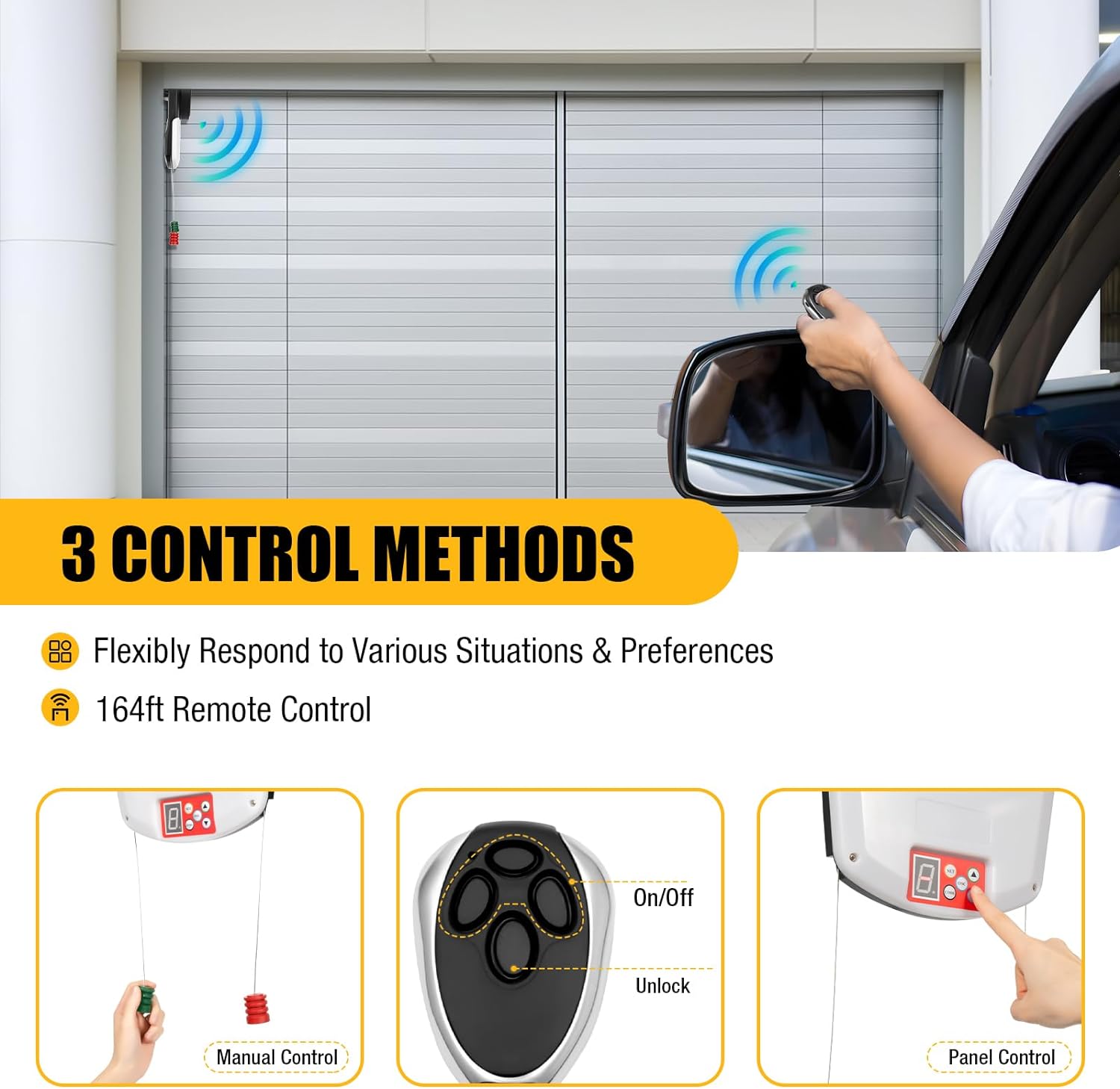
Image 6.1: Illustration of the three available control methods: manual, remote, and panel.
7. Programming Remote Controls
To program a new remote control or re-program an existing one:
- Press and hold the 'CODE' button on the motor's control panel until the LED display indicates programming mode (e.g., a flashing light or specific number).
- While the motor is in programming mode, press the desired button on your remote control that you wish to assign for door operation.
- The LED display on the motor should change (e.g., stop flashing or show a different number) to confirm successful pairing.
- Test the remote control to ensure it operates the door correctly.
The system uses an encrypted rolling code, which changes with each operation, significantly enhancing security against code theft.
8. Automatic Shutdown Mode
The motor can be configured for automatic shutdown or delayed shutdown. Refer to the detailed programming instructions in the full manual (if available) for specific steps on setting these features using the 'SET' button and LED display.
- Program Auto Shutdown: Configures the door to automatically close after a set period if left open.
- Select Auto Delay Shutdown: Sets a specific delay time before the door automatically closes.
Image 8.1: Options for programming automatic shutdown or selecting auto delay shutdown.
9. Maintenance
Regular maintenance ensures the longevity and safe operation of your rolling door motor.
- Monthly: Inspect the door's balance and smooth operation. Check for any loose hardware or signs of wear on cables, springs, and rollers.
- Quarterly: Lubricate moving parts of the door (not the motor itself) as recommended by the door manufacturer.
- Annually: Have a qualified technician inspect the entire system, including the motor, for optimal performance and safety.
- Keep the motor unit clean and free from dust and debris.
10. Troubleshooting
This section addresses common issues you might encounter. For problems not listed here, contact customer support.
| Problem | Possible Cause | Solution |
|---|---|---|
| Motor does not respond to remote control. |
|
|
| Door does not move or stops unexpectedly. |
|
|
| Motor makes unusual noises. |
|
|
11. Specifications
| Brand | KWCWB |
| Model Number | Rolling Door Opener |
| Pulling Force | 800N |
| Max. Door Area | 242 sq. ft. |
| Max. Door Height | 14.7 ft. |
| Noise Level | Approx. 55 dB |
| Product Dimensions (L x W x H) | 11.81 x 4.72 x 15.74 inches |
| Item Weight | 11.57 pounds |
| Material | Acrylonitrile Butadiene Styrene (ABS) |
| Included Components | Rolling Door Opener, 2 Remote Controls |
| Remote Control Range | Up to 164 ft. |
11.1 Applications
This rolling door motor is suitable for various applications, including:
- Garage Doors
- Barn Doors
- Warehouse Doors
- Shopping Center Rolling Doors
- Other Steel Rolling Doors

Image 11.1: Examples of suitable applications for the rolling door motor.
12. Warranty and Support
For warranty information, technical support, or service inquiries, please refer to the contact details provided with your purchase documentation or visit the official KWCWB website. Keep your purchase receipt as proof of purchase for warranty claims.