
Venepee B5-SL
Venepee BLU View 5 B160V Phone Case & Screen Protector User Manual
Model: B5-SL
Introduction
This manual provides comprehensive instructions for the installation, operation, and maintenance of your Venepee BLU View 5 B160V Phone Case and Tempered Glass Screen Protector. Please read this manual thoroughly before use to ensure proper application and maximize product longevity.

Image: The BLU View 5 B160V phone fitted with the pink bumper case, alongside the tempered glass screen protector. Various color options for the bumper case are also shown.
Package Contents
Upon opening the package, verify that all components are present and undamaged:
- 1 x Venepee BLU View 5 B160V Aluminum Bumper Case
- 1 x BLU View 5 Tempered Glass Screen Protector
- 1 x Microfiber Cleaning Cloth
- Luxury Retail Packaging
Setup and Installation
Follow these steps carefully to install the phone case and screen protector:
- Prepare Your Device: Ensure your BLU View 5 B160V phone is clean and free of dust, fingerprints, or smudges. Use the included microfiber cloth to wipe the screen thoroughly.
- Install the Screen Protector:
- Carefully align the tempered glass screen protector with your phone's screen, ensuring the cutouts for the camera and sensors match perfectly.
- Gently lower the protector onto the screen. It will adhere automatically.
- If any air bubbles are present, gently push them towards the edges using the microfiber cloth.
- Assemble the Bumper Case:
The aluminum bumper case features a magnetic design for easy assembly. It consists of two parts that magnetically connect around your phone.

Image: Illustration of the magnetic assembly process for the phone case, demonstrating how the two aluminum frame halves connect around the phone.
- Place your phone into one half of the bumper case.
- Align the second half of the bumper case with the first, ensuring the magnetic edges snap together securely around your phone.
- Verify that all ports, buttons, and camera cutouts are perfectly aligned and accessible.
- Safety Lock Feature: The case is equipped with safety locks to prevent accidental separation. Ensure these locks are engaged after assembly for maximum security.
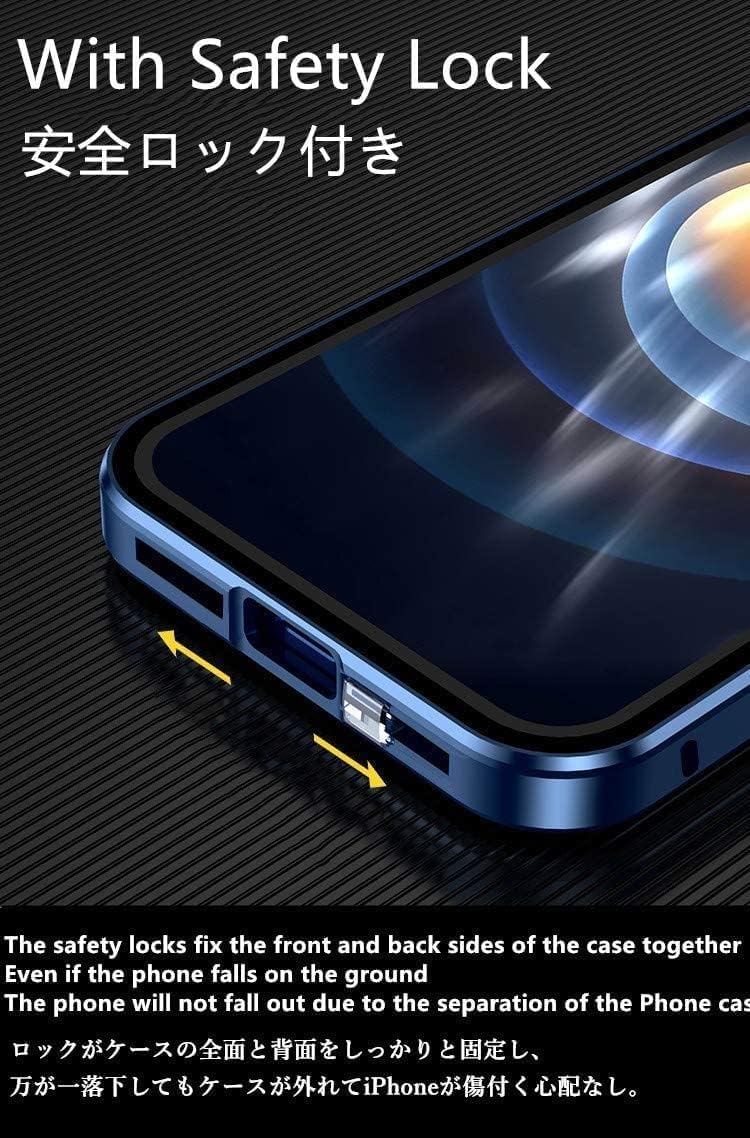
Image: A close-up view of the phone case highlighting the safety lock mechanism, which secures the front and back parts of the case together.
Operating Instructions
Once installed, the Venepee phone case and screen protector are designed for seamless daily use:
- Full Functionality: The case provides precise cutouts for all ports, speakers, microphones, and the camera, ensuring full access to all phone functions without removal.
- Wireless Charging: The case supports wireless charging. You do not need to remove the case to charge your BLU View 5 B160V wirelessly.
- Heat Dissipation: The bumper-only design, without a back panel, promotes better heat dissipation, preventing your phone from overheating during extended use.
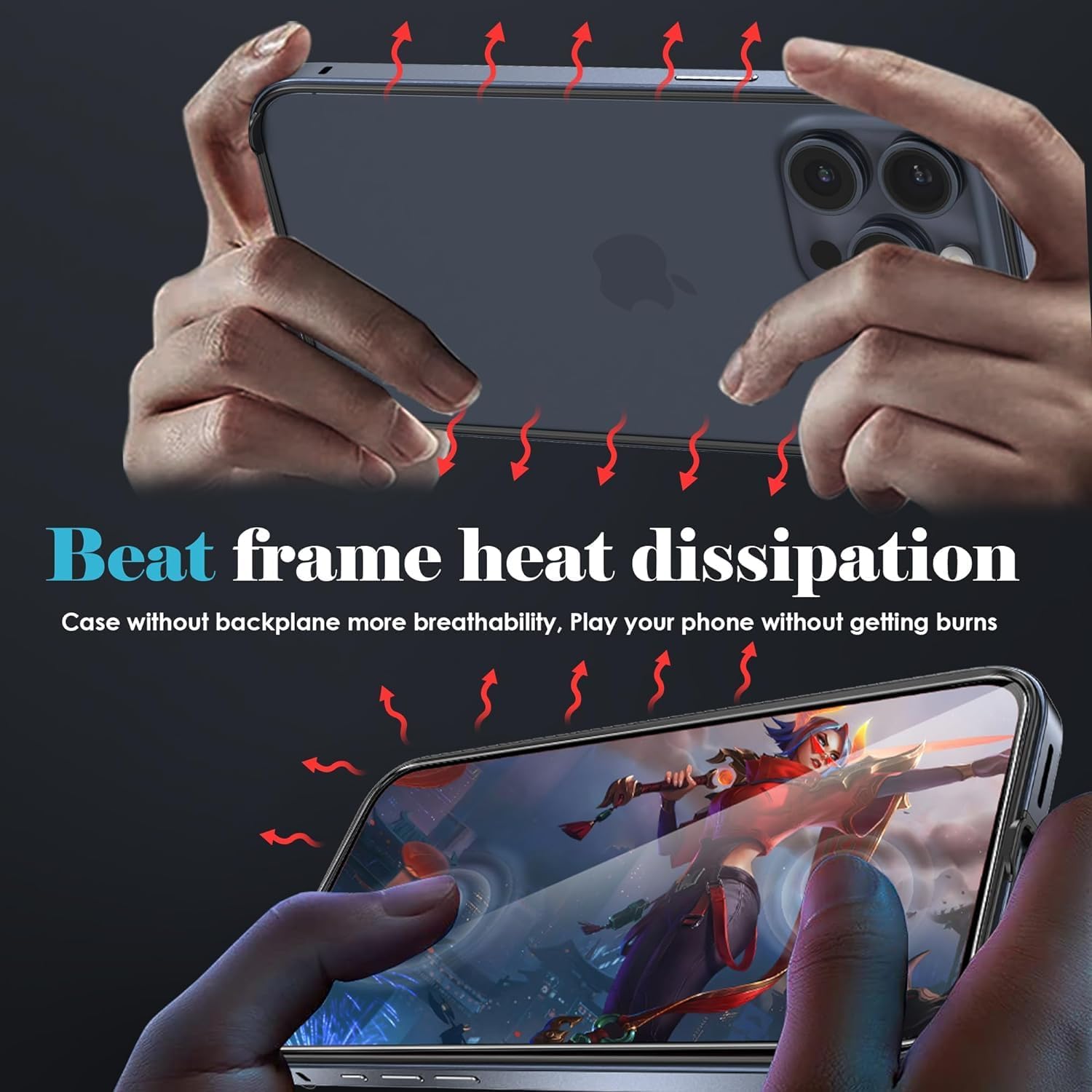
Image: Visual representation of heat dissipation through the open-back design of the phone case, indicated by red arrows showing heat escaping.
- Drop Protection: The aluminum bumper and tempered glass screen protector offer enhanced protection against drops and impacts. The design includes a "buckle drop design" for added shock absorption.

Image: A visual depicting the shockproof capabilities of the phone case, showing it protecting a phone during an impact, with a close-up of the reinforced corner design.
Maintenance
To maintain the appearance and protective qualities of your case and screen protector:
- Cleaning: Wipe the aluminum bumper and screen protector regularly with a soft, damp cloth. For the screen protector, use the provided microfiber cloth to remove smudges and fingerprints. Avoid abrasive cleaners or solvents.
- Avoid Extreme Conditions: Do not expose the product to extreme temperatures or harsh chemicals, as this may damage the materials.
- Inspection: Periodically inspect the case and screen protector for any signs of wear or damage. If significant damage occurs, consider replacing the product to ensure continued protection for your device.
Troubleshooting
Common issues and their solutions:
- Screen Protector Bubbles: If bubbles appear after installation, gently lift the nearest edge of the screen protector and reapply, pushing the bubble out with the microfiber cloth. Ensure the screen is completely clean before reapplication.
- Case Not Fitting Properly: Ensure your phone model is indeed the BLU View 5 B160V. Verify that the two halves of the bumper case are correctly aligned and the magnetic connections are fully engaged. Check for any debris obstructing the fit.
- Buttons or Ports Obstructed: Re-check the alignment of the case on your phone. The precise cutouts should not obstruct any functionality. If they are, remove and re-install the case carefully.
Specifications
| Feature | Detail |
|---|---|
| Product Model | B5-SL |
| Compatible Phone Models | BLU View 5 B160V VERIZON |
| Material | Aluminum (Bumper Case), Tempered Glass (Screen Protector) |
| Product Dimensions | 0.3 x 0.2 x 1 inches (approximate, for case) |
| Item Weight | 2.29 ounces (approximate, for combined product) |
| Color (as reviewed) | Pink (other colors available) |
| Special Features | Magnetic Assembly, Safety Lock, Wireless Charging Compatible, Heat Dissipation Design, Shockproof |
Warranty and Support
For warranty information or technical support, please contact Venepee customer service through the retailer where the product was purchased. Keep your purchase receipt as proof of purchase.
Manufacturer: Venepee
Country of Origin: China
Ask a question about this manual
Ask about setup, troubleshooting, compatibility, parts, safety, or missing instructions. Manuals+ will review the question and use this page’s manual context to help answer it.