
DEWALT DCD1007B
DEWALT 20V MAX XR 1/2 Inch Cordless Hammer Drill
Model: DCD1007B
Brand: DEWALT
Introduction
The DEWALT 20V MAX XR Brushless 1/2 inch 3-Speed Hammer Drill (DCD1007B) is engineered for demanding applications. This powerful cordless hammer drill features an advanced ANTI-ROTATION System for enhanced control and an all-metal transmission for durability. It is designed to deliver high performance and efficiency for various drilling tasks.
Safety Information
Always follow basic safety precautions when using power tools to reduce the risk of fire, electric shock, and personal injury.
- Read all instructions: Familiarize yourself with the tool's operation and safety guidelines before use.
- Wear eye protection: Always wear appropriate eye protection (safety glasses or goggles) when operating the drill.
- Wear hearing protection: Prolonged use may require hearing protection.
- Secure workpiece: Always clamp or otherwise secure the workpiece to prevent movement during drilling.
- Maintain firm grip: Use the auxiliary handle and maintain a firm grip on the drill to control torque reactions.
- Avoid accidental starting: Ensure the switch is in the off-position before inserting the battery pack.
- Use correct accessory: Only use accessories specifically designed for hammer drilling or drilling applications.
- Keep work area clean: Cluttered areas invite accidents.
- Do not overreach: Maintain proper footing and balance at all times.
- Disconnect power: Remove the battery pack before making any adjustments, changing accessories, or storing the tool.
Components and Features

Figure 1: Key Components. This image highlights the main features of the DEWALT DCD1007B hammer drill, including the strong bit grip, variable speed trigger, 3-position LED light, anti-rotation system, brushless motor, and 3-speed transmission.

Figure 2: Hammer Drill with Auxiliary Handle. The drill is shown with its auxiliary handle attached, providing additional stability and control for high-torque applications.
- Brushless Motor: Provides efficient performance and extended tool life.
- 1/2" Nitro-Carburized Metal Chuck: Ensures strong bit grip and durability.
- 3-Speed Transmission: Allows for optimized speed and torque for various applications.
- Anti-Rotation System: Senses excessive rotational motion and shuts down the tool to prevent injury. An LED indicator illuminates when engaged.
- Adjustable 3-Position LED Light: Illuminates the work area, with an option to stay on for up to 20 minutes.
- Auxiliary Handle: Provides additional control and support, especially during high-torque operations.
Setup
1. Battery Installation
This tool is sold as a bare tool. A DEWALT 20V MAX battery and charger are required and sold separately.
- Ensure the drill is turned off.
- Align the battery pack with the receptacle on the bottom of the drill handle.
- Slide the battery pack into the handle until it clicks securely into place.
- To remove, press the release button on the battery pack and slide it out.
2. Auxiliary Handle Attachment
The auxiliary handle provides increased control, especially when drilling large holes or in high-torque situations.
- Loosen the auxiliary handle by rotating its grip counter-clockwise.
- Slide the handle over the chuck and onto the front collar of the drill.
- Position the handle to your desired angle for optimal control.
- Tighten the handle by rotating its grip clockwise until secure.

Figure 3: Auxiliary Handle. The auxiliary handle is shown attached to the drill, ready for use. This handle is crucial for managing the drill's powerful torque.
Operating Instructions
1. Selecting Drill Mode and Speed
The DCD1007B offers multiple modes and speeds for versatility:
- Drill Mode: For general drilling in wood, metal, and plastics.
- Hammer Drill Mode: For drilling into masonry, concrete, and brick.
- Screwdriver Mode: For driving screws, with adjustable clutch settings to prevent over-driving.
Use the gear selector switch on top of the drill to choose between 3 speeds:
- Speed 1 (Low): For high torque applications, such as driving large fasteners or drilling large diameter holes.
- Speed 2 (Medium): For general drilling and driving.
- Speed 3 (High): For high-speed drilling in smaller diameters.
2. Chuck Operation
The 1/2" metal chuck provides excellent bit retention.
- To open the chuck jaws, rotate the chuck collar counter-clockwise.
- Insert the drill bit or accessory into the chuck, ensuring it is centered.
- Rotate the chuck collar clockwise to tighten the jaws firmly around the bit. Hand-tighten until the bit is secure.
3. Variable Speed Trigger
The drill features a variable speed trigger for precise control over drilling speed. Press the trigger lightly for slower speeds and increase pressure for higher speeds.
4. Anti-Rotation System
This safety feature automatically shuts down the tool if it detects excessive rotational motion, such as when a bit binds in the material. A red LED indicator will illuminate when the system is engaged. To reset, release the trigger and then press it again.
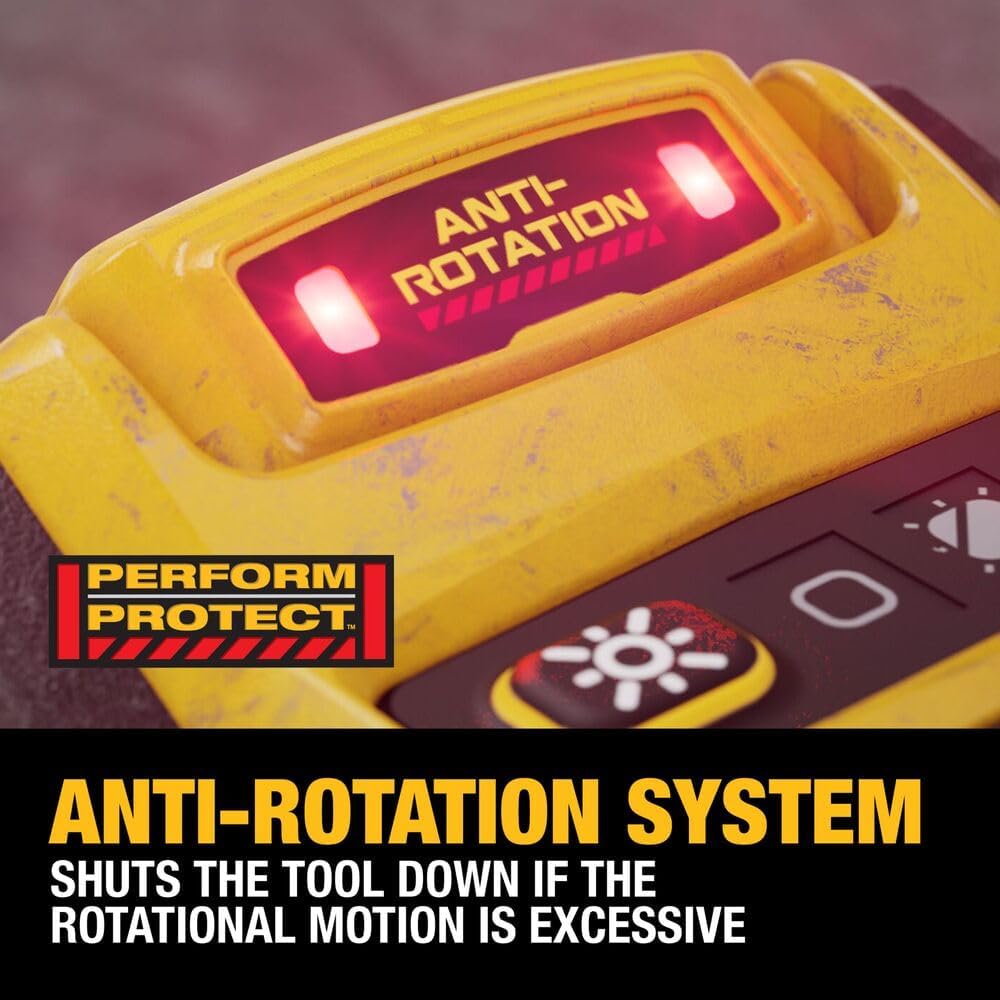
Figure 4: Anti-Rotation System Indicator. A close-up view of the anti-rotation system's red LED indicator, which lights up when the safety feature is activated.

Figure 5: High-Performance Drilling. The drill is shown in action, demonstrating its capability to bore large holes in wood, highlighting its power and maneuverability.
5. Work Light Operation
The integrated LED light illuminates the work surface. It activates when the trigger is pressed. To keep the light on for an extended period (up to 20 minutes), press the light button located near the battery interface.
Maintenance
- Cleaning: Regularly clean the tool's ventilation slots to prevent overheating. Use a soft, damp cloth. Do not use harsh chemicals or abrasive cleaners.
- Chuck Maintenance: Periodically clean the chuck jaws to ensure proper gripping.
- Storage: Store the tool in a dry, secure location out of reach of children. Remove the battery pack before storage.
- Battery Care: Follow the battery manufacturer's instructions for charging and storage.
Troubleshooting
| Problem | Possible Cause | Solution |
|---|---|---|
| Tool does not start | Battery not inserted correctly; Battery discharged; Tool malfunction. | Ensure battery is fully seated; Charge battery; Contact DEWALT service. |
| Tool stops during operation (Anti-Rotation System engaged) | Bit binding in material; Excessive torque reaction. | Release trigger to reset; Reduce pressure; Use auxiliary handle; Use appropriate bit for material. |
| Reduced power or performance | Low battery charge; Incorrect speed setting; Worn or dull bit. | Charge battery; Select higher speed; Replace bit. |
| Chuck wobble | Bit not properly secured; Damaged chuck. | Re-seat and tighten bit; If problem persists, contact DEWALT service. |
Specifications
- Model: DCD1007B
- Voltage: 20V MAX
- Chuck Size: 1/2 inch
- Number of Speeds: 3
- Power Source: Battery Powered (Battery and charger sold separately)
- Item Weight: 5.79 pounds (bare tool)
- Product Dimensions: 15.5"L x 4"W x 8.5"H
- Material: Blend, Metal
- Drill Type: Hammer Drill
- UPC: 885911802871
Official Product Videos
The following videos provide additional information and demonstrations of the DEWALT 20V MAX XR Hammer Drill.
DEWALT 20V MAX XR Hammer Drill DCD1007
This official video from Stanley Black & Decker provides an overview of the DEWALT 20V MAX XR Hammer Drill, model DCD1007. It showcases the drill's features and capabilities in a concise format.
Warranty and Support
DEWALT offers a limited warranty for its products. For specific warranty details, registration, and support, please refer to the official DEWALT website or contact their customer service. Keep your purchase receipt as proof of purchase.
Online Support: www.dewalt.com/support
Phone Support: Refer to the DEWALT website for regional contact numbers.
Ask a question about this manual
Ask about setup, troubleshooting, compatibility, parts, safety, or missing instructions. Manuals+ will review the question and use this page’s manual context to help answer it.