
1. Introduction
Thank you for choosing the Dolanus Y878 Smart Robotic Dog. This interactive pet is designed to provide engaging and educational play for children aged 4-12. It features remote control capabilities, programming functions, music, dancing, storytelling, and touch interaction. Please read this manual carefully to ensure proper use and enjoyment of your new robotic companion.
2. Package Components
Ensure all components are present before beginning setup:
- 1 x Dolanus Y878 Smart Robotic Dog
- 1 x Remote Control
- 1 x USB Charging Cable
- 1 x Rechargeable Battery
- 1 x Screwdriver
- 1 x Instruction Manual (this document)

Image: The Dolanus Y878 Smart Robotic Dog, remote control, USB charging cable, rechargeable battery, and screwdriver are shown next to the product packaging.
3. Setup Guide
3.1 Battery Installation
- Locate the battery compartment on the underside of the robotic dog.
- Use the provided screwdriver to open the battery compartment cover.
- Insert the rechargeable battery, ensuring correct polarity.
- Replace the cover and secure it with the screwdriver.
- For the remote control, insert 2x AAA batteries (not included) into its compartment, observing polarity.
3.2 Charging the Robotic Dog
Before first use, fully charge the robotic dog's battery.
- Connect the USB charging cable to the charging port on the robotic dog.
- Plug the other end of the USB cable into a standard USB power adapter (5V/1A, not included) or a computer USB port.
- The charging indicator light will illuminate during charging and turn off when fully charged.
- A full charge provides over 80 minutes of playtime.
3.3 Power On/Off
- To turn on the robotic dog, press the power button located on its body. Its LED eyes will light up.
- To turn off, press the power button again.
- Ensure the remote control is also powered on to establish a connection.
4. Operating Instructions
The Dolanus Y878 Smart Robotic Dog is controlled using the provided remote. Familiarize yourself with the remote's layout:

Image: The remote control showing buttons for "Slide to forward", "Turn left", "Program", "Turn right", "Say Hello", "Amuse Puppy", "Push up", "Coquetry", "Creep forward", "Get down", "Sit Down", "Volume +", "Volume -", "Stop", "Story", "ABC", "Dance music", "Imitation show", and "Nursery rhymes".
4.1 Basic Movements
- Slide to forward/backward: Moves the dog forward or backward.
- Turn left/right: Rotates the dog left or right.
- Creep forward: Makes the dog crawl forward.
- Push up: Performs a push-up action.
- Sit Down: Makes the dog sit.
- Get down: Makes the dog lie down.
4.2 Interactive Functions
- Say Hello: The dog will greet you.
- Amuse Puppy: Triggers playful actions.
- Coquetry: Initiates charming movements.
- Story: The dog tells a story.
- ABC: The dog recites the alphabet.
- Dance music: The dog dances to music.
- Imitation show: The dog mimics various animal sounds.
- Nursery rhymes: The dog plays nursery rhymes.
4.3 Programming Mode
The programming key allows you to create custom routines for your robotic dog.
- Press the "Program" button on the remote.
- Input a sequence of desired actions using the other function buttons (e.g., "Slide to forward", "Turn right", "Say Hello").
- Press the "Program" button again to save and execute the sequence. The dog will perform the programmed actions step by step.
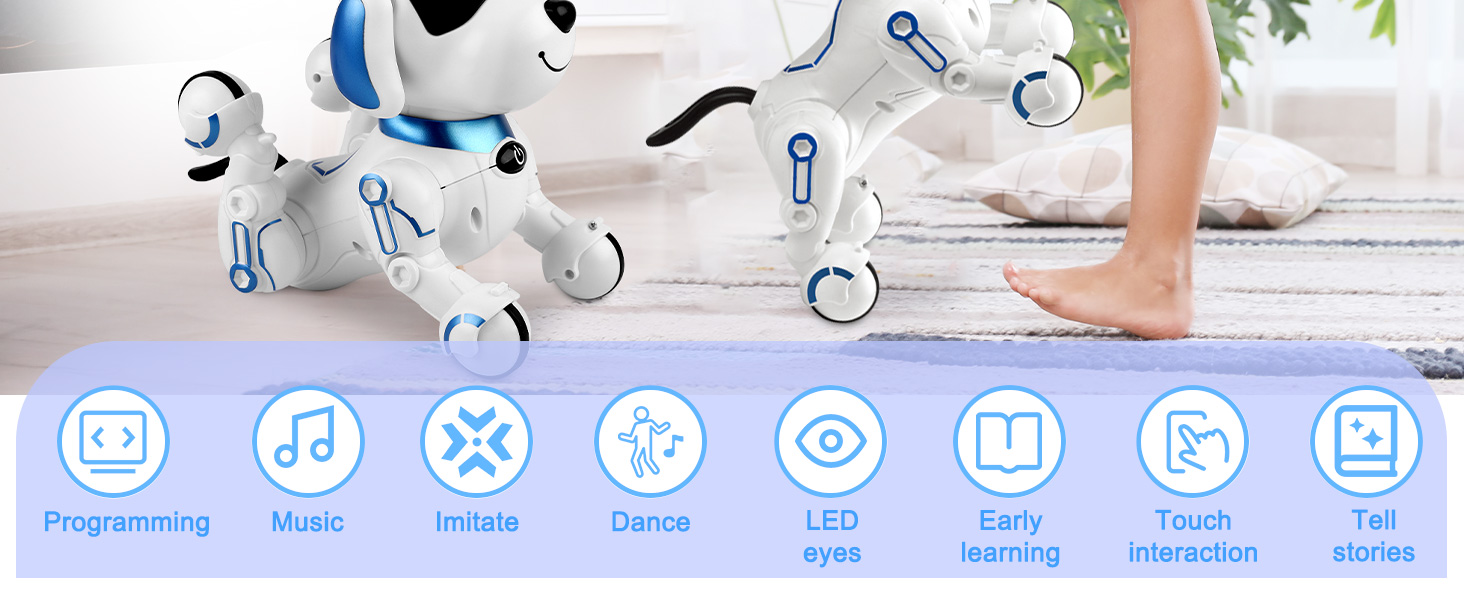
Image: A visual guide to custom programming, illustrating the sequence of actions the robot dog can perform after being programmed.
4.4 Touch Interaction
The robotic dog responds to touch. Gently pet its chin for adorable reactions and sounds.

Image: A child interacting with the robot dog by stroking its chin, eliciting a friendly response.
5. Key Features
- Multi-talented Functions: Tells stories, sings rhymes, dances, teaches English, and mimics 6 animal sounds (Elephant, Duck, Tiger, Pig, Horse, Cat).
- Programmable: Create custom action sequences.
- Long Playtime: Over 80 minutes of continuous play on a full charge.
- Realistic Interaction: Responds to touch and remote commands with vivid barks and movements.
- Durable Construction: Made from safe ABS material.
Image: An overview of the robot dog's multi-functional capabilities, including programming, music, imitation, dancing, LED eyes, early learning, touch interaction, and storytelling.

Image: The robot dog demonstrating its ability to imitate six different animal sounds.
6. Maintenance
- Cleaning: Wipe the robotic dog and remote control with a soft, dry cloth. Do not use harsh chemicals or immerse in water.
- Storage: When not in use for extended periods, turn off the robotic dog and remote control. Store in a cool, dry place away from direct sunlight.
- Battery Care: Fully charge the battery before storing for long periods. Recharge every 3 months to maintain battery health.
7. Troubleshooting
| Problem | Possible Cause | Solution |
|---|---|---|
| Robotic dog does not turn on. | Low battery or incorrect battery installation. | Ensure battery is fully charged and correctly installed. Check remote control batteries. |
| Remote control not responding. | Remote control batteries are low or not installed. | Replace remote control batteries. Ensure robotic dog is powered on. |
| Dog moves erratically or stops. | Low battery in robotic dog. Interference. | Recharge the robotic dog's battery. Move away from other electronic devices. |
| Sound is unclear or too low. | Volume setting is too low. | Use the "Volume +" button on the remote control to increase the volume. |
8. Product Specifications
- Model Number: Y878
- Product Dimensions: 8 x 7 x 5 inches
- Item Weight: 1.19 pounds
- Manufacturer: Dolanus
- Recommended Age: 4 years and up
- Battery: Rechargeable (included)
- Remote Control Batteries: 2x AAA (not included)

Image: The robot dog with its physical dimensions indicated for reference.
9. Product Videos
9.1 Dolanus Y878 Smart Robotic Dog Demonstration
Video: A short demonstration of the Dolanus Y878 Smart Robotic Dog performing various actions like walking, sitting, and making sounds, showcasing its interactive features.
10. Warranty and Support
Dolanus products are designed for quality and durability. For any questions, concerns, or technical support regarding your Y878 Smart Robotic Dog, please refer to the contact information provided on the product packaging or visit the official Dolanus website. Please retain your proof of purchase for warranty claims.