
SANSCO EXF-QS16-B4L White
SANSCO 4MP Solar Security Camera Instruction Manual
Model: EXF-QS16-B4L White
Brand: SANSCO
Product Overview
The SANSCO 4MP Solar Security Camera is a versatile, battery-powered outdoor surveillance solution designed for comprehensive home security. Featuring a unique dual-lens system, it provides extensive coverage with minimal blind spots. The camera is equipped with advanced features such as 2K high-definition video, PIR human detection, two-way audio communication, and auto-tracking capabilities. Powered by an integrated solar panel, it offers continuous operation without the need for frequent recharging, making it ideal for various outdoor environments.

The SANSCO 4MP Solar Security Camera, showcasing its dual-lens design and integration with the mobile application for live viewing and digital zoom.

Illustration of the camera's non-stop power supply, highlighting the adjustable 8W solar panel and built-in 10000mAh rechargeable battery for 365 days of operation.
Official video from Sansco Global demonstrating the features of the SANSCO Wireless Solar Cameras for Home/Outdoor Security, including 2K HD, 2.4GHz WiFi, two-way audio, PIR motion detection, pan & tilt, 10X digital zoom, color night vision, multi-user sharing, and SD/Cloud storage.
What's Included
- 1x Wire Free Camera
- 1x Solar Panel
- 1x USB Charging Cable
- 1x Setup Guide
- 1x Set Screw
Setup and Installation
1. Initial Camera Preparation
Before mounting, ensure the camera is powered on and ready for connection. Locate the on/off button and the DC Power (5V1A) port. If inserting a Micro SD card (not included), gently open the cover and insert the card. Remember to remove any clear protective film from the lenses.

Ensure to remove the clear protective film from the camera lenses before use. The camera supports 2.4GHz WiFi only and uses the free EseeCloud app.
Official video from Sansco Global demonstrating how to prepare the SANSCO Dual-Lens Solar Security Camera, including turning it on, inserting a Micro SD card, and connecting the solar panel.
2. Mounting the Camera and Solar Panel
Choose a suitable outdoor location for mounting the camera and solar panel. The camera can be wall or ceiling mounted. Ensure the solar panel is positioned to receive maximum direct sunlight throughout the day for optimal charging. Use the provided set screws to securely attach both the camera and the solar panel. Connect the solar panel's USB-C cable to the camera's DC Power port.
Visual guide for mounting the solar panel and connecting it to the camera for continuous power supply.
3. App Connection (EseeCloud)
Download the EseeCloud app from your smartphone's app store. Launch the app and follow the on-screen instructions to add your new device. Ensure your phone's Bluetooth is enabled for easy device discovery. The camera supports 2.4GHz WiFi networks only; 5GHz networks are not supported. Enter your WiFi password when prompted to complete the connection. Once connected, you can name your device and begin live viewing.
Official setup guide from Sansco Global detailing the steps to connect the dual-lens solar security camera to the EseeCloud app, including Bluetooth pairing and WiFi configuration.
Operating Instructions
1. Dual Lens and PTZ Control
The camera features dual lenses: a fixed lens for a wide overview and a rotating lens for detailed monitoring. Use the EseeCloud app to control the Pan (355° horizontal) and Tilt (90° vertical) movements of the rotating lens. The app also allows for up to 10X digital zoom to focus on specific areas.
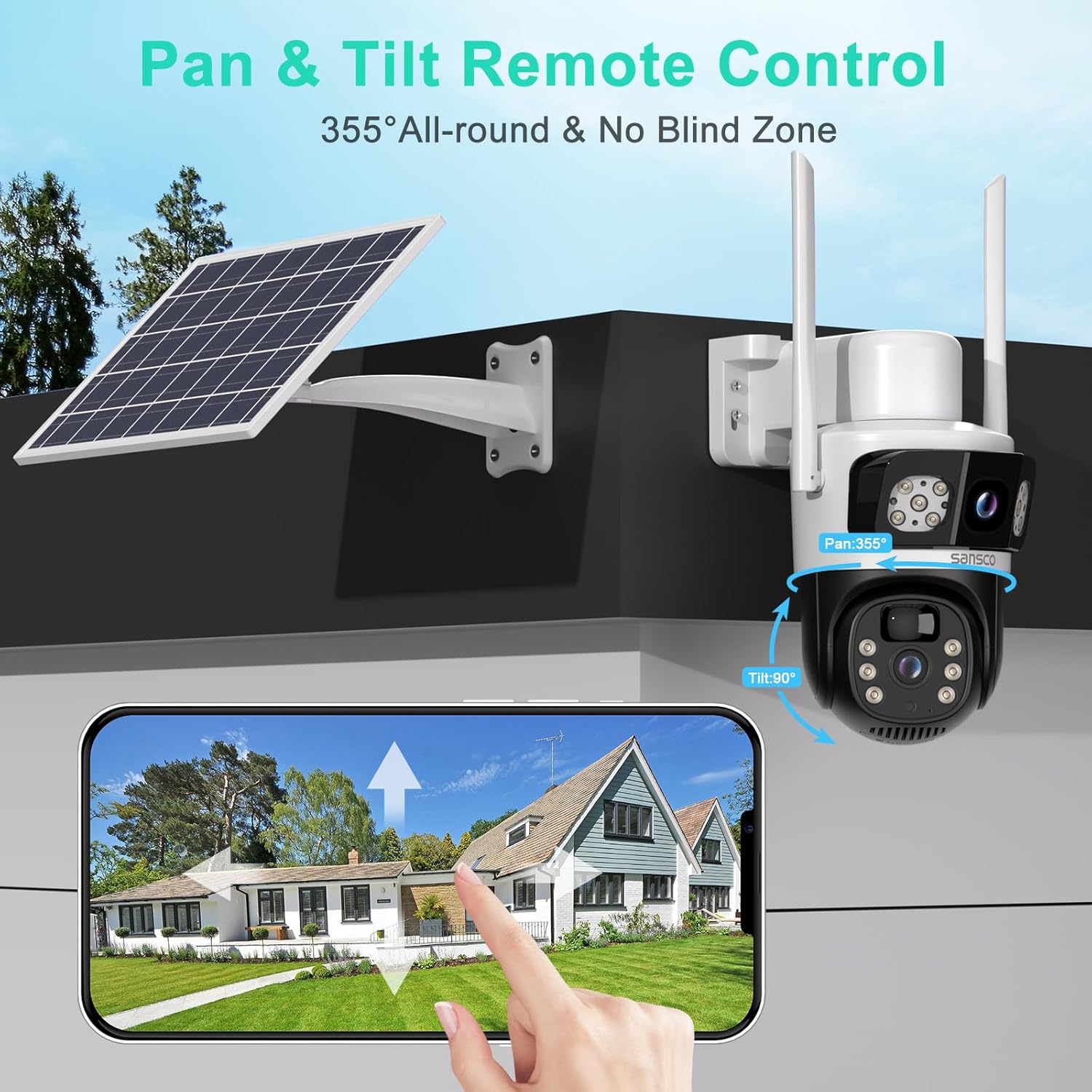
Demonstration of the camera's Pan & Tilt remote control capabilities, offering a 355° horizontal and 90° vertical rotation for comprehensive coverage.
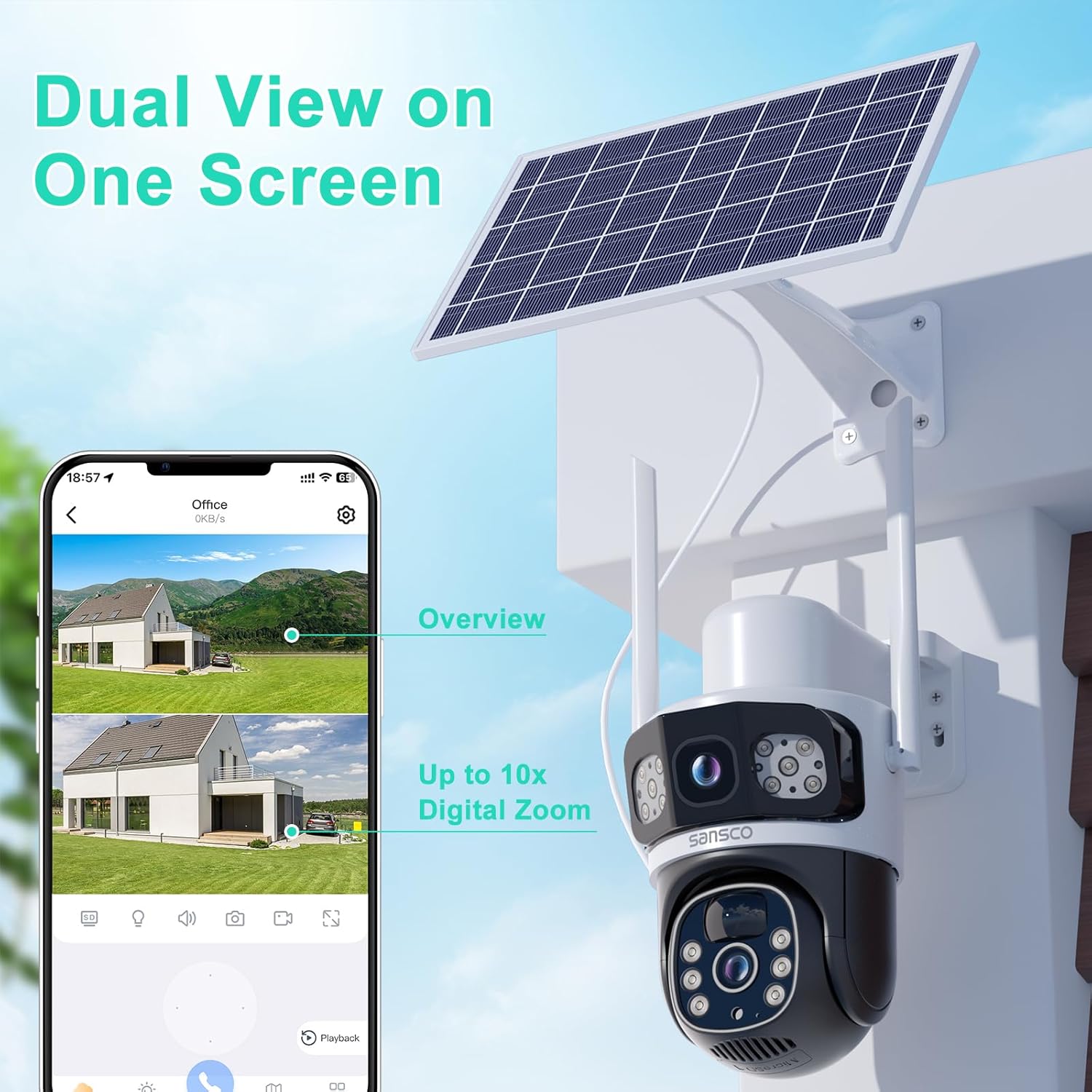
The dual view feature on one screen, allowing users to see both the wide overview and zoomed-in details with up to 10X digital zoom.
2. 2K High-Definition Live Video & Night Vision
Access live 2K (2304*1296P) high-definition video through the app. The camera provides clear visibility in both day and night conditions. It supports color night vision for enhanced detail in low-light environments.
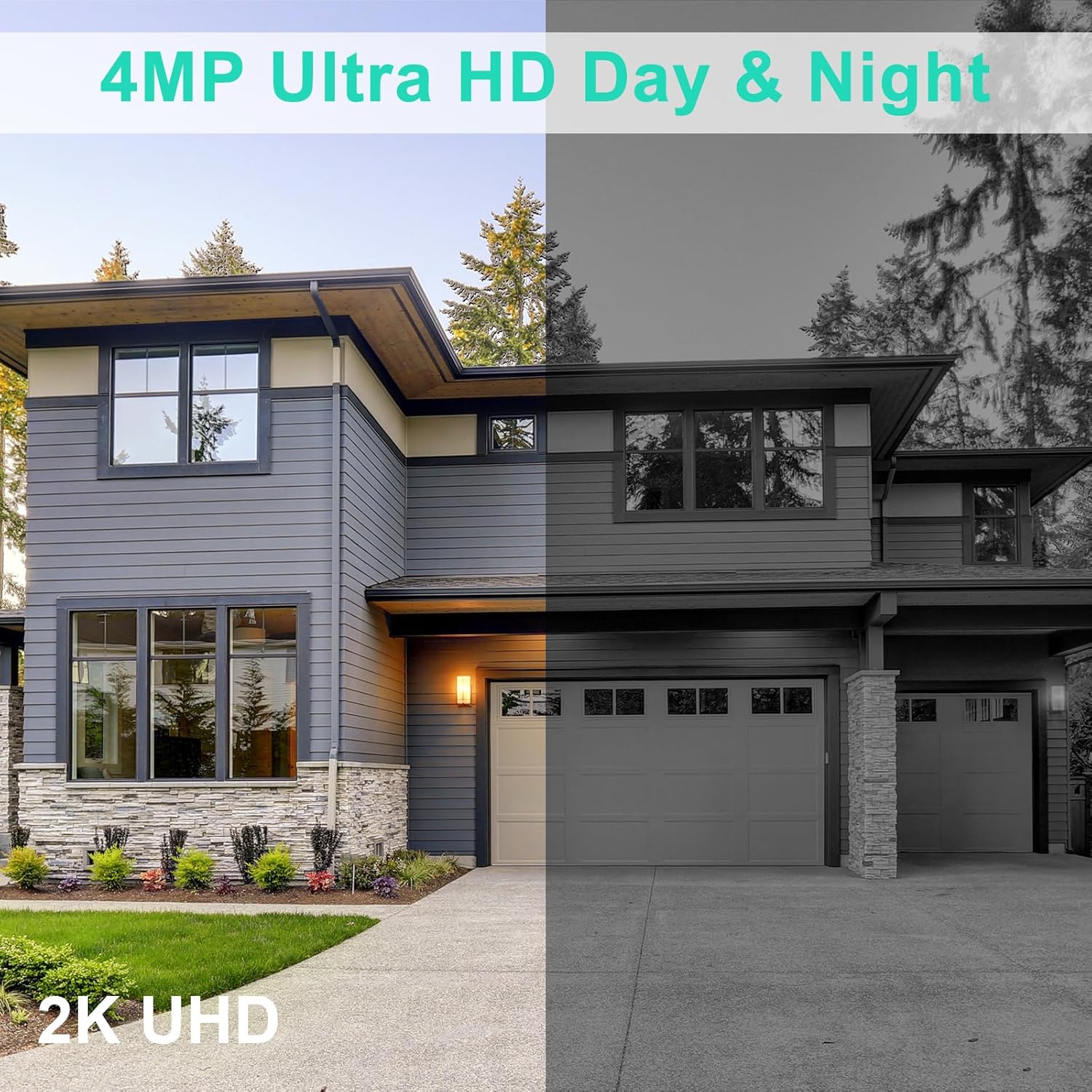
Comparison of day and night vision clarity, highlighting the 4MP Ultra HD resolution and 2K UHD quality.
3. PIR Motion Detection & Alerts
The camera is equipped with Passive Infrared (PIR) human detection to minimize false alarms. When motion is detected, the camera can trigger a siren, flashing white lights, and send real-time alerts to your mobile app. This feature helps deter intruders and keeps you informed.

The AI Human Detection feature, ensuring instant alerts are received on your phone when human motion is detected.

Visual representation of the camera's ability to deter unwelcome visitors and reduce false alarms by up to 95%.
4. Two-Way Audio Communication
Utilize the built-in microphone and speaker for real-time two-way audio. This allows you to communicate with visitors, deter unwanted guests, or interact with family members remotely through the app.

Demonstration of the real-time two-way talk feature, allowing communication with individuals near the camera, such as a delivery person.
5. Storage Options
Recordings can be stored locally on a Micro SD card (up to 256GB, not included) or via optional cloud storage services. The camera primarily supports live view and motion-triggered recording, not 24/7 continuous recording.
Maintenance
- Cleaning: Regularly wipe the camera lenses and solar panel with a soft, damp cloth to ensure clear vision and efficient solar charging. Avoid abrasive cleaners.
- Battery Charging: While solar-powered, if the battery is completely depleted, use a 5V 1A power adapter to charge the camera. Do not use 2.4A or 3A adapters.
- Firmware Updates: Check the EseeCloud app periodically for firmware updates to ensure optimal performance and security.
Troubleshooting
Common Issues and Solutions:
- Camera not connecting to WiFi: Ensure your WiFi network is 2.4GHz. The camera does not support 5GHz. Check WiFi password accuracy.
- Frequent false alarms: Adjust the PIR motion detection sensitivity settings within the EseeCloud app. Avoid placing the camera in crowded areas if using advanced face recognition to conserve battery.
- Poor night vision: Ensure the camera lenses are clean and free from obstructions. Check if the night vision mode is correctly activated in the app.
- Battery draining quickly: Verify the solar panel is receiving adequate direct sunlight. Reduce the frequency of motion detection alerts or live view usage if not critical.
- No 24/7 recording: This model is designed for live view and motion-triggered recording only, not continuous 24/7 operation.
Technical Specifications
| Feature | Specification |
|---|---|
| Model Name | EXF-QS16-B4L White |
| Video Resolution | 2K (2304*1296P), 8MP (4MP + 4MP) Effective Still Resolution |
| Connectivity | Wireless (2.4GHz Wi-Fi only) |
| Power Source | Solar Powered (Adjustable 8W Solar Panel), Built-in 10000mAh Rechargeable Battery |
| Pan/Tilt/Zoom | 355° Horizontal Pan, 90° Vertical Tilt, 10X Digital Zoom |
| Night Vision | Color Night Vision (Low light technology) |
| Audio | 2-Way Audio (Built-in Microphone & Speaker) |
| Motion Detection | PIR Human Detection, Motion-Activated Spotlights, Siren, App Notifications |
| Storage | Micro SD Card (up to 256GB, not included), Cloud Storage (optional) |
| Weather Resistance | IP66 Waterproof |
| Dimensions | 10 x 7.99 x 5.49 inches |
| Weight | 3.65 pounds |
| Included Components | Wire Free Camera, Solar Panel, USB Charging Cable, Setup Guide, Set Screw |
Warranty and Support
SANSCO products typically come with a manufacturer's warranty. Please refer to the included Setup Guide or visit the official SANSCO website for detailed warranty information and customer support contacts. For technical assistance, troubleshooting, or product inquiries, contact SANSCO customer service.
SANSCO is committed to providing professional-grade security solutions and excellent customer relationships, offering 24-hour response times, 30-day hassle-free returns, and lifetime continuous support.
Ask a question about this manual
Ask about setup, troubleshooting, compatibility, parts, safety, or missing instructions. Manuals+ will review the question and use this page’s manual context to help answer it.