
Introduction
The Xspeedonline Wireless Garage Door Opener Keypad provides a secure, keyless entry system for your garage. This device allows you to open or close your garage door using a personalized 4-digit PIN, eliminating the need for a remote or key. It features a waterproof cover, backlit keypad, and the ability to control up to three garage door openers. The keypad utilizes Security+ 2.0 rolling code technology for enhanced security and to prevent radio wave interference.

Image: Xspeedonline Wireless Garage Door Opener Keypad highlighting its key features.
Compatibility
This keypad is compatible with a wide range of garage door openers manufactured by LiftMaster, Chamberlain, and Craftsman from 1993 to the present. Compatibility is determined by the color of the 'Learn Button' on your garage door opener motor unit.
- Yellow Learn Button: Compatible with Security+ 2.0 systems (manufactured since January 1993).
- Purple Learn Button: Compatible with 315 MHz Security+ systems.
- Red/Orange Learn Button: Compatible with 390 MHz Security+ systems.
- Green Learn Button: Compatible with 390 MHz Billion Code systems.
Note: This keypad is not compatible with Craftsman models 200.57933, 57943, 57953 Series 100 CR1150, 139.57943, and 139.57953.
Package Contents
Upon opening your package, you should find the following items:
- 1 x Xspeedonline Wireless Garage Door Opener Keypad
- Mounting Screws
- Wall Anchors
- Instruction Manual (this document)

Image: The keypad and its included mounting hardware.
Setup and Installation
The keypad offers wireless installation. Choose a convenient location outside your garage, within reach of the garage door opener's signal. Ensure the surface is flat and secure for mounting.
- Positioning: Hold the keypad in the desired mounting location. The keypad should be mounted at least 5 feet (1.5 meters) above the ground, out of reach of small children.
- Marking: Use a pencil to mark the locations for the two mounting screws.
- Drilling: Drill pilot holes at the marked locations. If mounting into masonry or concrete, use the provided wall anchors.
- Mounting: Secure the keypad to the surface using the provided screws. Do not overtighten.

Image: Keypad mounted on a wall, showcasing its waterproof cover and backlit buttons.
Programming Your Keypad
The Learn button on your garage door opener motor unit is typically located on the back or right side. Refer to your garage door opener's manual for its exact location.
Program Initial PIN
- Press and hold the ENTER button on the keypad until the lights on the keypad stop flashing (approximately 3 seconds).
- Press and release the LEARN button on your garage door opener.
- Enter your desired 4-digit Personal Identification Number (PIN) on the keypad, then press the ENTER button.
- To test, enter your PIN, then press the ENTER button. The garage door should open or close.
Change Existing PIN
- Enter the existing PIN, then press the ENTER button.
- Press and hold the ENTER button until the lights on the keypad stop flashing (approximately 3 seconds).
- Enter the new 4-digit PIN, then press the ENTER button.
- To test, enter the new PIN, then press the ENTER button. The garage door should open or close.
Programming Multiple Garage Door Openers (Up to 3)
This keypad can control up to three separate garage door openers.
- To program an additional garage door opener, repeat steps 1-4 from the "Program Initial PIN" section.
- For the second opener, press the ENTER button twice after entering the PIN.
- For the third opener, press the ENTER button three times after entering the PIN.
- To test, enter the PIN, then press the ENTER button the corresponding number of times (once for the first opener, twice for the second, etc.). The garage door should open or close.

Image: Keypad with its cover open, showing the programming instructions printed inside.
Video: This video demonstrates how to program a LiftMaster 877MAX Wireless Keypad, which uses a similar programming process to the Xspeedonline keypad. It provides a visual guide to the steps outlined above.
Operating Instructions
Once programmed, operating your garage door with the keypad is straightforward:
- Enter your 4-digit PIN on the keypad.
- Press the ENTER button.
- The garage door will open or close. If controlling multiple doors, press ENTER the corresponding number of times (once for door 1, twice for door 2, etc.).
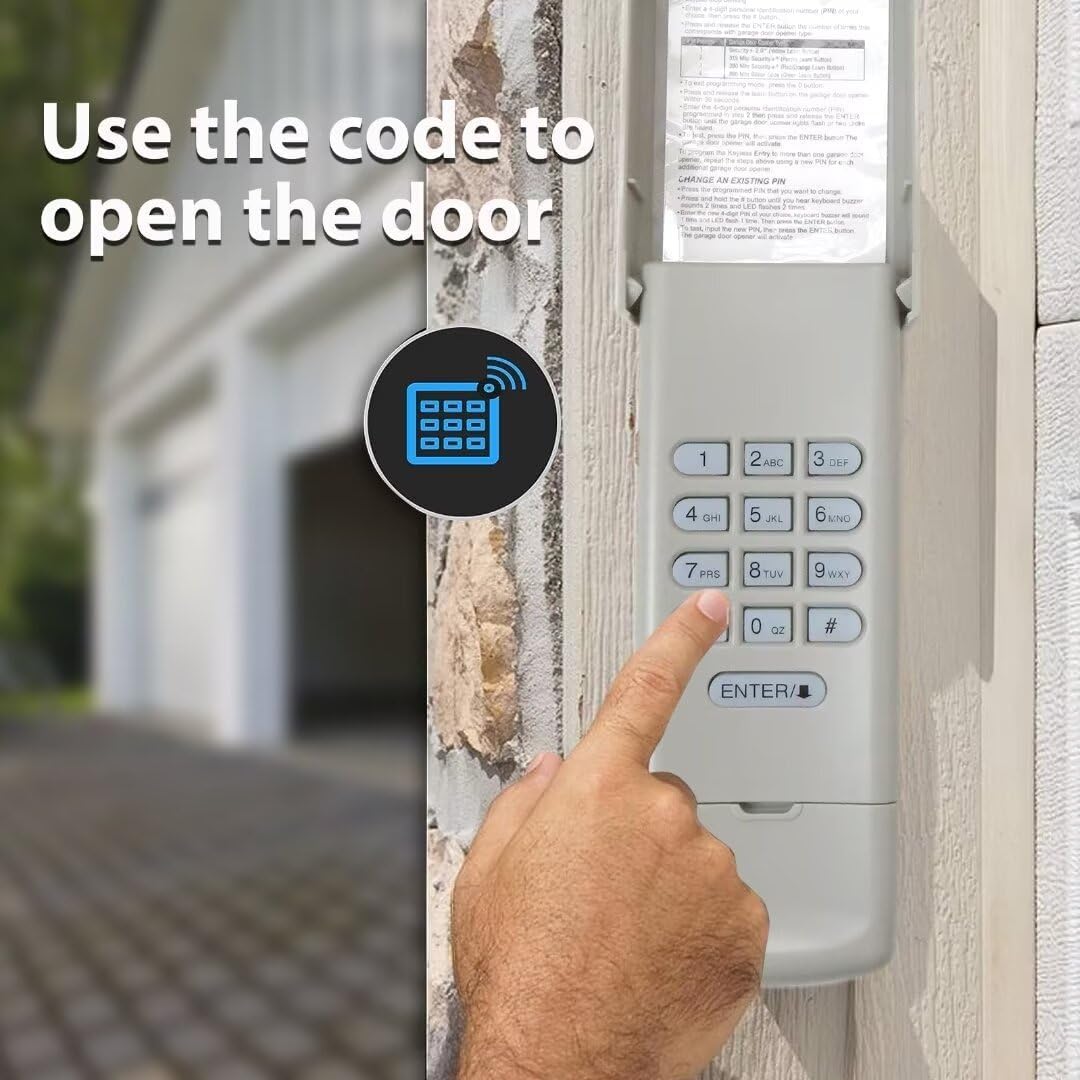
Image: A hand entering the code on the keypad to operate the garage door.
Temporary PIN for Visitors
The keypad allows you to set a temporary 4-digit PIN for visitors or service personnel, granting them limited access to your garage without compromising your primary PIN. This feature is useful for maintenance personnel, meter readers, or when you need to provide temporary access to others.

Image: A person using the keypad to enter a temporary password.
Maintenance
The Xspeedonline keypad is designed for durability and minimal maintenance. The primary maintenance task involves battery replacement.
- Battery Replacement: The keypad uses standard Alkaline or Lithium batteries. When the keypad lights dim or it becomes unresponsive, it's time to replace the battery. To access the battery compartment, carefully open the keypad cover and locate the battery. Replace it with a new battery of the same type.
- Cleaning: Clean the keypad surface with a soft, damp cloth. Avoid using abrasive cleaners or solvents, as these can damage the finish or electronic components.
Troubleshooting
| Problem | Possible Cause | Solution |
|---|---|---|
| Keypad does not respond or lights are dim. | Low or dead battery. | Replace the battery with a new Alkaline or Lithium battery. |
| Garage door does not open after entering PIN. | Incorrect PIN entered or programming error. | Verify the PIN. Re-program the keypad following the steps in the "Programming Your Keypad" section. Ensure you are pressing the ENTER button the correct number of times for multiple doors. |
| Keypad programmed but still not working with Craftsman opener. | Potential misidentification of learn button type. | Some Craftsman openers with a red learn button may require programming as if they have a green learn button (e.g., pressing ENTER four times instead of three during programming). Try adjusting the number of ENTER presses during programming. |
| Keypad loses programming. | Battery replacement or power interruption. | Re-program the keypad following the instructions. |
| Keypad is not recognized by the opener. | Incompatibility or signal interference. | Double-check your garage door opener's learn button color against the compatibility list. Ensure the keypad is within range of the opener. |
Specifications
- Brand: Xspeedonline
- Model Numbers: 893LMX2, 877LMX1
- Connectivity Technology: Radio Frequency
- Max Number of Supported Devices: 3
- Controller Type: Button Control
- Button Quantity: 9
- Battery Type: Alkaline or Lithium
- Item Weight: 0.05 kg
- Color: Beige
- Special Feature: Ergonomic, Backlit, Waterproof Cover
Warranty and Support
For warranty information or technical support, please refer to the contact details provided with your purchase or visit the official Xspeedonline website. Keep your purchase receipt as proof of purchase for any warranty claims.