
1. Introduction
Thank you for choosing Palogreen AA Type C Rechargeable Lithium Ion 1.5V 3400mWh batteries. These batteries are designed for performance, convenience, and reliability, offering a modern solution for your power needs. This manual provides essential information for the safe and efficient use, charging, and maintenance of your batteries.

Image: Overview of Palogreen AA Type C Rechargeable Batteries, showcasing their main features.
2. Package Contents
Your package includes:
- 8 x Palogreen AA Li-ion Rechargeable Batteries (3400mWh)
- 2 x 4-in-1 Type-C USB Charging Cables
- 2 x Battery Storage Cases
3. Setup and Initial Use
Before first use, it is recommended to fully charge all batteries.
3.1 Charging the Batteries
- Connect one end of the included 4-in-1 Type-C USB charging cable to the USB-C port on each battery.
- Connect the USB-A end of the cable to a standard 5V USB power source (e.g., power adapter, power bank, laptop/PC USB port, car charger).
- The LED indicator lights on the battery will illuminate to show charging progress.
- Once all four LED lights are solid (not blinking), the battery is fully charged.

Image: Examples of compatible USB charging sources for the batteries.
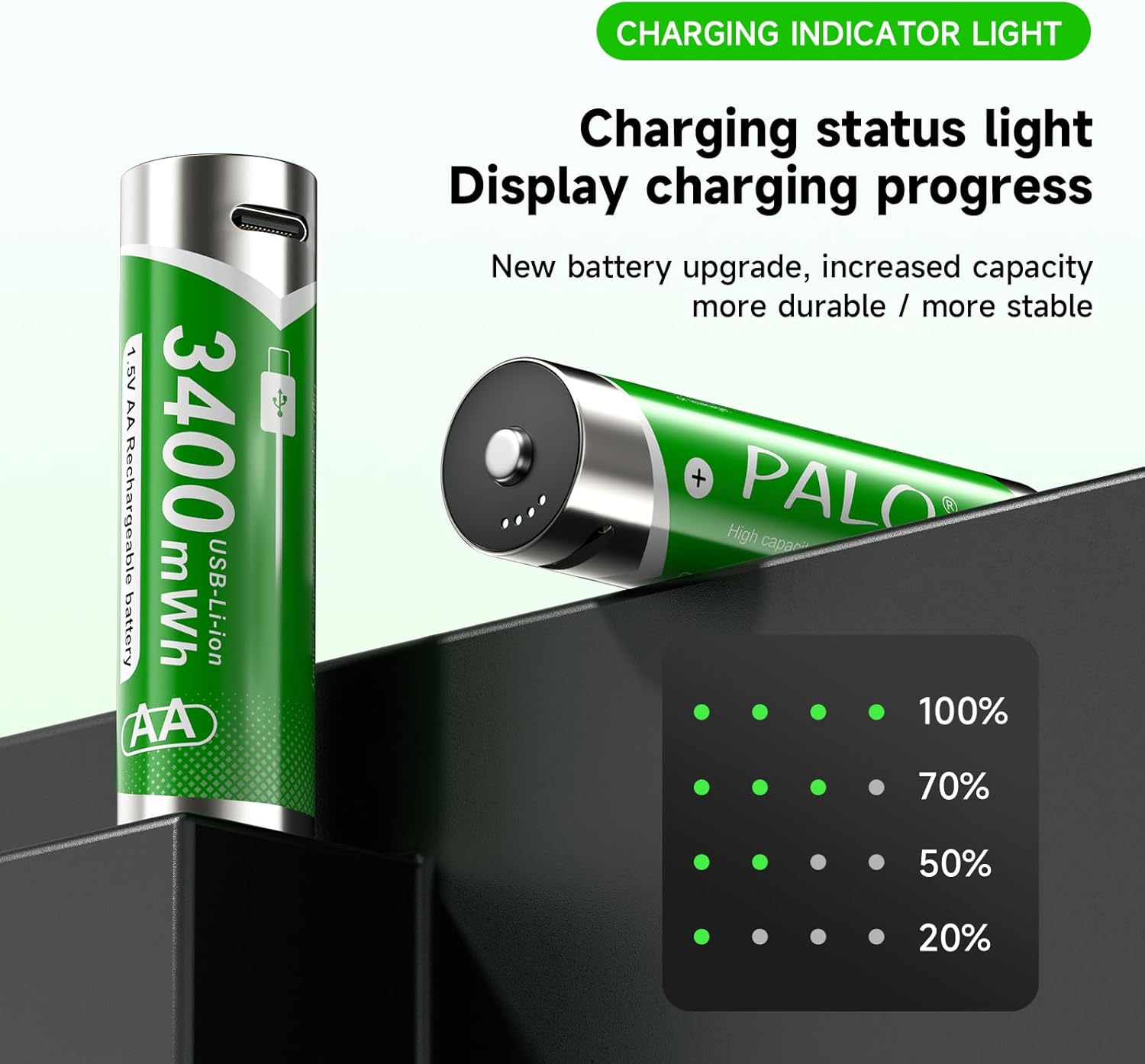
Image: LED indicator lights displaying charging status.
3.2 Checking Battery Capacity
To check the remaining battery capacity, gently tap the top of the battery. The LED indicator lights will illuminate, showing the current charge level:
- 1 blinking light: 1% - 24%
- 1 steady light + 1 blinking light: 25% - 49%
- 2 steady lights + 1 blinking light: 50% - 74%
- 3 steady lights + 1 blinking light: 75% - 99%
- 4 steady lights: 100%
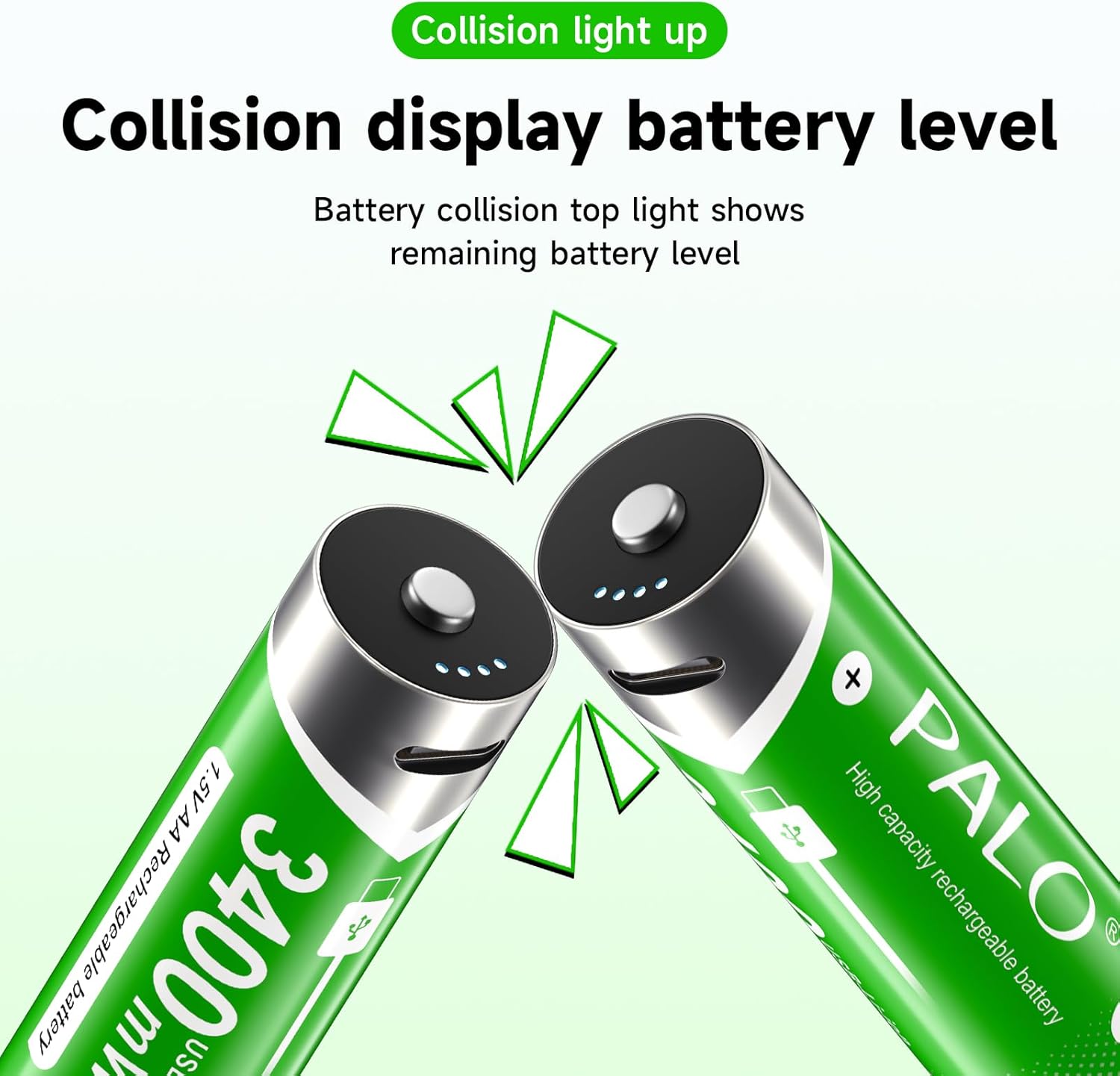
Image: Demonstrating how to check battery level by tapping the battery top.
4. Operating Instructions
These batteries are designed to provide a stable 1.5V output throughout their discharge cycle, making them suitable for a wide range of devices that require consistent voltage.
4.1 Device Compatibility
Palogreen AA rechargeable batteries are compatible with various household and electronic devices, including but not limited to:
- Remote controls
- Wireless keyboards and mice
- Children's toys
- Flashlights
- Electric toothbrushes
- Alarm clocks
- Induction lights
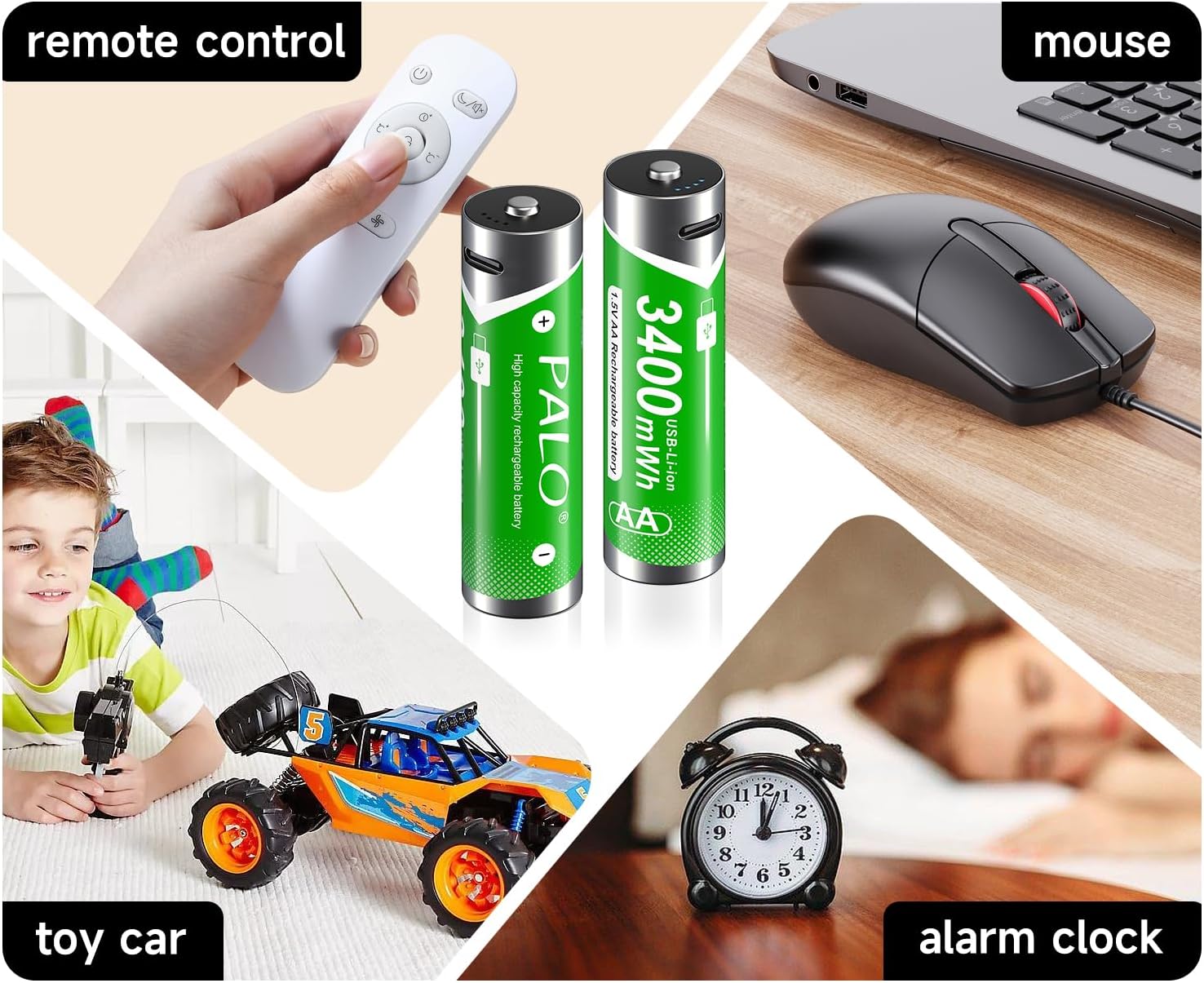
Image: Examples of common devices compatible with Palogreen AA batteries.

Image: Further illustrations of battery usage in daily life.
4.2 Constant Voltage Output
Unlike traditional NiMH rechargeable batteries that experience a voltage drop during use, Palogreen lithium-ion batteries maintain a consistent 1.5V output until nearly depleted. This ensures optimal performance for devices sensitive to voltage fluctuations.

Image: Voltage output comparison between Palogreen batteries and standard batteries.
5. Maintenance and Storage
5.1 Battery Lifespan and Charging Cycles
These batteries are designed for over 1500 charging cycles, significantly reducing waste and saving costs compared to single-use batteries.

Image: Highlighting the 1500+ charging cycles and versatility of the batteries.
5.2 Storage
Store batteries in the provided battery cases when not in use to prevent loss and damage. Thanks to innovative energy storage technology, these batteries boast a low self-discharge rate, retaining up to 80% of their capacity even after 3 years of storage.

Image: Demonstrating convenient and organized battery storage using the included cases.
5.3 Leak-Proof Design
Palogreen batteries feature a modern lithium-ion chemistry and an upgraded sealing process, ensuring a leak-proof structure. This eliminates concerns about battery leakage that can damage your devices.
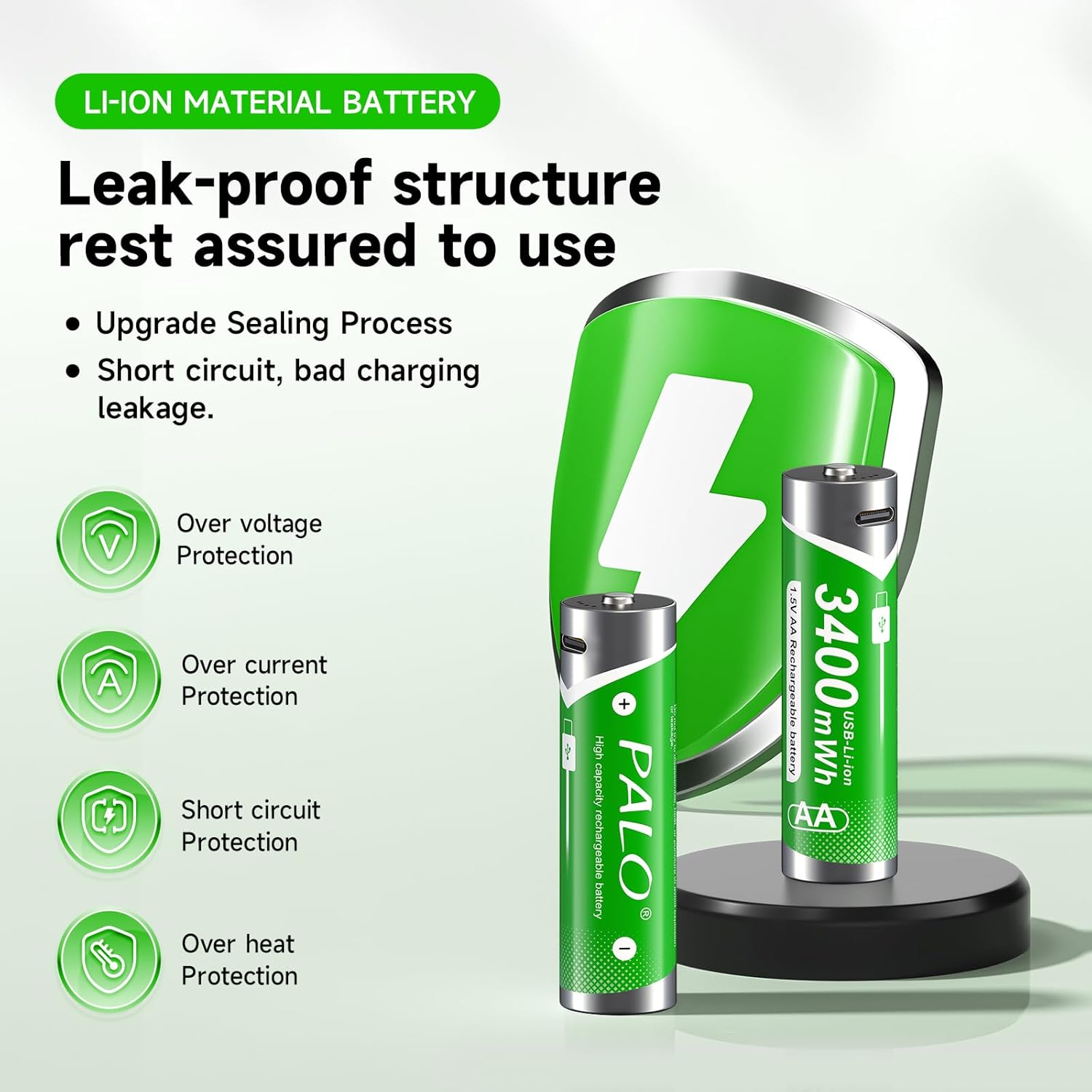
Image: Highlighting the leak-proof design and built-in safety protections.
6. Troubleshooting
If you encounter issues with your Palogreen batteries, please refer to the following common solutions:
- Battery Not Charging: Ensure the USB-C cable is securely connected to both the battery and the power source. Verify that the power source is active and providing 5V output. Try a different USB port or charging cable.
- Battery Not Powering Device: Check if the battery is fully charged using the tap-to-view LED indicator. Ensure the battery is inserted correctly into the device with the correct polarity (+/-). Some devices may require a specific type of battery; confirm compatibility.
- Battery Overheating During Charging: Use only standard 5V USB charging ports. Avoid using variable voltage chargers, as these can cause overheating. If a battery becomes untouchably hot within the first 10-20 seconds of charging, immediately disconnect it and use a different charger or device.
- Irregular Performance: Ensure batteries are fully charged before use. For optimal performance, avoid mixing new and old batteries or batteries of different types in the same device.
7. Specifications
| Model | AA Batteries |
| Battery Type | Lithium Ion (Li-ion) |
| Voltage | 1.5V |
| Capacity | 3400mWh |
| Battery Size (L x D) | 50mm x 14mm |
| Individual Battery Weight | 18g |
| Operating Temperature | -20°C to 40°C |
| Charging Interface | USB Type-C |
| Charging Cycles | Over 1500 |

Image: Visual representation of battery dimensions and key specifications.
8. Warranty and Support
Specific warranty information is not provided in the product details. For any product inquiries, technical support, or warranty claims, please refer to the seller's contact information on the platform where the product was purchased or visit the official Palogreen store page.
You can visit the Palogreen Store for more information: Palogreen Store on Amazon